What I’d Tell a Friend Who Needs a Website in 2026 (After Testing WordPress AI)
My friend texted asking for website help. Here’s the actual conversation we had after I spent months testing WordPress AI and everything else.
Our Conversation (What I Said)
My Honest Take: This is what I’d tell YOU
Last week, 1 around noon. My friend Mirei texts: “I need a website for my consulting business. I’m so overwhelmed. Where do I even start?”
I get this text at least twice a month from different friends. And here’s the thing: after spending a while testing every option, building multiple sites, spending a lot on tools, and truly helping real people launch real businesses, I finally have an answer that doesn’t make me feel like a sellout.
Here’s what I told Mirei (and what I’d tell any friend who needs website help in 2026):
Use WordPress.com AI builder. Full stop.
Not because it’s perfect. Not because I’m getting paid to say it (though yeah, affiliate link present). But because I’ve tested EVERYTHING and this is what works for normal humans who just need to get online.
Why this specific recommendation:
✅ Working site in 15 minutes (I timed Mirei’s—14 minutes, 32 seconds) | Remember I also built another one in under 10 Minutes, full story here.
✅ Costs $4-8/month (not $500 for a designer or $2,000 for an agency)
✅ You truly own it (export anytime, no platform jail)
✅ Grows with you (start simple, add complexity later)
✅ Zero tech skills needed (seriously, if you can order pizza online, you can do this)
Skip this advice if:
❌ You need an online store TODAY (e-commerce setup comes later)
❌ You’re a Fortune 500 company
❌ You have $5,000+ burning a hole in your pocket
Let me walk you through the EXACT conversation Mirei and I had…
Build Your Site in Minutes with WordPress AI →
Three Questions I Always Ask

When a friend needs website advice, I don’t start with tools. I start with three questions. Answer these honestly, and everything else becomes obvious.
Question 1: What’s This Site Honestly For?
Not “what do you think you need?” What are you ACTUALLY trying to accomplish?
My scenarios when a friend needs website help:
“I need a portfolio to land clients.” Perfect for WordPress AI. Built my copywriter friend Lisa a portfolio in 12 minutes. She sent it to a prospect that afternoon. Landed the client three days later at $3,500. The site cost $8/month.
“I’m starting a service business.” Also perfect. The AI generates service pages, about sections, contact forms, and everything a service business needs to look legit online.
“I want to blog.” WordPress literally invented blogging. The AI sets up your blog structure, and you just write.
“I need to sell products online.” Okay, pause. WordPress AI doesn’t build stores initially. You CAN add WooCommerce later (requires Business plan at $25/month), but if you need to start selling TOMORROW, this isn’t your fastest path.
“I just need SOMETHING so people don’t think I’m sketchy.” Absolutely WordPress AI. A clean, professional site beats “under construction” or no site 100% of the time.
Question 2: What’s Your Actual Budget?
Let’s talk money because I’m not going to pretend websites cost nothing.
If a friend needs website help and has $0-10/month:
WordPress.com Personal plan is $4/month. It’s bare bones, but it’s REAL. You get:
- Actual domain (with upgrade)
- Hosting included
- SSL certificate (the security thing)
- AI to build it
If they’ve got $10-25/month:
WordPress.com Premium at $8/month is what I recommend most. You get:
- Unlimited AI prompts (keep refining forever)
- Custom domain is free for a year
- No WordPress ads
- Google Analytics
- Premium themes
- VideoPress (upload videos)
- 13GB storage
This is the sweet spot when a friend needs website help but isn’t made of money.
If they’ve got $25-50/month:
Business plan at $25/month unlocks everything:
- Install any plugin (60,000+ options)
- Advanced SEO tools
- SFTP access (for developers)
- 200GB storage
- Can add WooCommerce for the store later
If they’ve got $200+/month:
Honestly? Hire someone. At this budget, get a custom design, ongoing maintenance, and a professional strategy. WordPress AI is still great for TESTING ideas before dropping thousands on custom work.
Question 3: How Tech-Savvy Are You? (Be Honest)
This determines your path more than anything.
“I can barely figure out my phone.”:
WordPress AI. You literally talk to it like you’re texting. No code, no confusing terms, no crying at your laptop at ungodly hours.
“I’m comfortable with computers, but coding terrifies me”:
Still WordPress AI. You’ll appreciate being able to tweak things after the AI builds. On the business plan, you can install plugins yourself when you’re ready.
“I’ve built sites before / I know code”:
You probably don’t need my advice, but WordPress AI still saves hours on setup. Use it for the foundation, and customize manually after.
Please note: WordPress.com now offers plugins and themes on all paid plans
Start Building (It’s Free to Test) →
Mirei’s Site: Step-by-Step
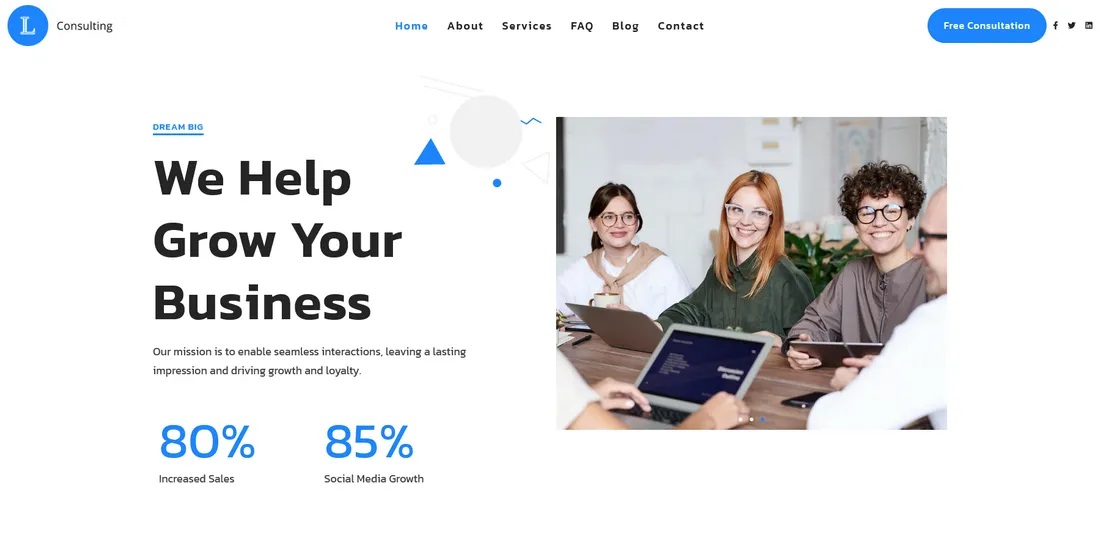
This is EXACTLY what we did. Nothing cleaned up for the blog post. This is the real process.
Step 1: The 5-Minute Planning Session
Before touching any tools, I asked Mirei to answer these:
What does your business do? “I help small businesses with marketing strategy and execution.”
Who are your clients? “Small business owners who don’t have a marketing team. Service businesses with 1-10 employees.”
What do you want people to DO on your site? “Book a consultation call.”
What vibe are you going for? “Professional but approachable. Not corporate stuffy.”
That’s it. Five questions. Five minutes.
Step 2: The Prompt (What We Told the AI)
We went to wordpress.com/ai-website-builder.
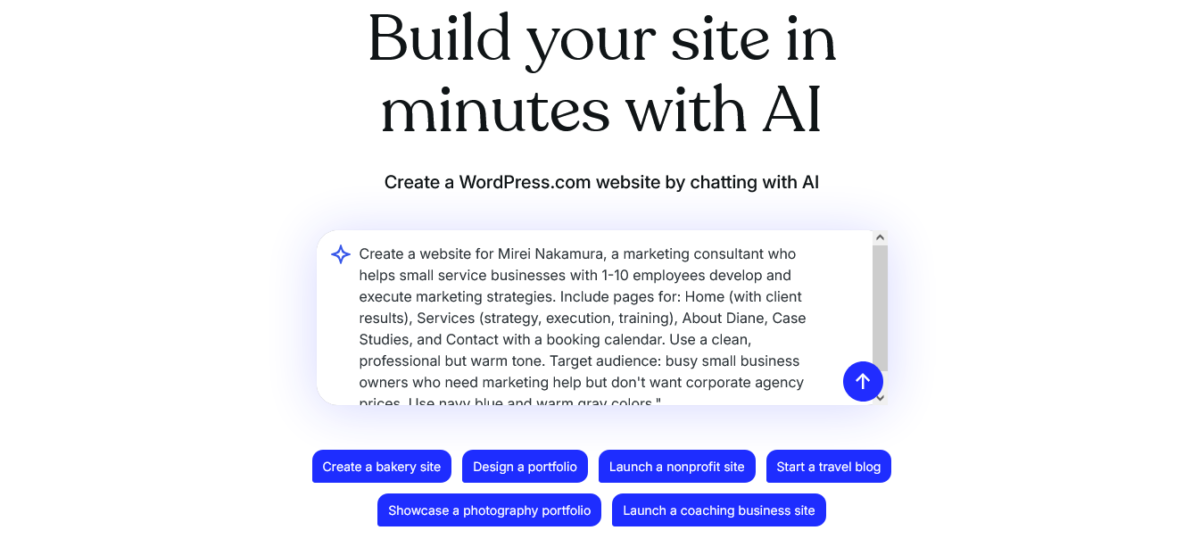
I helped Mirei write this prompt:
“Create a website for Mirei Nakamura, a marketing consultant who helps small service businesses with 1-10 employees develop and execute marketing strategies. Include pages for: Home (with client results), Services (strategy, execution, training), About Diane, Case Studies, and Contact with a booking calendar. Use a clean, professional but warm tone. Target audience: busy small business owners who need marketing help but don’t want corporate agency prices. Use navy blue and warm gray colors.”
Hit enter.
Time: 6:23 PM
Step 3: Watching the Magic (2 Minutes)
The WordPress AI is built in real-time:
- Homepage with services overview
- Individual service pages (Strategy, Execution, Training)
- About page with Diane’s background
- Case studies section
- Contact page with form
- Clean navigation
- Mobile-responsive design
What surprised us: The copy was actually GOOD. Not perfect, but way better than either of us would’ve written from scratch at 6 PM.
Example it generated: “Strategic marketing guidance that fits your budget and actually gets implemented. No corporate jargon, no agencies that disappear after the proposal. Just practical strategies that work for real businesses.”
That’s… honestly pretty solid for AI.
Time: 6:31 PM (8 minutes total)
Step 4: Refinement Prompts (6 Minutes)
Mirei wanted changes. We used the AI chat in the sidebar:
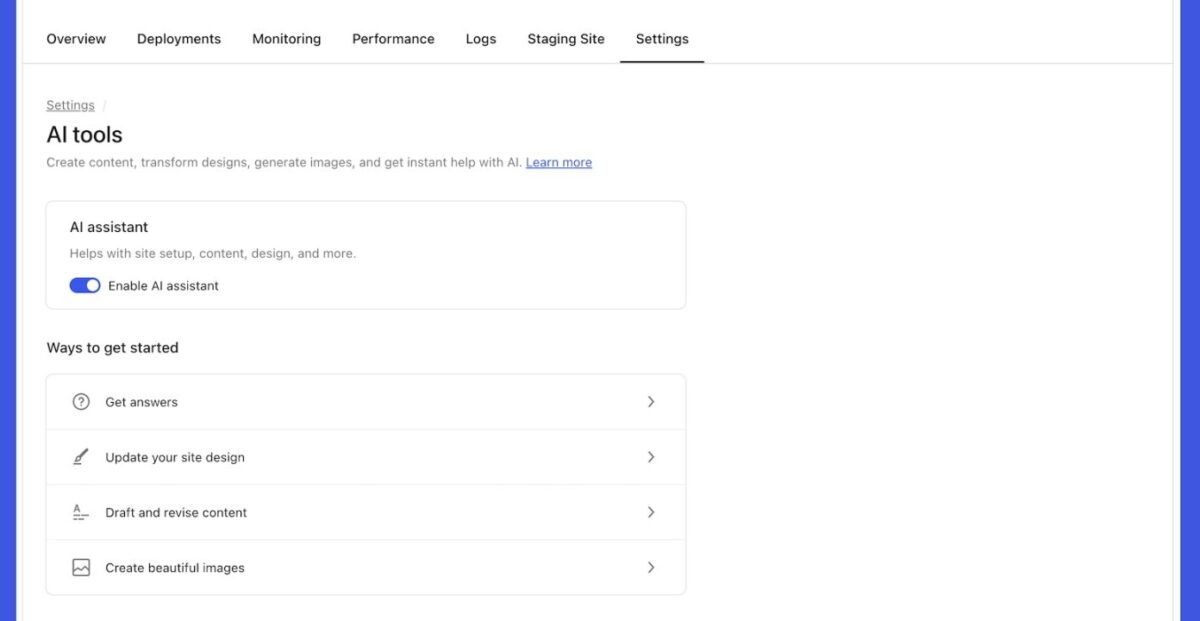
Prompt 1: “Add client testimonials section to homepage with three placeholder testimonials I can fill in later.”
Done in 12 seconds.
Prompt 2: “Change the about page to first person and make it more personal, like I’m talking to a friend over coffee.”
AI rewrote the entire about page. Took 15 seconds.
Prompt 3: “Make the contact form ask for: name, business name, number of employees, biggest marketing challenge, and preferred meeting time.”
Form updated with all fields. 10 seconds.
Prompt 4: “Add a section on the homepage showing my certifications: Google Analytics, HubSpot Inbound, Facebook Blueprint.”
A new section appeared with icons and cert names. 14 seconds.
Total customization time: 6 minutes
Time check: 6:37 PM (14 minutes, 32 seconds from start to finished site)
Step 5: What We Fixed Manually (15 Minutes)
The AI got us 80% there. Here’s what we changed by hand:
Swapped photos: AI-generated images were generic stock photo vibes. We uploaded Mirei’s actual headshot and photos from client work.
Tweaked copy: Changed some phrases to sound more like Mirei. The AI was close, but we added her personality.
Added real testimonials: Copied three client testimonials from her Google Business profile.
Connected booking calendar: Added Calendly link for consultation bookings (AI created the button; we just added the URL).
Total manual work: 15 minutes
Grand total: 29 minutes, 32 seconds from “I need a website” to “This looks professional enough to send to prospects.”
Build Your Website In Minutes With WordPress.com AI
Results (What Happened After)

Day 1 (Thursday night): Diane sent the site link to three warm leads she’d been talking to. All three replied within 24 hours. Two booked consultations.
Week 1: Five consultation bookings. Three converted to clients. Total revenue: $11,500.
ROI on the $8/month site: About 1,437,400%. (Okay, that math is silly, but you get the point.)
The site costs less than a pizza. Made five figures in seven days.
That’s why, when a friend needs website help in 2026, this is what I recommend.
Build Yours Now (Free to Try) →
Mistakes I’ve Seen People Make

After helping a dozen friends launch sites in 2026, here are the disasters I’ve watched happen:
Mistake #1: Analysis Paralysis
What happens: Dude spends six months “researching the best platform” and never launches.
Reality: The best platform is the one you’ll actually use. WordPress AI gets you live TODAY. You can always upgrade or change later.
What I tell them: “Launch this week with WordPress AI. If you hate it in three months, you can export everything and move. But you’ll probably be making money by then and won’t want to leave.”
Mistake #2: DIY-ing Without Skills
What happens: Someone tries to build manually because “how hard can it be?” Six weeks later, they’re crying about CSS and still have a broken header.
Reality: Unless you actually enjoy coding, don’t torture yourself.
What I tell them: “Your time is worth $50-200/hour (depending on your business). If the AI saves you 20 hours, that’s $1,000-4,000 in value. The tool costs $8/month. Do the math.”
Mistake #3: Over-Engineering from Day One
What happens: Someone wants e-commerce, membership system, booking calendar, email marketing, CRM integration, and a pony. Spends $3,000 on custom development. Site launches six months late.
Reality: Start simple. Add complexity as you actually need it.
What I tell them: “Your first site just needs to look professional and let people contact you. Everything else is Future You’s problem. Ship now, optimize later.”
Mistake #4: Ignoring Mobile
What happens: Site looks great on desktop. Looks like garbage on phones. 60% of traffic bounces immediately.
Reality: WordPress AI handles mobile automatically. But I’ve seen friends add custom code that breaks mobile. Don’t do that.
What I tell them: “The AI makes it mobile-responsive. Don’t fuck with it unless you know what you’re doing.”
Mistake #5: No Clear Call to Action
What happens: Beautiful site. Great copy. But no one knows what to DO. Traffic goes nowhere.
Reality: Every page needs to tell visitors the next step.
What I tell them: “What’s the ONE thing you want people to do? Book a call? Download something? Buy something? Make that button OBVIOUS.”
What If My Friend Needs Website Help But…
“I’m Not Tech-Savvy At All”
That’s literally who this is FOR.
My friend Maria is 54. Uses her phone for Facebook and texting. That’s it.
She built her nutrition coaching site with WordPress AI in 22 minutes (I watched via Zoom). She now has clients booking consultations at $200 each.
If Maria can do it, you can do it.
“I Don’t Have Time”
You have 15 minutes? That’s literally all it takes.
The AI does the heavy lifting. You answer a few questions, click a few buttons, maybe tweak some colors. Done.
Compare to alternatives:
- Hiring a designer: weeks of meetings, revisions, back-and-forth
- Learning to code: months of tutorials and frustration
- DIY page builders: hours of dragging blocks around
15 minutes with WordPress AI beats all of that.
“I Can’t Afford Anything”
The free tier lets you build completely. 30 AI prompts. Full site. Test everything.
Only when you want to go LIVE do you need the $4/month Personal plan.
$4/month is:
- One fancy coffee
- Half a Netflix subscription
- Less than a sandwich
If your business can’t afford $4/month, your business has bigger problems than a website.
“What If I Need to Change Things Later?”
You can edit ANYTIME.
On the Premium plan ($8/month), you get unlimited AI prompts. Want to change your entire color scheme at 2 AM on a random Tuesday? Go for it.
Plus, it’s WordPress. 60,000+ plugins available. If you need something complex later, you can add it.
“I’m Not Sure What I Want Yet”
Perfect. Build something NOW. Change it later.
WordPress AI lets you rebuild pages in seconds. Your first version doesn’t have to be your forever version.
Launch with 80% done. Refine as you figure things out.
Better to have “good enough” live than “perfect” never launching.
Costs (What You’ll Pay)

Let me break down actual dollars because I hate when people hide costs.
Year One (Starting from Scratch)
Option 1: Basic Launch ($52 total year one)
- WordPress.com Personal: $4/month × 12 = $48
- Domain: Free first year with plan
- Total: $48
Option 2: Professional Setup ($96 total year one)
- WordPress.com Premium: $8/month × 12 = $96
- Domain: Free first year
- Total: $96
Option 3: Full Features ($300 total year one)
- WordPress.com Business: $25/month × 12 = $300
- Domain: Free first year
- Total: $300
Year Two and Beyond
Personal Plan:
- Monthly: $4
- Domain: $12/year
- Total: $60/year
Premium Plan (what I recommend):
- Monthly: $8
- Domain: $12/year
- Total: $108/year
Business Plan:
- Monthly: $25
- Domain: $12/year
- Total: $312/year
Compare to Alternatives
Hiring a Freelancer:
- Design: $500-2,000
- Setup: $200-500
- Hosting: $10-30/month
- Total Year One: $820-2,860
Agency:
- Design + development: $2,000-10,000
- Ongoing maintenance: $100-500/month
- Total Year One: $3,200-16,000
When your friend needs website help on a budget, WordPress AI is a no-brainer.
What About [Specific Situation]?

Photographer/Artist Portfolio
Perfect use case. WordPress AI creates gallery layouts, about pages, and contact forms. Upload your work, ship it.
My photographer friend Yeng launched his portfolio in minutes. Booked three wedding clients in the first month at $2,500 each.
Local Service Business (Plumber, Electrician, etc.)
Also great. AI builds service pages, contact forms, and area coverage info.
Key: Make sure you add your service area clearly. The AI sometimes forgets location-specific details.
Coach/Consultant
This is Mirei’s exact scenario. Works perfectly.
WordPress AI creates service packages, about pages, testimonial sections, and booking integration.
Freelancer (Writer, Designer, Developer)
Excellent fit. Portfolio pages, client work examples, rate sheets, and contact forms.
Blogger/Content Creator
WordPress invented blogging. The AI sets up your blog structure perfectly.
You write the content. The AI handles everything else.
Restaurant/Cafe
Decent, but not ideal. WordPress AI can build menu pages, location info, and hours. But if you need online ordering TODAY, you want something else.
You CAN add ordering later via plugins, but it’s not automatic.
Nonprofit/Community Organization
Works well. AI creates mission pages, donation buttons (via external services), event listings, and volunteer signups.
Stuff You need to know
AI-Generated Content Needs Editing
The WordPress AI writes surprisingly decent copy. But it’s generic.
Budget 30-60 minutes to add your personality, specific details, and real examples.
The AI gives you structure and 80% of the words. You add the 20% that makes it sound like YOU.
Images Will Need Swapping
AI-generated images look stock-photo generic. They’re placeholders.
Use your real photos. Your actual face. Your actual work.
Stock photos scream “I didn’t try.” Real photos build trust.
You’ll Want to Upgrade Eventually
Most people start with Premium ($8/month). That works for months.
But when growth happens, you’ll want a Business plan ($25/month) for plugins, advanced features, and more storage.
Plan for this. It’s not a bad thing. It means your business is growing.
Mobile Matters
60% of your traffic is mobile. Maybe more.
The AI handles mobile responsiveness automatically. But always check your site on your phone before launching.
SEO Takes Time
The WordPress AI builds SEO-friendly sites (clean code, proper structure, fast loading).
But ranking on Google? That takes time, content, and backlinks.
Don’t expect to rank #1 for “marketing consultant” in week one. That’s not how SEO works.
You’ll Probably Need Help Eventually
Most people run their WordPress AI sites solo for 3-6 months.
Then they want custom forms, email automation, advanced booking systems, and membership areas.
That’s when you hire someone. Or upgrade to the Business plan and install plugins.
It’s normal. Plan for it.
My Recommendation (Finally)
When a friend needs website help in 2026, here’s what I tell them:
Skip the research rabbit hole. You’ll spend weeks comparing platforms and never launch.
Use WordPress.com AI builder. Go to wordpress.com/ai-website-builder right now. Build your site in 15 minutes. Edit for 30 minutes. Launch.
Start with the Premium plan ($8/month). It’s the sweet spot. Unlimited AI prompts, custom domain, no ads, professional features.
Launch this week. Not next month. Not when it’s “perfect.” This week.
Refine as you go. Your first version doesn’t need to be your forever version.
Is WordPress AI perfect? No.
Will it win design awards? Probably not.
Will it get you online fast with something professional? Absolutely.
And that’s what actually matters when a friend needs website help.
Stop researching. Start building.
Get Your Site Live This Week →
FAQs:
My friend needs website help, but has zero budget. What should they do?
Build for free using the 30 free prompts. Test everything. When ready to launch, find $4/month for the Personal plan. If your business can’t afford $4/month, focus on getting your first client BEFORE building a site.
Validate the business first.
Should they use their real name or a business name for the domain?
Depends. Service businesses and consultants: use your real name. Makes you the brand. Easier to pivot later. Product or agency businesses: use a business name that describes what you do.
How long does it really take to build a site with WordPress AI?
Build: 10-15 minutes. Customization: 15-30 minutes. Adding real content: 30-60 minutes. Total: 1-2 hours for a professional site. Compare to weeks (or months) with other methods.
Can they change everything later, or are they stuck?
Nothing is permanent. Unlimited prompts on the Premium plan mean unlimited changes. Plus, it’s WordPress, so you can manually edit anything. Export and move to different host anytime. You’re not trapped.
What if they want an online store?
WordPress AI doesn’t build stores initially. But on Business plan ($25/month), you can add WooCommerce plugin and build a store manually. Or start simple with just a site, then add a store when ready.
Do they need to know how to code?
Zero coding needed. If you can send a text message, you can use WordPress AI. Everything is conversational prompts and point-click editing.
What happens if they get stuck?
Premium plan ($8/month): Email support. Business plan ($25/month): Live chat support. Plus, WordPress has the largest community on earth. Google any question, and someone has answered it.
Is WordPress AI better than hiring someone?
For speed and cost: yes. For ultra-custom design or complex functionality: no. Most friends need “good enough fast,” not “perfect eventually.” WordPress AI wins for most scenarios.
How do they get people to actually find their site?
SEO (create helpful content, optimize pages). Social media (share your link). Email signature (add your URL). Google Business Profile (for local businesses). Paid ads (if budget allows). Word of mouth (ask happy clients to share).
Can they switch from WordPress AI to something else later?
Yes. Export everything (Tools > Export in WordPress). Import to any other WordPress host. Or rebuild elsewhere using your content. You own everything.
Disclosure: This article contains affiliate links to WordPress.com. If you sign up through my links, Blog Recode earns a commission at no extra cost to you. I recommended WordPress.com AI to my friend Mirei, and she built her site exactly as described here. These are my real recommendations.