9 Best CRM Plugins for WordPress That Turn Leads Into Sales (2026)
Most CRM reviews are written by people who installed it once and called it “testing.” Not this one.
There’s this idea floating around the internet that a CRM will magically organise your business.
Spoiler: it won’t.
What it WILL do is expose every messy corner of how you currently handle customers.
A buddy of mine installed HubSpot on a Thursday afternoon, thinking it would “fix” his lead management. By Friday morning, he realised he had 800+ duplicate contacts, zero consistent tagging system, and absolutely no idea which leads came from where.
The CRM didn’t create that mess. It just made it impossible to ignore.
After watching too many people (including clients) pick the wrong CRM and waste months trying to make it work, I decided to actually test these things properly.
Not “install it and screenshot the dashboard” testing. Real testing. Importing contacts. Setting up workflows. Breaking things. Fixing things. Cursing at my screen at midnight when automations decided to stop working for no apparent reason.
The best CRM plugins 2026 aren’t the ones with the slickest sales pages. They’re the ones that truly help you manage relationships without requiring a PhD in workflow automation.
Let’s dig in.
What Matters in a CRM Plugin (Hint: It’s Not AI Features)
Before we get to the rankings, let’s talk about what separates useful CRMs from expensive contact lists.
Does it play nicely with your existing tools? If your CRM doesn’t talk to your form builder, email service, or ecommerce platform, you’ll spend your life copying and pasting data. Hard pass.
Can normal humans figure it out? I don’t care how powerful your CRM is if it takes three weeks and a consultant to set up basic contact tagging.
What’s the ACTUAL cost? That “$0/month” CRM that charges $200/year for the features you actually need? Not free.
Will it slow your site down? Some CRM plugins are resource hogs that’ll turn your site into a loading screen.
Does anyone answer support tickets? When your automated workflow breaks the night before a launch, “we’ll get back to you in 3-5 business days” doesn’t cut it.
Now the rankings.
1. FluentCRM – Self-Hosted Beast That Saves You Thousands

Pricing: Free version available | Solo: $103/year (single site) | Small Business: $199/year (5 sites) | Agency: $399/Year (50 sites)
Please note: They frequently run discounts where prices may vary. Confirm on their site first.
Here’s something most CRM reviews won’t tell you: FluentCRM could save you $2,000+ per year compared to SaaS platforms.
A course creator I work with was paying ActiveCampaign $231/month for 15,000 contacts. Switched to FluentCRM Solo ($103/year) plus Amazon SES (about $15/month for email sending). Her annual costs dropped from $4,200 to roughly $309.
That’s not a typo.
Why It’s Different:
FluentCRM lives entirely on your WordPress site. No external platform. No per-contact pricing. No sudden price hikes when you hit 10,001 subscribers.
The automation builder is visual and actually makes sense. Drag and drop. If this happens, do that. No coding required.
Integration with WooCommerce, LearnDash, MemberPress, and 45+ other WordPress tools. This is huge if you’re running courses, memberships, or products through WordPress.
Performance:
Testing FluentCRM with 8,500 imported contacts on a client site showed the plugin added minimal load to the dashboard. Email campaigns are sent reliably through Amazon SES.
The segmentation features are sophisticated. You can create dynamic segments that update automatically based on behaviour. Bought Product A but not Product B? Tag them. Opened 3 emails but never clicked? Different segment.
Honest Drawbacks:
You need to handle your own email sending. FluentCRM doesn’t send emails directly (it uses SMTP services like Amazon SES, SendGrid, or Mailgun). This keeps costs low but adds a setup step.
The interface, while clean, isn’t as polished as HubSpot. It’s functional, not fancy.
The free version is genuinely useful but limited. You’ll want Solo ($103/year) for advanced automation and integrations.
Best For: WordPress site owners tired of paying per-contact fees. Course creators. Membership sites. Anyone managing thousands of contacts on a budget.
2. HubSpot CRM – Free Forever (With Strings Attached)
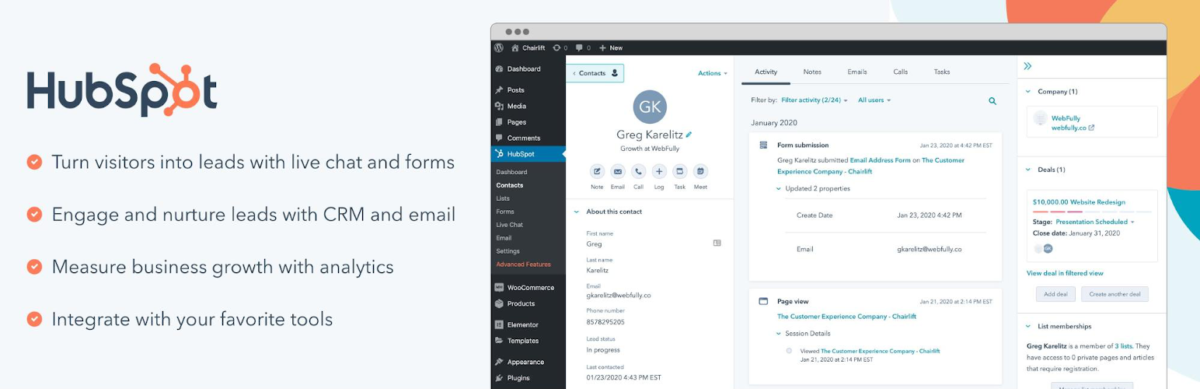
Pricing: Free CRM | Marketing Hub starts at ~$20/month (Starter, 1,000 contacts) but jumps to ~$800+/month for full automation | Sales Hub starts at ~$20/month, with advanced features from ~$100/month per user
HubSpot’s WordPress plugin is genuinely free. Not trial-free. Not freemium-free. Actually free.
The catch? You’re using it to get hooked on HubSpot’s ecosystem, which can get expensive fast if you need advanced features.
What Makes HubSpot Work:
The free CRM includes contact management, deal tracking, email sequences, meeting scheduling, and live chat. That’s more than most “basic” paid CRMs offer.
The WordPress plugin integrates forms, live chat, and pop-ups directly into your site. Leads flow into HubSpot automatically.
The interface is beautiful. Seriously. If other CRMs are functional sedans, HubSpot is the Tesla of user experience.
Moment of Truth:
A marketing agency owner I know uses HubSpot’s free CRM for 3 team members. It works great. But the moment they needed email marketing automation for more than 1,000 contacts, they hit the $890/month Professional tier paywall.
HubSpot’s pricing scales aggressively. What starts free can easily become $10,000+/year if you’re not careful.
The WordPress plugin is really just a bridge. Your actual CRM work happens in HubSpot’s dashboard, not WordPress.
When HubSpot Makes Sense:
Small teams (under 5 people) who need a proper CRM without upfront costs. Businesses planning to grow into HubSpot’s paid tiers eventually. Companies that value UX and don’t mind paying for it later.
When It Doesn’t:
If you need advanced automation now and can’t afford $890+/month. If you want your CRM data to live on your own server. If you’re managing 10,000+ contacts (the pricing gets brutal).
Get HubSpot WordPress Plugin ➟
3. Jetpack CRM – Entrepreneur’s Trump Card
Pricing: Free forever | Freelancer: $11/month (billed yearly) | Entrepreneur: $17/month (billed yearly) | Advanced bundles (full suite) start around ~$49/month
Jetpack CRM (formerly Zero BS CRM) is what happens when developers build a CRM for themselves instead of for enterprise clients.
An indie consultant I follow runs their entire business on the free version. Contacts, invoices, quotes, and client portal. Zero monthly fees.
What Sets It Apart:
Invoice generation is built right in. Create professional invoices, send them to clients, and track payment status. No QuickBooks needed for basic billing.
A client portal where customers can view quotes, invoices, and files. This alone justifies the plugin for service businesses.
Works beautifully with WooCommerce. Orders automatically create customer records with purchase history.
Free Version Is Legit:
Most “free” CRMs are crippled demos. Jetpack CRM’s free tier includes contact management, basic invoicing, quotes, and client portal access.
Over 30,000 active installations running on the free version. That’s not a beta test. That’s a proven solution.
Limitations:
Email marketing requires extensions (Freelancer bundle at $11/month, billed yearly, gets you started). Automations require the extension. Advanced reporting requires payment.
The interface feels dated compared to HubSpot. Function over form.
WooCommerce product integration for invoices is wonky (you can’t easily add WooCommerce products to invoices).
Best For: Freelancers and consultants who need invoicing + CRM. Service businesses that don’t want monthly SaaS fees. Anyone bootstrapping on a tight budget.
Also Read: 8 Best SEO Plugins I Use to Rank Faster & Smarter in 2026
4. Zoho CRM – Enterprise Power Without Enterprise Prices
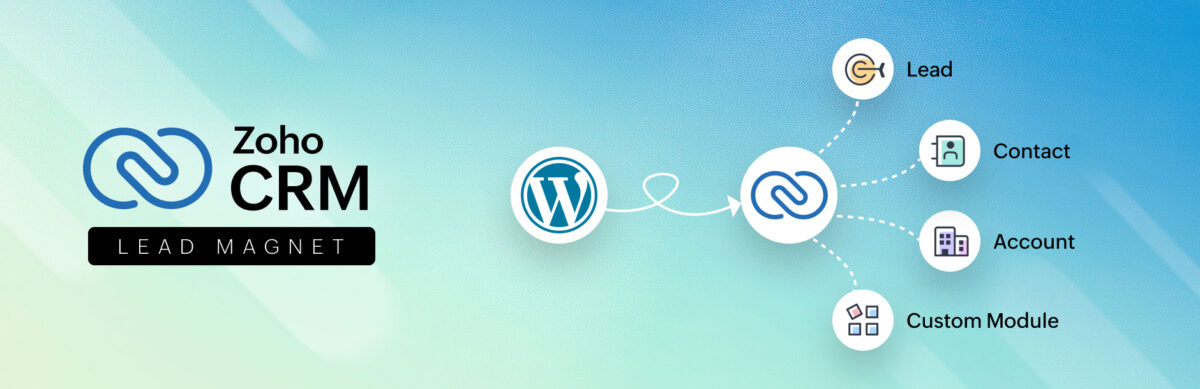
Pricing: Free (up to 3 users) | Standard: $14/user/month | Professional: $23/user/month | Enterprise: $40/user/month (billed annually — higher if paid monthly)
Zoho CRM is the Swiss Army knife of CRMs. It does basically everything, which is both its strength and weakness.
WordPress Integration:
Multiple plugins connect WordPress to Zoho, but they’re mostly form bridges. You’ll spend your time in Zoho’s dashboard, not WordPress.
The official Zoho CRM Lead Magnet plugin is free but has mixed reviews. Forms break. Support is inconsistent.
Third-party plugins like CRM Perks ($39-$99/year) work better for WooCommerce integration.
Why People Love Zoho:
Customisation is insane. Custom fields, modules, workflows, blueprints. You can bend Zoho to fit basically any business process.
The free tier (3 users) is actually functional. Most CRMs either charge immediately or cripple the free version. Zoho gives you real tools.
Multi-currency, territory management, and advanced analytics on higher tiers.
Why People Hate Zoho:
The learning curve is steep. Zoho does everything, which means figuring out how to do anything takes time.
WordPress integration feels like an afterthought. You’re basically using WordPress to funnel data into Zoho, not managing your CRM from WordPress.
Best For: Teams that need deep customisation. Businesses with complex sales processes. Companies that can invest time in setup for long-term payoff.
Not For: Solo bloggers or simple use cases. People who want everything managed from WordPress.
5. Groundhogg – Open Source CRM with Marketing Automation
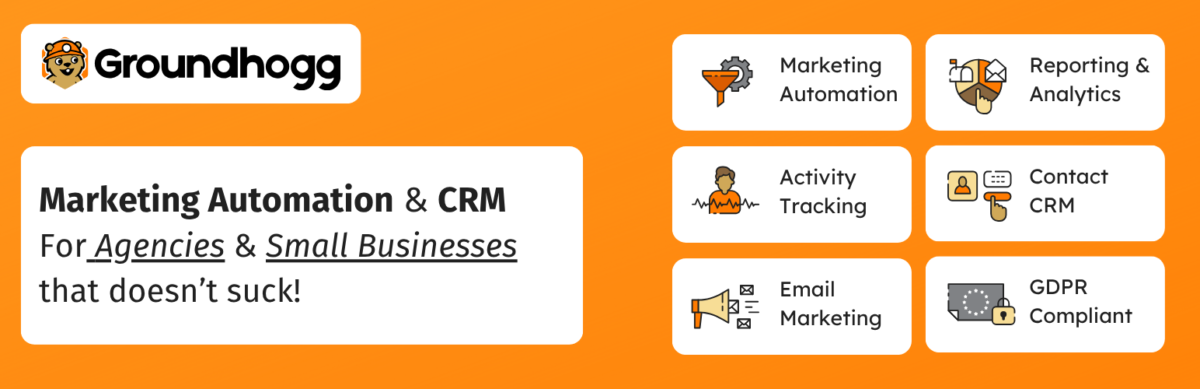
Pricing: Free core plugin | Basic: ~$20/month | Plus: ~$40/month | Pro: ~$50/month | Agency: ~$100/month (billed annually)
Groundhogg is the open-source answer to Infusionsoft/Keap. Built specifically for WordPress with marketing automation baked in.
A WordPress agency I collaborated with uses Groundhogg across 20 client sites. Their biggest selling point? Unlimited contacts on every plan.
What Makes Groundhogg Different:
Full marketing automation without per-contact pricing. Tag contacts, build funnels, send emails, track behaviour.
SMS marketing integration. Rare for WordPress CRMs.
White-label options for agencies. Rebrand it for clients.
Open Source Advantage:
Code is accessible. Developers can customise without restrictions.
Community-driven development. Features get added based on actual user needs, not boardroom decisions.
Trade-Off:
Support is slower than commercial options. You’re not getting instant chat support at midnight.
The interface isn’t as polished as HubSpot or even FluentCRM. Functional but not beautiful.
Some features require paid plans that aren’t cheap ($100/month for agency features).
Best For: Agencies managing multiple client CRMs. Developers who want code access. Businesses that prioritise unlimited contacts over slick UX.
6. WP-CRM System – Simplicity for Small Teams

Pricing: Free core plugin | Plus: $99/year | Enhanced: $199/year | Professional: $249/year
WP-CRM System is the CRM equivalent of a Honda Civic. Not exciting. Extremely reliable. Does exactly what it says.
What It Does Well:
Project management is built in. Assign tasks, track progress, and manage client projects alongside contacts.
Everything lives in WordPress. No external platforms. No API connections that can break.
Lightweight and fast. Won’t slow down your site.
What It Doesn’t Do:
Advanced automation. Email marketing. Complex workflows.
The feature set is intentionally limited. Great if you need basics. Frustrating if you want more.
Best For: Small teams (under 5 people) managing client projects. Service businesses that need simple contact + task management.
7. WP Fusion – CRM Connector (Not a CRM)

Pricing: Lite (free, limited) | Personal: ~$297/year | Plus: ~$427/year | Professional: ~$647/year
WP Fusion isn’t a CRM. It’s a bridge that connects WordPress to basically every major CRM platform.
Use ActiveCampaign, but want deep WordPress integration? WP Fusion handles it. Prefer Drip? WP Fusion. Mailchimp? Yep.
Why It’s On This List:
If you’re committed to an external CRM (ActiveCampaign, ConvertKit, Drip), WP Fusion makes the integration seamless.
Tag-based automation. User registers? Tag them in your CRM. Buys a product? Different tag. Opens 3 emails? Another tag.
The Problem:
You’re paying for the plugin AND the external CRM. Costs add up.
It’s complex. Powerful, but complex.
Best For: Power users committed to external CRMs who need deep WordPress integration.
8. FuseWP – Marketing Automation King
Pricing: Free Lite version | Standard: $119/year | Plus: $299/year | Agency: $499/year
FuseWP is a WordPress CRM and marketing automation plugin built to keep your website and CRM perfectly connected. Instead of managing contacts manually, FuseWP automatically syncs WordPress users, WooCommerce customers, memberships, subscriptions, and form leads to your CRM or email marketing platform in real time.
WordPress Integration:
This is where FuseWP shines. It was built specifically for WordPress and integrates deeply with WooCommerce, membership plugins, LMS platforms, and form builders.
Why People Love FuseWP:
Automatic syncing keeps customer and lead data up to date without manual exports.
Supports popular CRMs and email marketing tools like Mailchimp, HubSpot, ActiveCampaign, ConvertKit, and more.
Advanced tagging and segmentation based on purchases, memberships, subscriptions, submitted forms, and user activity.
Works seamlessly with WooCommerce, LearnDash, MemberPress, ProfilePress, and major form plugins.
Why People Might Not Love It:
You still need a separate CRM or email marketing platform to manage campaigns and contacts.
Advanced automation capabilities depend on the features available in your connected CRM.
Best For:
WooCommerce stores that want better customer segmentation and automation.
Membership and LMS websites that need real-time syncing with their CRM.
Businesses already using a CRM and looking for a seamless WordPress integration layer.
Not For:
Users looking for a complete, standalone CRM entirely inside WordPress.
9. Keap (formerly Infusionsoft) – Marketing Automation + CRM
Pricing: Pro: starts around ~$149–$249/month (1,500 contacts) | Max: starts around ~$199–$299/month (2,500 contacts) (pricing increases as your contact list grows)
Keap is a powerful marketing automation with CRM capabilities. The WordPress integration via Zapier or WP Fusion.
It’s expensive. Really expensive. But for businesses doing complex marketing automation, it delivers.
Best For: Established businesses with marketing budgets. Companies running sophisticated email sequences and sales funnels.
Not For: Startups. Small businesses. Anyone on a budget.
How to Choose the Right CRM Plugin
Here’s the brutally honest truth: the “best CRM plugins 2026” depends entirely on your situation.
Pick FluentCRM if: You want maximum features at minimum cost and don’t mind handling email sending setup.
Pick Zoho if: You have complex needs, time to learn, and want deep customisation.
Pick Jetpack CRM if: You’re a freelancer or consultant who needs invoicing + contact management without monthly fees.
Pick HubSpot if: You’re okay with free now, expensive later, and want the best UX available.
Pick Groundhogg if: Unlimited contacts matter more than polish and you’re comfortable with open source.
Mistakes Everyone Makes
Choosing based on features you’ll never use. That 50+ point feature list? You’ll use maybe 8 of those features. Pick what you’ll actually do, not what sounds impressive.
Ignoring integration with your existing tools. If your CRM doesn’t talk to your email service, form builder, or ecommerce platform, you’ll hate your life.
Not testing with real data. Install it. Import 100 contacts. Build an actual automation. See if it makes sense.
Forgetting about the learning curve. Powerful CRMs take time to learn. Factor that into your decision.
Underestimating how contacts grow. That CRM that’s cheap for 1,000 contacts? Check the price at 10,000 contacts before you commit.
My Setup
Blog Recode uses FluentCRM Solo. Switched from Mailchimp about eight months ago. The cost savings alone made it worth it ($129/year vs. $600+/year for Mailchimp at my contact count).
For clients:
Service businesses and freelancers → Jetpack CRM (usually the free version)
Course creators and membership sites → FluentCRM Small Business
Teams already on HubSpot → Keep using HubSpot (switching CRMs is painful)
Complex B2B sales → Zoho or keep whatever they’re using (migration horror stories are real)
Final Thoughts
The best CRM plugins 2026 won’t magically organise your business.
But the right one will make managing customer relationships less painful. It’ll save you time. It’ll help you stop losing leads in spreadsheet hell.
For most WordPress site owners reading this, FluentCRM or Jetpack CRM will handle 90% of what you need without destroying your budget.
The other 10%? That’s where HubSpot, Zoho, or Groundhogg come in.
Pick one. Set it up properly. Actually use it. Stop switching every three months because you saw a shinier option.
The CRM that works is the one you’ll actually use.
Want honest tool reviews without the fluff? Join Blog Recode’s newsletter
FAQs
What’s the best free CRM plugin for WordPress in 2026?
HubSpot and Jetpack CRM both offer genuinely useful free versions. HubSpot’s free CRM includes contact management, deals, email sequences, and live chat, but pushes you toward paid tiers. Jetpack CRM’s free version includes contacts, invoicing, quotes, and a client portal with no upsell pressure.
FluentCRM has a free version too, but you’ll want Solo ($103/year) for real functionality. Pick HubSpot if UX matters most, Jetpack if you need invoicing, and FluentCRM if you’re willing to pay $103 and above for better features.
Can I use a CRM plugin without slowing down my WordPress site?
Yes, but choose carefully. Lightweight options like WP-CRM System and FluentCRM add minimal load because they’re built specifically for WordPress. The HubSpot plugin is light because most processing happens on HubSpot’s servers.
Avoid installing multiple CRM plugins or running heavy automation on cheap hosting. Test your site speed before and after installation with GTmetrix. If your hosting struggles with a CRM, upgrade the hosting before upgrading the CRM.
Which CRM plugin works best with WooCommerce?
FluentCRM and Jetpack CRM both have excellent WooCommerce integration. FluentCRM automatically tracks purchases, creates customer segments based on buying behaviour, and triggers automations from purchase events. Jetpack CRM syncs WooCommerce orders and creates customer records automatically.
Zoho works with WooCommerce through third-party plugins (like CRM Perks), but integration isn’t as seamless. For WooCommerce-focused businesses, FluentCRM Pro or Jetpack CRM are the strongest choices.
Do I need a CRM if I’m just starting out?
Honestly? Probably not yet. If you have fewer than 100 contacts and can manage them in a spreadsheet, save the mental energy. But once you hit 200-300 contacts and start forgetting who you’ve emailed or what stage people are in, a CRM becomes essential.
Start with free options (HubSpot or Jetpack CRM) before paying for anything. The best CRM plugins 2026 won’t help if you don’t have a contact management problem yet.
How do CRM plugins handle email marketing?
It varies wildly. FluentCRM includes full email marketing with campaign builder, automation, and segmentation (but requires SMTP setup). HubSpot’s free tier includes basic email but limits you to 2,000 sends/month. Jetpack CRM requires the paid Freelancer bundle ($11/month billed yearly) for email marketing.
Zoho CRM doesn’t include email marketing (you’d need Zoho Campaigns separately). WP-CRM System doesn’t do email at all. If email marketing is critical, FluentCRM Pro or HubSpot (paid tier) are your best bets.
Can I migrate from one CRM to another without losing data?
Yes, but it’s painful. Most CRMs let you export contacts as CSV files that can be imported elsewhere. The problem is that custom fields, tags, automation workflows, and email history don’t transfer cleanly. Budget at least a full day for migration, even with “simple” CRMs.
For complex setups with automations and custom fields, consider hiring someone who’s done CRM migrations before. The hassle of switching is why choosing the right CRM upfront matters so much.
What’s the difference between a CRM plugin and integrating with external CRMs?
CRM plugins (FluentCRM, Jetpack CRM, WP-CRM System) live entirely in WordPress. Your data sits on your server. Everything’s managed from your WordPress dashboard. External CRM integrations (HubSpot, Zoho, Salesforce plugins) connect WordPress to outside platforms.
Forms and data feed into the external CRM, but you manage relationships in their dashboard. CRM plugins keep everything in one place; external CRMs often have more power but require juggling platforms.
Are WordPress CRM plugins GDPR compliant?
Plugin compliance varies. Self-hosted options like FluentCRM and Jetpack CRM give you full data control, which helps with GDPR. You’re responsible for implementing proper consent forms, data deletion processes, and privacy policies.
HubSpot and Zoho have GDPR compliance built into their platforms, but your data lives on their servers. Check each plugin’s privacy policy, implement cookie consent, create unsubscribe options, and enable data deletion requests. Compliance is more about how you use the tool than the tool itself.
Some links in this post are affiliate links, which means if you click and buy, I may earn a small commission (at no extra cost to you). You get the tool… I get coffee and keep testing everything for you 😉