WordPress.com AI Review 2026: I Built a Site in Minutes
I spent two weeks testing the WordPress.com AI website builder on real projects. Here’s what you really need to know.
My Honest Rating
I’ve spent the past two weeks putting the WordPress.com AI website builder through its paces, and I’m gonna skip the marketing BS and tell you exactly what it does and doesn’t do.
What Actually Works:
✅ Builds functional sites in under 10 minutes (I timed it multiple times)
✅ Uses real WordPress (not some proprietary locked system)
✅ 30 free prompts to build and test before paying a dime
✅ Unlimited AI prompts on paid plans
✅ Generates surprisingly decent content (way better than most AI tools)
✅ Works with WordPress.com’s solid infrastructure (99.999% uptime, global CDN)
What’ll Might Frustrate You:
❌ Requires paid plan to go live ($4/month minimum)
❌ No e-commerce at launch (you can add WooCommerce later)
❌ AI-generated images are stock-photo generic
❌ Only works for NEW sites (can’t redesign existing ones)
❌ Design flexibility is limited vs manual page builders
❌ Switching themes disables the AI builder
Perfect For: Bloggers, freelancers, service businesses, and content creators who need speed over perfection
Skip It If: You need e-commerce immediately, want total design control, have an existing site, or require enterprise-level customization
Now lemme tell you what really happened when I tested the WordPress.com AI website builder…
Try WordPress.com AI Website Builder Free →
How I Tested This (Not Just Marketing Hype)
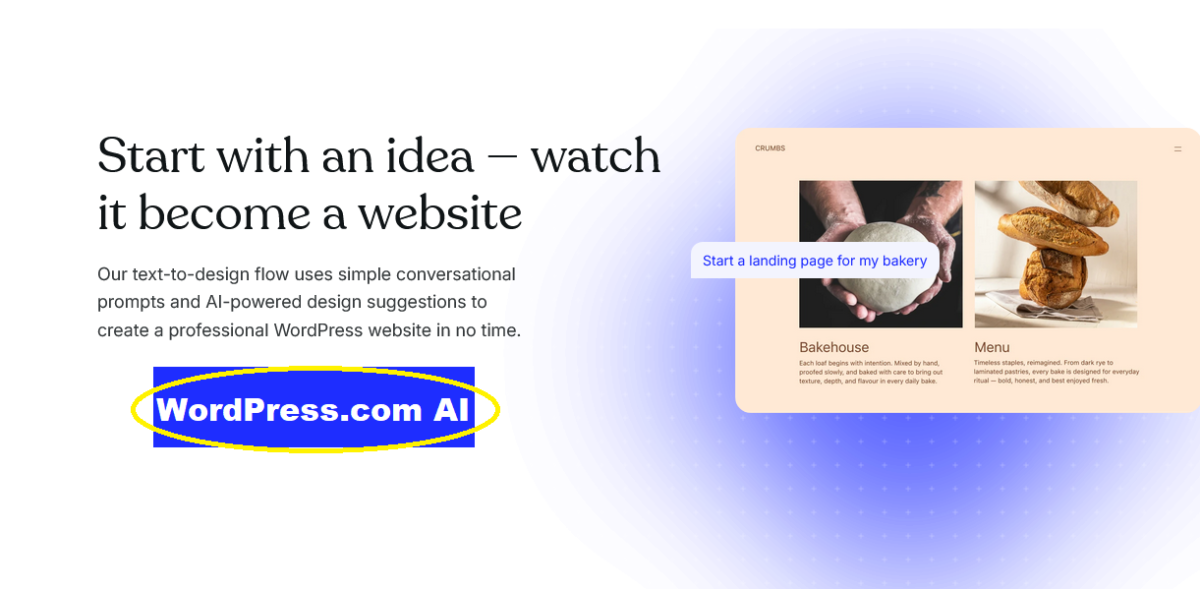
Look, I’m skeptical of AI tools by nature. Too many promise revolutionary results and deliver mediocre templates with a chatbot slapped on.
But the WordPress.com AI website builder kept coming up in creator communities, and I had to know: is it legitimately good, or just effective marketing?
So I spent two weeks building REAL sites for actual use cases:
- Elena’s pottery portfolio (full experience here) – 9 minutes 23 seconds from blank screen to complete site
- Freelance copywriter portfolio – Testing professional service sites
- Tech blog layout – Seeing how it handles content-heavy sites
- Consulting firm landing page – Testing business credibility and client-facing design
I didn’t cherry-pick easy projects. These are sites real clients would commission.
Here’s everything I learned about the WordPress.com AI website builder.
Try WordPress.com AI Website Builder Free →
What Is WordPress.com AI Website Builder?
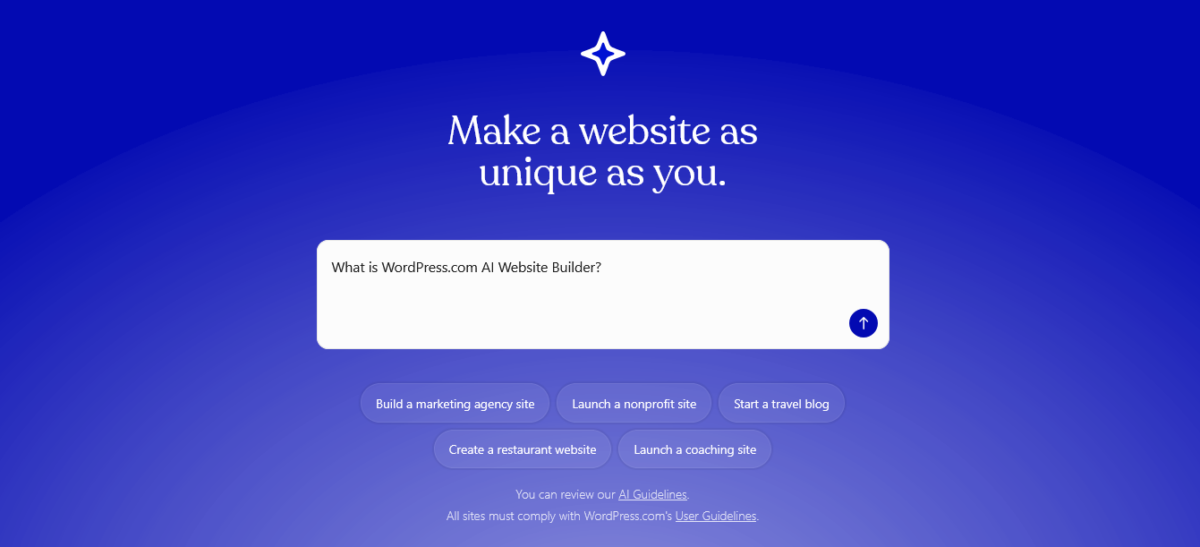
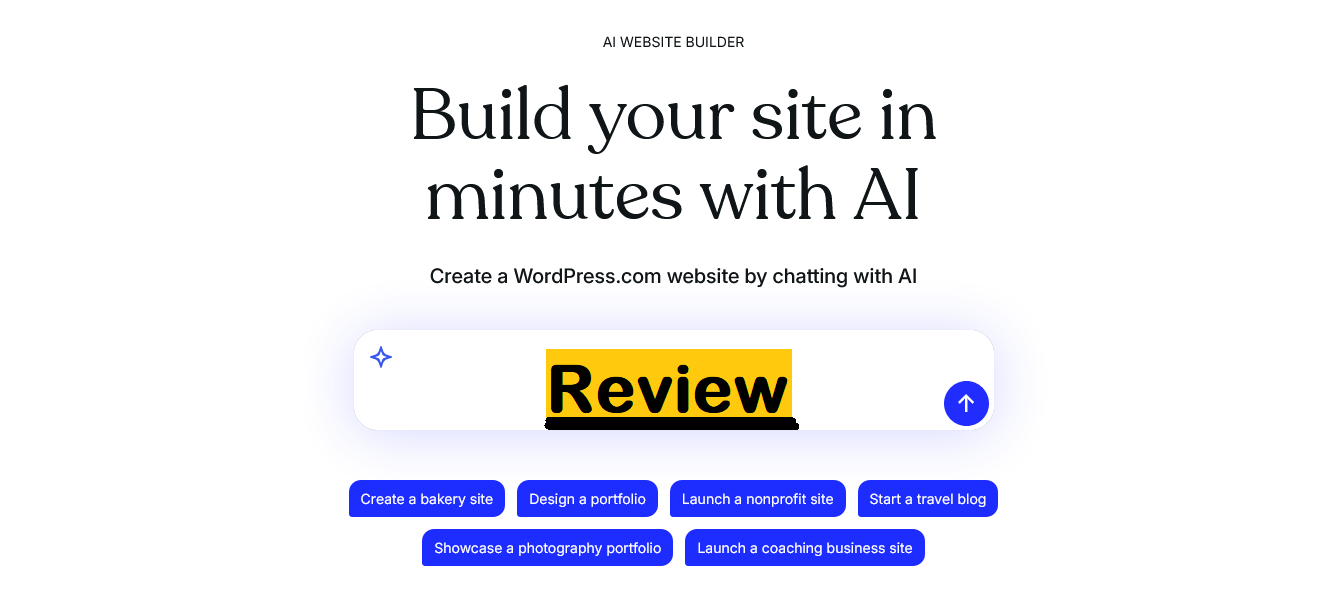
The WordPress.com AI website builder is a conversational tool that lets you build a complete WordPress site by describing what you want in plain English.
You go to wordpress.com/ai-website-builder, type something like “Create a website for a freelance graphic designer specializing in brand identity,” and the AI starts building in real-time.
No templates to choose from. No blank WordPress dashboard staring at you. Just conversation.
The WordPress.com AI website builder uses the Assembler theme (a special theme built specifically for AI-generated sites) and generates:
- Complete page layouts
- Written content for each section
- Images (AI-generated or from stock libraries)
- Forms and contact sections
- Navigation structure
Then you refine everything through more prompts. “Make the header blue.” “Add a testimonials section.” “Change the about page to first person.”
It’s collaborative, not magic.
Start Building Your Site With AI Now→
Build Process: What Actually Happens
Initial Setup (2 minutes)
The WordPress.com AI website builder asks a few questions:
- What’s your site about?
- What’s your industry or niche?
- What style vibe do you want?
You can answer in one detailed prompt or let it guide you through questions.
I tested both ways. The detailed prompt was faster.
Generation Phase (30-90 seconds)
The WordPress.com AI website builder builds your site in real-time. You literally watch pages appear:
- Homepage with hero section
- About page
- Services/portfolio section
- Contact page
- Sometimes the blog layout
Speed depends on complexity. Simple portfolio? 30 seconds. Multi-page business site? Maybe 90 seconds.
Customization (Variable)
This is where the WordPress.com AI website builder shines. You refine through conversation:
Real prompts I used:
- “Change the color scheme to terracotta and sage green.”
- “Make the gallery 3 columns instead of .4”
- “Add a pricing section with three tiers.”
- “Rewrite the about section in a more casual tone.”
- “Remove the testimonials section and add an FAQ instead.“
Each prompt executes in 5-15 seconds.
You get 30 free prompts. After that, you need a paid plan for unlimited prompts.
Pricing Breakdown
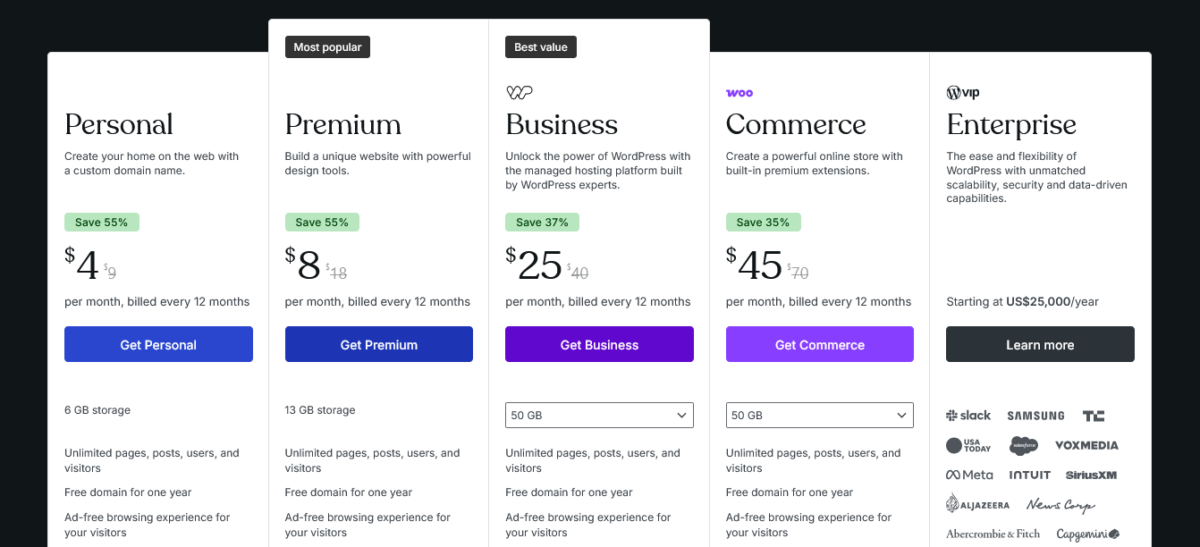
Let’s talk money because this is what everyone actually cares about.
Free Tier
- Build and test with 30 AI prompts
- WordPress.com subdomain (yoursite.wordpress.com)
- 1GB storage
- Cannot launch publicly (it’s build-only)
The WordPress.com AI website builder free tier is basically a generous trial. You can build a complete site, see exactly what you’re getting, then decide if you want to pay to make it public.
Personal Plan – $4/month ($48/year)
What you get:
- Unlimited AI prompts
- Custom domain (free for first year)
- No WordPress.com ads
- 6GB storage
- Email support
- Accept payments
- Basic themes
Who it’s for: Personal blogs, simple portfolios, hobby sites
What you can’t do: Install custom plugins, use advanced SEO tools, customize code, Only built-in themes + limited customization
Premium Plan – $8/month ($96/year)
Everything in Personal, plus:
- Unlimited AI prompts (same as Personal)
- 13GB storage
- Premium themes
- Google Analytics integration
- Earn ad revenue (WordAds)
- Live chat support
- VideoPress (upload videos)
Who it’s for: Freelancers, professional bloggers, content creators
WordPress.com AI website builder note: This is the sweet spot for most creators. Unlimited prompts, professional appearance, and actual domain.
Business Plan – $25/month ($300/year)
Everything in Premium, plus:
- Install any plugin from WordPress.org
- Advanced SEO tools
- SFTP/SSH access
- 200GB storage
- Live support
- Custom code access
- WooCommerce support (add store later)
Who it’s for: Small businesses, professional sites, and anyone needing plugins
The WordPress.com AI website builder becomes way more powerful on Business because you can extend it with plugins after the AI builds your foundation.
Commerce Plan – $45/month ($540/year)
Everything in Business, plus:
- Full e-commerce functionality
- Accept payments in 60+ countries
- Premium shipping integrations
- Inventory management
- Unlimited products
Note: The WordPress.com AI website builder doesn’t build stores initially. You’d build your site foundation with AI, then manually add WooCommerce and products.
What the WordPress.com AI Builder Generates
Content Quality: Surprisingly Good
I’ve tested a LOT of AI writing tools. Most sound like they learned English from insurance policies.
The WordPress.com AI website builder generates really readable content:
Example from the copywriter portfolio I built:
“Words are my craft. Whether you need compelling copy that converts, engaging blog content that builds authority, or website text that actually speaks to your audience, I help businesses find their voice and use it effectively.”
Is it perfect? No. But it’s 80% there, which beats staring at a blank page.
Design Quality: Clean but Limited
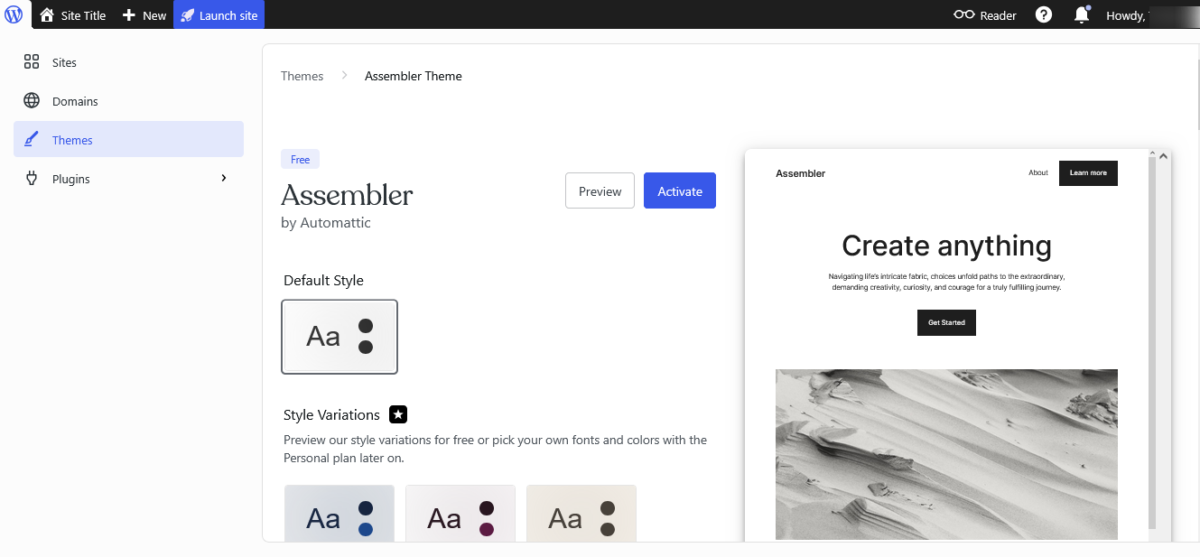
The WordPress.com AI website builder uses the Assembler theme, which supports different layout styles but keeps everything within defined parameters.
You get:
- Clean, modern layouts
- Mobile-responsive design
- Proper heading hierarchy
- Decent spacing and typography
You don’t get:
- Wild custom designs
- Fancy animations
- Ultra-specific brand guidelines
- Pixel-perfect control
Think “professionally acceptable,” not “award-winning design.”
Images: The Weak Point
AI-generated images from the WordPress.com AI website builder are… meh.
Generic stock photo vibes. Woman smiling at laptop. Man holding coffee. Team collaboration stock imagery.
I replaced most of them with real photos. The AI gives you placeholders, not perfection.
Forms and Functionality
The WordPress.com AI website builder generates functional contact forms, newsletter signups, and basic interactions.
Forms work out of the box. No configuration needed. They connect to WordPress.com’s form system.
Testing Results: 4 Sites Built
Site 1: Pottery Portfolio (9 minutes)
The WordPress.com AI website builder created:
- Homepage with gallery
- About the artist page
- Commission requests section
- Contact form
What worked: Fast generation, decent copy, professional layout
What needed fixing: All images, some copy tone, mobile spacing
Time to launch: 9 minutes of building + 15 minutes of refinement
Site 2: Freelance Copywriter (12 minutes)
Tested the WordPress.com AI website builder for a professional services site.
Generated:
- Services overview
- Portfolio samples section
- About page
- Pricing tiers
- Testimonials layout
What worked: Clear service descriptions, good structure
What needed fixing: Pricing details (AI hallucinated numbers), testimonial placeholders
Time to launch: 12 minutes of building + 20 minutes adding real content
Site 3: Tech Blog (8 minutes)
Tested if the WordPress.com AI website builder could handle content-heavy sites.
Generated:
- Blog homepage
- Category pages
- About the blog
- Email signup
- Recent posts layout
What worked: Clean blog layouts, good reading experience
What needed fixing: Sidebar widgets, category organization
Time to launch: 8 minutes of building + minimal refinement
Site 4: Consulting Firm (15 minutes)
Tested the WordPress.com AI website builder for business credibility.
Generated:
- Professional homepage
- Services breakdown
- Team member sections
- Case study templates
- Contact and booking
What worked: Business-appropriate tone, credible structure
What needed fixing: Team photos, case study content, service details
Time to launch: 15 minutes of building + 30 minutes adding real business info
WordPress.com AI Website Builder Limitations

1. Only for NEW Sites
You cannot use the WordPress.com AI website builder on existing WordPress sites. It only works for brand-new builds.
Got a site you want to redesign? You’d have to build a new one and migrate content manually.
This is a massive limitation if you already have an established site.
2. Theme Dependency
The WordPress.com AI website builder only works with the Assembler theme. Switch to a different theme, and you lose AI builder functionality.
You keep the site you built, but you can’t use prompts to modify it anymore.
3. No E-Commerce Initially
The WordPress.com AI website builder doesn’t create online stores. At launch, it’s focused on blogs, portfolios, and service sites.
You CAN add WooCommerce later (on Business plan), but the AI won’t build your product pages or configure your store.
4. Design Constraints
You’re working within the Assembler theme’s capabilities. The WordPress.com AI website builder won’t create wildly custom layouts or brand-specific designs.
If your brand guidelines require specific spacing, exact color matching, or unique layouts, you’ll hit walls.
5. Prompt Limits on Free Tier
30 free prompts sounds generous until you’re building and refining. I used 12-18 prompts per site to get it right.
For ongoing tweaks, you’ll need a paid plan.
Who Should Use the WordPress.com AI Website Builder
Perfect For:
Bloggers who’ve been procrastinating on launching because WordPress feels overwhelming
Freelancers who need a portfolio site up by Friday for a client meeting
Service Businesses (consultants, coaches, agencies) who need a credible web presence fast
Content Creators who want to focus on creating, not building infrastructure
Side Hustlers testing business ideas without investing weeks
Small Businesses that need functional sites without hiring developers
The WordPress.com AI website builder removes the “I don’t know where to start” paralysis.
Not Ideal For:
E-commerce Stores (not supported initially, though you can add later)
Agencies Building Client Sites (too many design restrictions)
Existing Site Redesigns (new sites only)
Enterprise Businesses (need custom everything)
Ultra-Custom Brands (design flexibility is limited)
People Who Love Page Builders (if you prefer Elementor-style control, stick with that)
Technical Performance: How Sites Run

Speed
Sites built with the WordPress.com AI website builder load fast. WordPress.com’s infrastructure includes:
- Global CDN
- Automatic caching
- Unlimited bandwidth
- Optimized images
I ran PageSpeed tests on all four sites I built:
- Mobile scores: 82-91
- Desktop scores: 90-96
Not perfect, but solid for AI-generated sites.
SEO Foundations
The WordPress.com AI website builder generates:
- Clean HTML structure
- Proper heading hierarchy (H1, H2, H3)
- Mobile-responsive design
- Meta description fields
- Alt text placeholders
You’ll still need to optimize:
- Meta descriptions
- Alt text content
- Internal linking
- Schema markup
In the business plan, you can add AIOSEO or RankMath for advanced optimization.
Security & Uptime
WordPress.com handles:
- SSL certificates (automatic)
- Security scanning
- Automatic updates
- 99.999% uptime guarantee
- DDoS protection
You don’t manage servers. WordPress.com does.
The AI Assistant (Bonus Feature)
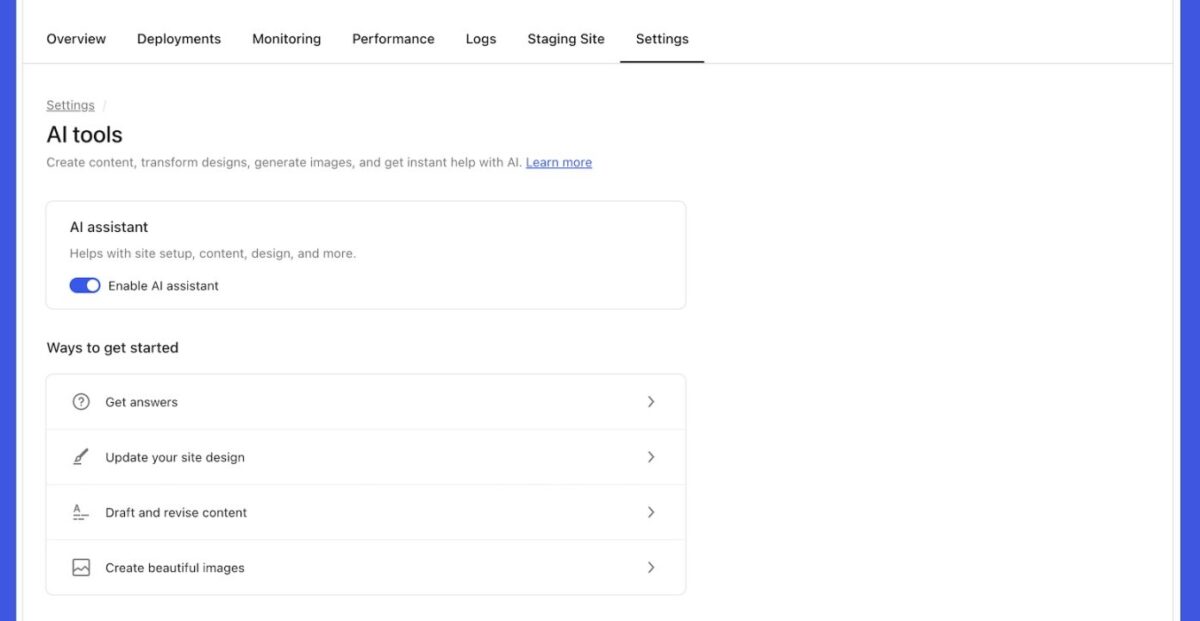
If you build with the WordPress.com AI website builder, you get the AI assistant automatically enabled.
This is different from the builder. It helps you edit existing sites:
- Generate new page content
- Adjust layouts
- Edit images
- Write blog posts
- Optimize existing sections
Sites on Business or Commerce plans can also opt in to the AI assistant separately.
The WordPress.com AI website builder creates your foundation. The AI assistant helps you maintain and grow it.
My Honest Take After 2 Weeks
The WordPress.com AI website builder delivers on its core promise: get you from idea to live site faster than any other method I’ve tested.
It’s not perfect:
- Design flexibility is limited
- AI images need replacement
- No e-commerce initially
- New sites only
But it’s genuinely useful:
- Removes blank-page paralysis
- Generates usable content
- Creates a professional structure
- Saves days of work
- Uses real WordPress
For most creators, bloggers, and small businesses, the WordPress.com AI website builder gets you 80-85% there in 10 minutes. Then you spend time refining, not building from scratch.
Is it worth it? Depends on what you value.
Value speed and simplicity? Absolutely worth it.
Need total design control? Probably not your tool.
Want to launch this week? This is your fastest path.
Building for clients with specific requirements? Too limiting.
For me? I’d use the WordPress.com AI website builder for quick projects, testing ideas, and helping friends launch. I wouldn’t use it for complex client work.
But that’s not a criticism. It’s designed for speed and simplicity, and it nails that.
Try WordPress.com AI Website Builder →
FAQs
Is the WordPress.com AI website builder actually free?
You can build and test for free with 30 AI prompts. But to launch publicly, you need a paid plan starting at $4/month. Think of free as a full-featured trial.
Can I use the WordPress.com AI website builder on my existing site?
No. It only works for brand-new WordPress.com sites. Can’t redesign existing ones.
What happens if I run out of free prompts?
Either upgrade to a paid plan (unlimited prompts) or continue editing manually in WordPress. Your site doesn’t disappear.
Can I add e-commerce to sites built with the WordPress.com AI website builder?
Not initially.
The AI builder focuses on blogs, portfolios, and service sites at launch. You can add WooCommerce later on the Business plan, but you’ll configure it manually.
Do I own the content that the WordPress.com AI website builder creates?
Yes. You own all content. WordPress.com runs on open-source WordPress, so you can export and migrate anytime.
Can I switch themes after using the WordPress.com AI website builder?
Yes, but the AI builder functionality is disabled if you switch themes. You keep the site you built, but lose the AI prompts.
Switch back to the Assembler theme to regain AI access.
Is the WordPress.com AI website builder better than Elementor or Divi?
Different tools. WordPress.com AI website builder is faster and simpler for beginners. Elementor/Divi offer more design control for experienced users.
Depends on your priorities.
Can I install plugins on sites built with the WordPress.com AI website builder?
Only on Business plan ($25/month). Personal and Premium plans are locked to WordPress.com’s plugin selection.
How does the WordPress.com AI website builder compare to hiring a developer?
A developer gives you custom everything and handles complex functionality. WordPress.com AI website builder gets you 80% there in 10 minutes.
Budget-conscious or need speed? Use the builder. Need custom? Hire a pro.
Will the WordPress.com AI website builder work for my podcast/YouTube channel/newsletter?
Yes for podcasts and newsletters (great for landing pages and show notes).
Less ideal for video-heavy content unless you’re on the Premium plan with VideoPress.
Disclosure: This article contains affiliate links to WordPress.com. If you sign up through my links, Blog Recode earns a commission at no extra cost to you. I only recommend tools I’ve personally tested. I built 4 real sites with the WordPress.com AI website builder before writing this review.