WordPress.com vs WordPress.org: My Recommendation After Using Both in 2026

Same name. Totally different animals. Here’s how to pick the right one.
WordPress.com vs WordPress.org is probably the most confusing comparison in all of website building. And honestly? The fact that they share a name, a logo, and half the same URL is a special kind of chaos that no one asked for.
I’ve used both.
Not just poked around in dashboards for twenty minutes and called it a day, actually built sites on each, managed them, migrated content between them, and advised clients and friends on which one to pick.
That experience taught me that the wrong choice here doesn’t just cost you money. It costs you time, flexibility, and sometimes your sanity.
So let’s do this properly. Here’s the honest 2026 breakdown of WordPress.com vs WordPress.org, how they’re different, who each one is honestly built for, and which one you should choose.
Disclosure: This post contains affiliate links. If you buy through them, I earn a small commission at no extra cost to you. I only recommend what I’ve personally used and tested.
Wait — They’re Not the Same Thing?
No. They are not.
I know. The names. The logos. The shared “WordPress” branding.
It is genuinely a mess, and I have had this conversation with more people than I can count, including a friend who spent three weeks building a site on WordPress.com thinking she had full WordPress control, only to find out she couldn’t install the specific plugin her business needed.
Here is the short version before we go deep:
WordPress.org is free, open-source software. You download it, install it on your own hosting server, and you control everything. Think of it like buying a house. You own it, you maintain it, and you can knock down walls if you want to.
WordPress.com is a hosted service built on that same software, managed entirely by Automattic. Think of it like renting a really nice apartment. Everything is taken care of, but you’re working within someone else’s rules.
Both run on the same WordPress core. The experience of using each is very different.
Stop overthinking it. Build your website →
What Is WordPress.com?
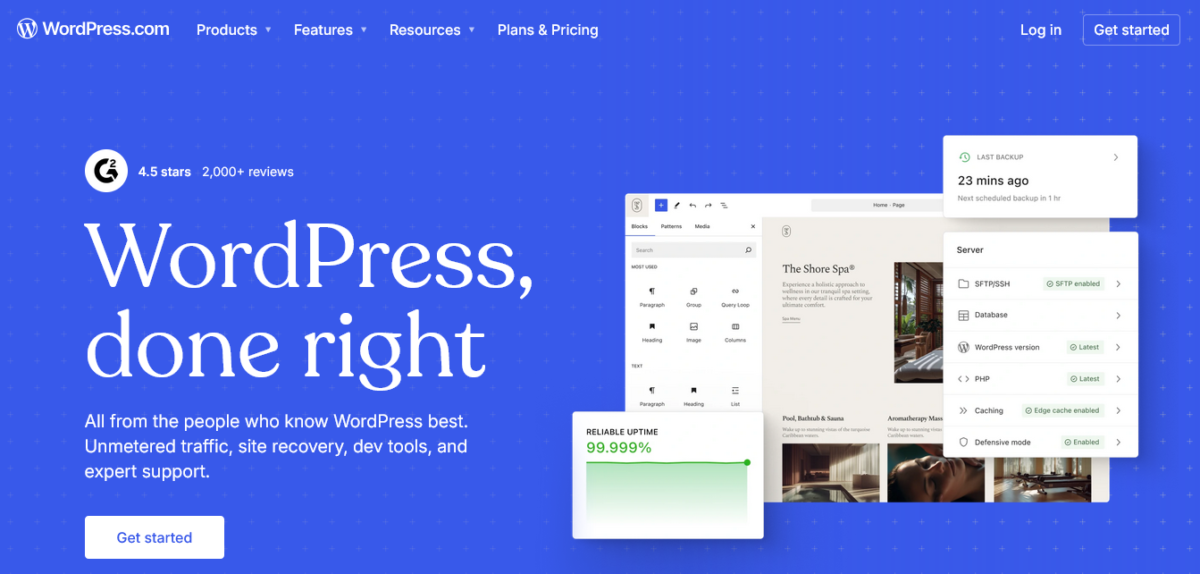
WordPress.com is a hosted platform where Automattic handles everything at the server level. Your hosting, SSL certificate, WordPress software updates, malware scanning, DDoS protection, and daily or real-time backups are all managed for you, bundled into your plan price.
You sign up, pick a plan, choose a domain, and you’re building a site within minutes. No server configuration. No PHP version decisions. No 3am security alerts.
Current WordPress.com plans:
| Plan | Monthly Billing | Annual Billing |
|---|---|---|
| Free | $0 | $0 |
| Personal | $9/mo | $4/mo |
| Premium | $18/mo | $8/mo |
| Business | $40/mo | $25/mo |
| Commerce | $70/mo | $45/mo |
Annual plans include a free custom domain for the first year. Since April 2, 2026, plugin installation is available on all paid plans starting from Personal; a significant change from how WordPress.com operated before.
The trade-off is that you’re operating within Automattic’s infrastructure. Some plugins are restricted. Certain server-level configurations aren’t possible. And if you ever want to leave, migration takes real effort.
Want the easiest way to get your site online? Start here →
What Is WordPress.org?
WordPress.org is where you download the free, open-source WordPress software to install on your own hosting. The software itself costs nothing. What you pay for separately is hosting, a domain name, and any premium themes or plugins you want.
When people say “self-hosted WordPress,” they mean WordPress.org.
You pick a hosting provider; anything from shared hosting at Bluehost (starting around $3/month introductory, renewing higher) to managed WordPress hosting at Kinsta (from $30/month) or WPX Hosting, install WordPress, and you’re running your own site on your own server environment.
You can install any plugin. You can edit any file. You have full control over every configuration. You can also break everything at 4am on a Tuesday.
Both things are true.
The responsibility that comes with WordPress.org is real. You manage updates, security, backups, and performance optimization yourself, or you pay someone to do it. On premium managed hosts like Kinsta or WPX, a lot of that is handled for you, but you’re still choosing and paying for those services separately.
WordPress.com vs WordPress.org: Side-by-Side
| Feature | WordPress.com | WordPress.org |
|---|---|---|
| Hosting included | Yes, bundled | No, separate purchase |
| Starting cost | Free / $4/mo annually | $0 software + hosting from ~$3/mo |
| Plugin access | All paid plans (50,000+) | Unlimited, zero restrictions |
| Theme access | Curated library | Unlimited, any theme |
| Custom domain | Paid plans (free yr 1 on annual) | You provide your own |
| SSL certificate | Included | Depends on host (usually included) |
| Security management | Automattic handles it | You or your host handles it |
| Backups | Included (real-time on Business+) | Plugin or host dependent |
| Staging environment | Business plan and above | Plugin or host dependent |
| Monetization | Some restrictions by plan | No restrictions |
| SEO control | Good, excellent with Business | Full, unlimited |
| Server access | SFTP/SSH on Business+ | Full access |
| Support | 24/7 on paid plans | Community forums, no official support |
| Portability | Export possible, but involved | Full control, migrate anywhere |
Cost: What You’ll Spend
This is where the WordPress.com vs WordPress.org comparison gets more nuanced than the “WordPress.org is free!” crowd wants to admit.
WordPress.com Cost
On WordPress.com, one payment covers hosting, SSL, security, backups, support, and the WordPress software. The Personal plan runs $4/month billed annually. The Business plan, which is the right tier for serious professional use, runs $25/month annually.
That’s it. One bill. No surprises.
WordPress.org Cost
The WordPress.org software is free. But to actually run a site, you need:
Shared hosting: Providers like Bluehost, GreenGeeks, or FastComet offer introductory rates from $3 to $7/month, though renewal rates are often significantly higher. Shared hosting is fine for low-traffic sites, but you’re on a crowded server, and you manage your own WordPress setup.
Managed WordPress hosting: This is the fairer comparison to WordPress.com’s Business plan. Kinsta starts at $30/month. WP Engine starts at $25/month. These providers handle WordPress updates, security, backups, and performance optimization the way WordPress.com does, but on infrastructure you’re not tied to. You pay separately for hosting, but you get the freedom of WordPress.org.
Domain name: Around $12 to $15 per year, which you pay separately on WordPress.org.
Premium plugins and themes: If you need an SEO plugin like RankMath Pro, a forms plugin, security tools, backup plugins, or a premium theme, those are separate costs. Budget $100 to $300 per year for a solid plugin stack, depending on your needs.
The honest math: A well-equipped WordPress.org setup on shared hosting can be cheaper than WordPress.com in the short term. A WordPress.org setup on managed hosting at Kinsta or WPX with a solid plugin stack often costs more than WordPress.com Business at $25/month annually. It gives you more control, but “WordPress.org is always cheaper” is not the full truth.
Plugins and Customization
This used to be a clear win for WordPress.org. It is still a win, but the gap has narrowed.
WordPress.com
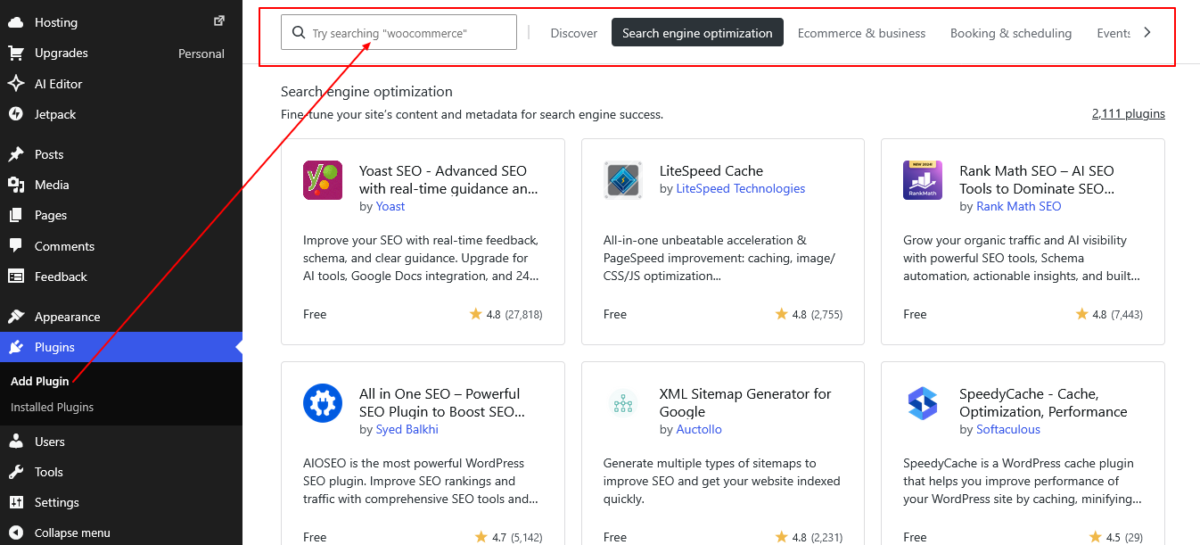
Since April 2026, all paid plans on WordPress.com allow plugin installation from the 50,000+ plugin directory. That includes Personal ($4/month annually). You can install RankMath, WPForms, WooCommerce, contact form plugins, social sharing tools, and most mainstream business plugins.
However, WordPress.com restricts certain plugins. Plugins that require deep server access, certain caching tools, or those flagged as security risks won’t install. There’s no public list, which means you find out when you try.
For most use cases, this doesn’t cause problems. For niche or custom workflows, it might.
Let’s clear up a common myth. Elementor isn’t incompatible with WordPress.com. It works on plugin-enabled plans. The real difference is flexibility. If you’re building highly customized websites with lots of plugins, custom code, and advanced tweaks, WordPress.org gives you more freedom.
For most users, though, WordPress.com handles the heavy lifting just fine.
WordPress.org
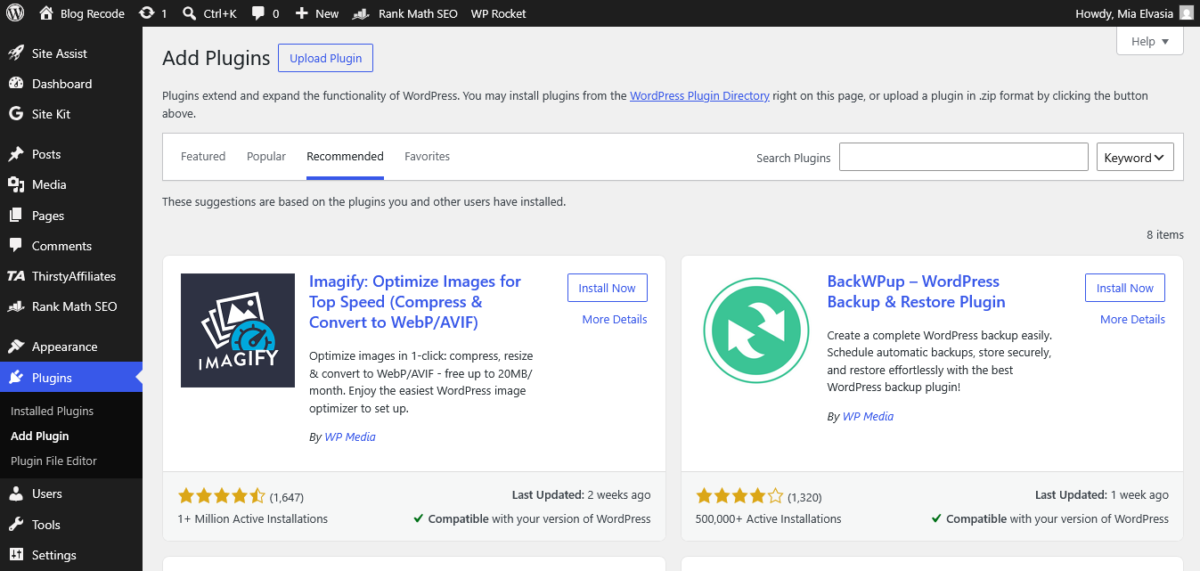
Zero plugin restrictions. Install anything, configure everything, run custom code, modify core files if you must. Page builders, multilingual plugins, custom checkout flows, membership platforms, any combination of tools you need. Full stop.
This is why WordPress.org remains the choice for complex, custom-built sites.
Winner: WordPress.org, but WordPress.com is now capable enough for most standard use cases.
👉 Already on WordPress.com and want to extend it? Browse the WordPress plugin directory and install directly from your dashboard.
SEO: Which Platform Gives You More Control?

Both platforms can rank. The SEO difference is about control depth, not capability ceiling.
WordPress.com
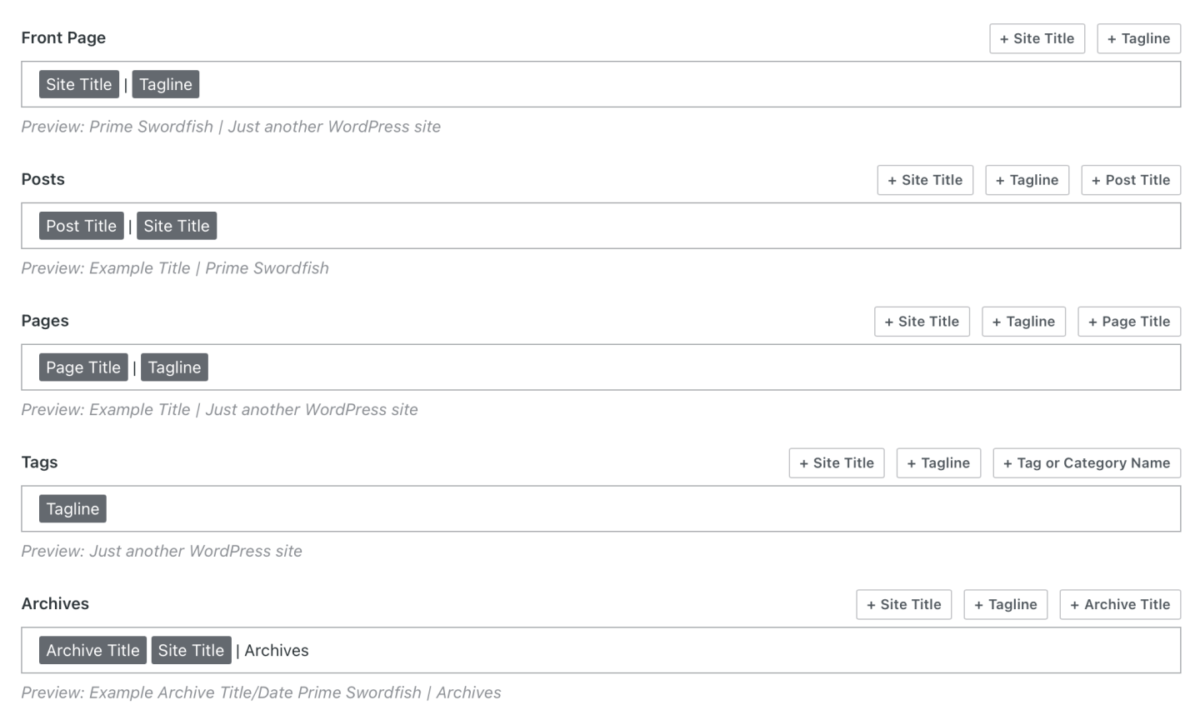
WordPress.com has solid built-in SEO tools powered by Jetpack. You can set custom meta titles and descriptions per post, control indexation, generate XML sitemaps, and manage basic technical SEO settings. The Business plan expands these with more advanced SEO controls.
On the Business plan and above, you can also install RankMath or Yoast directly, which gives you the same SEO toolset as WordPress.org. The infrastructure itself is well-optimized: fast CDN delivery, clean URLs, solid Core Web Vitals performance out of the box.
The main limitation is that on Personal and Premium plans, your SEO plugin options are limited to what’s allowed in the WordPress.com environment, and some advanced schema or technical SEO configurations aren’t accessible without server-level tools.
WordPress.org
Full SEO control. Install any SEO plugin, configure your own caching and performance stack, implement custom schema markup, manipulate .htaccess and robots.txt files directly, use server-side redirects. For competitive SEO in technical niches, WordPress.org gives you more levers to pull.
That said, most bloggers and small business owners never need 90% of those advanced levers. Good content, solid on-page optimization, and fast hosting get you most of the way there on either platform.
Winner: WordPress.org for advanced technical SEO. WordPress.com on Business plan is more than enough for most sites.
Enough research. Time to hit publish →
Monetization: Where the Real Difference Lives
This is the section that changes people’s minds. Pay attention here.
WordPress.com Monetization
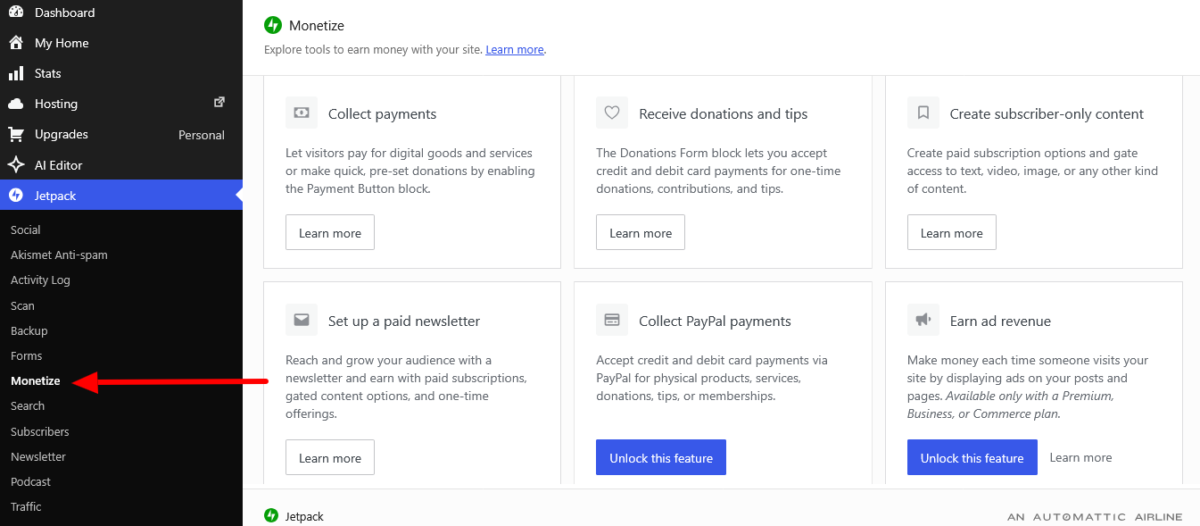
WordPress.com has expanded its monetization options significantly. All plans, including free, now allow you to accept payments and set up basic subscription products. Here’s the honest breakdown by plan:
Free and Personal: You can accept payments and donations via Stripe. WordPress.com takes a transaction fee of up to 10% on the free plan, decreasing on paid tiers. Affiliate links are allowed, with restrictions — WordPress.com does not allow sites that exist primarily to drive traffic to affiliate links, and certain affiliate programs are excluded. Google AdSense is not available without plugin installation (Business plan).
Premium plan ($8/month annually): WordAds, WordPress.com’s own advertising program, becomes available. You can display ads from Google, Facebook, AOL, and other networks through the WordAds program and earn from impressions. No Google AdSense directly.
Business plan ($25/month annually): Plugin access means you can install Google AdSense, join Mediavine or Raptive, run a full WooCommerce store, set up affiliate plugins, and monetize without platform restrictions. This is where WordPress.com becomes fully monetization-capable.
Commerce plan ($45/month annually): The full managed WooCommerce stack with zero transaction fees from WordPress.com.
WordPress.org Monetization
Zero platform restrictions. Run Google AdSense from day one. Join Mediavine, Radius, or any ad network. Add affiliate links to any post without limitation. Build a WooCommerce store, sell digital products, run memberships, accept any payment method you configure.
Keep 100% of your revenue minus payment processor fees.
This is the biggest real-world difference between the two platforms for bloggers and content creators who want to earn money from their sites.
Winner: WordPress.org, clearly. WordPress.com Business plan narrows the gap significantly, but the lower tiers have real monetization ceilings.
Security and Maintenance

WordPress.com
Security on WordPress.com is genuinely excellent and completely hands-off.
Automattic handles malware scanning, DDoS protection, brute force protection, SSL, and WordPress core updates automatically. The Business plan adds real-time backups and a staging environment. You do nothing. It just runs.
For someone who does not want to think about server security, this is a massive quality-of-life advantage. I have seen self-hosted WordPress sites get hacked because the owner hadn’t updated a plugin in six months. That scenario essentially doesn’t exist on WordPress.com.
WordPress.org
Security on WordPress.org is your responsibility, or your managed host’s responsibility if you’ve paid for that. On shared hosting, you are on your own for most of it. On managed hosts like Kinsta or WPX, security patching, malware scanning, and backups are handled for you, but you’re paying a premium for that service.
Plugin updates are critical on WordPress.org. Outdated plugins are the most common WordPress security vulnerability. On WordPress.com, plugin auto-updates are managed. On WordPress.org, you manage them manually or configure auto-updates and hope they don’t break something (which they occasionally do).
Winner: WordPress.com for effortless security. WordPress.org on a good managed host is comparable, but requires more active management.
Want a website that’s protected behind the scenes? Let WordPress.com handle the security updates, backups, and monitoring for you →
Who Should Choose WordPress.com?
Choose WordPress.com if you are:
A new blogger or creator who wants to start publishing without a server setup learning curve. The Personal plan at $4/month annually gives you a clean, fast site with a custom domain and plugin access. You can focus entirely on content.
A small business owner who wants a professional, low-maintenance website. The Business plan at $25/month annually handles everything at the infrastructure level, includes staging, real-time backups, and SFTP access, and lets you install the tools you need.
Someone who values uptime and peace of mind over maximum customization. WordPress.com’s infrastructure is rock-solid. Sites don’t go down because you forgot to renew a server configuration.
A creator who doesn’t depend on complex page builders. The block editor and full-site editor are genuinely capable for most content and business sites. If you’re not building highly customized design layouts with Elementor-level complexity, the block editor covers what you need.
👉 Ready to start? Try WordPress.com here — plans begin at $4/month billed annually.
Who Should Choose WordPress.org?
Choose WordPress.org if you are:
A blogger building for full monetization. If you want Google AdSense, Mediavine, Raptive, unrestricted affiliate marketing, and 100% of your revenue, WordPress.org with even basic shared hosting gives you that from day one without the plan-level restrictions of WordPress.com’s lower tiers.
A developer or technically confident site owner. If you want server access, custom configurations, the ability to modify core files, and full plugin freedom, WordPress.org is your environment. WordPress.com will feel like a cage.
A business with complex WooCommerce needs. If you’re running a store with custom checkout flows, many premium extensions, subscription products, and third-party integrations, WordPress.org on a good managed host gives you the flexibility to build what you actually need.
Someone who relies on Elementor, Divi, or other major page builders. If your design workflow is built around one of these tools, WordPress.com’s compatibility issues will stop you. WordPress.org has zero restrictions on page builders.
A site owner who wants total portability. WordPress.org sites can be migrated to any host, anywhere, at any time. You own your infrastructure completely. WordPress.com exports are possible, but the process is more involved.
My Take
Here is the honest truth about WordPress.com vs WordPress.org in 2026: the gap has narrowed more than most comparisons admit, largely because WordPress.com now allows plugin installation on all paid plans starting from $4/month annually.
That removed the biggest historical objection to WordPress.com.
But the gap has not closed. WordPress.org still wins on monetization flexibility, plugin freedom, page builder compatibility, and total site portability. For serious bloggers building an income, and for developers building complex sites, WordPress.org remains the more capable platform.
WordPress.com wins on managed infrastructure, ease of use, security peace of mind, and the quality-of-life advantage of having Automattic handle everything that isn’t your content.
For new site owners, small businesses, and creators who want to write rather than manage servers, WordPress.com is a genuinely strong choice in 2026.
The answer to “which should I choose” is not about which platform is technically better. It is about what you need right now and where you plan to go.
If you want to start fast, stay out of the server room, and don’t need maximum monetization flexibility at the start, WordPress.com is your answer. If you want full control, unrestricted monetization, and maximum customization from day one, WordPress.org is your answer.
Neither is wrong. Picking the one that doesn’t match your needs is.
Wrapping Up
WordPress.com vs WordPress.org is not a question with one right answer. It never was. The right platform is the one that fits your use case, your budget, your technical comfort level, and your monetization goals.
I’ve used both.
I’ve recommended both to different people for different reasons. Diane’s colleague who just needed a clean professional site for her consulting business? WordPress.com Business plan, done in a weekend.
The affiliate blogger in my network who needed full AdSense access and Elementor from day one? WordPress.org on a managed host, no question.
Know what you need. Pick accordingly. And stop listening to anyone who tells you there’s only one right answer.
Drop your questions in the comments if you’re still on the fence. I’ll give you a straight answer.
Frequently Asked Questions
What is the main difference between WordPress.com and WordPress.org?
WordPress.com is a hosted service run by Automattic where hosting, security, updates, and backups are all managed for you within a monthly or annual plan. WordPress.org is free, open-source software you install on your own hosting server, giving you full control over your site’s configuration, plugins, themes, and monetization.
Both run on the same WordPress core software. The difference is who manages the infrastructure and how much control you have.
Is WordPress.com or WordPress.org better for beginners?
WordPress.com is generally better for beginners. It removes the need to set up hosting, configure WordPress, manage security, or handle updates. You pay a plan fee, and you’re building a site.
WordPress.org requires choosing a hosting provider, installing WordPress, and managing the technical side of running a site, which has a steeper learning curve.
Can I use plugins on WordPress.com?
Yes. Since April 2, 2026, plugin installation is available on all paid WordPress.com plans, starting with the Personal plan at $4/month annually. You get access to 50,000+ plugins.
However, WordPress.com restricts certain plugins that require deep server access or are flagged as security risks. Most mainstream plugins work without issues.
Is WordPress.org really free?
The WordPress.org software is free to download and use. However, to run a website on WordPress.org, you need to pay for hosting (starting around $3/month on shared hosting, $30+/month on managed WordPress hosting) and a domain name (around $12 to $15 per year).
You also pay separately for any premium plugins or themes you use. WordPress.org has no platform cost, but it is not free to operate.
Which is better for SEO — WordPress.com or WordPress.org?
Both can rank well. WordPress.org gives more advanced technical SEO control, including unrestricted plugin access, direct server file manipulation, and full schema customization.
WordPress.com on the Business plan ($25/month annually) allows RankMath or Yoast installation and covers the SEO needs of most bloggers and small businesses effectively.
For competitive technical SEO niches, WordPress.org has more levers to pull.
Can I make money with WordPress.com?
Yes, with plan-level limitations. All WordPress.com plans allow payments and subscriptions. The Premium plan ($8/month annually) adds the WordAds display advertising program. The Business plan ($25/month annually) allows plugin installation, which opens up Google AdSense, affiliate plugins, and a full WooCommerce store.
WordPress.org has zero monetization restrictions from the start and lets you join any ad network or affiliate program without platform limitations.
Which is cheaper, WordPress.com or WordPress.org?
It depends on your setup. WordPress.com Personal at $4/month annually is very affordable for a basic site. WordPress.org on shared hosting can be similarly priced when you factor in a domain.
However, a properly equipped WordPress.org site with managed hosting (Kinsta starts at $30/month), a domain, and premium plugins often costs more than WordPress.com’s Business plan at $25/month annually.
Neither is universally cheaper — it depends on what tier of service and tools you compare.
Can I switch from WordPress.com to WordPress.org?
Yes. You can export your WordPress.com content using the built-in export tool, which generates an XML file of your posts, pages, and media. You then import that into a WordPress.org site. Posts and pages migrate cleanly. Media must be re-uploaded manually.
Pages built with WordPress.com’s full-site editor may look different after migration since theme and layout settings don’t transfer. It is doable but requires effort, especially for large or design-heavy sites.
Does WordPress.com include hosting?
Yes. Hosting is bundled into every WordPress.com plan, including the free tier. You do not purchase hosting separately. All plans include SSL, global CDN delivery, DDoS protection, malware scanning, and automated WordPress updates.
Who owns my content on WordPress.com?
You do. WordPress.com’s terms allow Automattic to host and distribute your content as part of delivering the service, but your posts, pages, images, and data belong to you. You can export your content at any time.
This is different from some other hosted website platforms that have more restrictive ownership language.
About Me: I’m Mia Elvasia, a professional blogger, SEO content writer, and affiliate marketer behind Blog Recode, a straight-talking resource for content creators who want to build smarter with AI. I’ve spent years working in digital marketing and SEO agencies, freelanced across dozens of WordPress client sites, and personally tested more hosting platforms than I’d care to admit, all in the name of finding out what truly works.