Is the WordPress.com Personal Plan Worth It? My Testing Results

Four bucks a month buys more than you think. But not everything.
The WordPress.com Personal plan costs $4 a month on annual billing. That’s less than a flat white at most coffee shops where I’ve worked. When I first saw that number, I assumed it meant “basic to the point of useless”, because that’s usually how entry-level hosted platform tiers work.
I was wrong. Partially.
The WordPress.com Personal plan in 2026 is genuinely not the same product it was even eighteen months ago. A major change rolled out on April 2, 2026, that shifted the value equation considerably.
I spent several weeks putting it through its paces on real sites – not a throwaway test, an actual content site I used for regular publishing, and here is my honest breakdown.
What’s in the box, what’s missing, who it actually works for, and whether $4 a month is money well spent.
Disclosure: This post contains affiliate links. I earn a small commission if you buy through them, at no extra cost to you. I only write about things I’ve actually tested.
What Changed in 2026 That Makes This Plan Different
Let me get this out of the way first because it matters for everything that follows.
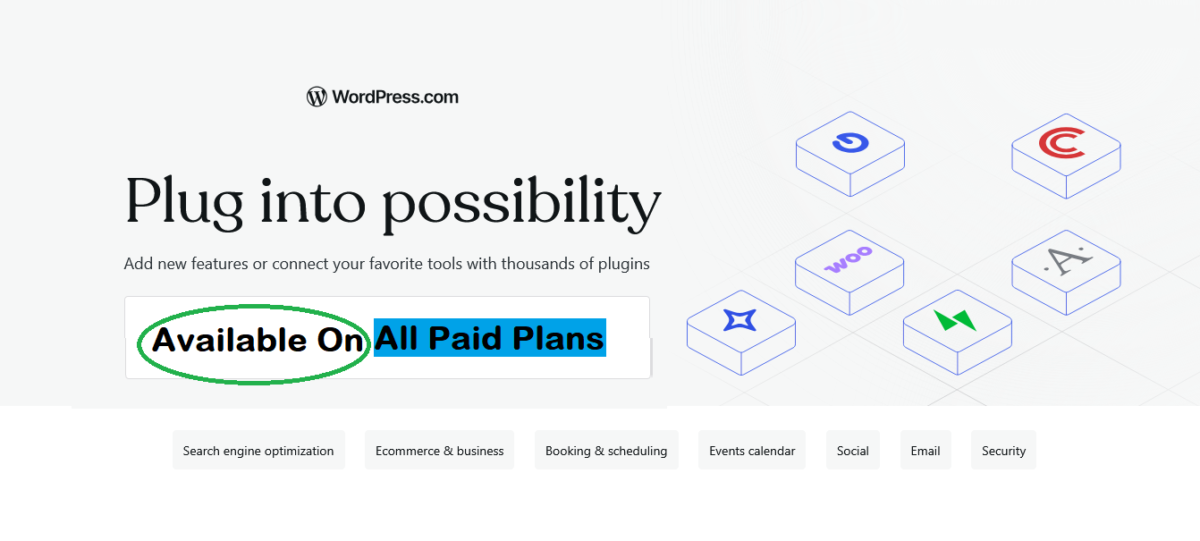
Before April 2, 2026, WordPress.com users on the Personal plan couldn’t install third-party plugins. The plan included a custom domain, ad-free browsing, premium themes, and basic customization features, but plugin access was reserved for higher-tier plans.
If you wanted to use tools like Rank Math, WPForms, WooCommerce, or thousands of other plugins from the WordPress ecosystem, you typically needed the Business plan, which started at $25 per month when billed annually.
That created a significant price gap between entry-level users and the full flexibility of WordPress.
On April 2, 2026, Automattic opened plugin access to all paid plans. All of them. Including Personal at $4/month.
That one change turned a plan I would have previously called “not quite enough” into something genuinely worth evaluating.
You now get access to 50,000+ plugins from the WordPress Plugin Directory, theme uploads, Global Styles with custom fonts and CSS, and all of that for $48 a year, billed annually.
If you heard about the Personal plan from someone who reviewed it before 2026, they were reviewing a different product. Keep that in mind.
Launch your blog the easy way with WordPress.com Personal →
What the WordPress.com Personal Plan Includes
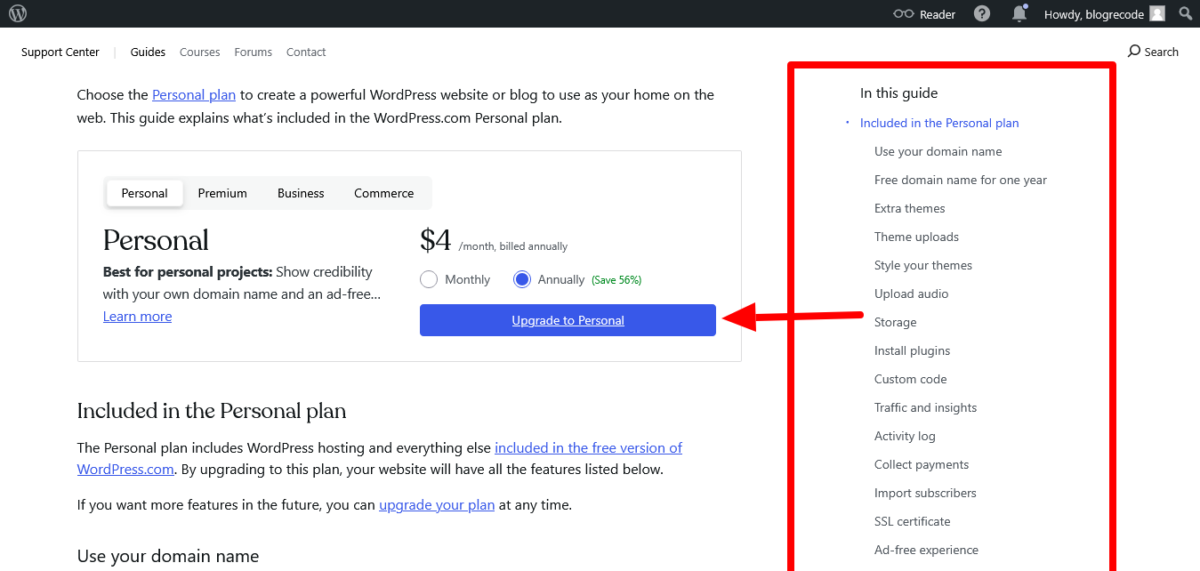
I pulled this directly from WordPress.com’s official support documentation. Here is every feature included:
Domain and hosting:
- A free custom domain name for the first year (on annual plans only, not monthly)
- WordPress hosting included, with an SSL certificate
- Ad-free experience — no WordPress.com ads shown to your visitors
- Ability to connect an existing domain you already own
Design and customization:
- Access to extra themes beyond the free tier selection
- Theme uploads — you can upload any third-party WordPress theme
- Global Styles — full control over fonts, colors, and site-wide design settings through the full-site editor
- Custom CSS — add your own stylesheet rules for granular design tweaks
Plugins:
- Install plugins from the 50,000+ WordPress Plugin Directory
- Upload premium plugins via zip file
- A small list of restricted plugins that WordPress.com blocks for security or infrastructure reasons
Content and media:
- 6 GB storage for images, audio, documents, and other uploaded files
- Audio file uploads (MP3 and other formats)
Payments and subscribers:
- Accept payments via credit and debit card for goods, services, memberships, subscriptions, and donations
- Transaction fees apply and are lower than the free tier
- Import unlimited subscribers from another platform
Analytics and activity:
- Full traffic stats and visitor insights, including views broken down by day, week, month, and year
- Activity log covering the past 30 days of site events (free sites only get 20 most recent events)
Security:
- Jetpack Scan included — detects vulnerabilities in plugins, themes, and uploaded files using WPScan data
- Enhanced security protection against malware and security breaches
Support:
- 24/7 access to WordPress.com Happiness Engineers via email
- Free site migration service — their team migrates your existing WordPress site for you, taking 2 to 3 business days
What is NOT included in the Personal plan that higher tiers provide:
- Video uploads (Premium and above)
- WordAds display advertising program (Premium and above)
- Google Analytics integration (Premium and above)
- All premium themes (Premium unlocks the full theme library)
- Real-time backups and one-click restore (Business and above)
- Staging environment (Business and above)
- SFTP/SSH access and database management (Business and above)
- Advanced SEO tools (Business and above)
- Live chat support (Premium and above)
- 50 GB storage (Business tier)
Testing the Personal Plan: What I Did and What I Found
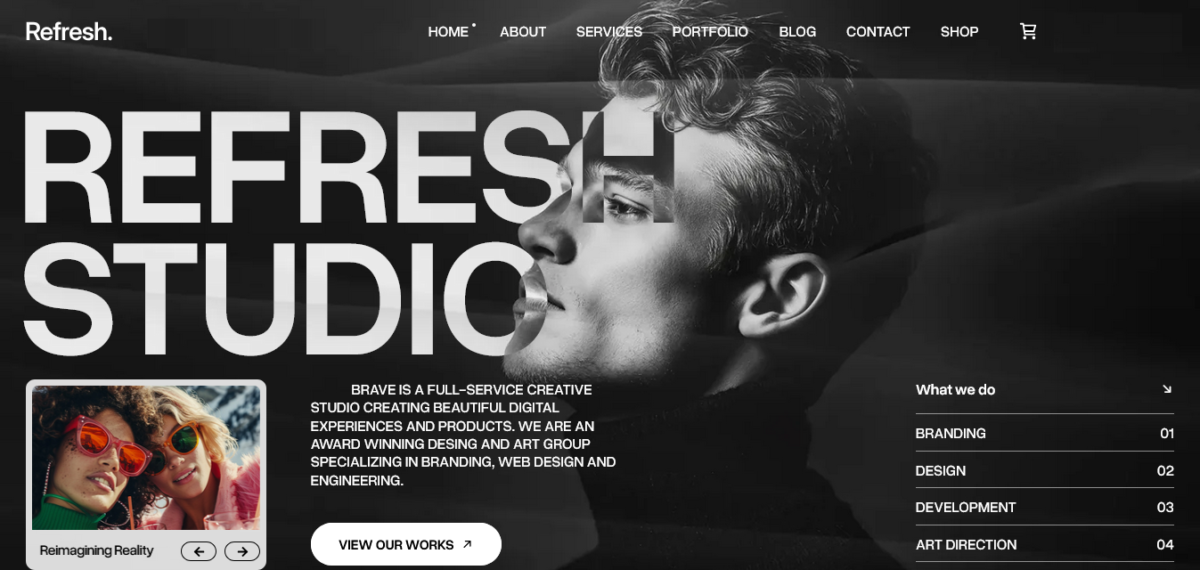
I set up a creative agency site on the Personal plan and ran it properly for several weeks. Published posts on a consistent schedule, installed plugins, customized the design, connected a custom domain, and paid attention to every friction point.
Setting Up Was Genuinely Fast
The onboarding flow was clean.
I had a site with a custom domain, a chosen theme, and a creative homepage (as shown above) up inside 40 minutes. The AI-assisted setup asked me what my site was about and suggested a starting layout, which I then modified in the full-site editor. Straightforward, no technical headaches.
Plugin Experience Was the Real Test
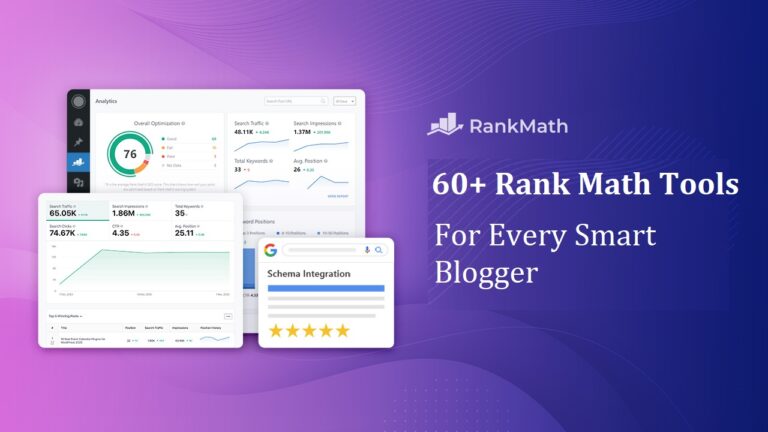
This was what I was most curious about. I installed RankMath for SEO, WPForms Lite for contact forms, and a social sharing plugin.
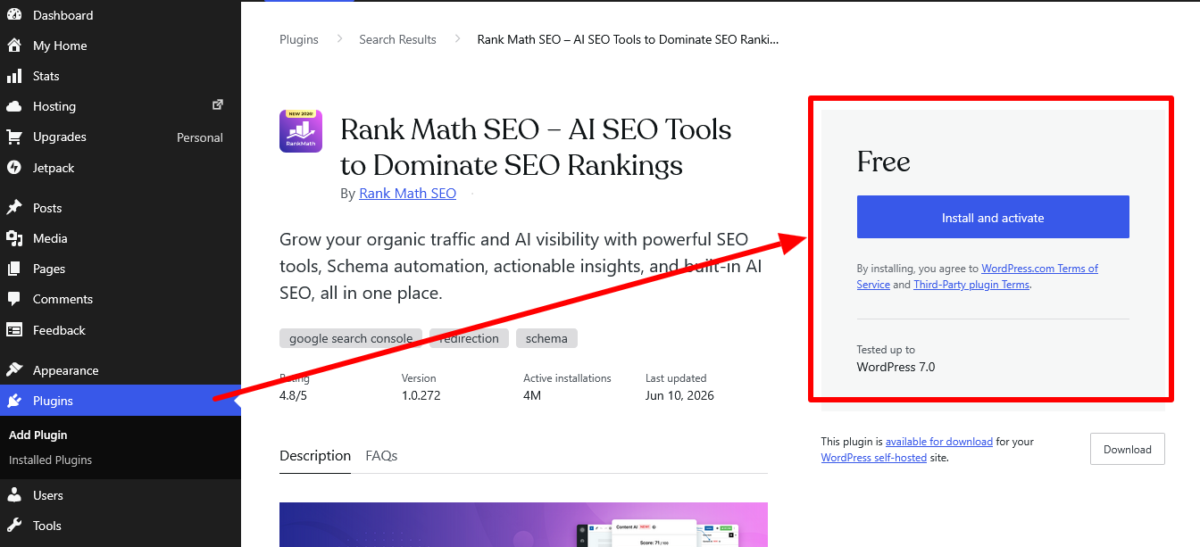
All three installed without a hitch directly from the plugin directory inside the WordPress.com dashboard. No zip file uploads needed. Just search, click install, activate. Exactly the same experience as on a self-hosted WordPress.org site.
I also tried installing a caching plugin out of curiosity, knowing WordPress.com manages caching at the server level. The plugin installed but showed a notice that server-level caching was already active. Redundant, but it didn’t break anything.
One plugin I tried for appointment booking was restricted.
I got a clear error message saying the plugin wasn’t supported in the WordPress.com environment. Annoying, but I found a compatible alternative quickly. Most mainstream plugins from well-known developers worked without issue.
Full-Site Editor Was Capable
I customized font pairings, set a brand color palette, redesigned the homepage header, and adjusted the global spacing, all through the full-site editor without writing a single line of CSS. The CSS editor was there if I needed it.
I used it once to tweak a specific element’s margin that the visual editor couldn’t quite reach. Having both options is genuinely useful.
The Activity Log Was More Useful Than Expected
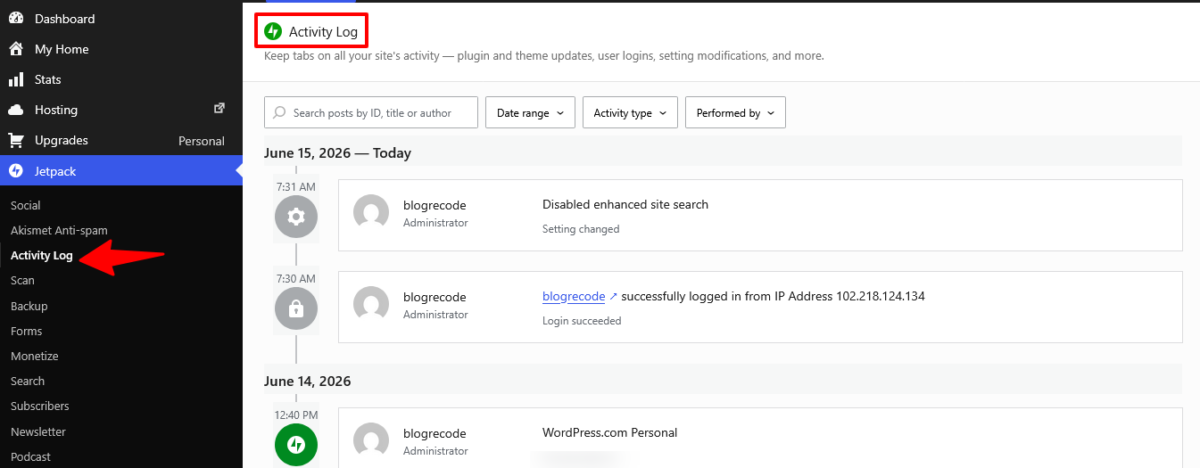
The 30-day activity log surprised me. Every plugin install, every post publish, every settings change, all logged with timestamps. On a day I accidentally changed a global font setting and couldn’t figure out what I’d done, the activity log showed me exactly when and what changed.
Useful safety net.
The Backup Situation Is the Biggest Gap
Here is where things get real.
One thing I discovered about the Personal plan is that there’s no safety net in the form of one-click backup restores.
You can track changes through the Activity Log, but if you want automated backups and the ability to roll your site back to an earlier version, you’ll need a Business or Commerce plan. That’s not a deal-breaker for everyone, but it’s worth knowing before you hit publish on your first big project.
Speed and Performance Were Solid
Loading speed on the Personal plan was fast.
WordPress.com’s CDN and server-side caching run across all plans. My site scored well on Core Web Vitals testing without any additional performance plugins. Fast globally, not just in one region. This is a genuine strength of the hosted platform regardless of which plan tier you’re on.
See what you can build with WordPress.com Personal →
The Personal Plan vs. Premium: Is the Upgrade Worth It?
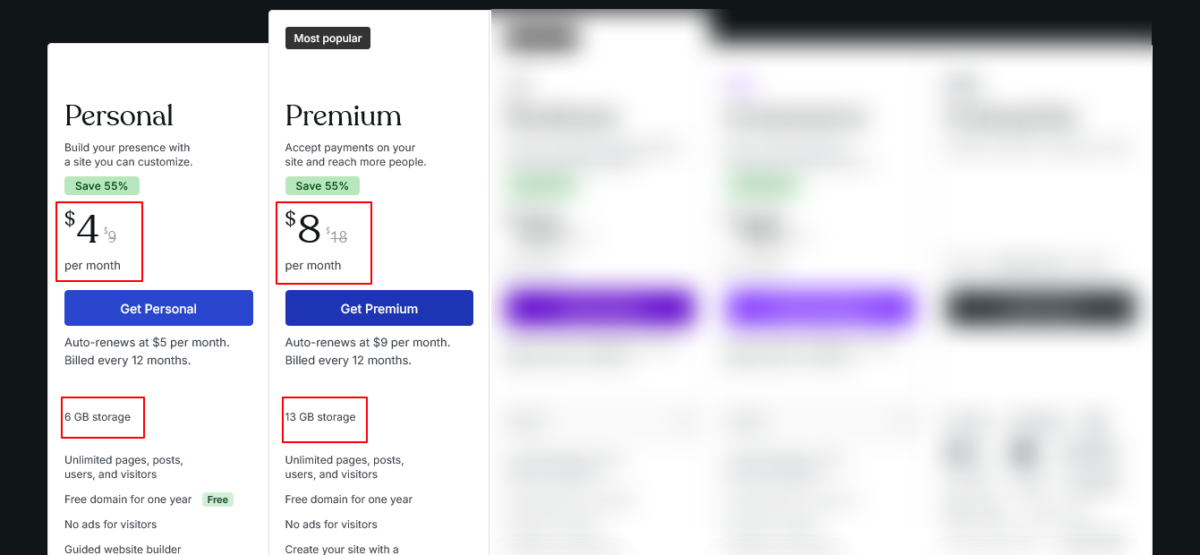
The Premium plan costs $8/month billed annually — double the Personal plan. Here is what you get for that extra $4/month:
| Feature | Personal ($4/mo) | Premium ($8/mo) |
|---|---|---|
| Plugins | Yes | Yes |
| Custom domain | Yes (free yr 1) | Yes (free yr 1) |
| Storage | 6 GB | 13 GB |
| Video uploads | No | Yes |
| WordAds (display ads) | No | Yes |
| Google Analytics | No | Yes |
| All premium themes | No | Yes |
| Live chat support | No | Yes |
| Social media resharing | No | Yes |
If you plan to run display ads through WordPress.com’s WordAds program to monetize your site, you need Premium at minimum. WordAds is not available on Personal.
If you need to upload videos directly to your site (rather than embedding from YouTube or Vimeo), you need Premium.
If you want Google Analytics integration built into the dashboard, you need Premium.
If you want live chat support rather than just email support, Premium includes it.
For the extra $48 a year, Premium adds real monetization tools and video upload capability. For a blogger or content creator building toward revenue, that upgrade has clear value. For someone who just needs a clean, fast, ad-free site with plugin access and a custom domain, Personal covers the bases.
👉 Not sure which plan fits? Compare all WordPress.com plans here and decide before you commit.
Where the WordPress.com Personal Plan Falls Short
I’m not going to sugarcoat this section. There are real gaps.
No Backup Restore Functionality
Already covered above, but worth repeating. If a plugin update breaks your site or you make a design change you can’t undo, there’s no one-click rollback on the Personal plan. You can export your content as an XML file anytime, but restoring a full site snapshot is a Business plan feature.
For a hobby site, maybe fine. For a site you rely on, this is a genuine risk.
6 GB Storage Fills Up Faster Than You’d Think
Six gigabytes sounds like plenty. It’s not, once you’re regularly uploading full-size images for every post. A single high-resolution photo can be 3 to 8 MB. Multiply that by images in every post over a year of publishing and you’ll start watching that storage gauge move.
Photography sites, food blogs, or any content-heavy site with lots of visuals will feel this ceiling sooner than expected.
WordPress.com does offer a storage add-on you can purchase separately, but that’s an additional cost on top of your plan.
No Video Hosting
If you produce video content for your blog, the Personal plan doesn’t support uploading video files directly to WordPress.com. You’d need to host video on YouTube, Vimeo, or a similar platform and embed it. That workaround is perfectly functional, but it’s a limitation worth knowing.
WordAds Monetization Requires Premium
If you want to display ads on your site and earn from impressions through WordPress.com’s official WordAds program, you need the Premium plan. The Personal plan allows payment collection and subscriptions, but not display advertising through the WordAds network.
Transaction Fees Apply to Payments
When you collect payments on the Personal plan, WordPress.com charges a transaction fee on top of the standard Stripe processing fee. The exact rate is higher on lower plan tiers and decreases as you move up.
If you’re processing a meaningful volume of payments, this fee eats into your revenue and the Business or Commerce plan may be more economical over time.
Backup Restore Requires Business
It deserves a second mention. If site safety is a priority and you publish regularly, the absence of one-click backup restore on Personal is a real hole. Install a reputable backup plugin like UpdraftPlus as a mitigation, configure it to back up to cloud storage, and make it part of your routine.
Who Should Choose the Personal Plan?
The WordPress.com Personal plan is a genuinely good fit for:
New bloggers and writers who want a clean, fast, ad-free site with a custom domain and plugin access, without paying $25+/month for a managed WordPress setup. At $4/month annually, the barrier to starting is as low as it gets for a real, professional WordPress site.
Portfolio sites and personal brands that need to look professional without complex functionality. The full-site editor, custom themes, CSS access, and plugin support give you more than enough to build a polished personal site.
Creators testing a new project or niche before committing to a higher-tier setup. Start at Personal, validate your idea, then upgrade when you need the additional features.
Small sites with low media volume. If you publish text-heavy posts with minimal image uploads and your storage needs are modest, 6 GB will last you a long time.
Anyone who previously looked at WordPress.com and dismissed it because it didn’t include plugins. That was the right call before April 2026. Check again.
👉 Ready to try it? Start with the WordPress.com Personal plan here for $4/month billed annually.
Who Should Skip It and Go Higher?
Skip the Personal plan and move up if:
You need reliable backup restore. Any site you actively rely on for income, business, or audience-building should have the Business plan’s real-time backups and one-click restore. The Personal plan’s lack of restore functionality is a meaningful risk if something goes wrong.
You want to run display ads on your site. WordAds requires the Premium plan ($8/month annually) at minimum. If monetizing with ads is part of your strategy, Personal doesn’t get you there.
You upload a lot of images and media. Heavy content producers will bump into 6 GB faster than expected. Premium gives you 13 GB; Business gives you 50 GB.
You need a staging environment. Testing plugin updates or design changes before they go live on your real site requires Business. No staging on Personal or Premium.
You need live chat support. Personal comes with email-only support from Happiness Engineers. If you want real-time chat help, Premium and above include it.
You’re building a serious WooCommerce store. You can install WooCommerce as a plugin on the Personal plan, but the managed WooCommerce stack with premium extensions is on the Commerce plan. For a real store, go Commerce.
My Verdict and Rating
The WordPress.com Personal plan in 2026 is not the underwhelming entry-level tier it used to be. Plugin access changed the game.
For $4/month billed annually, you get a hosted WordPress site with a custom domain, SSL, Jetpack security scanning, 50,000+ plugins, the full-site editor with custom fonts and CSS, audio uploads, traffic analytics, a 30-day activity log, 24/7 email support, and a free site migration service.
That is a lot of real functionality for $48 a year.
The gaps are real, though. No backup restore, no video uploads, no display advertising, 6 GB storage that isn’t enormous, and transaction fees on payments. These aren’t deal-breakers for the right use case. They are deal-breakers if you need those things.
For new bloggers, personal site owners, portfolio builders, and creators starting a new project: the Personal plan earns a genuine recommendation in 2026. It’s not perfect. But at $4/month, it doesn’t need to be.
My Rating: 7.5/10 ⭐⭐⭐⭐⭐⭐⭐
The missing backup restore and storage cap are what keep it from an 8. Fix those for Personal plan users, Automattic, and this becomes a no-brainer recommendation for almost anyone starting out.
👉 Try the WordPress.com Personal plan here — $4/month billed annually. Free domain included for year one.
Wrapping Up
Honest verdict? I went into this test expecting to write a “not enough for real use” article and came out with something more nuanced. The plugin access change made a real difference. The missing backup restore and the 6 GB storage cap are the two things holding this plan back from a higher score.
If you’re debating whether to try WordPress.com and the Personal plan is the entry point you’ve been looking at, it’s worth $4 a month to find out. Worst case, you upgrade. Best case, you’ve got a capable, clean, fast blog running for less than a cup of coffee a month.
If you’re considering WordPress.com and still have questions, leave a comment below. I’ll share what I learned from building and testing my own site.
FAQs
What is the WordPress.com Personal plan?
The WordPress.com Personal plan is the entry-level paid tier on WordPress.com, priced at $9/month on monthly billing or $4/month on annual billing.
It includes WordPress hosting, a free custom domain for the first year on annual plans, SSL, an ad-free experience, 6 GB storage, plugin installation from 50,000+ available plugins, custom theme uploads, Global Styles with custom fonts and CSS, traffic analytics, a 30-day activity log, Jetpack security scanning, payment collection, subscriber importing, and 24/7 email support.
Does the WordPress.com Personal plan include plugins?
Yes. Since April 2, 2026, the WordPress.com Personal plan includes plugin installation from the 50,000+ plugin WordPress Plugin Directory. You can also upload premium plugins via zip file.
A small number of plugins are restricted for security or infrastructure reasons, but the vast majority of mainstream plugins work without issues.
How much does the WordPress.com Personal plan cost?
The WordPress.com Personal plan costs $9/month on monthly billing or $4/month when billed annually ($48/year). Annual billing includes a free custom domain for the first year. Monthly billing does not include the free domain.
Does the WordPress.com Personal plan include backups?
The Personal plan includes a 30-day activity log that tracks site events but does not include backup restore functionality. One-click site restore from backups is available on the Business plan ($25/month annually) and Commerce plan ($45/month annually).
If backup restore is important to your workflow, you should consider using a backup plugin like UpdraftPlus on the Personal plan, or upgrading to Business.
Can I run a blog on the WordPress.com Personal plan?
Yes. The Personal plan is well-suited for blogging. You get a custom domain, ad-free experience, plugin access for SEO and forms, full-site editor with design customization, traffic analytics, and 24/7 email support.
The main limitations for bloggers are the 6 GB storage cap and the absence of the WordAds display advertising program, which requires the Premium plan.
What’s the difference between WordPress.com Personal and Premium?
The Premium plan costs $8/month annually and adds video uploads, the WordAds display advertising program, Google Analytics integration, access to all premium themes, live chat support, social media resharing tools, and 13 GB storage (versus 6 GB on Personal).
For bloggers planning to monetize with display advertising or who upload a lot of video content, Premium provides meaningful additions. For those who just need a clean site with plugin access and a custom domain, Personal is sufficient.
Can I sell on the WordPress.com Personal plan?
You can accept payments for goods, services, memberships, subscriptions, and donations on the Personal plan using WordPress.com’s built-in payment tools. Transaction fees apply and are reduced at higher plan tiers.
You can also install WooCommerce as a plugin on the Personal plan, but the full managed WooCommerce experience with premium extensions is on the Commerce plan ($45/month annually). The Personal plan is not ideal for a full-featured online store.
Does the WordPress.com Personal plan include a free domain?
Yes, on annual billing. When you purchase any annual plan (one-year, two-year, or three-year), you get a free custom domain registration for the first year. After the first year, the domain renews at standard pricing. The free domain is not included on monthly billing.
Is the WordPress.com Personal plan good for beginners?
Yes. The Personal plan is one of the more beginner-friendly ways to get a real WordPress site online. Hosting, SSL, security, and updates are all managed by Automattic. You don’t configure a server, manage PHP versions, or deal with technical maintenance.
The setup process includes an AI-guided onboarding flow that helps you choose a theme and structure your site. Plugin access means you can extend your site without needing technical knowledge.
Can I upgrade from the Personal plan later?
Yes. WordPress.com allows you to upgrade from the Personal plan to Premium, Business, or Commerce at any time. Your content, domain, plugins, and design settings carry over when you upgrade.
You’ll pay a prorated amount for the upgrade period based on time remaining on your current plan.
About the Author: I’m Mia Elvasia, the blogger and SEO content writer behind Blog Recode. I spend a good chunk of my time testing WordPress tools, hosting platforms, website builders, and blogging software so other creators don’t have to learn everything the hard way. My goal is simple: share honest, hands-on insights that help bloggers build better websites and make smarter decisions.