Tailwind Review 2026: Pinterest’s Secret Weapon? 📌

The social media tool that makes Pinterest marketing less like rocket science
My Quick Verdict
After years of using Tailwind for Pinterest-heavy campaigns and Instagram strategies, this honest Tailwind review reveals a tool that’s like that friend who’s amazing at one thing but completely useless at everything else.
The Good: Pinterest mastery, smart scheduling, content recycling magic
The Bad: Limited to Pinterest/Instagram, pricing gets weird, learning curve steeper than my morning coffee addiction
The Bottom Line: This Tailwind review concludes it’s perfect if Pinterest drives your business – otherwise, you might feel like you bought a Rolls-Royce for grocery runs.
How I Stumbled Into This Tailwind Review Adventure

Early 2024; I’m sitting in my studio apartment at 1 AM, manually posting pins to Pinterest like some kind of social media caveman. My client’s blog traffic was flatlining, and Pinterest was supposed to be the magical solution everyone kept raving about.
Pinterest felt like trying to solve a Rubik’s Cube blindfolded while riding a unicycle. En español.
That’s when my blogger friend Mirei mentioned Tailwind during our weekly “why is marketing so hard” therapy session.
“It’s like having a Pinterest assistant who actually knows what they’re doing,” she said.
My immediate thought? Great, another tool that promises to solve all my problems while probably creating 99 new ones (Hey Jay Z).
Over a year later, I’m writing this Tailwind review because it genuinely transformed my Pinterest game.
But spoiler alert – it’s not for everyone.
Great for bloggers who don’t want another complex tool ⟶
What Makes This Tailwind Review Different?
Most Tailwind reviews either worship it like the second coming or trash it completely.
This Tailwind review comes from someone who’s actually used it to drive real traffic, manage actual client campaigns, and deal with the messy reality of Pinterest marketing.
I’ve tested Tailwind with everything from lifestyle blogs to e-commerce stores, and I’ll give you the unfiltered truth about what works, what doesn’t, and whether you should care.
Tailwind Explained: What the Hell Does It Do?
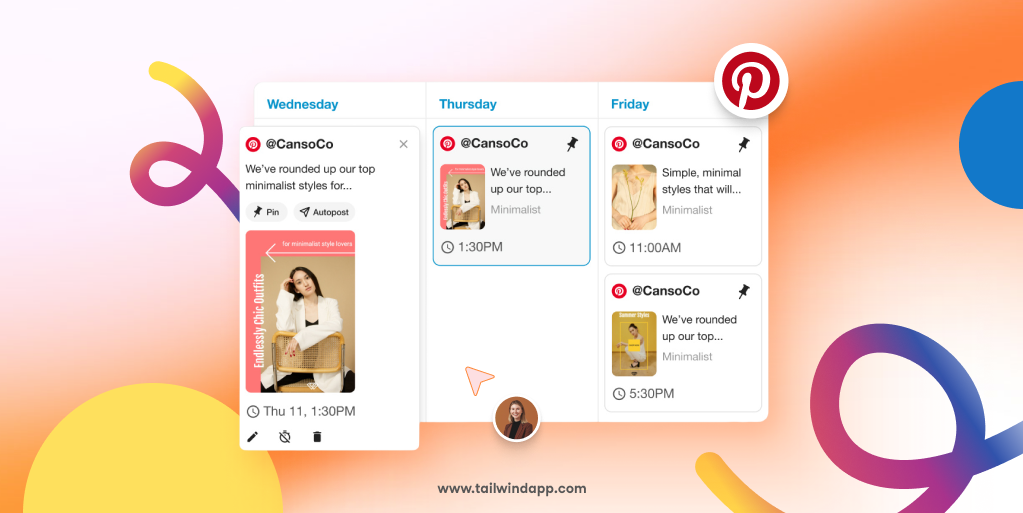
Tailwind markets itself as creating Pinterest marketing faster with powerful Pin scheduling, content creation, and bulk editing tools, but let me translate that from marketing speak:
Tailwind is a specialized social media scheduling tool that’s laser-focused on Pinterest success with some Instagram features thrown in. It’s not trying to be everything to everyone – it’s trying to be the best Pinterest tool on the planet.
Core capabilities include:
- Smart scheduling that knows when your audience is actually online
- Content recycling that automatically reposts your best pins
- Pinterest-specific analytics that actually matter
- Board management that doesn’t make you want to scream
- Instagram integration (but honestly, it’s more of an afterthought)
Think of it as the Pinterest whisperer that speaks fluent algorithm.
Features That Made This Tailwind Review Worth Writing
SmartSchedule: The Algorithm Whisperer
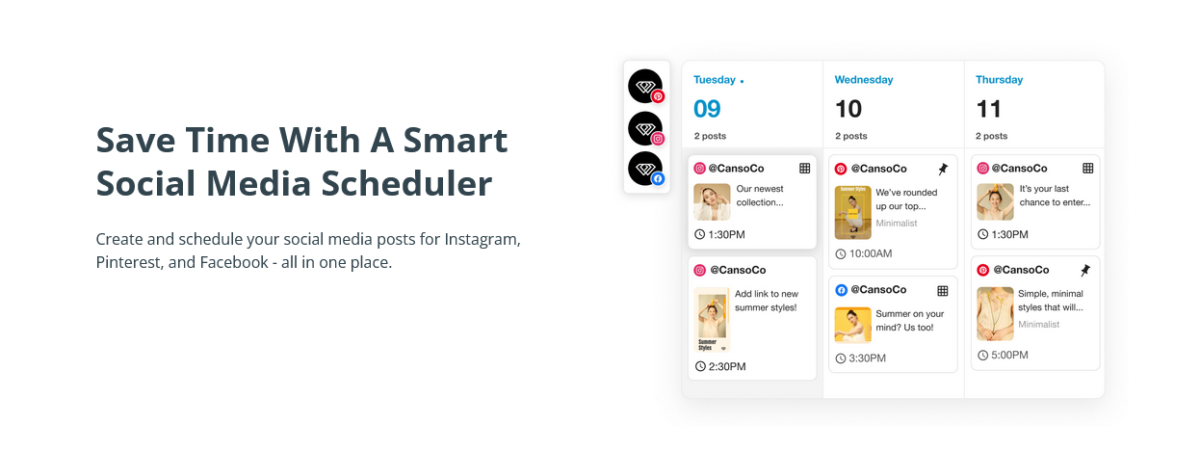
This is where Tailwind gets scary good.
Instead of randomly posting pins, SmartSchedule analyzes when your audience is most active and schedules content accordingly.
For one lifestyle blogger client, switching to SmartSchedule increased her Pinterest impressions by 180% in just six weeks. The same content, just better timing. Legend!
Content Recycling That Actually Works 🔄

Tailwind’s automated content recycling is like having a personal assistant who remembers which pins performed well and automatically reposts them.
The best part is, you can recycle content platform to platform, back to back, without hustle.
I set up recycling loops for evergreen content, and traffic to older blog posts increased by 45%. It’s like compound interest for your content.
You feel me?
Bulk Scheduling: The Time-Saver Supreme ⚡
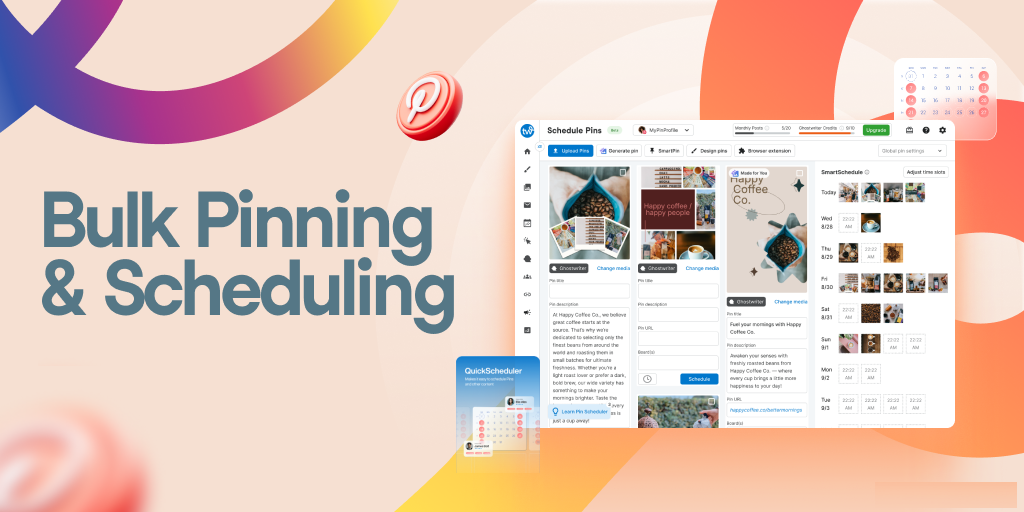
Upload 50 pins at once, assign them to different boards, and let Tailwind handle the rest.
What used to take me 3 hours now takes 20 minutes.
Pero cuidado – with great power comes great responsibility. I accidentally scheduled 200 pins for the same day once.
Pinterest was NOT amused.
Board Lists and Communities 👥
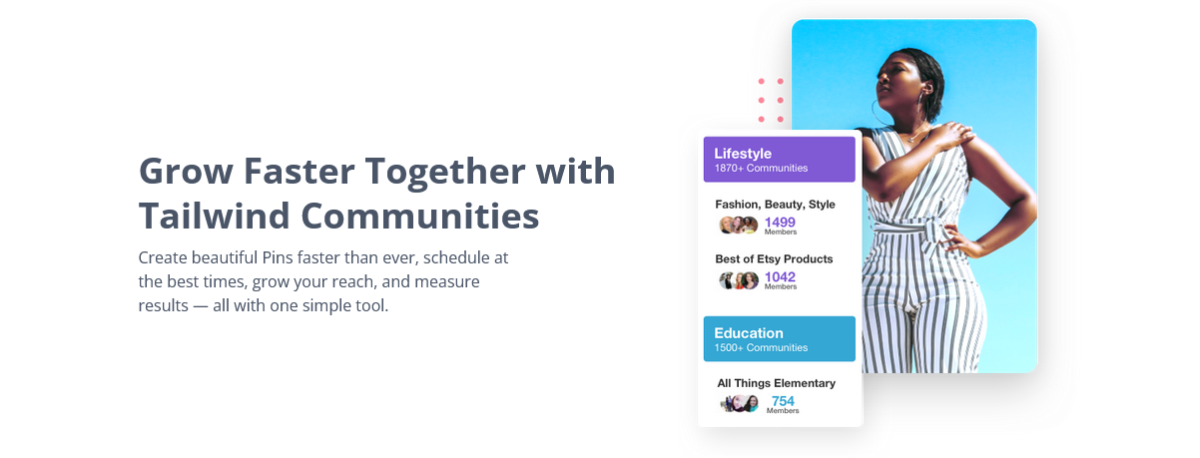
Create board lists to pin content to multiple relevant boards simultaneously.
The Tailwind Communities (formerly Tribes) feature lets you share content with other creators in your niche.
One food blogger saw her reach increase by 300% after joining active cooking communities.
It’s like networking, but for pins.
Pinterest Analytics That Matter 📊
Unlike Pinterest’s native analytics (which are about as useful as a chocolate teapot), Tailwind shows you which pins drive actual website traffic and engagement.
The “Pin Inspector” feature identifies your top-performing pins and suggests optimization strategies.
Finally, data that actually helps improve performance.
If Pinterest traffic is on your 2026 list, this is worth testing ⟶
Tailwind Pricing Reality Slap
Here’s where this Tailwind review gets interesting.
Tailwind’s pricing varies significantly across sources, but current plans include Pro at $29.99/month, Advanced at $59.99/month, and Max at $99.99/month, on a monthly billing frequency.
Okay, for annual plans, you will save up to 50%.
Tailwind Pricing Table (Current Rates)
| Plan | Monthly Price | Annual Price | Pinterest Accounts | Instagram Accounts | Best For |
|---|---|---|---|---|---|
| Free Forever | $0 | $0 | 1 | 1 | Testing waters |
| Pro | $29.99 | $17.99/month* | 1 | 1 | Solo bloggers |
| Advanced | $59.99 | $29.99/month* | 2 | 2 | Small businesses |
| Max | $99.99 | $49.99/month* | 3 | 3 | Growing agencies |
*Prices are subject to change.
The Real Cost Analysis from This Tailwind Review
For bloggers: The Pro plan offers unlimited pins for $17.99/month when paid annually, which is reasonable if Pinterest drives significant traffic.
For businesses: The pricing per account gets expensive quickly. Need 5 Pinterest accounts? You’re looking at multiple subscriptions.
The free plan trap: It’s genuinely useful for testing, but you’ll hit limits fast if Pinterest becomes important to your strategy.
Hidden costs: No white-labeling options, limited team collaboration features. You get what you pay for.
Real Results: What This Review Discovered

Food Blog Traffic Explosion
Client: Regional cooking blog
Challenge: Pinterest traffic is stuck at 2,000 monthly visitors
Tailwind solution: SmartSchedule + content recycling + community participation
Results:
- Pinterest traffic increased to 45,000 monthly visitors in 8 months
- Website revenue increased 400% from Pinterest-driven affiliate sales
- Time spent on Pinterest management decreased from 10 hours to 2 hours per week
- Top-performing recipes identified and optimized for search
E-commerce Brand Pinterest Strategy
Client: Handmade jewelry store
Challenge: Zero Pinterest presence, relying solely on Instagram
Tailwind solution: Strategic board creation + consistent pinning schedule
Results:
- Built a Pinterest following from 0 to 12,000 followers in 6 months
- Pinterest became the second-highest traffic source after Google
- Sales from Pinterest increased monthly revenue by 25%
- Customer acquisition cost from Pinterest 60% lower than Instagram
Interior Design Portfolio Growth
Client: Freelance interior designer
Challenge: Portfolio website getting buried in Google searches
Tailwind solution: Visual content optimization + seasonal pinning strategy
Results:
- Pinterest impressions grew from 50K to 2.3M monthly
- Website inquiries increased 300% from Pinterest traffic
- Booking rate from Pinterest visitors 40% higher than other sources
- Established authority in the luxury home design niche
Try it and see if it fits your workflow ⟶

How Tailwind Stacks Against Competitors
Tailwind vs. Later
Winner: Depends – Later wins for multi-platform visual planning. Tailwind destroys Later for Pinterest-specific features.
Tailwind vs. Buffer
Winner: Tailwind for Pinterest – Buffer has better multi-platform support. Tailwind’s Pinterest features are unmatched.
Tailwind vs. Pinterest Business (native)
Winner: Tailwind – Native Pinterest scheduling is basic. Tailwind’s analytics and automation are game-changers.
Tailwind vs. Hootsuite
Winner: Tailwind for Pinterest focus – Hootsuite covers more platforms but lacks Pinterest depth and optimization features.
Honest Pros and Cons
What This Tailwind Review Loves ✅
- Pinterest Mastery: Best-in-class Pinterest scheduling and optimization
- SmartSchedule Magic: Algorithm-friendly posting times that actually work
- Content Recycling: Set-and-forget evergreen content management
- Bulk Operations: Time-saving batch scheduling and editing
- Pinterest Analytics: Data that drives actual improvement
- Free Forever Plan: Genuinely useful for testing and small users
- Community Features: Networking opportunities with other creators
- Learning Resources: Excellent educational content and tutorials
This is the tool I recommend if you want consistency without chaos ⟶
What Makes Me Want to Throw My Laptop ❌
- Limited Platform Support: Essentially Pinterest + Instagram (and Instagram feels like an afterthought)
- Per-Account Pricing: Gets expensive quickly for multiple Pinterest accounts
- Learning Curve: Pinterest strategy requires understanding beyond just scheduling
- Team Collaboration: Basic features compared to dedicated team tools
- Instagram Integration: Feels clunky compared to Instagram-focused tools
- No White-Labeling: Agencies can’t brand reports for clients
The “Meh” Category 🤷♀️
- Customer Support: Responsive but not exceptional
- Mobile App: Functional, but the desktop experience is much better
- Design Templates: Available, but not as polished as Canva integration
Who I Recommend tailwind For
Perfect For:
- Bloggers where Pinterest drives significant traffic
- E-commerce stores with visually appealing products
- Content creators in Pinterest-friendly niches (food, DIY, fashion, home)
- Small businesses targeting Pinterest-active demographics
- Anyone serious about Pinterest marketing success
Skip Tailwind If You:
- Don’t use Pinterest as a primary marketing channel
- Need comprehensive multi-platform social media management
- Require extensive team collaboration features
- Want advanced Instagram marketing tools
- Prefer simple, single-platform scheduling solutions
My Honest Verdict
After years of intensive Pinterest campaigns across multiple client types, this Tailwind review concludes it’s an exceptional tool for a very specific use case.
Tailwind excels when you need:
- Pinterest marketing that actually drives traffic and sales
- Automated content recycling and optimization
- Pinterest-specific analytics and insights
- Time-saving bulk scheduling and management
- Algorithm-friendly posting strategies
Look elsewhere if you need:
- Multi-platform social media management
- Advanced team collaboration features
- Instagram-focused marketing tools
- Budget-friendly solutions for casual Pinterest use
With 100s of reviews filtered by company size and industry, user feedback consistently highlights Tailwind’s Pinterest expertise while noting its platform limitations.
The bottom line? Tailwind is like a specialized surgeon – incredible at what it does, but don’t expect it to fix everything.
Start Your Free Forever Plan →
Pro Tips For You
- Master Pinterest first – Understand Pinterest strategy before relying on tools
- Start with the free plan – Test thoroughly before committing to paid plans
- Join active communities – The networking aspect is underutilized but valuable
- Focus on evergreen content – The recycling features work best with timeless content
- Use analytics religiously – The data insights are Tailwind’s secret weapon
- Batch your pin creation – Bulk operations are where you’ll save the most time
FAQs
Is Tailwind only for Pinterest?
While Tailwind started Pinterest-focused, it now includes Instagram scheduling features, though Pinterest remains its primary strength.
Can I really use Tailwind for free forever?
Yes, the free plan includes basic Pinterest and Instagram scheduling for one account each. Perfect for testing and light usage.
How does SmartSchedule actually work?
It analyzes your audience engagement patterns and Pinterest best practices to suggest optimal posting times for maximum reach and engagement.
Is Tailwind worth it if I’m just starting on Pinterest?
The free plan is excellent for beginners. Upgrade only when Pinterest becomes a significant traffic source worth investing in.
Can I manage multiple client Pinterest accounts?
Yes, but you’ll need separate subscriptions for each account, which gets expensive quickly for agencies.
How reliable is Tailwind’s auto-posting?
Tailwind published every post exactly when scheduled in testing, though auto-posting isn’t available for multi-image posts.
Does Tailwind help with Pinterest SEO?
Indirectly, yes. The analytics help identify which pins perform well, and SmartSchedule optimizes for engagement, which Pinterest’s algorithm favors.
What’s the difference between Tailwind Communities and Tribes?
Communities are the newer version of Tribes, offering better content sharing and networking opportunities with other creators in your niche.
Can I schedule Instagram Stories with Tailwind?
Basic Instagram features are available, but dedicated Instagram tools like Later or Buffer offer more comprehensive Stories scheduling.
Is there a mobile app?
Yes, but Tailwind works best on desktop for bulk operations and detailed analytics review.
Final Thoughts: This Tailwind review aimed to give you the complete picture without the usual “it’s perfect for everyone” nonsense. Tailwind supports Pinterest, Instagram, and Facebook, enabling multi-platform management, but its real strength lies in Pinterest mastery.
If Pinterest drives your business, Tailwind is probably worth every penny. If not, you’re buying a very expensive hammer when you need a multi-tool.
What’s your Pinterest strategy? Have you tried Tailwind or are you considering it for your Pinterest marketing? I’d love to hear about your Pinterest wins and disasters!