Kit vs Mailchimp 2026: Why I Finally Ditched the Chimp
The email marketing showdown nobody asked for, but everyone needs in 2026
My take: Kit vs Mailchimp in 2026
Look, I’m gonna save you 15 minutes of reading right now. Kit vs Mailchimp isn’t even a fair fight anymore, especially if you’re a creator, blogger, or anyone building an actual audience instead of just blasting promotional emails to your cousin’s dentist’s mailing list.
Kit wins if you:
- Actually want to grow past 250 subscribers without selling a kidney
- Need automation that doesn’t require a computer science degree
- Sell digital products and hate dealing with third-party payment processors
- Value your subscribers as humans, not “contacts” to be double-billed
Mailchimp wins if you:
- Run an e-commerce store on Shopify or WooCommerce
- Need fancy drag-and-drop templates for your corporate newsletter
- Have a dedicated marketing team to navigate the interface
- Enjoy being charged for people who unsubscribed three years ago
Ready to make the switch? Kit’s offering free migration for Mailchimp users →
The Email That Made Me Rage-Quit Mailchimp
Early this year, around February, I got an email from Mailchimp. Not one of those “we miss you” emails, but the kind that makes your stomach drop faster than bad sushi.
Subject line: “Important Changes to Your Account.”
Merde.
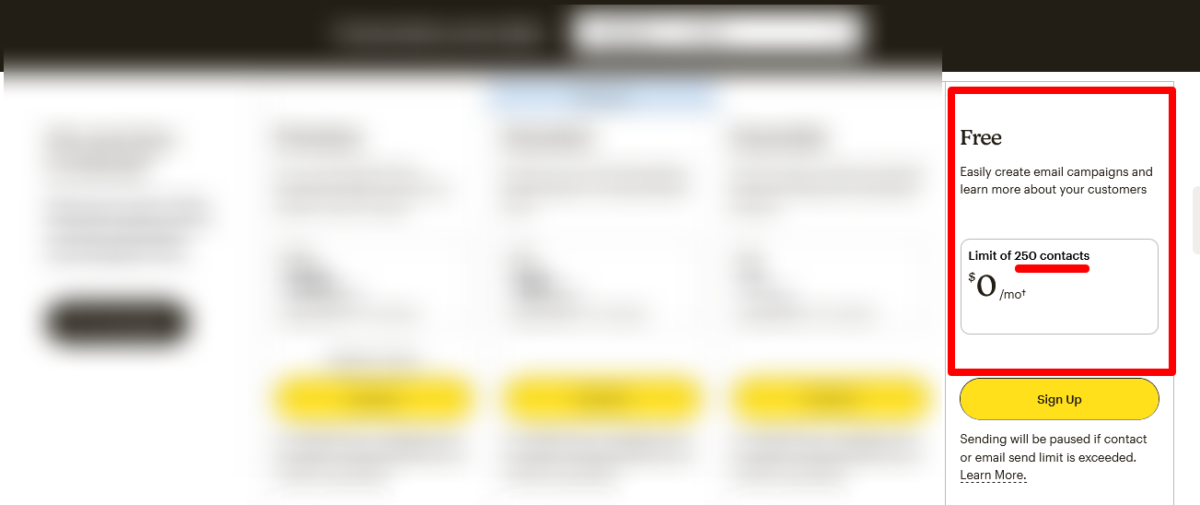
They’d slashed their free plan from 500 contacts to 250. Again. And stripped out automation entirely. You know, the ONE feature that makes email marketing worth doing in 2026.
I sat there in my studio apartment, staring at my laptop screen, whiskey in hand (it was late night, don’t judge me), and thought: “How many times am I gonna let this platform screw me over?”
That’s when I finally did what I should’ve done two years ago. I switched to Kit.
This Kit vs Mailchimp breakdown isn’t some sanitized corporate comparison. It’s the honest truth from someone who wasted too much time and money on the wrong platform, learned the hard way, and now wants to save you the same headache.
Why Everyone’s Talking About Kit vs Mailchimp in 2026
The Kit vs Mailchimp conversation exploded in early 2026 for one simple reason: Mailchimp cut its free plan from 500 contacts to a pathetic 250 and removed email automation entirely.
Let me put that in perspective. Kit’s free plan? 10,000 subscribers with unlimited emails.
That’s not a typo. Ten. Thousand. Subscribers.
Mailchimp gives you 250 and acts like they’re doing you a favor.
I remember when Shu Yi (my friend who runs a pottery newsletter) texted me, completely panicked. “Mia, I just hit 251 subscribers, and Mailchimp locked my account until I upgrade. What the hell?”
She’d been on their free plan for eight months, slowly building her audience. One subscriber over the limit and BAM. Held hostage until she coughed up $13/month for their Essentials plan.
Meanwhile, creators on Kit are sitting pretty with 10,000 free subscribers, building sequences, creating landing pages, and growing their damn businesses.
The math isn’t mathing, folks.
Start building your list on Kit’s generous free plan →
My Kit vs Mailchimp Pricing Breakdown
| Pricing Tier / Metric | Kit (ConvertKit) | Mailchimp |
|---|---|---|
| Free Plan | Up to 10,000 subscribers (limited features) | Up to 250 contacts + limited monthly sends |
| Starting Paid Plan | ~$29–$39/month (1,000 subscribers) | ~$13–$15/month (500 contacts, Essentials) |
| 5,000 Subscribers | ~$79–$99/month | ~$75–$100/month (varies by plan) |
| 10,000 Subscribers | ~$119–$139/month | ~$100–$130/month (Standard plan) |
| Pricing Model | Pay for active subscribers only | Charges for all contacts (incl. unsubscribed) |
| Email Sends | Typically unlimited on paid plans | Limited by plan (based on contacts) |
| Automation Access | Included in most paid tiers | Advanced features locked in higher tiers |
| Monetization Tools | Built-in (paid newsletters, products) | Requires integrations |
| Cost Behavior | Predictable scaling | Costs rise quickly with list growth |
Mailchimp Pricing 2026
Let’s talk money, no BS, because this is where Mailchimp really shows its true colors.
Free Plan:
- 250 contacts (laughable)
- 500 emails per month
- No automation (¿por qué no?)
- Heavy Mailchimp branding
Essentials Plan:
- Starts at $13/month for 500 contacts
- At 10,000 contacts, around $110/month
- Basic A/B testing
- Still pretty limited
Standard Plan:
- $20/mo for 500 contacts
- The one most people actually need
- Multi-step automation (finally!)
- Around $100-135/month at 10,000 contacts
- Retargeting ads
Premium Plan:
- $350/mo for 10,000 contacts
- Unlimited users
- Phone support
- Unless you’re running Coca-Cola’s email list, you don’t need this
Kit Pricing 2026
Newsletter Plan (Free):
- 10,000 subscribers with unlimited emails
- Landing pages and forms
- One automation sequence
- No Kit branding (yes, really)
Creator Plan:
- $25/mo for 1,000 subscribers
- At 10,000 subscribers, around $100/month
- Full automation builder
- Third-party integrations
- Commerce features
Creator Pro Plan:
- $50/mo for 1,000 subscribers
- At 10,000 subscribers, around $140/month
- Advanced reporting
- Subscriber scoring
- Newsletter referral system
- Priority support
Pricing Truth Bomb
At 10,000 subscribers, both platforms cost roughly the same (around $100/month), but here’s the kicker: Mailchimp charges you for unsubscribed contacts.
Let that sink in.
Mailchimp counts ALL contacts, including unsubscribed, cleaned, and inactive ones, toward your billing tier.
I had a client paying for 4,200 “contacts” when she actually had 2,800 active subscribers. The rest? People who unsubscribed YEARS ago but still counted toward her bill.
Kit? Only counts active subscribers. No ghost billing. No sneaky charges.
Stop paying for dead subscribers. Switch to Kit →
Free Plan Face-Off: 10,000 vs 250 (This Isn’t Even Close)
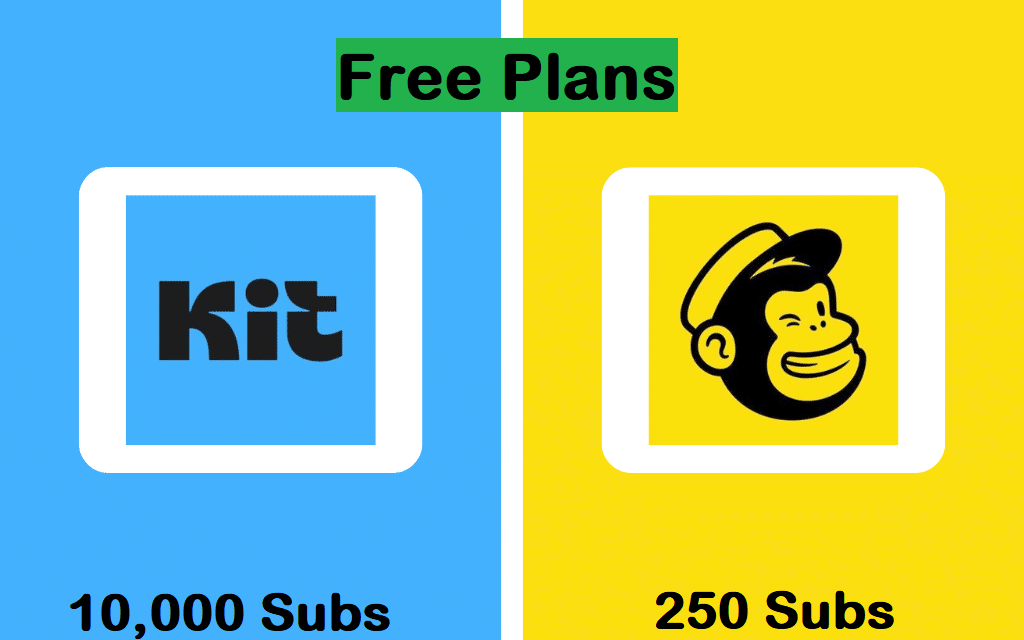
Remember when I said the Kit vs Mailchimp free plan comparison was ridiculous? Let me break down exactly how ridiculous it is.
What I Got on Mailchimp Free:
- 250 subscribers (I hit that in like, two weeks)
- 500 emails per month (10 emails to 50 people? Cool plan, bro)
- No automation whatsoever
- Constant upgrade pressure
- Mailchimp logo on everything
What I Get on Kit Free:
- 10,000 subscribers with unlimited email sends
- One automation sequence (actually useful!)
- Landing pages and forms
- Clean, professional look
- No pushy upgrade emails every damn day
That’s a 40x difference in subscriber capacity.
When I first saw Kit’s free tier, I literally thought it was a mistake. Like, did they mean 1,000? Nope. Ten thousand actual humans.
For free.
I tested it myself. Built my list from 0 to 3,400 subscribers over six months without paying a cent. Created a welcome sequence, set up two opt-in forms, and actually grew my audience instead of hitting arbitrary walls every other week.
Try doing that on Mailchimp’s 250-contact straitjacket.
Automation Battle: Simplicity vs Confusion
Mailchimp’s Automation Situation
Mailchimp calls their automation builder “Customer Journeys,” and honestly, it’s like they hired someone who’s never used email marketing to design it.
It handles standard automations well, welcome sequences, abandoned cart emails, and post-purchase follow-ups. But complex branching logic with multiple conditions? That’s where things get messy fast.
I spent THREE HOURS trying to set up a simple sequence that sent different emails based on which lead magnet someone downloaded. Three. Hours.
The interface is clunky, the logic is hidden behind weird dropdowns, and God forbid you want to edit something after you’ve published it. You basically have to rebuild the whole thing.
Kit’s Visual Automation Builder
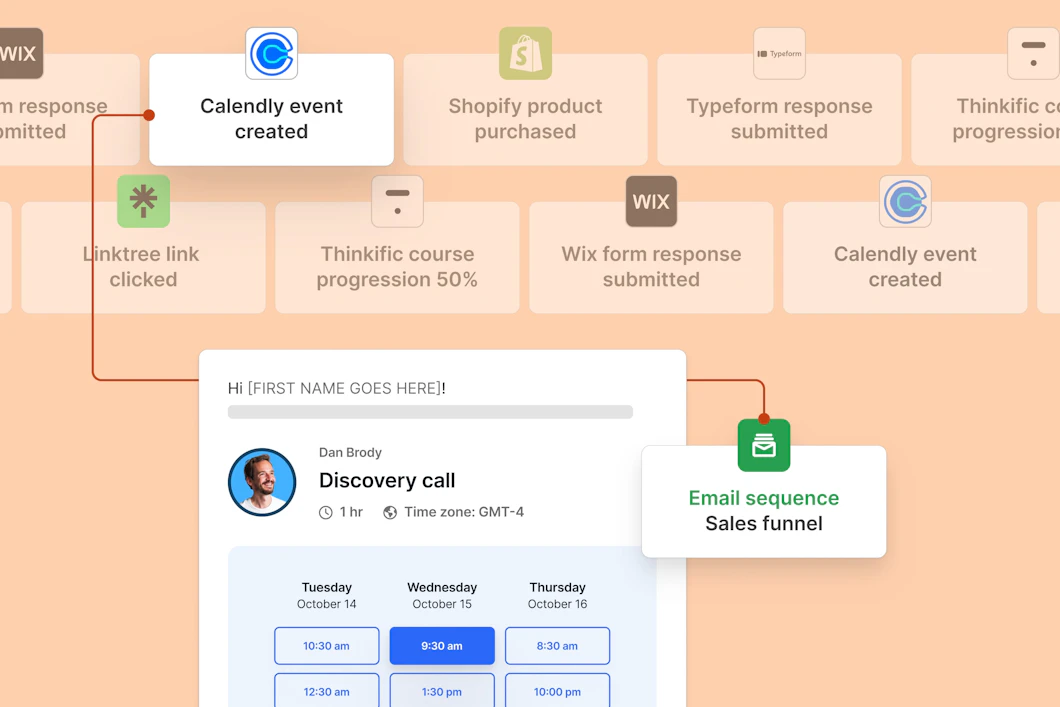
Kit’s visual automation builder lets you build sequences that branch based on what a subscriber does. Someone clicks a link, and they move to a different sequence. Someone buys a product, their path changes.
It’s visual. It’s intuitive. It doesn’t make you want to throw your laptop across the room.
I set up my entire welcome sequence, two product funnels, and a re-engagement campaign in under an hour. And I’m not some automation genius; I just followed the drag-and-drop interface like a normal human.
Plus, you can easily send to subscribers tagged “interest: marketing” but NOT tagged “customer:course1” without any workarounds.
Is that the level of targeting in Mailchimp? You need the Standard plan minimum, and even then, it’s a headache.
Build better automations with Kit’s visual builder →
Tags vs Lists: Why This Matters More Than You Think
This is where Kit vs Mailchimp gets philosophical.
Mailchimp’s List-Based Nightmare
Mailchimp uses lists. Separate lists for everything. Newsletter list. Product launch list. Webinar list. Free download list.
Here’s the problem: The same person on two lists counts as two contacts.
So if Ken signs up for your newsletter AND downloads your free guide, you’re paying for Ken twice.
One creator I know was paying Mailchimp for 6,000 “contacts” when he really had 3,300 unique people spread across multiple lists.
That’s not a bug. That’s Mailchimp’s entire business model.
Kit’s Tag-Based Freedom
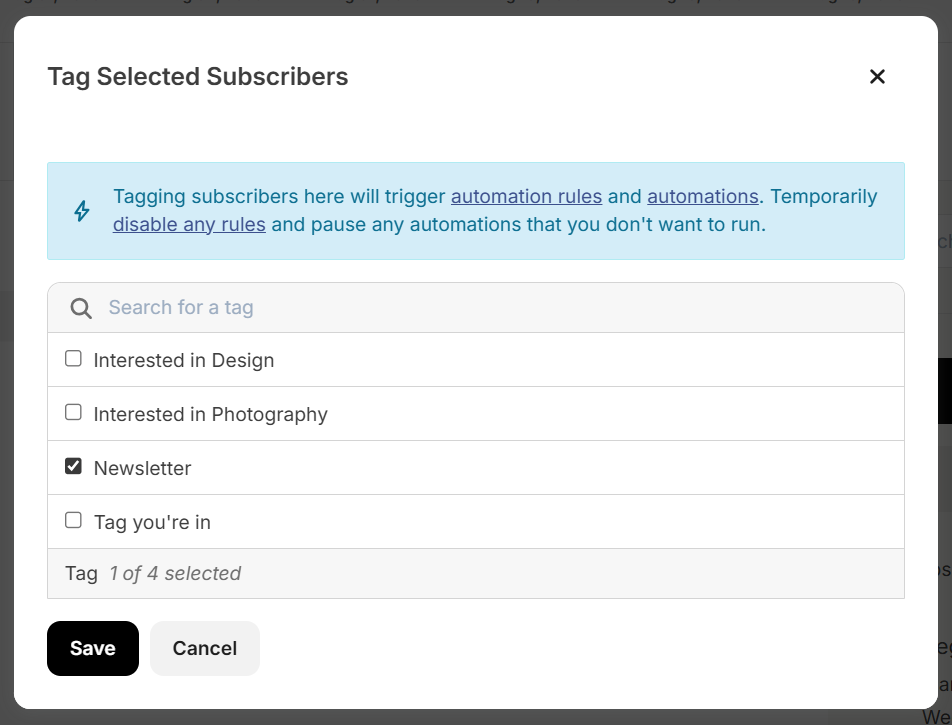
Kit uses tags instead of lists. One subscriber, infinite tags.
Again, Ken downloads your guide? Tag him “interested-in-content-design.” Ken buys your course? Tag him “course-customer.” Ken clicks your affiliate link? Tag him “clicks-affiliate-offers.”
Same Ken. Same single subscriber count. Unlimited targeting possibilities.
A subscriber can carry multiple tags and sit in multiple automations at once. The flexibility is insane.
I organize my entire audience with tags: “Blog Recode reader,” “email-marketing-interested,” “tried-Kit,” “AI-tools-junkie.” I can mix and match, segment like crazy, and never worry about duplicate billing.
Try doing that efficiently on Mailchimp. I’ll wait.
Experience tag-based freedom with Kit →
The Great Migration: How I Switched from Mailchimp to Kit
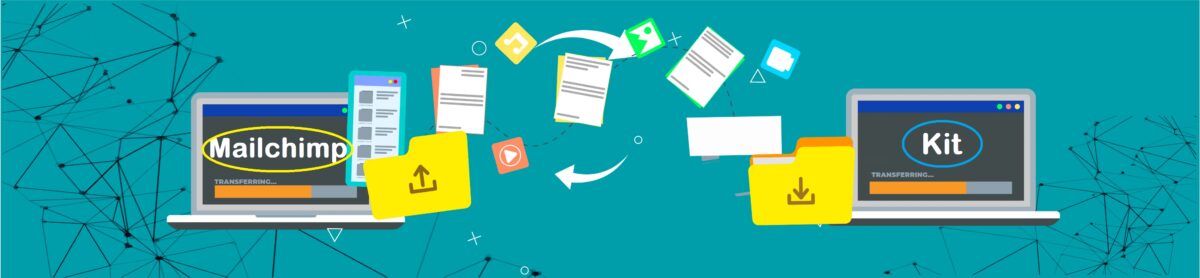
Alright, real talk. Switching email platforms sounds scary. I get it. I procrastinated for so long because I was convinced it’d be this massive, soul-crushing ordeal.
Spoiler: It wasn’t.
The Actual Migration Process
Kit offers dedicated Mailchimp importers that handle all the complexities of bringing over your subscriber information.
Here’s what I did:
Step 1: Exported My Mailchimp List
- Went to Audience > All contacts > Export Audience
- Downloaded as CSV (took 30 seconds)
Step 2: Used Kit’s Mailchimp Importer
- Provided my Mailchimp API key
- Kit automatically synced over my contacts and their data
- Total time: 5 minutes
Step 3: Rebuilt My Forms
- Created new Kit Forms using templates that matched my existing Mailchimp forms
- Customized with Kit’s builder (way easier than Mailchimp’s, btw)
Step 4: Recreated My Automations
- This was the only tedious part
- Had to manually rebuild my sequences in Kit’s visual automation builder
- Took about two hours for five sequences
Step 5: Tested Everything
- Previewed Forms and Landing Pages
- Sent test emails
- Entered automations from entry points to see what happened
Total migration time? One afternoon.
I did it on a Wednesday, drank some wine, listened to Spotify, and by 6 PM I was live on Kit with zero data loss.
What About Your Current Subscribers?
They won’t even notice. Seriously.
I sent one email to my list saying, “Hey, I switched email platforms, nothing changes for you, just making my life easier.” Nobody cared. Three people replied, saying, “Cool.”
Your subscribers don’t give a damn what platform you use. They care about getting valuable content. That’s it.
Migration Support
The best part? Creators with a list of more than 5,000 email subscribers can request the Kit Concierge Migration service.
Meaning Kit’s team will literally do it FOR you if you have a decent-sized list.
Free. White-glove. Migration.
Mailchimp would charge you $350/month just to talk to someone on the phone.
Get free migration help from Kit’s team →
Where Mailchimp Wins (Because I’m Not a Shill)
Look, I dragged Mailchimp for 2,000 words, but let’s be honest about where it actually performs better in this Kit vs Mailchimp matchup.
E-Commerce Integration
Mailchimp has a significant advantage for online stores. Its Shopify and WooCommerce integrations are deep, syncing product catalogs, tracking purchases, and enabling product-recommendation emails automatically.
You can segment by purchase history, average order value, and predicted lifetime value. The abandoned cart flow includes dynamic product images pulled directly from your store.
If you’re running a physical product business, Mailchimp’s e-commerce tools are legitimately good.
Kit integrates with Shopify and WooCommerce, too, but at a more basic level. It works, but it’s not as sophisticated.
Template Design Options
Mailchimp has way more email templates. Like, a LOT more.
Mailchimp offers 100+ themed templates ranging from newsletters, event invites, ecommerce promotions, and holiday emails.
Kit? Kit focuses on simple, text-first email designs. While it offers templates and customization, most layouts lean minimal compared to heavy drag-and-drop builders like Mailchimp.
If you need heavily designed, image-rich promotional emails for a retail brand, Mailchimp wins.
But here’s my hot take: Most creators don’t need fancy templates. Plain text emails convert better anyway. But if you’re in retail or hospitality, the templates matter.
Team Collaboration Features
Mailchimp’s interface is better for teams. Multiple users, approval workflows, shared assets; it’s built for agencies and marketing departments.
Kit is more solo-creator focused. You CAN add team members, but it’s clearly designed for individuals or small teams, not corporations.
Who Should Choose What in This Kit vs Mailchimp Battle
Choose Kit If You:
- Are you a creator, blogger, course creator, or newsletter publisher
- Want to grow your list beyond 250 subscribers without immediately paying
- Sell digital products and want native commerce tools
- Value simplicity and automation that actually makes sense
- Don’t want to pay for unsubscribed contacts (because who would?)
- Are building an audience-based business, not a transactional one
Choose Mailchimp If You:
- Run a Shopify or WooCommerce store selling physical products
- Need extensive template options for designed campaigns
- Have a marketing team that can navigate the complexity
- Already have systems built around Mailchimp integrations
- Prioritize brand-heavy emails over plain-text relationship building
Make the switch to Kit today →
Migration Offer You Can’t Ignore
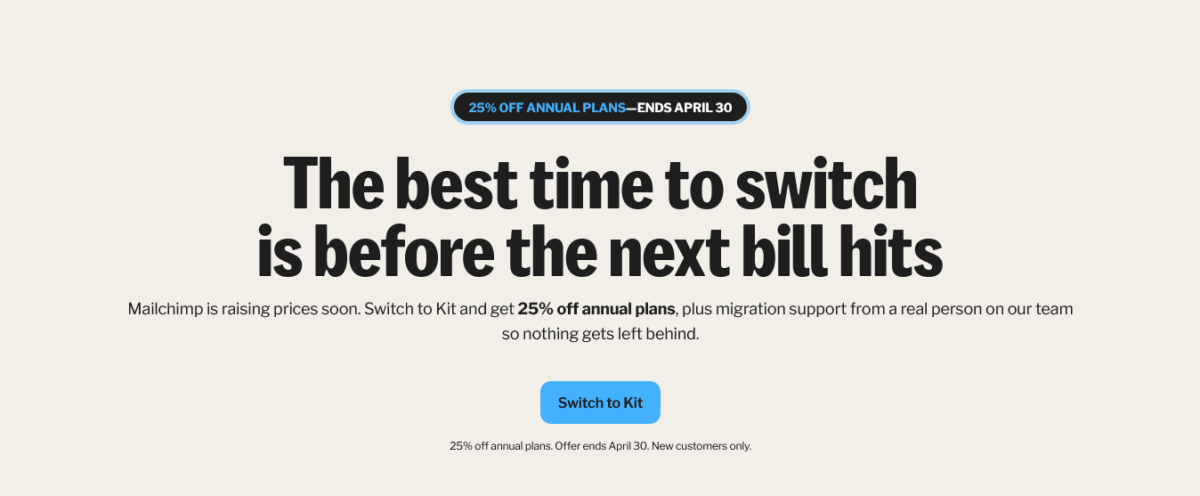
Here’s tHere’s what I love about Kit. They’re not just sitting around waiting for creators to discover them. They’re actively making it stupid-easy for Mailchimp users to switch.
Right now, Kit is running a 25% off annual plans promotion specifically for people switching from Mailchimp. The offer ends April 30, 2026, so if you’re reading this before then, pay attention.
What You Actually Get
25% Off Annual Plans
Instead of paying $33/month for the Creator plan (at 1,000 subscribers), you’d pay $25/month when billed annually. That’s for the first 12 months.
The discount is automatically applied when you use the promo code SWITCH25A at signup. No hidden catches. No bait-and-switch. Just straight-up savings.
What’s Included in the Creator Plan
This isn’t some stripped-down “introductory” plan. You get the full Kit experience:
- Unlimited visual automations
- Unlimited opt-in forms and landing pages
- Unlimited email broadcasts
- Unlimited sequences
- Audience tagging and segmentation
- Creator Profile
- 2 users per account
- Run paid newsletters and subscriptions
- Sell unlimited digital products
- Automated RSS campaigns
- In-email polls
- Recommendations network
- 100+ direct integrations
- API access
- Access to Kit Studios
- Kit App Store
Compare that to Mailchimp’s Standard plan at $100/month for 10,000 contacts, where you’re STILL dealing with list-based billing and clunky automations.
Migration Support (The Real Deal)
But here’s what sold me: Kit offers migration support from a real person on their team.
Not a chatbot. Not a help doc that tells you to “figure it out yourself.” An actual human who helps you move your stuff over so nothing gets left behind.
When I switched, I worked with someone from Kit’s team who:
- Walked me through the subscriber import process
- Helped me recreate my forms and landing pages
- Answered questions about mapping my Mailchimp automations to Kit’s visual builder
- Made sure everything was working before I went live
And I didn’t pay extra for it. It’s just part of their switch offer.
Who This Offer Is For
According to the fine print: New customers only. So if you’ve already got a Kit account, this won’t apply. But if you’re currently on Mailchimp and considering the switch, this is your window.
Why This Matters
Look, I know 25% off doesn’t sound like some massive deal. But when you’re talking about paying for email marketing monthly for years, it adds up.
More importantly, it shows Kit’s priorities. They’re willing to discount their pricing AND provide hands-on migration support to help creators make the move.
Mailchimp? They just raised prices again and cut their free plan in half.
The contrast couldn’t be clearer.
How to Claim It
- Go to Kit’s Mailchimp switch page
- Click “Switch to Kit”
- Sign up for an annual plan (the promo code SWITCH25A should auto-apply)
- Get 25% off for your first 12 months
- Request migration support if you need help moving your stuff over
The offer runs through April 30, 2026. After that, you’ll still be able to switch to Kit (and their regular pricing is still competitive), but you won’t get the 25% discount.
Claim your 25% discount before April 30 →
My partying Shot
After using both platforms extensively, testing every feature, migrating my own list, and helping dozens of creators make the switch, here’s my honest take:
Kit vs Mailchimp isn’t really a comparison in 2026. It’s a no-brainer for anyone building an audience-based business.
Mailchimp has spent the last few years becoming more expensive, more restrictive, and more focused on serving corporate e-commerce brands. That’s fine, that’s their business decision.
But for creators? For bloggers, course creators, newsletter publishers, and people like us building Blog Recode?
Kit is the obvious choice.
The free tier alone (10,000 subscribers vs 250) makes this decision laughably easy. Add in tag-based organization, transparent pricing, better automation, and free migration support, and there’s literally no reason to stay on Mailchimp unless you’re heavily invested in their e-commerce ecosystem.
I wasted two years on Mailchimp. Don’t make the same mistake.
FAQs
Is Kit really better than Mailchimp?
For creators, bloggers, and audience-builders? Absolutely.
The free tier alone makes it a no-brainer. For e-commerce brands selling physical products, Mailchimp still has better native integrations.
Can I switch from Mailchimp to Kit without losing subscribers?
Yes.
Kit provides a Mailchimp import tool that transfers your subscriber list and basic segment data. You won’t lose anyone. I switched 3,400 subscribers with zero data loss.
Does Mailchimp count unsubscribed contacts?
Yes, and it’s infuriating.
Mailchimp counts ALL contacts, including unsubscribed, cleaned, and inactive ones, toward your billing tier.
Kit only counts active subscribers.
What’s the catch with Kit’s free plan?
Honestly? There isn’t one. You get 10,000 subscribers, unlimited emails, forms, landing pages, and one automation sequence.
The only limitation is that you can’t use all the advanced automation features until you upgrade.
How long does migration take?
If you do it yourself, expect 2-4 hours, depending on how many automations you have.
If you use Kit’s free concierge migration service (for lists over 5,000), they handle it for you, and it’s done in days with zero effort on your part.
Will my subscribers notice when I switch?
Nope. Send them one quick email letting them know you switched platforms (if you want), but most creators don’t even bother.
Your subscribers care about your content, not your infrastructure.
Does Kit have good deliverability?
Kit maintains around 87% deliverability rate in 2026, supported by a dedicated deliverability team. They encourage plain-text-style emails (which spam filters favor) and enforce double opt-in by default.
My open rates honestly improved after switching.
Can I sell products directly through Kit?
Yes! Kit’s native commerce feature lets you sell digital products and subscriptions directly from the platform. No Shopify, no separate storefront. You create a product, set a price, and subscribers buy through a simple checkout page.
It’s brilliant for course creators and digital product sellers.
What happens to my Mailchimp automations when I switch?
You’ll need to manually recreate them in Kit’s visual automation builder. This sounds scary, but it’s actually faster than you think.
Kit’s interface is way more intuitive, so rebuilding usually goes quicker than the original setup in Mailchimp.
Does Kit integrate with my favorite tools?
Kit integrates with most major platforms: WordPress, Shopify, WooCommerce, Zapier, Stripe, PayPal, Teachable, and hundreds more. Check their integrations page for your specific tools.
What if I have fewer than 5,000 subscribers?
You can still migrate yourself using Kit’s import tools: it’s super straightforward.
Or start fresh on Kit and gradually move people over. With 10,000 free subscribers, you have plenty of room to grow.
Is there a contract, or can I cancel anytime?
No contracts. Cancel anytime.
Kit offers monthly and annual billing (annual saves you 2 months). If you’re on the free plan, there’s nothing to cancel; just stop using it if you want.
Conclusion: Stop Overthinking This
Look, I know making the switch feels like a big decision. I get it. I overthought it for months.
But here’s what I learned: The best time to switch was yesterday. The second-best time is today.
Every day you stay on Mailchimp’s restrictive, overpriced platform is another day you’re not taking full advantage of what modern email marketing can do for your business.
Kit vs Mailchimp isn’t even a fair fight in 2026. One platform is desperately trying to squeeze more money out of creators while offering less. The other is genuinely built for people like us who are building audiences, creating content, and growing businesses.
I made the switch and haven’t looked back once. My automation is cleaner, my subscriber management is easier, my costs are lower, and I’m not constantly worrying about hitting arbitrary limits.
If you’re still on Mailchimp, ask yourself: Why?
Is it because the platform is genuinely better for your needs? Or is it just because switching sounds hard?
Because I promise you, switching is way easier than you think. And the relief you’ll feel when you’re finally free of Mailchimp’s nonsense? Worth every minute.
Make the switch to Kit and reclaim your sanity →
P.S. Remember, Kit is offering free concierge migration for Mailchimp users right now. That means their team will do the heavy lifting for you. No excuses left. Click here to request your free migration and join the thousands of creators who’ve already made the smart choice.
P.P.S. Still not convinced? Start with Kit’s free plan: 10,000 subscribers, no credit card required. Build your list, test the automation, and see for yourself. You’ve got nothing to lose except that constant Mailchimp upgrade notification. Get started free here.
Disclaimer: Blog Recode is a Kit affiliate partner. That means if you sign up through our links, we might earn a small commission at no extra cost to you. But we only recommend tools that we use and believe in. I switched to Kit because it’s genuinely better, not because they pay me. Your trust matters more than any commission.