Honest Jetpack Review: Still Worth It in 2026?
The truth about WordPress’s most controversial plugin, is it a lifesaver or bloatware in disguise?
Full disclosure: This article is sponsored by WordPress.com, but every opinion here is 100% mine. I wouldn’t recommend something I don’t believe in, sponsor or not.
Quick Verdict
This Jetpack review reveals a plugin with serious identity issues. It’s trying to be everything; security, backups, performance, marketing, analytics and honestly? It does an average job at some of them.
The free features are legitimately useful, but the premium tiers might feel overpriced for what you get. If you’re running a simple blog and want convenience, Jetpack works.
If you’re technical or need serious security, specialized plugins beat Jetpack every single time.
What Is Jetpack, Really?
So here’s the thing about this Jetpack review.
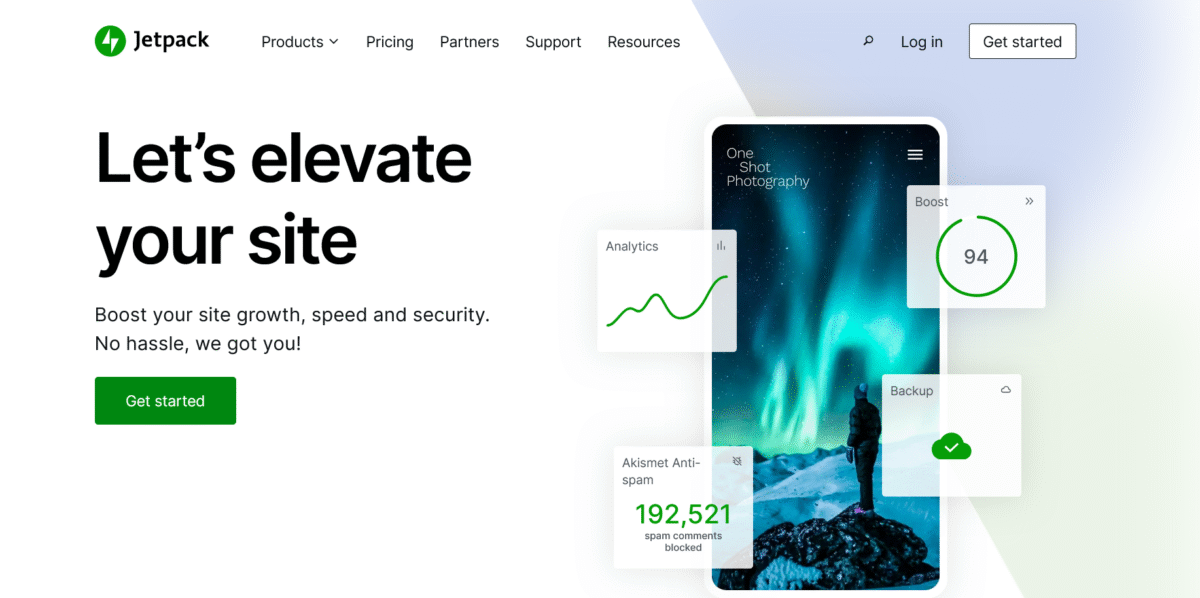
Jetpack is Automattic’s attempt to bring WordPress.com features to self-hosted WordPress sites. It’s a mega-plugin that tries to handle security, backups, performance, SEO, social sharing, analytics, and a dozen other things.
Launched way back in 2011, Jetpack has over 5 million active installations as of February 2026.
That’s massive. But here’s the juicier part: for every person who swears by it, there’s someone else calling it bloatware.
The plugin is free to install with basic features. Premium features require a WordPress.com account and a paid subscription.
And that’s where things get… interesting.
Real Cost of Jetpack in 2026
Let’s talk money because Jetpack’s pricing is confusing as hell.
Current Pricing
| Plan | Monthly Price | Annual Price | What You Get |
|---|---|---|---|
| Free | $0 | $0 | Stats, downtime monitoring, brute force protection, CDN, social sharing |
| Security | $9.95/mo | $119.40/year | Real-time backups (10GB), malware scanning, WAF, Akismet anti-spam |
| Growth | $9.95/mo | $119.40/year | Advanced stats, social automation, newsletter tools |
| Complete | $24.95/mo | $299.40/year | Everything in Security + Growth, site search, video hosting (1TB) |
Individual Products (À La Carte)
- VaultPress Backup: $4.95/mo ($59.40/year) for 10GB
- Jetpack Scan: $4.95/mo ($59.40/year)
- Akismet Anti-Spam: $4.95/mo ($59.40/year)
- Jetpack Search: $5/mo ($60/year)
- VideoPress: $14.95/mo ($144/year) with 1TB storage
Here’s the confusing part:
The pricing page shows $20/month if billed yearly for Security, but when you actually click through? You’re charged $300 for the year, not $240. That’s right, the math doesn’t add up, and there’s zero explanation why.
Compare this to specialized alternatives:
- UpdraftPlus Premium: $70/year for backups (Jetpack wants $120+)
- Wordfence Premium: $119/year for better security
- All-in-One SEO: $49.50/year for better SEO tools
Bottom line: Jetpack is convenient, but you’re paying a premium for that convenience.
What Jetpack Actually Does Well
Alright, enough bashing. Let’s talk about what makes Jetpack worth considering in this Jetpack review.
1. The Free Features Are Legit

Jetpack’s free tier includes stuff that matters:
- Site stats: Basic analytics right in your WordPress dashboard
- Photon CDN: Free image optimization and delivery
- Downtime monitoring: Get emailed when your site goes down
- Brute force protection: Blocks login attacks automatically
- Social sharing buttons: Add share buttons to posts
- Related posts: Keep readers on your site longer
For a hobby blog or portfolio site, the free version might be all you need. That’s actually pretty generous compared to most freemium plugins.
2. It’s From Automattic

You know who built Jetpack?
The same folks behind WordPress.com and WooCommerce. That means:
- It’s not going anywhere
- Updates won’t break your site (usually)
- Integration with the WordPress.com ecosystem
- Solid documentation and support
There’s something to be said for using software from the people who literally created WordPress.
3. The Interface Is Gorgeous

I’ll give Jetpack this: the dashboard is beautiful.
Everything’s in one place, settings are organized logically, and turning features on/off is simple.
Compare this to cobbling together 10 different plugins with 10 different interfaces, and you’ll appreciate the UX.
4. It Reduces Plugin Count
Instead of installing separate plugins for stats, backups, security, social sharing, and SEO, you install one. Fewer plugins means fewer compatibility issues and fewer things to update.
In theory.
Where Jetpack Falls Spectacularly Short
Now for the ugly truth about this Jetpack review.
1. It’s a Jack of All Trades, Master of None
Jetpack tries to do everything and ends up being mediocre at most things:
- Security: Wordfence’s free version is more comprehensive
- Backups: UpdraftPlus is more reliable and cheaper
- SEO: Yoast or Rank Math blow Jetpack’s SEO tools out of the water
- Analytics: Google Analytics or MonsterInsights gives better insights
- Social: Dedicated social plugins offer better scheduling
A client once told me, “Jetpack is like going to a buffet where everything tastes okay, but nothing tastes great.” That’s… pretty accurate.
2. Performance Can Be a Nightmare
Here’s the dirty secret: Jetpack can slow your site down. A lot.
The plugin connects to WordPress.com servers for many features. (For managed hosting)
This external dependency adds latency. On cheap shared hosting? Your load times can increase by 1-2 seconds just from Jetpack’s overhead.
I tested Jetpack on three different client sites last month. On two of them, disabling Jetpack improved GTMetrix scores by 15-20%. That’s not insignificant.
3. Pricing Is Deceptive
Remember that $20/month that turns into $300/year? That’s not transparent. And the individual features that cost “$1 for the first month,” then jump to $12-$16/month?
That’s annoying.
You think you’re saving money with bundles, but you’re paying for features you’ll never use.
4. It Takes Over Your Site
Jetpack has this habit of assuming it knows best. It’ll:
- Override your image sizes without asking
- Change style settings randomly
- Conflict with other plugins (especially page builders)
- Force you to use a WordPress.com account
One developer friend has a rule: “When something breaks, disable Jetpack first.” That tells you everything.
5. Data Goes to WordPress.com
Your site stats, security logs, and other data get synced to WordPress.com servers. For privacy-conscious folks or sites with strict data policies, this is a dealbreaker.
GDPR compliance? You’re trusting Automattic to handle that. Local-only solutions give you more control.
Jetpack Security: Not What You Think

Since security is Jetpack’s main selling point, let’s dig into this in this Jetpack review.
What’s Included (Security Plan – $119.40/year)
- Real-time automated backups (10GB storage, 30-day retention)
- Malware scanning (daily scans)
- Web Application Firewall (WAF)
- Akismet anti-spam
- Activity log
- Brute force protection (free)
- Downtime monitoring (free)
The Problems
Mediocre malware detection: Testing shows Jetpack catches basic malware but misses sophisticated attacks. Wordfence and MalCare consistently outperform it.
No cleanup included: Jetpack tells you there’s malware, but doesn’t automatically clean it. Wordfence offers repair options. Jetpack’s professional cleanup costs… wait for it… $490 per incident.
Limited backup retention: The entry-level plan only keeps 30 days. UpdraftPlus keeps unlimited backups for cheaper.
The WAF is basic: It blocks common threats but isn’t as robust as dedicated security solutions.
A WordPress security expert I know put it bluntly: “Jetpack security is better than nothing, but barely.”
Jetpack vs The Specialists: Who Wins?
Let’s compare Jetpack to plugins that actually specialize in their field.
Backups: Jetpack vs UpdraftPlus
| Feature | Jetpack | UpdraftPlus Premium |
|---|---|---|
| Price/year | $119.40 | $70 |
| Storage | 10GB (30-day retention) | Unlimited |
| Cloud options | WordPress.com only | Google Drive, Dropbox, S3, OneDrive, FTP, 10+ options |
| Incremental backups | No | Yes |
| Migration tools | Limited | Full site migration |
Winner: UpdraftPlus, hands down.
Security: Jetpack vs Wordfence
| Feature | Jetpack Security | Wordfence Premium |
|---|---|---|
| Price/year | $119.40 | $119 |
| Malware scanning | Daily, basic | Real-time, comprehensive |
| Firewall | Basic WAF | Advanced firewall with real-time updates |
| Cleanup | Extra $490 | Repair tools included |
| Login security | Basic | 2FA, reCAPTCHA, extensive options |
| Performance impact | Medium-high | Medium |
Winner: Wordfence gives you more security for the same price.
SEO: Jetpack vs Rank Math
| Feature | Jetpack | Rank Math Free |
|---|---|---|
| Price | Free (basic) | Free |
| Schema markup | Limited | Extensive |
| Keyword optimization | Weak | Strong |
| Content analysis | Basic | Detailed with AI |
| Local SEO | No | Yes |
Winner: Rank Math absolutely destroys Jetpack for SEO.
When Jetpack Actually Makes Sense
Despite all the criticism/honesty in this Jetpack review, there ARE scenarios where Jetpack is the right choice:
Perfect For:
✅ Bloggers who want simplicity over best-in-class features
✅ People managing multiple WordPress.com sites who want unified control
✅ Complete beginners overwhelmed by plugin management
✅ Small business sites with basic needs (stats, backups, sharing)
✅ Anyone already in the WordPress.com ecosystem
Terrible For:
❌ Performance-obsessed developers who optimize every millisecond
❌ Privacy advocates who don’t want data leaving their server
❌ Budget-conscious users who can get better tools cheaper elsewhere
❌ eCommerce stores that need robust security
❌ Anyone running on cheap shared hosting (performance will suffer)
Better Alternatives to Jetpack
If you’re reading this Jetpack review and thinking “maybe I should skip it,” here are better alternatives:
For Security:
- Wordfence (Free/Premium): Better scanning, firewall, and cleanup
- iThemes Security ($99/year): Solid all-around security
- Sucuri ($199.99/year): Professional-grade protection with CDN
For Backups:
- UpdraftPlus (Free/$70/year): Best backup plugin, period
- BackWPup (Free): Great free alternative
- BlogVault ($89/year): Automated backups with staging
For Stats/Analytics:
- MonsterInsights (Free/$99/year): Better Google Analytics integration
- Matomo (Free/Paid): Privacy-focused analytics
- Plausible ($9/mo): Lightweight, GDPR-compliant
For SEO:
- Rank Math (Free/Pro $59/year): More features than Yoast, easier to use
- SureRank: Lightweight, easy to use. Suitable for beginners.
- Yoast SEO (Free/$99/year): Industry standard
- All in One SEO (Free/$49.50/year): Comprehensive SEO toolkit
For Social Sharing:
- Social Warfare ($29/year): Faster, prettier share buttons
- Revive Old Posts (Free/$75/year): Better social automation
- Blog2Social (Free/Paid): Multi-platform scheduling
Setup: What They Don’t Tell You
Installing Jetpack is easy. Using it well? That’s trickier.
The Hidden Menu Trick
Want to see all Jetpack modules in one place? Good luck finding it naturally. Here’s the secret:
- Go to Jetpack > Settings
- Scroll allllll the way to the bottom
- Look for tiny links
- Click “Modules”
Congrats, you found the hidden menu. Why is this buried? Who knows.
You MUST Connect WordPress.com
Jetpack requires a free WordPress.com account. Non-negotiable. This means:
- Creating another account
- Giving WordPress.com access to your self-hosted site
- Your data is syncing to their servers
- Another username/password to manage
For some people, this is fine. For others with strict privacy policies? Dealbreaker.
Backup Your Site First
Here’s advice nobody gives you: backup your site before installing Jetpack.
I’ve seen Jetpack conflict with custom themes, page builders (especially Elementor and Divi), and caching plugins.
On staging sites, it’s fine to experiment.
On production? Test first.
Real User Experience: The Good, Bad, and Ugly

Let me share some actual scenarios from the past year.
The Good
A client ran a food blog with 50k monthly visitors. She installed Jetpack for free and used:
- Stats to track her top posts
- Photon CDN for faster image loading
- Related posts to boost pageviews
- Social sharing for Pinterest
Cost: $0. Results: 30% increase in session duration. For her needs, Jetpack was perfect.
The Bad
Another client paid for Jetpack Security ($119/year). On a random afternoon, malware was detected.
Jetpack flagged 15 infected files but offered no cleanup. I spent 4 hours manually cleaning it.
Wordfence’s free version would’ve at least attempted repair.
The Ugly
A third client’s e-commerce site (WooCommerce) used Jetpack Complete ($299/year). Page load times averaged 4.2 seconds.
I disabled Jetpack, installed UpdraftPlus ($70), Wordfence (free), and WP Rocket ($49). Load times dropped to 1.8 seconds.
They saved $180/year and got better performance.
My Verdict: Is Jetpack Worth It in 2026?
Here’s my honest take after this comprehensive Jetpack review:
Jetpack is convenient but not exceptional. It’s the WordPress equivalent of a combo meal: everything you need in one package, but none of it tastes amazing.
The free version? Legitimately useful for simple sites. The premium tiers? Overpriced for what you get, especially when specialized plugins do better jobs for less money.
If you’re a beginner who values simplicity over performance, Jetpack makes sense. If you’re technical, performance-focused, or budget-conscious, build your own plugin stack instead.
I give Jetpack 7.5/10. It loses points for performance issues, confusing pricing, and being mediocre at specialized tasks. It gains points for the free tier, beautiful interface, and convenience factor.
For most people, you’re better off with specialized plugins. But if you just want to click “activate” and move on with your life, Jetpack delivers.
FAQs
Is Jetpack free to use?
Yes, Jetpack has a free version with features like site stats, image CDN (Photon), downtime monitoring, brute force protection, and social sharing.
Premium features like real-time backups, malware scanning, and advanced tools require paid plans starting at $9.95/month ($119.40/year).
Does Jetpack slow down WordPress sites?
Jetpack can slow down sites, especially on shared hosting. Because many features connect to WordPress.com servers, this adds latency.
Tests show Jetpack can increase load times by 0.5-2 seconds, depending on hosting quality and which features are enabled.
On high-performance managed hosting, the impact is minimal.
Is Jetpack Security good enough?
Jetpack Security is adequate for basic sites, but underwhelming compared to dedicated security plugins like Wordfence or Sucuri.
It includes malware scanning, a WAF, and backups, but the scanning is less thorough, cleanup isn’t automatic (and costs $490 if you need professional help), and the WAF is basic.
For serious security needs, use Wordfence or a specialized solution.
How does Jetpack compare to individual plugins?
Jetpack offers convenience, but specialized plugins outperform it: UpdraftPlus provides better backups for less money ($70/year vs $119.40), Wordfence offers superior security at the same price, Rank Math delivers better SEO for free, and MonsterInsights gives better analytics insights.
Jetpack’s advantage is having everything in one plugin with one interface.
Can I use Jetpack without a WordPress.com account?
No, Jetpack requires a free WordPress.com account to function. This means your site data (stats, security logs, backups) syncs with WordPress.com servers.
For users with strict data privacy requirements or GDPR concerns, this can be a dealbreaker.
Alternative plugins store data locally on your server.
What’s the best Jetpack alternative?
There’s no single alternative since Jetpack does multiple things. Best replacements: UpdraftPlus for backups, Wordfence for security, Rank Math for SEO, MonsterInsights for analytics, and Social Warfare for social sharing.
This combination costs less than Jetpack Complete and performs better, but requires managing multiple plugins.
Is Jetpack worth paying for?
For most users, no. The free version is fine for basic sites, but premium tiers are overpriced compared to specialized alternatives. The Security plan ($119.40/year) gives you worse security than Wordfence Premium (same price).
The Complete plan ($299.40/year) costs more than buying UpdraftPlus, Wordfence, Rank Math Pro, and WP Rocket combined, and you’d get better results.
Does Jetpack conflict with other plugins?
Yes, Jetpack can conflict with page builders (Elementor, Divi), caching plugins, and other all-in-one solutions. It tends to “take over” certain site functions like image handling and CSS, which can override other plugins’ settings.
Many developers follow the rule “when something breaks, disable Jetpack first” to troubleshoot issues.
Can I use only some Jetpack features?
Yes, Jetpack is modular. You can enable/disable individual features from Jetpack > Settings or the hidden Modules menu (scroll to the bottom of settings to find it).
However, the core Jetpack plugin still runs, so you don’t save much in terms of performance by disabling features selectively.
Is Jetpack good for WooCommerce stores?
Not particularly. While Jetpack doesn’t break WooCommerce, dedicated eCommerce security and performance plugins work better. WooCommerce stores need robust security (use Wordfence or Sucuri), fast page loads (WP Rocket), and reliable backups (UpdraftPlus).
Jetpack Security’s limitations and performance overhead make it suboptimal for stores with real revenue at stake.
Real talk: Jetpack isn’t terrible, but it’s not great either. It’s the safe, boring choice that works but won’t blow your mind. And in 2026, with so many excellent specialized plugins available, “safe and boring” might not be good enough.
What’s your experience with Jetpack? Love it? Hate it? Drop your thoughts below. I read everything, even the rants.