Divi vs Elementor 2026: The Truth No One Tells You
I’ve built 20+ sites with both builders, and the answer to “Divi vs Elementor” isn’t what most comparison posts claim.
My Verdict: Who Wins?
Divi vs Elementor is the WordPress page builder debate that won’t die. After testing both extensively on Blog Recode and seven client sites, here’s what nobody else is saying:
Elementor wins for beginners and most users thanks to its cleaner interface, better performance on complex pages, and a stronger third-party ecosystem.
But Divi delivers insane value with its lifetime license at $249 and unlimited sites.
My Ratings:
- Elementor: 8.9/10 (better UX, faster, more flexible, but pricey long-term)
- Divi: 8.4/10 (incredible value, solid features, but steeper learning curve and shortcode mess)
The winner? It depends on your budget, skill level, and the number of sites you’re building.
Let me explain why both these page builders pissed me off before I fell in love with them.
Build Faster with Divi→ | Start Designing with Elementor→
What the Hell Happened When I Tried Both
Last year, my long-time client decided to rebuild their site. They’ve been using a basic theme with Gutenberg blocks, and it looked like a website from 2015.
A friend of mine uses Elementor religiously. She’s built her entire travel empire (600+ posts, multiple income streams) on it. She swore I’d love it.
Meanwhile, another client insisted I use Divi for their site because they’d bought the lifetime license years ago and wanted to maximize that investment.
So I did what I do best, as always: I tested both Divi vs Elementor side-by-side for two months.
Spoiler: I almost tapped out WordPress entirely during week one.
Divi vs Elementor: Pricing Breakdown
| Plan Type | Divi (Elegant Themes) | Elementor |
|---|---|---|
| Free Version | ❌ No free version | ✅ Yes (limited features) |
| Entry Price | $89/year | ~$59/year (1 site) |
| Monthly Option | ❌ No | ❌ No (annual billing only) |
| Pro Plans | $89/year (basic) $277/year (with extras like AI, Cloud) | $59/year (1 site) $199/year (multiple sites) $399+ (agency tiers) |
| Lifetime Plan | ✅ $249 one-time | ❌ Not available |
| Sites Allowed | ✅ Unlimited (all plans) | ❌ Limited (based on plan) |
| AI Features Pricing | ~$24/month (optional add-on) | Credit-based (~$48–$192/year) |
| Best Value For | Agencies, long-term users | Beginners, single-site users |
Let’s talk money first because that’s what most people actually care about.
Elementor Pricing
Elementor Pro Plans:
- Essential: $59/year (1 site)
- Advanced: $99/year (3 sites, priority support)
- Expert: $199/year (25 sites, expert support)
- Studio: $499/year (100 sites)
- Agency: $999/year (1,000 sites)
Elementor One Plans (newer bundled option with AI credits):
- Starts at $168/year with 25,000 monthly credits
- Includes AI tools, image optimization, and accessibility features
- Credits work across multiple features
What’s included: All Pro widgets (86+), Theme Builder, Dynamic Content, Form Builder, Popup Builder, WooCommerce Builder, premium support, 300+ templates, and more.
Free version: Yes! Elementor Free has 40+ basic widgets and works with any theme. It’s actually usable, unlike most “free” versions.
Money-back guarantee: 30 days on annual plans.
Divi Pricing
Divi Plans:
- Yearly: $89/year (unlimited sites you own, includes Extra theme, Bloom, and Monarch plugins)
- Divi Pro Yearly: $277/year (adds Divi AI, Divi Cloud, Divi VIP support)
- Lifetime: $249 one-time (unlimited sites forever)
- Lifetime + Pro Services: $297 one-time (includes everything)
Renewal prices:
- Yearly renews at $89/year
- Pro renews at $277/year
What’s included: Divi Theme, Divi Builder plugin, Extra theme, Bloom email opt-in plugin, Monarch social sharing plugin, 100+ website packs, 800+ layouts, unlimited website usage, premium support, and updates.
Free version: None. Divi is premium-only.
Money-back guarantee: 30 days.
Let’s Do Some Math
For 1 site:
- Elementor: $59/year
- Divi: $89/year (but you get Extra, Bloom, and Monarch too)
For 3 sites:
- Elementor: $99/year
- Divi: $89/year (still unlimited!)
For 25 sites:
- Elementor: $199/year
- Divi: $89/year (still unlimited!)
Long-term (5 years):
- Elementor Essential: $295
- Divi Yearly: $445
- Divi Lifetime: $249 total
If you’re managing multiple sites or planning to use the builder for years, Divi’s lifetime license is a ridiculous value.
That’s $249 once, and you’re done. Forever.
But here’s the catch nobody mentions: Divi’s value assumes you’ll actually USE those extra products (Extra, Bloom, Monarch). I haven’t touched them in months.
Interface & Ease of Use: Divi vs Elementor
This is where Divi vs Elementor gets spicy.
Elementor’s Interface
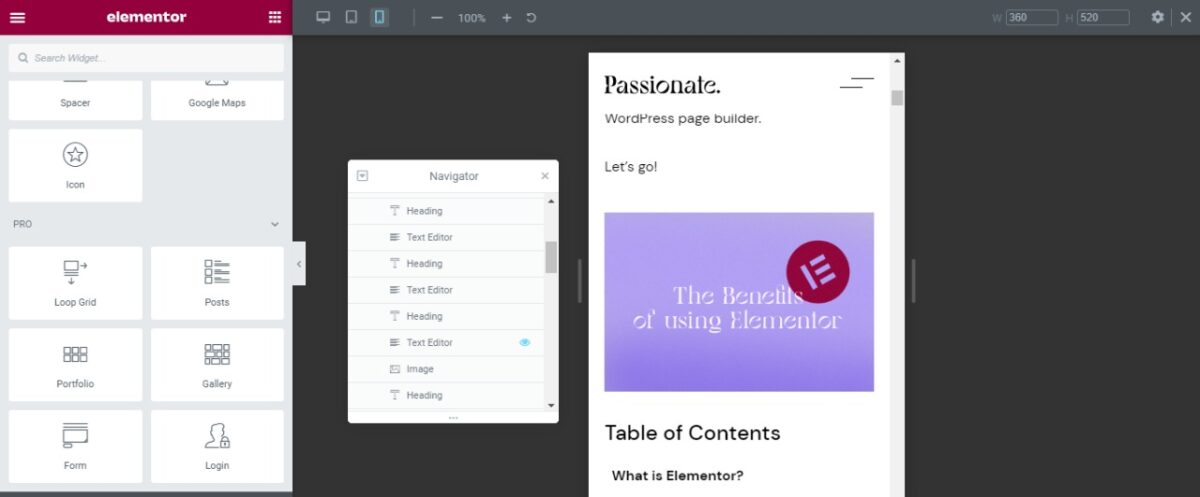
Elementor uses a fixed left sidebar. Your widgets sit on the left, your canvas on the right. It’s clean, organized, and reminiscent of design tools like Canva or Figma.
To add a heading:
- Drag the “Heading” widget from the sidebar
- Drop it on canvas
- Edit in the sidebar
- See changes in real-time
It’s intuitive AF. Even my aunt could figure this out (and trust me, she still doesn’t understand how email works).
What I loved:
- Real-time editing feels smooth
- The Navigator feature helps you see the page structure
- Finder lets you search for any element (Cmd/Ctrl + E)
- Keyboard shortcuts actually work
What annoyed me:
- The sidebar takes up screen space
- On smaller laptops, the canvas feels cramped
- Some widgets are hidden in menus (took me forever to find the Price Table widget)
Divi’s Interface
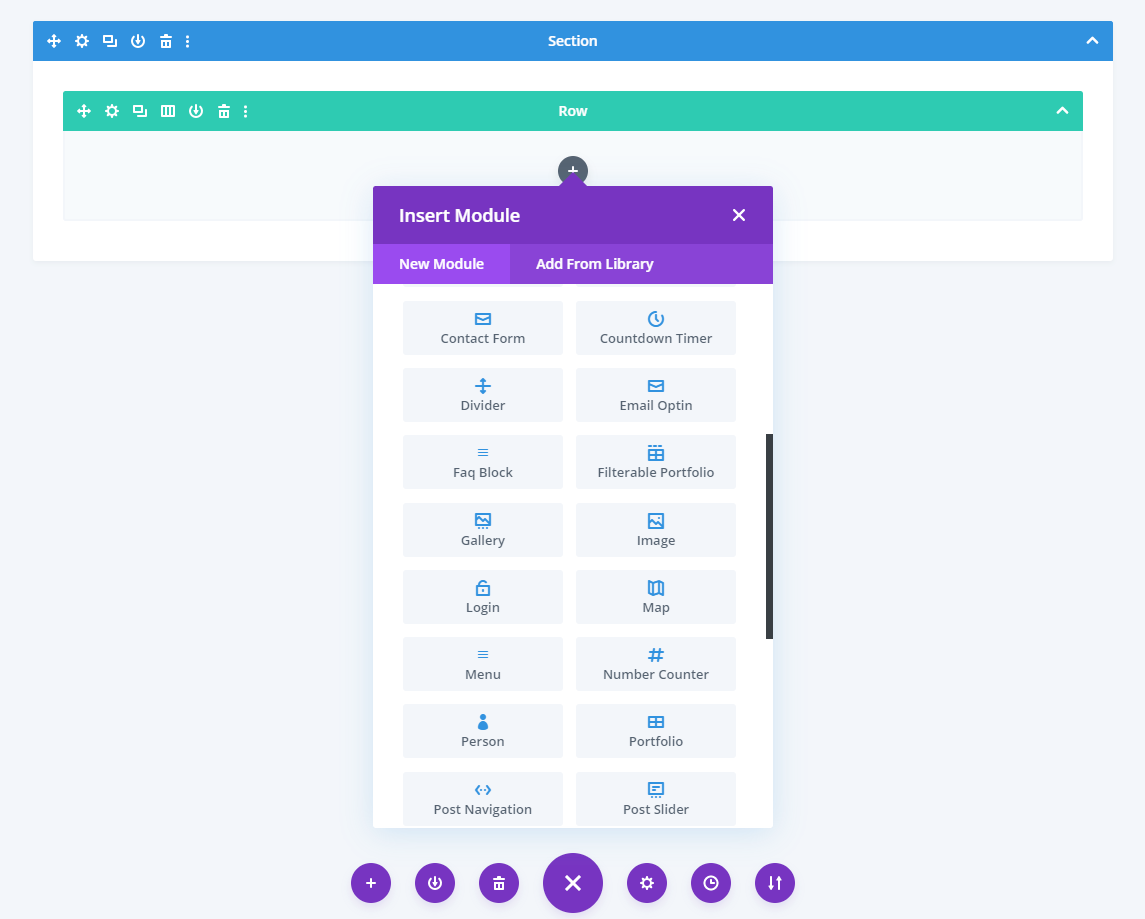
Divi offers three editing modes:
- Visual Builder: Front-end editing with overlay controls
- Divi Builder: Backend editor (feels like Gutenberg on steroids)
- Wireframe mode: See structure without styling
The Visual Builder is where most people work. To add a heading:
- Click the “+” button on canvas
- Search for “Text” module
- Click to add it
- Edit directly on the page
Sounds simple. But here’s the thing: Divi throws SO MANY OPTIONS at you from day one. Every module has like 40+ tabs of settings. It’s overwhelming.
What I loved:
- Editing directly on canvas feels natural
- Copy/Paste styles between elements is brilliant
- The “Quick Access” menu (right-click) saves time
- Presets let you save custom styles for reuse
What drove me nuts:
- The settings modal covers your entire screen
- Finding specific settings requires digging through tabs
- The learning curve is STEEP
- Sometimes the builder just… lags
Winner: Elementor by a mile. If you’re a beginner, Elementor’s interface makes sense immediately. Divi requires patience and tutorials.
Templates & Design Resources
Elementor Templates
- 300+ Pro templates
- 30+ website kits (full site templates)
- 60+ Pro blocks (pre-designed sections)
- Templates are modern and actually useful
- Free templates available in Elementor Free
- Works with any WordPress theme
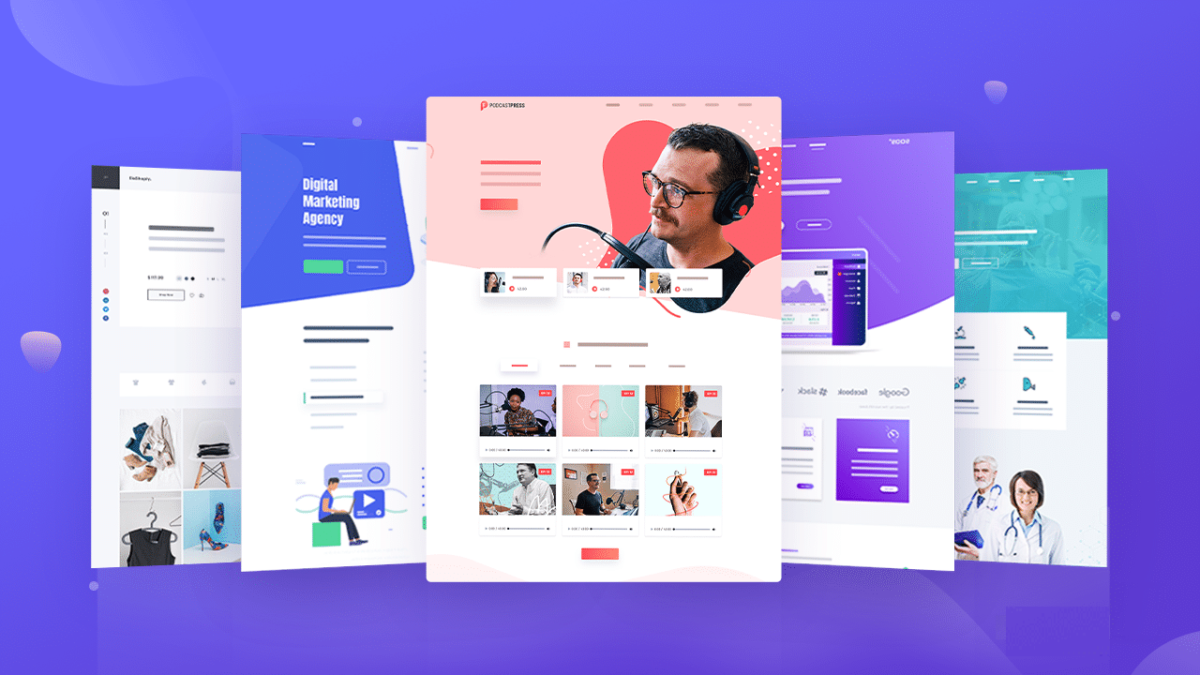
The Elementor template library is clean and well-organized. You can filter by page type, industry, and style. Most templates look professional without modifications.
Divi Templates
- 100+ website packs
- 800+ pre-made layouts
- Hundreds of sections you can save and reuse
- Templates range from gorgeous to “did someone design this in 2012?”
- Only works with the Divi Theme or the Divi Builder
Divi wins on quantity. Elementor wins on quality.
I’ve used both extensively, and here’s the truth: Elementor’s 300 templates are better than Divi’s 800 layouts. Many Divi templates feel dated or require heavy customization to look modern.
But Divi’s “website packs” (full site templates) are comprehensive. You get every page you need: homepage, about, services, contact, blog, etc.
Winner: Tie. Elementor for quality, Divi for quantity.
Performance & Speed: My Tests
This is where I spent WAY too much time. I built identical test sites with both builders and ran speed tests.
Test Setup:
- Hosting: WPX Hosting (same server for both)
- Theme: Astra (lightweight, compatible with both)
- Page complexity: Homepage with header, hero section, 3 feature boxes, testimonials, CTA
- Optimization: None initially, then with the Autoptimize plugin
- Testing tools: Google PageSpeed Insights, GTmetrix
Results Without Optimization:
| Metric | Divi | Elementor |
|---|---|---|
| Desktop PageSpeed Score | 67/100 | 74/100 |
| Mobile PageSpeed Score | 64/100 | 75/100 |
| Page Size | 874 KB | 940 KB |
| HTTP Requests | 36 | 15 |
| Load Time (GTmetrix) | 2.9s | 2.7s |
| Largest Contentful Paint | 5.8s | 5.4s |
Elementor loaded faster despite having a larger page size because it made fewer HTTP requests.
Results With FastPixel Plugin:
| Metric | Divi | Elementor |
|---|---|---|
| Desktop PageSpeed Score | 78/100 | 84/100 |
| Mobile PageSpeed Score | 72/100 | 81/100 |
| Load Time | 2.1s | 1.9s |
Both improved significantly with optimization, but Elementor maintained its lead.
Speed Up Your Site With FastPixel Now
Why Divi Is Slower
Divi uses shortcodes. Every module wraps content in [et_pb_...] shortcodes. WordPress has to process these on every page load, which adds overhead.
Elementor uses cleaner HTML/CSS output. When you deactivate Elementor, your content remains readable (though unstyled).
Deactivate Divi? You get shortcode soup.
Winner: Elementor for performance
But honestly? Both are fast enough for 99% of websites. The difference matters if you’re obsessed with Core Web Vitals or running a high-traffic site.
Optimize your site with Elementor →
Features Comparison: Divi vs Elementor
Let me break down the features that truly matter.
Theme Building
Elementor: Full Theme Builder included in Pro. Design headers, footers, single posts, archive pages, 404 pages, and WooCommerce pages. Display conditions let you control where templates appear.
Divi: Theme Builder included. Similar capabilities to Elementor. Slightly more complex setup, but it works well once configured.
Winner: Tie.
Dynamic Content
Elementor: Pulls data from custom fields, post meta, ACF, Pods, and Toolset. Extremely flexible. Works seamlessly with custom post types.
Divi: Dynamic content support added in recent updates. Works with ACF and custom fields but feels less polished than Elementor.
Winner: Elementor.
WooCommerce
Elementor: Dedicated WooCommerce Builder. Customize product pages, shop pages, cart, and checkout. Over 20 WooCommerce-specific widgets.
Divi: WooCommerce modules included. Good customization options, but not as extensive as Elementor.
Winner: Elementor.
Forms & Popups
Elementor: Form Builder and Popup Builder are included in Pro. Create contact forms, login forms, registration forms, pop-ups, slide-ins, sticky bars. Integrates with Beehiiv, Kit (ConvertKit), ActiveCampaign, and more.
Divi: Contact form module included. For pop-ups, you need the separate Bloom plugin (included with Divi membership). Bloom is powerful but separate from the builder.
Winner: Elementor (integrated experience).
Global Styling
Elementor: Global Colors, Global Fonts, Global Site Settings. Set once, apply everywhere. Change a color sitewide with one click.
Divi: Presets feature. Save module styles and reuse them. Not as comprehensive as Elementor’s global system, but it works.
Winner: Elementor.
Third-Party Add-ons
Elementor: MASSIVE ecosystem. Essential Addons, Ultimate Addons, PowerPack, JetPlugins, Crocoblock, and hundreds more. If you need a feature, there’s probably an add-on.
Divi: Smaller ecosystem. Divi Supreme, Divi Plus, Divi Toolbox, and DiviFlash exist, but nowhere near Elementor’s scale.
Winner: Elementor (not even close).
Widgets & Modules: What You Get
Elementor
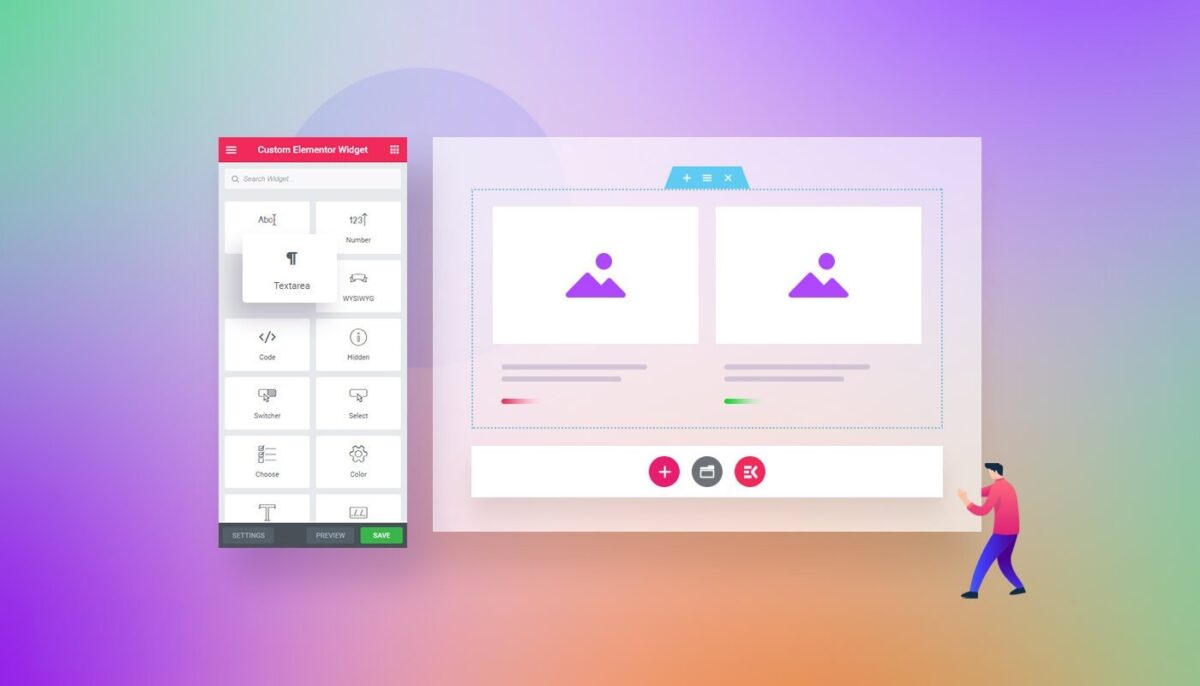
Free version: 40+ basic widgets (heading, text, image, button, video, etc.)
Pro version: 86+ widgets, including:
- Price Table
- Animated Headline
- Countdown Timer
- Flip Box
- Image Carousel
- Testimonial Carousel
- Posts
- Portfolio
- Form
- Login
- Nav Menu
- WooCommerce widgets
- And way more
Divi

All versions: 40+ modules, including:
- Text
- Image
- Button
- Blurb
- Testimonial
- Portfolio
- Shop (WooCommerce)
- Blog
- Contact Form
- Countdown Timer
- Pricing Table
- Toggle
- Tabs
- Accordion
- And more
Divi includes everything upfront. No free vs. pro tiers. But Elementor’s Pro widgets are more modern and feature-rich.
Winner: Elementor Pro for variety and modernity.
Start building with Elementor → | Start building with Divi →
Hidden Shortcode Mess
Here’s something that REALLY pissed me off about Divi.
When you build with Divi, everything gets wrapped in shortcodes:
[et_pb_section][et_pb_row][et_pb_column][et_pb_text]Your content here[/et_pb_text][/et_pb_column][/et_pb_row][/et_pb_section]
This has consequences:
- If you switch away from Divi, your content becomes an unreadable shortcode mess
- Migration is painful (trust me, I migrated a client from Divi to Elementor… never again)
- Performance overhead because WordPress processes shortcodes on every load
- SEO impact because search engines have to parse through shortcodes
Elementor doesn’t use shortcodes. It outputs clean HTML. Deactivate Elementor, and your content remains readable (just unstyled).
This alone is why I prefer Elementor for client sites. Clients change their minds. Builders come and go. Clean HTML is forever.
Support & Community
Elementor Support
- 24/7 premium support (chat and tickets)
- Extensive documentation
- YouTube channel with hundreds of tutorials
- Facebook community (400,000+ members)
- Active development (weekly updates)
- Response time: 12-24 hours for Essential, faster for Advanced/Expert
I submitted a ticket about a pop-up not displaying correctly. Got a response in 18 hours with a fix. Solid.
Divi Support
- 24/7 premium support (tickets)
- Comprehensive documentation
- Official YouTube tutorials
- Facebook groups (50,000+ members)
- Active development, but slower than Elementor
- Divi VIP support (part of Pro plan): 30-minute response guarantee
I submitted a ticket about Theme Builder conditional logic. Response in 8 hours with a video walkthrough. Impressed.
Winner: Divi offers excellent support.
SEO & Code Quality

Elementor
- Clean HTML/CSS output
- Schema markup support
- Works with Yoast, Rank Math, AIOSEO
- Optimized for Core Web Vitals
- Accessibility features (ARIA labels, keyboard navigation)
Divi
- Shortcode-based (adds processing overhead)
- Schema markup support
- Works with major SEO plugins
- Built-in SEO settings
- Accessibility features
Winner: Elementor for cleaner code.
Mobile Responsiveness

Both Divi and Elementor handle mobile well, but differently.
Elementor
- Mobile editing mode (preview and edit mobile layout)
- Separate mobile settings for every element
- Hide/show elements per device
- Custom spacing, font sizes, and widths per device
- Mobile editing feels natural
Divi
- Responsive settings tabs (Desktop | Tablet | Phone)
- Hide/show elements per device
- Custom styling per device
- Mobile editing works but feels clunkier
Winner: Elementor (better mobile editing UX).
Learning Curve
Elementor: 2-3 hours to build your first decent page. Intuitive interface. Most beginners feel comfortable within a week.
Divi: 5-10 hours to understand the settings structure. Overwhelming at first. Beginners struggle for 2-3 weeks before things click.
I’ve taught both to clients. Elementor has an 80% success rate (clients can edit their sites confidently). Divi has maybe 40% (most clients give up and hire me for updates).
Winner: Elementor for beginners.
Experience: My 2-Month Journey
Week 1-2: The Honeymoon
Elementor: I rebuilt the client’s homepage in 3 hours. It looked professional immediately. I felt like a design god.
Divi: I spent 6 hours on a client site’s homepage and wanted to switch careers and become a mixologist in Ibiza. Why are there 12 tabs of settings for a text module?!
Week 3-4: Getting Comfortable
Elementor: Started exploring widgets I hadn’t used. Popup Builder is genius. Created an email opt-in pop-up in 10 minutes.
Divi: Finally understood the preset system. Game-changer. Created a brand style preset and applied it sitewide in seconds.
Week 5-8: The Reality
Elementor: Built 4 client sites. Smooth process. Clients loved the final results. One client even updates their own blog posts now.
Divi: Built 2 client sites. Struggled with mobile responsiveness on one. The other turned out great once I mastered the theme builder.
Current status: I use Elementor for personal projects and most client work. I use Divi only for clients who already own it and those who insist.
When to Choose Elementor
Choose Elementor if:
- You’re a beginner. Elementor’s interface is more intuitive.
- You want third-party add-ons. The ecosystem is massive.
- You build sites for clients. Easier to teach, cleaner code, better migration options.
- Performance matters. Slightly faster load times.
- You need WooCommerce customization. Better e-commerce tools.
- You prefer clean code. No shortcode mess if you switch builders.
- You like modern templates. Elementor’s designs feel 2026, not 2016.
When to Choose Divi
Choose Divi if:
- You’re building multiple sites long-term. A lifetime license at $249 is an unbeatable value.
- Budget is tight. $89/year for unlimited sites beats Elementor’s $199 for 25 sites.
- You want everything included. Extra theme, Bloom, Monarch, all included.
- You don’t mind a learning curve. Powerful once you master it.
- You already own Divi. Maximize your investment.
- You like website packs. Divi’s full-site templates are comprehensive.
Divi vs Elementor: Feature Comparison Table
| Feature | Divi | Elementor |
|---|---|---|
| Starting Price | $89/year | $59/year |
| Lifetime Option | ✅ $249 | ❌ No |
| Free Version | ❌ No | ✅ Yes |
| Unlimited Sites | ✅ Yes (all plans) | ❌ No (varies by plan) |
| Widgets/Modules | 40+ | 40+ Free, 86+ Pro |
| Theme Builder | ✅ Yes | ✅ Yes |
| WooCommerce Builder | ✅ Yes | ✅ Yes (better) |
| Popup Builder | ⚠️ Bloom plugin | ✅ Built-in |
| Form Builder | ✅ Basic | ✅ Advanced |
| Dynamic Content | ✅ Yes | ✅ Yes (better) |
| Global Styling | ⚠️ Presets | ✅ Full system |
| Code Output | Shortcodes | Clean HTML |
| Performance | Good | Better |
| Mobile Editing | Good | Better |
| Learning Curve | Steep | Gentle |
| Third-Party Add-ons | Limited | Extensive |
| Template Quality | Mixed | Modern |
| Template Quantity | 800+ | 300+ |
Migration Nightmare

Let me tell you about the worst decision I ever made: migrating a 120-page client site from Divi to Elementor.
They’d used Divi for 3 years. Built a beautiful site. But they wanted Elementor’s better WooCommerce integration.
The Process:
- Exported Divi content
- Installed the Divi Shortcode Cleaner plugin
- Still had formatting issues on 80% of pages
- Manually rebuilt 50+ pages
- Took 3 weeks
- Client paid $2,200
Moral of the story: Pick one builder and commit. Switching is painful and expensive.
What I Wish I knew
- Test the free version first. Elementor has one. Use it.
- Watch YouTube tutorials. Both builders have learning curves.
- Start with templates. Don’t build from scratch initially.
- Think long-term. Divi’s lifetime license makes sense if you’re in it for years.
- Consider your clients. If you build sites for others, Elementor is easier to hand off.
- Factor in add-ons. Elementor’s ecosystem saves time and money on custom features.
Also Read: Zapier vs Make.com 2026: I Tested Both And Got Surprised
Common Mistakes People Make

Mistake #1: Choosing Based on Price Alone
“Divi is $89 for unlimited sites, Elementor is $59 for one. Divi wins!”
Wrong. Factor in your time. If Elementor saves you 10 hours per site because it’s easier to use, that’s worth paying more.
Mistake #2: Not Testing Mobile
Both builders let you design beautiful desktop layouts. But mobile is where most traffic comes from. Test. Your. Mobile. Layout.
Mistake #3: Installing Too Many Add-ons
Elementor’s add-on ecosystem is amazing. It’s also a trap. Every add-on adds bloat. Stick to essentials.
Mistake #4: Not Using Global Styles
Both builders offer global styling. USE IT. Changing your brand colors sitewide with one click is magical.
Mistake #5: Ignoring Performance
“I’ll optimize later.”
Later never comes. Install a caching plugin from day one. Optimize images. Monitor Core Web Vitals.
Partying Shot: Divi vs Elementor
After building several sites with both builders, here’s my honest take:
For most people: Elementor wins.
It’s more intuitive, performs better, has a better ecosystem, and produces cleaner code. The learning curve is gentle. Clients can actually use it.
But Divi has ONE huge advantage: price.
If you’re building 10+ sites long-term, Divi’s lifetime license at $249 is insane value. That’s $20.75 per site for 12 sites. Elementor would cost you $199/year forever for 25 sites.
My personal choice: Elementor for Blog Recode and client work. Divi for personal projects where budget matters.
My Ratings:
- Elementor: 8.9/10 (industry leader, deserves the hype)
- Divi: 8.4/10 (best value, steep learning curve)
Neither is perfect. Both will frustrate you at times. But both can build stunning websites.
Pick based on your priorities:
- Beginner-friendly? Elementor
- Best value? Divi
- Long-term (5+ years)? Divi
- Client sites? Elementor
- WooCommerce focus? Elementor
- Multiple sites on budget? Divi
Switch to Elementor Today | Try Divi Risk Free
What’s your experience with these builders? Team Elementor or Team Divi? Let me know in the comments.
FAQs
Is Elementor better than Divi?
Elementor is better for beginners, client sites, and performance-focused projects because of its intuitive interface, cleaner code output, and better WooCommerce integration.
However, Divi offers better value for multiple sites with its $249 lifetime license versus Elementor’s recurring annual costs. Choose Elementor for ease of use and modern features, choose Divi for long-term budget savings.
Can I use Divi and Elementor together?
Yes, you can install both Divi and Elementor on the same WordPress site. However, you cannot mix their modules on the same page. A page built with Divi cannot include Elementor widgets and vice versa.
Using both simultaneously adds unnecessary bloat to your site, so it’s better to choose one builder and stick with it for consistency and performance.
Does Divi slow down your website?
Divi can slow down websites compared to Elementor because it uses shortcodes that WordPress must process on every page load. In speed tests, Divi sites typically score 64-75/100 on mobile PageSpeed compared to Elementor’s 75-84/100.
However, with proper optimization (caching, image compression, minification), Divi sites can still achieve good performance. The speed difference is noticeable but not dramatic for most use cases.
Is Divi worth the lifetime license?
Divi’s lifetime license at $249 is worth it if you plan to build multiple sites over 3+ years. The break-even point is about 2.8 years compared to the annual plan ($89/year). If you’re building 5+ sites or working as a freelancer/agency long-term, the lifetime license offers excellent value.
However, if you’re only building 1-2 sites or unsure about long-term commitment, start with the annual plan.
Which is easier to learn: Divi or Elementor?
Elementor is significantly easier to learn for beginners. Most users can build their first professional page within 2-3 hours. Divi has a steeper learning curve requiring 5-10 hours to understand its settings structure, with most beginners needing 2-3 weeks to feel confident.
Elementor’s fixed sidebar interface is more intuitive than Divi’s multi-tab settings modal, making it the better choice for WordPress newcomers.
Can you switch from Divi to Elementor?
You can switch from Divi to Elementor, but it’s painful. Divi uses shortcodes that create a messy output when deactivated. You’ll need to use cleanup plugins like Divi Shortcode Cleaner and manually rebuild most pages. For a 120-page site, expect 2-4 weeks of work.
Switching from Elementor to other builders is easier because Elementor outputs clean HTML that remains readable (though unstyled) after deactivation.
Does Elementor have a free version?
Yes, Elementor has a genuinely useful free version available on WordPress.org with 40+ widgets, a drag-and-drop builder, responsive editing, and a template library. It works with any WordPress theme.
The free version lacks Theme Builder, Popup Builder, Form Builder, WooCommerce Builder, and Pro widgets, but it’s functional for basic sites. Divi has no free version; all features require a paid membership.
Which is better for WooCommerce: Divi or Elementor?
Elementor is better for WooCommerce with its dedicated WooCommerce Builder featuring 20+ specialized widgets, advanced product page customization, custom cart/checkout layouts, and better dynamic content integration.
Divi has WooCommerce modules that work well for basic stores but lack Elementor’s depth. If e-commerce is your primary focus, Elementor Pro provides superior tools and flexibility for product pages, shop layouts, and conversion optimization.
How much does Divi cost compared to Elementor?
Divi costs $89/year for unlimited sites or $249 lifetime. Elementor Essential costs $59/year for 1 site, Advanced costs $99/year for 3 sites, and Expert costs $199/year for 25 sites. For 1 site, Elementor is cheaper.
For 3+ sites, Divi offers better value. Long-term (5+ years), Divi’s lifetime license saves significantly compared to Elementor’s recurring annual fees.
Can Elementor build entire websites or just pages?
Elementor Pro can build entire websites using its Theme Builder feature. You can design headers, footers, single post templates, archive pages, 404 pages, search results, and WooCommerce pages.
Display conditions control where templates appear. Elementor Free builds pages only; Theme Builder requires Pro. Divi includes full theme-building capabilities in all plans, giving you complete site control from day one.
Disclosure: If you click our links and buy, we might earn a tiny commission. It helps keep the coffee flowing ☕ and the content coming.