Best Pressable Hosting Plans for Agencies and Creators 2026
When your hosting provider stops ghosting you… and starts carrying your business on its back.
Quick Take
Look, I’m going to be straight with you from the jump. Pressable hosting plans aren’t for everyone, and they’re definitely not the cheapest option out there.
But if you’re running an agency, managing multiple client sites, or you’re a serious creator who’s done playing server roulette every other month, this might be the switch that saves your sanity.
Starting at $25/month (or $20.83/month annually), these plans pack features that would cost you $500+ yearly elsewhere.
Worth it? Read on, my friend.
Full disclosure: This article is sponsored by WordPress.com, but everything you’re about to read is 100% my honest experience and opinion. They didn’t tell me what to say, I’m just telling you what I’ve found.
Alert: New to Pressable? Get up to 6 months free. Agencies can also earn up to $10,000 when they migrate client sites to Pressable.
Why I’m Writing About This
Early January on a weekday. I remember because I was mid-sip of my second whiskey… just kidding, it was Earl Grey tea (I’m not that wild on weekdays).
My phone started buzzing. Then again. And again.
Three clients. Same problem. Their sites were down. All of them were hosted on the same “budget-friendly” shared hosting I’d confidently recommended six months earlier. You know, the one that promised “unlimited everything” for $3.99 a month? Yeah, that one.
Here’s what nobody tells you about cheap hosting until it’s too late.
When one site on that shared server gets a traffic spike (or worse, gets hacked), everyone goes down. It’s like living in an apartment building where your neighbors can accidentally set off the fire alarm in YOUR apartment.
C’est la vie, right? Wrong.
That morning cost me about four hours of panic, countless apologies, and, honestly, a chunk of my professional credibility.
However, it also pushed me to finally research Pressable hosting plans seriously, something I’d been putting off because, let’s be real, premium managed WordPress hosting always felt a bit… bougie?
Spoiler alert: I was wrong. But I wasn’t ready to admit it yet.

What Makes Pressable Hosting Plans Different
Pressable hosting plans aren’t just another managed WordPress host slapping “premium” on their name.
They’re owned by Automattic, you know, the folks who literally created WordPress, Jetpack, and WooCommerce. It’s like getting car advice from the people who built the engine. That matters more than you’d think.
Here’s what separates the best WordPress hosting for agencies from the rest of the pack.
First, every single plan runs on the same infrastructure as WordPress.com and WordPress VIP.
That’s not marketing fluff, that’s actual server architecture built specifically for WordPress sites. They’re using NVMe servers (the fastest storage tech available), AMD EPYC Milan CPUs with 64 cores, and a geo-redundant high-availability cloud setup.
Translation? Your sites load stupid fast and stay online even when something goes wrong.
But here’s where Pressable features for creators get interesting.
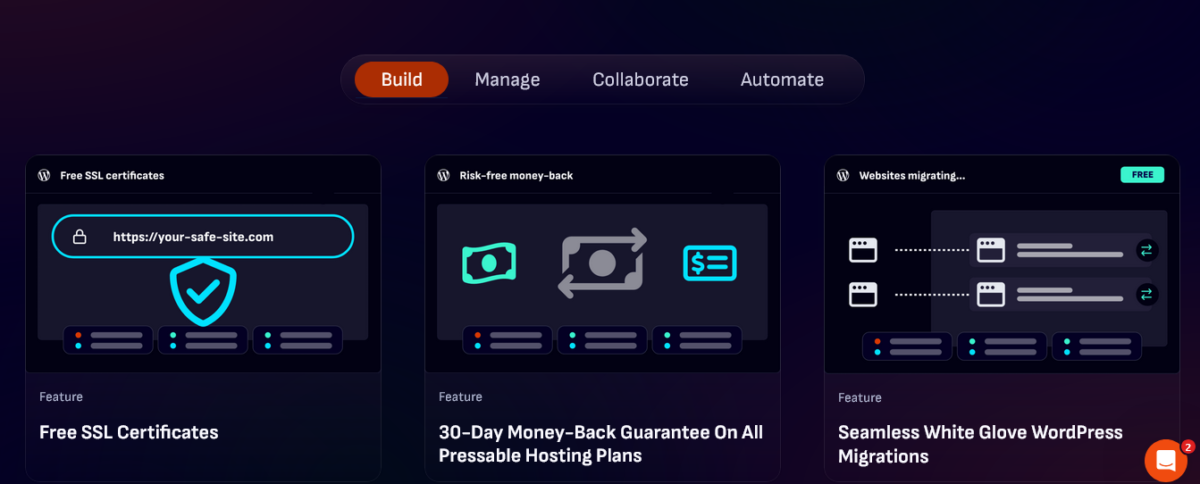
While most hosts nickel-and-dime you for everything, Pressable includes Jetpack Security (worth $299/year), free SSL certificates, a global CDN across 28+ data centers, staging environments, daily backups, and free migrations, all baked into their base plans.
Do the math. That’s over $500 in value you’re getting without paying extra.
Therefore, when you look at the actual cost versus what you’re getting, those “expensive” plans start looking pretty reasonable.
Also Read: Pressable Review 2026: WordPress hosting Royalty?
Pressable Hosting Plans Breakdown
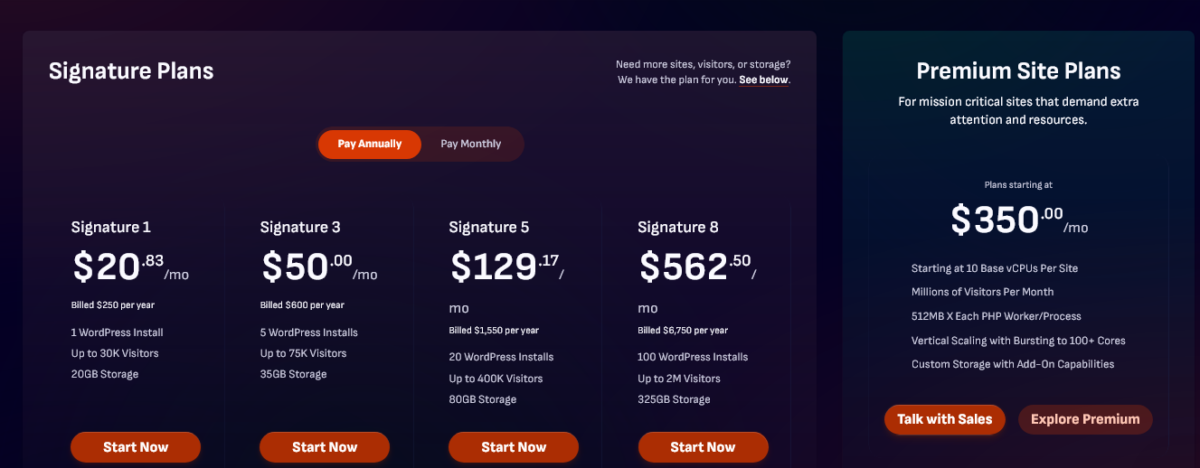
Alright, let’s talk numbers. Because I know you’re wondering if this is actually affordable or if I’ve lost my damn mind.
Signature Plans: For Most Agencies and Creators
Signature 1: $25/month (or $20.83/month annually)
- 1 WordPress install
- 30,000 monthly visits
- 20GB storage
- Best for: Solo creators, single high-traffic sites
Signature 3: $60/month (or $50/month annually)
- 5 WordPress installs
- 75,000 monthly visits
- 35GB storage
- Best for: Small agencies just starting out
Signature 5: $155/month (or $129.17/month annually)
- 20 WordPress installs
- 400,000 monthly visits
- 80GB storage
- Best for: Established agencies with a steady client base
Signature 8: $810/month (or $562.50/month annually)
- 100 WordPress installs
- 2 million monthly visits
- 325GB storage
- Best for: Large agencies managing tons of client sites
Premium Site Plans: When You Need Enterprise-Level Stuff
Starting at $350/month, these are for mission-critical sites. Think high-traffic eCommerce stores, membership sites, or applications where downtime literally costs money.
You get everything from Signature plans, plus:
- Dedicated vCPUs starting at 10 base (scales up to 100+ cores)
- Custom PHP memory up to 2048MB per worker
- Jetpack Complete ($599/year value)
- White-glove onboarding
- Overage protection
- Custom storage options
- Millions of monthly visits supported

What Every Single Plan Includes (Yes, Even the Cheapest One)
This is where Pressable features for creators shine. Every plan, from the $25 Signature 1 to the enterprise Premium plans, includes:
- 5 PHP workers (5 vCPUs) per site minimum
- Auto-scaling with bursting (traffic spikes don’t kill your site)
- Staging environments (test before you break things live)
- Jetpack Security (malware scanning, backups, brute force protection)
- Free global CDN (your content loads fast worldwide)
- Free SSL certificates (because it’s 2026, come on)
- Daily and hourly backups (plus easy one-click restore)
- 24/7 expert WordPress support (actual humans who know WordPress, not script readers)
- Free migrations (they’ll move all your sites for free)
- WP-CLI, SSH, and Git access (for developers who like control)
- 100% uptime SLA guarantee (they refund you for downtime)
Additionally, unlike some hosts that throttle you during traffic spikes and then surprise you with overage fees, Pressable’s auto-scaling handles the load and only charges you reasonable fees if you consistently exceed your plan limits.
Features That Saved My Butt (Multiple Times)
Let me tell you about a Friday afternoon last October. One of my client’s sites was getting hammered with traffic because their product got featured on a major blog. Within minutes, they were getting 50x their normal traffic.
On my old host? The site would’ve crashed. Support would’ve taken hours to respond. Client would’ve been pissed.
On Pressable? The auto-scaling kicked in automatically. The site stayed up. I got an email notification about the traffic spike.
That’s it. Pas de problème.
Staging Sites That Don’t Suck
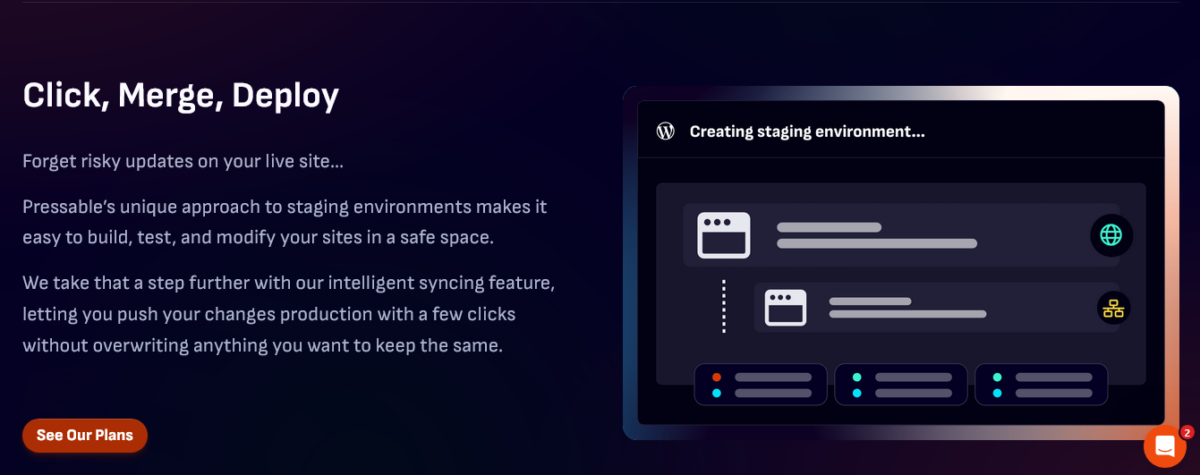
I’ve tested a LOT of staging environments.
Most are either too complicated or don’t sync properly. Pressable’s staging is different. One click creates your staging site. Make your changes. Click “push to live” when ready.
The intelligent syncing even lets you choose what gets pushed: databases, files, or both. Tito (my friend who also runs an agency) actually texted me, “This staging setup is stupid easy,” after I recommended it. Coming from him, that’s high praise.
Migrations That Actually Work
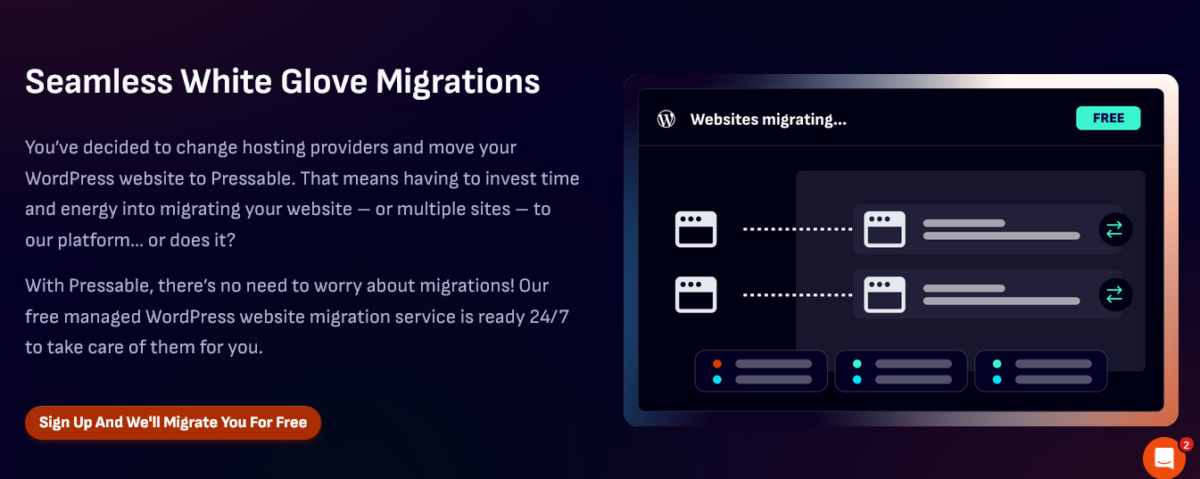
Remember how I mentioned free migrations?
I was skeptical. Every host promises “free migrations,” and then you fill out a form and wait three days, and something breaks.
Pressable’s migration team is different. They use a plugin for simple sites. For complex setups, their WordPress experts handle it manually. All of my test migrations were done within 24 hours, with zero downtime, and everything worked.
I moved eight client sites in one week. Not one issue.
The Dashboard Doesn’t Make Me Want to Scream

Most hosting dashboards feel like they were designed by someone who hates users. Too much information, confusing navigation, and features buried three menus deep.
Pressable’s dashboard is clean. You can spin up a new site in like 30 seconds. Choose your datacenter (they have four: Los Angeles, Dallas, Ashburn, and Amsterdam), pick your PHP version, decide if you want multisite, and you’re done.
Your site is live.
Managing multiple client sites? There are bulk operations. Need to give a client access? Add them as a collaborator without sharing your main login.
It’s honestly refreshing when software just… works.
The Stuff They Don’t Put on the Sales Page (But You Should Know)
What’s Actually Missing
No email hosting. But honestly? That’s fine. Mixing email and web hosting is a recipe for problems. Use Google Workspace or Microsoft 365 for email. Keep hosting separate. Your email uptime will thank you.
Although they offer email services through a partnership with Titan Email.
The Datacenter Situation
Only four datacenter locations. If you need servers in Asia or Australia specifically, you might want to look elsewhere. For US and European sites, though, their CDN covers you globally anyway.
When the Plans Don’t Make Sense
If you’re running a tiny personal blog with 500 visitors a month, this is overkill. Stick with cheaper shared hosting until you grow.
If you need Windows hosting or anything non-WordPress, Pressable literally won’t let you use it. They’re WordPress-only, and honestly, that focus is why they’re so good at it.
The Money Question Everyone Asks
“Is it worth paying $50/month instead of $10/month?”
Here’s my answer: What’s your time worth? What’s your client relationship worth? What does downtime cost you?
That day when three sites went down? I billed zero hours but lost four. That’s $400-600 in lost billable time (depending on your rates). The mental stress? Priceless.
Since switching to Pressable hosting, I’ve had exactly zero emergency hosting situations. My clients’ sites are faster. My stress levels are lower. I can actually take a weekend off without worrying about server fires.
Therefore, yeah. For me, it’s worth every penny.
How Pressable Stacks Up Against Other Premium Hosts
I’ve tested pretty much every major managed WordPress host. Here’s the honest comparison.
Pressable vs. WP Engine
WP Engine is the 800-pound gorilla in managed WordPress hosting. They’re great. They’re also more expensive for similar resources.
Pressable wins on: Pricing, traffic allowances, including Jetpack Security, and faster provisioning
WP Engine wins on: More datacenter locations, slightly more robust developer tools, larger partner ecosystem
Both are solid choices. Pressable gives you more bang for your buck.
Pressable vs. Kinsta
Kinsta uses Google Cloud’s premium network and has a super modern dashboard. Their support is excellent.
Pressable wins on: Pricing, including premium tools, better for agencies at scale
Kinsta wins on: More datacenter options (35 locations), Google Cloud infrastructure, detailed analytics dashboard
Kinsta is great if you need global data centers. Pressable performs better in head-to-head speed tests and costs less.
Your Read: Kinsta vs Pressable: Why I Moved 4 Sites and Saved $980
Pressable vs. Budget Hosts (Bluehost, HostGator, etc.)
Not even close.
Budget shared hosting is fine for hobby blogs. If you’re running a business, managing client sites, or making money from your site, budget hosting is a false economy.
The Agency Perks That Matter

If you’re managing client sites, the best WordPress hosting for agencies needs specific features. Pressable nails, these.
Automattic for Agencies Program
This is huge. Join Automattic for Agencies (it’s free), and you get:
- Revenue share on client sites
- Centralized billing for all your clients
- Special agency pricing
- Priority support
- Access to the agency dashboard
- Directory listings to get more clients
- Early access to new features
Basically, the more sites you host, the better the economics get.
Collaborator Management
Add clients as collaborators with granular permissions.
They can manage their content without accessing billing or breaking things. Simple, secure, smart.
White-Label Opportunities
While not officially “white-label,” you can set up client sites with their branding, give them collaborator access, and they never have to know you’re using Pressable.
Everything just works under their domain.
Real Talk: When Should You Actually Switch?
You should seriously consider Pressable hosting plans if:
You’re managing 3+ client sites – The math works out around this point. Time savings plus included features equals ROI.
You’ve experienced hosting-related downtime – Once is annoying. Twice is a pattern. Three times? Switch.
Your sites are getting real traffic – Once you’re hitting 10K+ monthly visitors, you need better infrastructure.
You’re running WooCommerce stores – Ecommerce sites need speed and uptime. Pressable handles WooCommerce exceptionally well.
You’re planning to scale – Better to start on solid infrastructure than migrate later when you have 20 sites.
You value your time – This is the big one. If you’re tired of playing sys admin instead of doing your actual work, managed hosting pays for itself.
Skip Pressable if:
- You’re running a hobby blog with minimal traffic
- Budget is your only consideration
- You need non-WordPress hosting
- You require servers in specific non-US/EU locations
- You enjoy tinkering with server configurations (some people do!)
My Actual Setup (No Secrets)
I currently use Signature 5 for my agency work. That gets me 20 WordPress installs and 400K monthly visits for $129.17/month (I pay annually).
Blog Recode (this site) is on WPX hosting because I set it up years ago, and it still works great. But my client sites? All Pressable now.
I also keep one site on Signature 1 as a personal testing environment. Costs me $20.83/month and lets me break things without affecting clients.
- Average page load time across my Pressable sites? Under 1.2 seconds.
- Uptime? 100% over the last six months (knock on wood).
- Support response time when I’ve needed help? Usually under 5 minutes.
Can We Get Real About Hosting? (2026 Edition)
Here’s something most hosting reviews won’t tell you: hosting matters more in 2026 than ever before.
Google’s Core Web Vitals directly affect SEO rankings. Slow sites get penalized. Site speed impacts conversion rates (studies show a 0.1-second improvement can boost conversions by 8%). Downtime costs you money and trust.
Meanwhile, WordPress itself is getting more complex. Block editor, full-site editing, WooCommerce optimization. These features need proper server resources to work smoothly.
Budget shared hosting was fine in 2016. In 2026? It’s a liability.
Pressable hosting plans give you infrastructure that’s optimized for modern WordPress. The platform evolves with WordPress because the same company builds both. That matters.
Getting Started Without the Headache

If you’re ready to try Pressable, here’s the smart way to do it:
Step 1: Figure Out Your Needs
Count your sites. Estimate your total monthly traffic. Add up your storage needs. Pick the Signature plan that fits with room to grow.
Step 2: Start with One Site
Don’t migrate everything at once. Move your most important site first. Test performance. Get comfortable with the dashboard.
Step 3: Use Their Migration Service
Fill out the migration form. Their team handles the technical stuff. You approve when it’s ready. Zero stress.
Step 4: Watch the Difference
Check your site speed before and after. Monitor your uptime. Notice how much easier management becomes.
Step 5: Scale When Ready
Once you’re confident, migrate your other sites. Join Automattic for Agencies if you qualify. Enjoy the time savings.
They offer a 30-day money-back guarantee, so there’s virtually zero risk in testing them out.
Bottom Line
Is Pressable perfect? No. Could they add more datacenters? Yep. Is the dashboard occasionally a bit cluttered? Sure.
But you know what? My sites stay up. My clients are happy. I sleep better at night.
Since switching to Pressable hosting plans, I’ve spent exactly zero hours dealing with hosting emergencies. Zero. That alone is worth the investment.
The speed improvements are measurable. My clients’ sites load faster, which means better SEO, lower bounce rates, and higher conversions. Several clients have specifically commented on how much faster their sites feel.
Support has been consistently helpful the few times I’ve needed them. And the included features (Jetpack Security alone) save me hundreds per year compared to buying them separately.
For agencies and serious creators in 2026, the best WordPress hosting for agencies means infrastructure that doesn’t fight against you. It means spending time on your work instead of babysitting servers.
Pressable features for creators deliver that. The pricing is transparent. The performance is solid. The support is actually supportive.
You pay more than budget hosting. You get professional-grade infrastructure built by people who know WordPress inside and out.
Fair trade? Absolutely.
FAQs
How much does Pressable really cost per month?
Pressable hosting plans start at $25/month for a single site (or $20.83/month if you pay annually). The sweet spot for most agencies is the Signature 5 at $155/month (monthly) or $128.17/month annually, which includes 20 WordPress installs and 400K monthly visits.
Premium plans start at $350/month for enterprise needs. All plans include Jetpack Security, free CDN, staging, backups, and migrations, worth $500+ annually.
Is Pressable actually faster than other WordPress hosts?
Yes, measurably. Pressable consistently achieves Time to First Byte (TTFB) under 200ms and Largest Contentful Paint (LCP) around 1.0-1.2 seconds in independent tests.
They use NVMe servers, AMD EPYC CPUs, and WordPress-specific optimization that budget hosts can’t match. I’ve seen average load times under 1.2 seconds across my agency sites since switching.
What’s included in every Pressable plan?
Every Pressable plan includes 5 PHP workers (5 vCPUs) per site, auto-scaling, staging environments, Jetpack Security ($299/year value), global CDN, free SSL, daily/hourly backups, 24/7 expert support, free migrations, WP-CLI/SSH/Git access, malware scanning, and a 100% uptime guarantee.
These features don’t cost extra; they’re baked into even the cheapest $25/month plan.
Can Pressable handle sudden traffic spikes?
Absolutely. Pressable’s auto-scaling handles traffic surges automatically without crashing your site. I had a client site get 50x normal traffic when featured on a major blog; the auto-scaling kicked in instantly, and the site stayed online perfectly.
On my previous shared hosting, that would’ve been disaster mode.
How does Pressable compare to WP Engine or Kinsta?
Pressable offers better value per dollar with higher traffic allowances and includes Jetpack Security. WP Engine has more datacenter locations and slightly more developer tools, but costs more.
Kinsta uses Google Cloud and has 35+ datacenter locations, but it also costs more than Pressable for similar resources. Pressable wins on pricing and performance, while competitors win on global datacenter availability.
Is Pressable good for agencies managing client sites?
Yes, it’s specifically designed for agencies. Pressable offers the Automattic for Agencies program (free to join) with centralized billing, revenue share, agency dashboard, priority support, and directory listings.
You get collaborator management with granular permissions, bulk operations for managing multiple sites, and white-glove migrations. The Signature 4-5 plans ($75-129/month annually) are the agency’s sweet spot.
What are the main downsides of Pressable hosting?
Only four datacenter locations (US and Europe), no email hosting included (use Google Workspace instead), and a higher starting price than budget shared hosting. You also can’t host non-WordPress sites.
For tiny personal blogs with under 5K monthly visitors, Pressable is probably overkill. But for businesses and agencies, these limitations rarely matter.
Does Pressable include free migrations?
Yes, all Pressable plans include free migrations handled by their WordPress experts. Simple sites use their automated plugin. Complex setups get manual white-glove migrations. I moved eight client sites in one week with zero downtime or issues.
Unlike other hosts, where “free migrations” means a complicated form and a three-day wait, Pressable’s team actually handles everything smoothly.
What’s the best Pressable plan for freelancers?
Signature 3 ($60/month or $50/month annually) is perfect for freelancers managing 5 client sites with up to 75K total monthly visits. It includes all premium features like Jetpack Security, staging, backups, and free migrations.
Once you grow past 5-10 clients, upgrade to Signature 4 or 5. Start with Signature 1 if you’re testing with just your personal site first.
Can I run WooCommerce stores on Pressable?
Absolutely. Pressable is optimized for WooCommerce (makes sense since Automattic owns WooCommerce). All plans include WooCommerce support, and the infrastructure handles ecommerce traffic and cart abandonment recovery perfectly.
The auto-scaling is especially crucial for stores during sales or promotions when traffic spikes. Several of my client stores run on Pressable with zero issues.
Final Rating: 9.5/10
Best for: Agencies, freelancers with multiple clients, serious creators, WooCommerce stores, and anyone done with hosting headaches
Skip if: You’re running a hobby blog with minimal traffic or need the absolute cheapest option possible
Try Pressable Risk-Free (30-Day Guarantee) →
Mia out ✌️
P.S. Seriously though, if you’re still using shared hosting for client sites in 2026, we need to talk. Your stress levels will thank you for upgrading.