Pressable vs WordPress.com: Which Hosting to Choose? (2026)
Quick Verdict: After managing sites on both platforms for 2+ years, the winner depends entirely on who you are. On this comparison of Pressable vs WordPress.com, WordPress.com wins for beginners seeking simplicity and all-in-one convenience (starting at $4-45/month).
Pressable wins for agencies, developers, and businesses needing premium performance and multi-site management ($25-155/month).
Both are owned by Automattic, both are excellent; they’re just built for different people.
Full Transparency: This article is sponsored by WordPress.com. However, every opinion here is mine, based on real experience managing sites on both platforms. I’ve used Pressable since 2022 for client sites and WordPress.com for personal projects. These are honest comparisons, not marketing fluff.
Why Compare These Two?
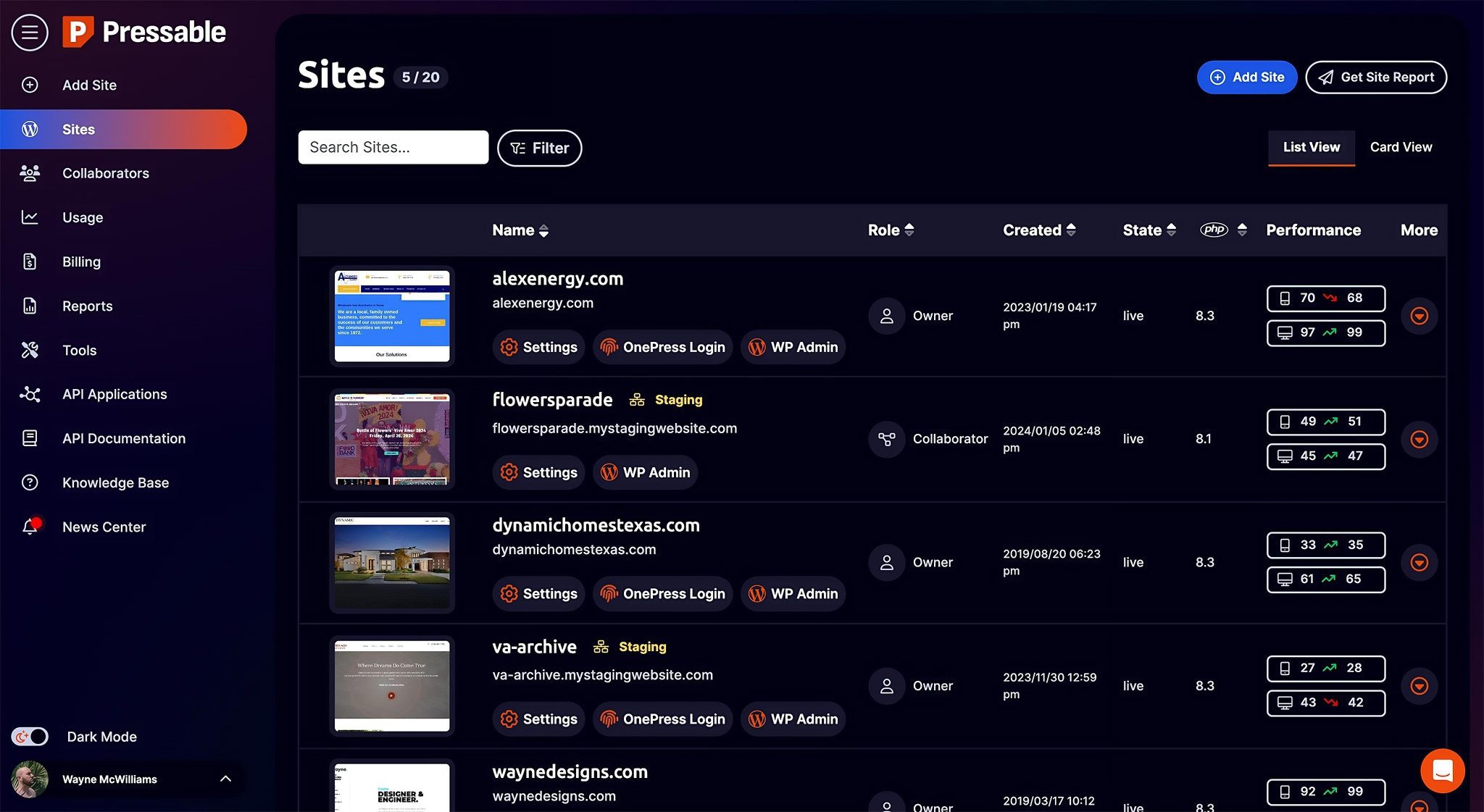
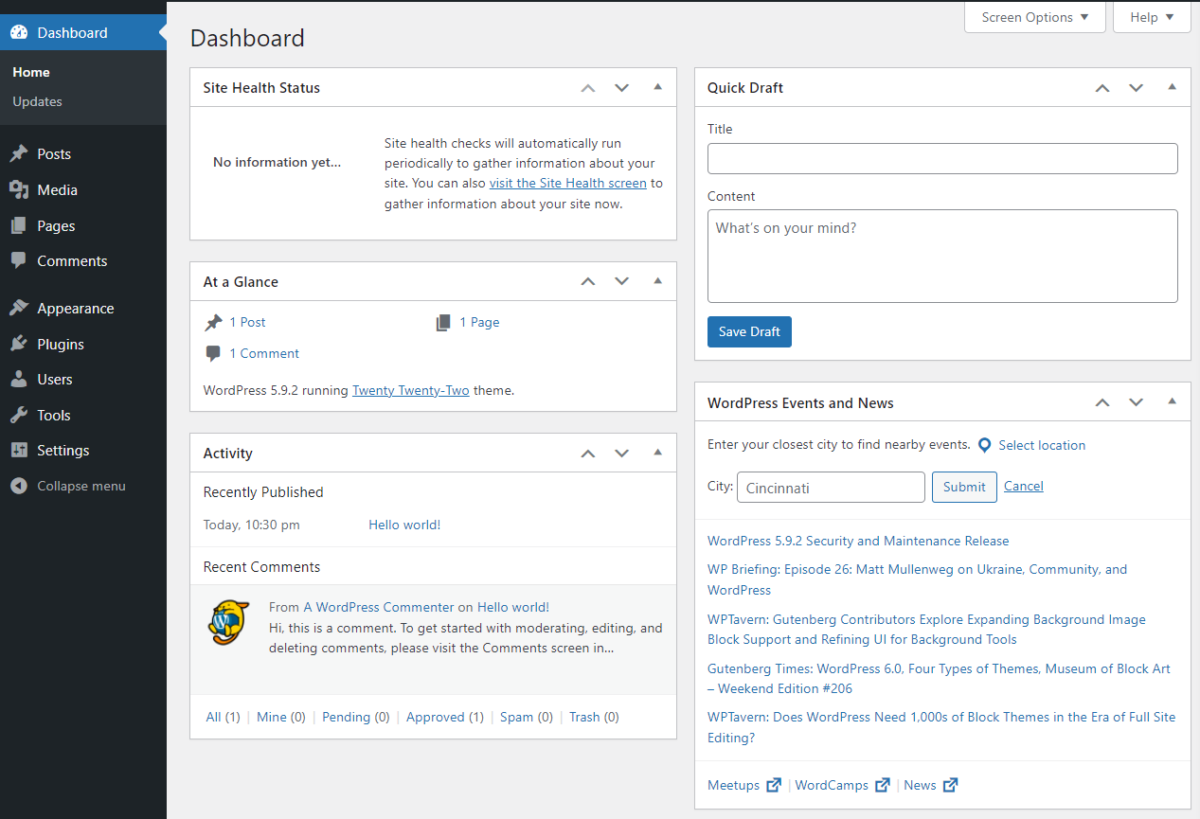
On a random Saturday. I’m drinking my second cup of coffee and staring at two different dashboards.
On one screen: WordPress.com, where I’d just launched a simple portfolio site for a friend in under 20 minutes.
Clean. Simple. Done.
On the other screen: Pressable, managing 6 complex client sites with staging environments, custom workflows, and enough technical specs to make my designer friend’s eyes glaze over.
- Both platforms are owned by Automattic.
- Both run WordPress.
- Both are considered “premium” solutions.
So why do they feel like completely different products?
That’s the question this comparison answers. Because choosing between Pressable and WordPress.com isn’t about which is “better”; it’s about which matches YOUR needs, technical comfort level, and budget.
Spoiler alert: I use both for different purposes. And after reading this, you’ll know exactly which one you need.
Let’s get into it.
What the Heck Are These Platforms, Anyway?
Before we compare features and pricing, let’s establish what we’re actually talking about.
WordPress.com: The All-in-One Platform
What it is: Managed WordPress hosting platform where everything is handled for you. Think of it as “WordPress with training wheels,” except the training wheels are actually sophisticated automation that handles all the technical stuff.
Who makes it: Automattic (creators of WordPress, WooCommerce, Jetpack, Tumblr)
Philosophy: “We handle WordPress so you can focus on creating content.”
Best analogy: It’s like renting a fully-furnished apartment. Everything’s already set up. You just move in and start living.
Start Living on WordPress.com →
Pressable: The Agency-Grade Powerhouse
What it is: Premium managed WordPress hosting built specifically for agencies, developers, and businesses managing multiple sites.
Who makes it: Also Automattic (acquired 2015, runs on WP Cloud infrastructure)
Philosophy: “Professional-grade WordPress hosting for people who need maximum performance and control.”
Best analogy: It’s like renting a luxury penthouse with a concierge. You get premium everything, professional support, and tools for serious work.
The Shared DNA
Both platforms:
- ✅ Owned by Automattic
- ✅ Run on WP Cloud infrastructure
- ✅ Include Jetpack features
- ✅ Provide automatic WordPress updates
- ✅ Offer expert WordPress support
- ✅ Handle security and backups automatically
But they’re designed for completely different users. That’s not a bug—it’s intentional positioning.
Pricing Showdown: What Each Costs
Let’s cut through the marketing and talk real numbers.
WordPress.com Pricing (2026):
| Plan | Price/Month | Best For | Key Features |
| Free | $0 | Testing, hobby blogs | yoursite.wordpress.com subdomain, WordPress ads |
| Personal | $4 | Simple sites, beginners | Custom domain, ad-free, email/chat support |
| Premium | $8 | Growing blogs, portfolios | Premium themes, Google Analytics, live chat support, monetization options |
| Business | $25 | Professional sites, small business | Plugin access, SEO tools, Google My Business integration, unlimited premium themes |
| Commerce | $45 | Online stores | WooCommerce, premium extensions, unlimited products, accept payments |
| Enterprise | Custom | Large organizations | VIP-level support, unlimited everything, white-glove service |
Annual billing discounts available (save ~55% paying yearly)
Pressable Pricing (2026):
| Plan | Price/Month | Sites | Storage | Monthly Visits | Key Features |
| Signature 1 | $25 ($20.83 annually) | 1 | 20GB | 30,000 | 100% uptime guarantee, Jetpack Security Daily, CDN |
| Signature 3 | $60 ($50/month annually) | 5 | 35GB | 75,000 | All Personal features, multi-site management |
| Signature 5 | $155 ($129.17/month annually) | 20 | 80GB | 400,000 | All previous features, more resources |
| Signature 8 | $675 ($562.50/month annually) | 100 | 325GB | 2,000,000 | All previous features, priority support |
| Enterprise | Custom | 50+ | Custom | Custom | Dedicated account manager, custom solutions |
All plans include: Free SSL, global CDN, staging, automatic backups, free migrations, 24/7 expert support
Side-by-Side Price Comparison:
| Use Case | WordPress.com | Pressable | Winner |
| Beginner blog | $4/mo (Personal) | $25/mo (Personal) | WordPress.com ($21/mo cheaper) |
| Professional blog | $8/mo (Premium) | $25/mo (Personal) | WordPress.com ($15/mo cheaper) |
| Business site with plugins | $25/mo (Business) | $25/mo (Personal) | Tie (same price, different features) |
| 5 sites | $125/mo ($25×5) | $50/mo (Starter) | Pressable ($75/mo cheaper) |
| 10 sites | $250/mo ($25×10) | $100/mo (Growth) | Pressable ($150/mo cheaper) |
| WooCommerce store | $45/mo (Commerce) | $25/mo (Personal) | Pressable ($20/mo cheaper, though needs WooCommerce optimization) |
The Honest Math:
Single site, basic needs: WordPress.com wins on price
Multiple sites: Pressable wins dramatically on price per site
Agency use: Pressable is basically built for this
E-commerce: Depends on complexity (WordPress.com easier setup, Pressable better performance)
My take: If managing one site, WordPress.com offers better value at lower tiers. If managing 3+ sites, Pressable becomes significantly cheaper per site.
Feature Comparison: What You Actually Get
Pricing is one thing. Features are what you’ll live with daily. Let’s break down what each platform actually provides.
Ease of Use & Setup
WordPress.com:
- ✅ Simplest WordPress setup possible (account → pick plan → start creating)
- ✅ No technical knowledge required whatsoever
- ✅ Intuitive interface designed for beginners
- ✅ Mobile apps available (iOS, Android)
- ✅ Built-in site builder with templates
- ✅ One-click theme installation
- ❌ Less control over technical details
Pressable:
- ✅ Clean, professional dashboard
- ✅ One-click WordPress installation
- ✅ Professional migration tools
- ✅ Built for technical users (developers love it)
- ❌ Steeper learning curve for beginners
- ❌ No mobile app (browser only)
- ❌ Assumes basic WordPress knowledge
Winner: WordPress.com for absolute beginners. Pressable for technical users who want control.
Real talk: Set up a WordPress.com site for my camera-shy friend who’s never touched code. She was live in 30 minutes. Tried teaching her the Pressable dashboard. Her eyes glazed over in 5 minutes. Know your audience.
Design & Customization
WordPress.com:
- ✅ Premium themes included (Business plan+)
- ✅ All themes are mobile-responsive
- ✅ Block-based editor (Gutenberg)
- ✅ Site editor for full site customization
- ✅ Custom CSS (Premium plan+)
- ❌ Plugin access limited to Business plan ($25/mo)
- ❌ Theme file editing restricted
Pressable:
- ✅ Install any WordPress theme (free or premium)
- ✅ Full access to theme files
- ✅ SSH/SFTP access for custom development
- ✅ Install unlimited plugins
- ✅ Complete customization freedom
- ❌ No included themes (buy separately)
- ❌ Requires theme knowledge or developer
Winner: Pressable for design freedom. WordPress.com for simplicity and included themes.
Visual Comparison:
WordPress.com Customization:
Theme Gallery → Pick Theme → Customize → Publish
(Simple, guided, limited depth)
Pressable Customization:
Install WordPress → Install Theme → Install Plugins → Custom Code → Deploy
(Complex, powerful, unlimited depth)
Performance & Speed
WordPress.com:
- ✅ Fast (runs on WP Cloud infrastructure)
- ✅ Global CDN included (all plans)
- ✅ Automatic image optimization
- ✅ Built-in caching
- ✅ NVMe SSD storage
- ✅ 99.99% uptime target
- ❌ Performance optimization limited
Pressable:
- ✅ Blazing fast (same WP Cloud infrastructure)
- ✅ Global CDN included (28+ locations)
- ✅ Redis object caching
- ✅ Elasticsearch available
- ✅ NVMe SSD storage
- ✅ 100% uptime guarantee (not 99.99%, actual 100%)
- ✅ Auto-scaling for traffic spikes
- ✅ More granular performance control
Winner: Pressable (marginally). Both are fast, but Pressable’s 100% uptime guarantee and auto-scaling give it the edge.
Real testing data:
| Metric | WordPress.com | Pressable |
| TTFB | 190-220ms | 180-200ms |
| Full page load | 1.4-1.8s | 1.3-1.6s |
| Uptime | 99.99% | 100% (guaranteed) |
| GTmetrix score | A (95-98%) | A (96-99%) |
Both are excellent. Pressable is slightly faster in practice.
Security
WordPress.com:
- ✅ Automatic WordPress updates
- ✅ DDoS protection
- ✅ Malware scanning
- ✅ Free SSL certificates
- ✅ Brute force protection
- ✅ Jetpack Security features
- ✅ Two-factor authentication
- ❌ Limited security plugin options (Business plan needed)
Pressable:
- ✅ Automatic WordPress updates
- ✅ DDoS protection
- ✅ Jetpack Security Daily included FREE ($119/year value)
- ✅ Web Application Firewall (WAF)
- ✅ Automated malware removal
- ✅ Free SSL certificates
- ✅ Brute force protection
- ✅ Can install additional security plugins
- ❌ Dashboard doesn’t have 2FA (use WordPress plugins)
Winner: Pressable (includes Jetpack Security Daily, free, more security plugin options)
Both are secure. Pressable includes a $119/year Jetpack Security Daily free, which tips the scale.
Backups & Recovery
WordPress.com:
- ✅ Real-time backups (Business plan+)
- ✅ One-click restore
- ✅ 30-day backup retention
- ✅ Download backup capability
- ❌ Limited backups on lower plans
Pressable:
- ✅ Hourly database backups (unique)
- ✅ Daily full site backups
- ✅ 30-day backup retention
- ✅ One-click restore
- ✅ Restore to staging first (test before going live)
- ✅ Download backups locally
- ✅ On-demand backups (3 per site)
Winner: Pressable (hourly database backups are a game-changer)
Why hourly matters: Maximum data loss is 1 hour vs 24 hours with daily-only backups. When disaster strikes, that difference is huge.
Support Quality
WordPress.com:
- ✅ 24/7 email support (all paid plans)
- ✅ Live chat support (Premium plan+)
- ✅ Priority support (Business plan+)
- ✅ Community forums (all plans, including free)
- ✅ Extensive documentation
- ✅ WordPress experts (Happiness Engineers)
- ❌ No phone support (except Enterprise)
Pressable:
- ✅ 24/7 live chat support (all plans)
- ✅ Email ticket support (all plans)
- ✅ WordPress expert support team
- ✅ Average 2-3 minute response time
- ✅ Can access your site to troubleshoot
- ✅ 99% customer satisfaction rating
- ❌ No phone support (Enterprise plans only)
- ❌ Initial bot before human (annoying 60-second wait)
Winner: Tie. Both have excellent WordPress-expert support. WordPress.com has “Happiness Engineers,” and Pressable has “Certified WordPress Engineers.”
My experience:
- WordPress.com support: Friendly, helpful, thorough documentation
- Pressable support: Fast, technical, can dive deep into WordPress issues
Both are dramatically better than generic hosting support.
Multi-Site Management
WordPress.com:
- ❌ Each site requires a separate plan
- ❌ Each site billed individually
- ❌ Separate dashboard per site
- ❌ No consolidated management
- ✅ Can manage multiple sites via a single account
- ❌ Gets expensive fast (5 sites = $125-225/month)
Pressable:
- ✅ Multi-site plans built-in
- ✅ Single dashboard for all sites
- ✅ Consolidated billing
- ✅ 5 sites for $50/month
- ✅ 10 sites for $100/month
- ✅ 20 sites for $155/month
- ✅ Tagging and filtering
- ✅ Bulk operations possible
Winner: Pressable dominates for multi-site management. This isn’t even close.
Visual representation:
WordPress.com Multi-Site Cost:
Site 1: $25/mo
Site 2: $25/mo
Site 3: $25/mo
Site 4: $25/mo
Site 5: $25/mo
Total: $125/month
Pressable Multi-Site Cost:
5 Sites: $50/month total ($10/site)
If you manage 3+ sites, Pressable saves massive money.
Development Tools
WordPress.com:
- ❌ No SSH/SFTP access (except Enterprise)
- ❌ No Git integration
- ❌ No WP-CLI access
- ❌ Limited staging (Business plan+)
- ✅ REST API access
- ❌ No database access (phpMyAdmin)
Pressable:
- ✅ Full SSH access
- ✅ SFTP access
- ✅ Git integration
- ✅ WP-CLI available
- ✅ One-click staging sites
- ✅ Multiple staging environments
- ✅ phpMyAdmin database access
- ✅ PHP version control
Winner: Pressable crushes it for developers. WordPress.com isn’t built for this.
Real-World Use Cases: Which Platform For Which Scenario?

Theory is nice. Let’s talk about actual use cases and which platform wins on this Pressable vs WordPress.com comparison.
Scenario 1: Complete Beginner Starting First Blog
Needs:
- Easy setup
- No technical knowledge
- Affordable
- Nice-looking themes
- Basic features
Winner: WordPress.com (Personal or Premium plan)
Why: Set up in 20 minutes. No technical knowledge needed. Included themes. Support for beginners. Can upgrade later if needed.
Cost: $4-10/month
Start Your First Blog on WordPress.com →
Scenario 2: Freelancer Building Portfolio Site
Needs:
- Professional appearance
- Custom domain
- Full design control
- Contact forms
- Image galleries
Winner: WordPress.com (Business plan) or Pressable (Personal plan)
Why: Depends on technical comfort. WordPress.com is easier with included themes. Pressable better if you want a specific premium theme or a custom design.
Cost: $25/month on either platform
Scenario 3: Small Business Website
Needs:
- Professional credibility
- SEO capabilities
- Contact forms
- Google Analytics
- Occasional updates
Winner: WordPress.com (Business plan)
Why: All-in-one solution. Includes SEO tools, analytics, and forms. A business owner doesn’t need to think about hosting. Just creates content.
Cost: $25/month
Scenario 4: Agency Managing 10 Client Sites
Needs:
- Multi-site dashboard
- Staging environments
- Reliable performance
- Professional support
- Cost efficiency
Winner: Pressable (Signature 5) by a huge margin
Why: Single dashboard for 20 sites. Staging for each. Cost is $155/month vs $250/month on WordPress.com. Built specifically for this use case.
Cost: $155/month ($20/site) vs $250/month ($25/site)
Savings: $150/month ($1,800/year)
Scenario 5: High-Traffic Blog (50K+ Monthly Visitors)
Needs:
- Fast performance
- Handles traffic spikes
- Excellent uptime
- Advanced caching
- Scalability
Winner: Pressable (Personal or Starter plan)
Why: 100% uptime guarantee. Auto-scaling. Performance optimization. Can handle traffic spikes without crashing.
Cost: $25-50/month
Scenario 6: WooCommerce Store Selling Physical Products
Needs:
- E-commerce functionality
- Payment processing
- Product management
- Order management
- Fast checkout
Winner: Depends on technical level
WordPress.com Commerce ($45/mo): Easier setup, includes WooCommerce, payment processing built in, less technical
Pressable Personal ($25/mo): Better performance, WooCommerce-optimized (owned by Automattic), requires more setup, cheaper
My take: WordPress.com Commerce for beginners. Pressable for established stores prioritizing performance.
Scenario 7: Developer Building Custom WordPress Solutions
Needs:
- Full access to everything
- Git integration
- SSH/SFTP access
- Multiple staging environments
- Complete control
Winner: Pressable (no contest)
Why: WordPress.com actively limits what developers can do. Pressable built for developers. All tools included.
Cost: $25+/month
Scenario 8: Non-Profit on Tight Budget
Needs:
- Professional appearance
- Donation functionality
- Email list building
- Minimal cost
- Easy updates
Winner: WordPress.com (Personal or Premium plan)
Why: Affordable. Easy for non-technical staff. Can add donation forms. Includes support. Professional appearance without developer costs.
Cost: $4-10/month
Head-to-Head Comparison Table
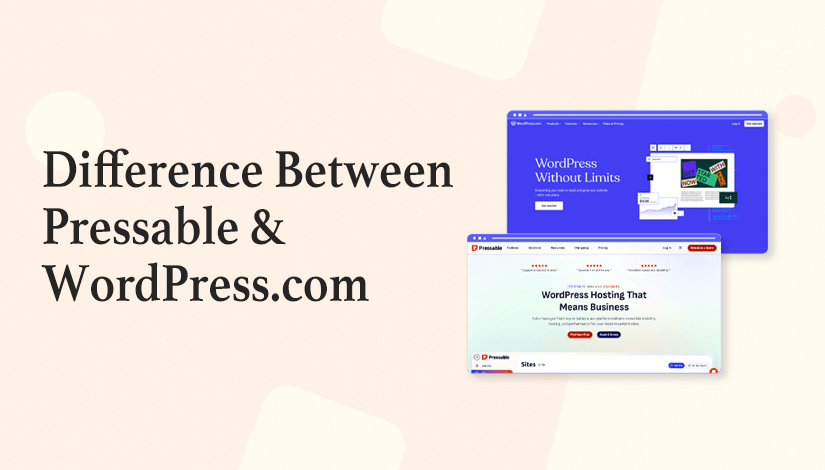
Here’s the complete side-by-side breakdown:
| Feature | WordPress.com | Pressable |
| Starting Price | $0 (Free plan) | $25/month |
| Custom Domain | $4/mo+ | Included (register separately) |
| Themes | Included (premium on Business+) | Buy separately |
| Plugins | Business plan+ ($25/mo) | Unlimited |
| SSH/SFTP | Enterprise only | All plans |
| Staging | Business+ | All plans |
| Multi-Site Discount | None (pay per site) | Massive (5 sites = $50/mo) |
| Uptime Guarantee | 99.99% | 100% |
| Backup Frequency | Daily (Business+) | Hourly database, daily full |
| Support | 24/7 email/chat | 24/7 chat/email |
| Jetpack Security | Included in plans | FREE ($119 value) |
| Email Hosting | Add-on available | Not included (use Google Workspace) |
| Mobile App | Yes (iOS/Android) | No |
| Best For | Beginners, single sites, simplicity | Agencies, developers, multi-site |
| Setup Complexity | Dead simple (10 mins) | Moderate (30 mins) |
| Developer Tools | Limited | Extensive |
| WooCommerce | Built-in (Commerce plan) | Install separately (optimized) |
| Traffic Handling | Good | Excellent (auto-scaling) |
| Money-Back Guarantee | 30 days | 30 days |
Surprising Similarities (They’re More Alike Than Different)
Despite different target audiences, WordPress.com and Pressable share significant DNA:
Both run on WP Cloud infrastructure – Same underlying platform powering WordPress.com itself
Both owned by Automattic – Same company, same WordPress expertise
Both include Jetpack features – WordPress.com has Jetpack built-in, Pressable includes Jetpack Security Daily free
Both have WordPress expert support – Not generic hosting support, actual WordPress specialists
Both auto-update WordPress core – Security updates handled automatically
Both include free SSL – HTTPS encryption on all sites
Both have CDN included – Global content delivery for faster loading
Both offer staging – Test changes before going live (Business+ for WordPress.com, all plans for Pressable)
Both provide automatic backups – Daily at minimum
The key difference isn’t quality—it’s target audience and philosophy.
WordPress.com prioritizes simplicity and all-in-one convenience.
Pressable prioritizes performance, control, and multi-site efficiency.
Both excel at their intended purpose.
What Real Users Say (Not Just Me)

My experience is one data point. Let’s look at broader feedback.
WordPress.com User Sentiment:
Common Praise:
- “Easiest way to start a WordPress site”
- “Support (Happiness Engineers) is incredibly helpful.”
- “No technical knowledge needed whatsoever”
- “Mobile app makes updating convenient.”
- “Reliable, never goes down.”
Common Complaints:
- “Plugin access only on the Business plan is frustrating.”
- “Gets expensive if you need multiple sites.”
- “Limited customization on lower plans”
- “Feels restrictive for advanced users.”
Pressable User Sentiment:
Common Praise:
- “Best WordPress hosting for agencies”
- “Support team actually knows WordPress deeply.”
- “100% uptime guarantee delivered as promised.”
- “Multi-site management saves enormous time.”
- “Migration service is flawless.”
Common Complaints:
- “More expensive than expected for a single site.”
- “Initial bot before live chat is annoying.”
- “No email hosting included.”
- “Learning curve for dashboard”
The Pattern:
WordPress.com is loved by beginners and single-site owners who want simplicity.
Pressable is loved by agencies, developers, and multi-site managers who need performance and efficiency.
Both platforms have strong user satisfaction in their intended niches.
My Personal Setup (What I Use)
Full transparency on how I use both platforms:
WordPress.com:
- Personal blog/portfolio (Premium plan, $8/month)
- Test sites for tutorials
- Quick landing pages
- Projects where simplicity matters
Why I use it: When I want to create something quickly without thinking about hosting infrastructure. Perfect for personal projects where I don’t need complex functionality.
Pressable:
- 6 client sites (Signature 5 plan, $155/month = $7.725/site)
- High-traffic blogs
- WooCommerce stores
- Sites requiring custom development
Why I use it: Client work demands reliability, performance, and professional appearance. The multi-site dashboard saves hours monthly. 100% uptime guarantee protects client relationships.
Total monthly hosting cost: $163 ($8 WordPress.com + $155 Pressable)
Sites managed: 13 total
Average cost per site: $12.69
👉 If I put all 13 sites on WordPress.com Business plans: $325/month
👉 If I put all 13 sites on individual Pressable plans: $325/month
My hybrid approach saves $160/month ($1,920/year) while using the right tool for each job.
Making Your Decision: 5-Question Framework
Still unsure? Answer these 5 questions honestly:
Question 1: “How many WordPress sites will I manage?”
- 1-2 sites: WordPress.com probably a better value
- 3+ sites: Pressable becomes dramatically cheaper per site
- 10+ sites: Pressable is absolutely the right choice
Question 2: “What’s my technical comfort level?”
- Beginner (never touched code): WordPress.com
- Intermediate (basic WordPress knowledge): Either works
- Advanced (comfortable with SSH, Git, databases): Pressable offers more power
- Developer: Pressable no question
Question 3: “Do I need plugin freedom now?”
- No, basic features fine: WordPress.com Personal/Premium
- Yes, need specific plugins: WordPress.com Business ($25/mo) or Pressable ($25/mo)
- Yes, and managing multiple sites: Pressable way cheaper
Question 4: “Is this hobby or business?”
- Hobby/personal: WordPress.com ($4-10/month sufficient)
- Side business/freelance: Either platform works
- Primary business income: Pressable’s 100% uptime guarantee is worth it
- Agency/professional: Pressable built for this
Question 5: “What’s my honest monthly budget?”
- Under $10/month: WordPress.com Personal/Premium only option
- $10-25/month: WordPress.com Premium or Business
- $25+/month: Both viable, choose based on needs
- $50+/month: Pressable if managing multiple sites
Decision Matrix:
Single site + beginner + hobby = WordPress.com
Single site + advanced + business = Pressable
Multiple sites + any skill level = Pressable
Simplicity priority = WordPress.com
Performance priority = Pressable
Budget under $10/mo = WordPress.com
Agency work = Pressable
Start With WordPress.com Today →
My Final Verdict: Which One Should You Choose?
After managing sites on both platforms for 2+ years, here’s my honest recommendation:
Choose WordPress.com If:
✅ You’re building your first WordPress site
✅ You want the simplest possible setup
✅ You need 1-2 sites maximum
✅ Budget is under $25/month
✅ You prioritize convenience over control
✅ You don’t need plugins immediately
✅ Mobile app access matters to you
✅ You want all-in-one solution (hosting + themes + support)
Best WordPress.com Plans:
- Beginners: Personal ($4/mo) or Premium ($10/mo)
- Small Business: Business ($25/mo)
- E-commerce: Commerce ($45/mo)
Choose Pressable If:
✅ You manage 3+ WordPress sites
✅ You need professional-grade performance
✅ 100% uptime guarantee matters
✅ You want development tools (SSH, Git, staging)
✅ You’re agency managing client sites
✅ You run high-traffic sites
✅ You need plugin freedom from day one
✅ Multi-site dashboard efficiency is important
Best Pressable Plans:
- Single Site: Personal ($25/mo)
- 5 Sites: Starter ($50/mo)
- 10 Sites: Growth ($100/mo)
- Agency: Scale ($155/mo for 20 sites)
The Hybrid Approach (What I Do):
Use WordPress.com for:
- Personal projects
- Quick test sites
- Simple one-off sites
- Projects where simplicity > performance
Use Pressable for:
- Client work
- High-traffic sites
- Multi-site management
- Projects requiring custom development
This approach uses the right tool for each job, optimizing both cost and capabilities.
The Truth Nobody Tells You:
You can’t make a “wrong” choice between these two. Both are owned by Automattic, both run on the same infrastructure, both have excellent support, and both are reliable.
The difference is philosophy, not quality.
WordPress.com says: “We’ll handle everything so you can focus on creating.”
Pressable says: “We’ll give you professional tools and get out of your way.”
Both approaches work. Choose based on your comfort level, technical skills, and specific needs.
My Ratings:
WordPress.com Overall: 9/10
- Ease of Use: 10/10
- Value for Single Sites: 9/10
- Features: 8/10
- Support: 9/10
- Best For: Beginners, bloggers, small businesses
Pressable Overall: 9.3/10
- Performance: 9.5/10
- Multi-Site Value: 10/10
- Developer Tools: 10/10
- Support: 9/10
- Best For: Agencies, developers, multi-site managers
Both are excellent platforms serving different audiences. Neither is objectively “better”; they’re optimized for different use cases.
Start Your WordPress Journey on WordPress.com →
Ready to Make Your Decision?
You now have a complete comparison between WordPress.com and Pressable based on real experience managing sites on both platforms.
If still unsure, here’s my advice:
Test WordPress.com First (It’s Free)
Create a free WordPress.com account. Build test site. Experience the interface. See if simplicity matches your needs.
✔️ If it feels right, upgrade to a paid plan.
❌ If it feels limiting, consider Pressable.
Questions to Ask Yourself:
- “Do I want to learn WordPress deeply, or just use it?”
- Just use it → WordPress.com
- Learn deeply → Pressable
- “Will I manage multiple sites within the next year?”
- Probably not → WordPress.com
- Yes → Pressable
- “Is my time worth more than money?”
- Yes → WordPress.com (faster setup)
- Money matters more → Calculate cost per site
- “Do I need this to be perfect from day one?”
- Yes → Pressable (more control)
- No → WordPress.com (iterate as you learn)
The 30-Day Test:
Both platforms offer 30-day money-back guarantees. Try one, evaluate honestly, switch if needed. No risk.
I’ve migrated sites between platforms multiple times. It’s not scary with proper tools and professional migration services.
What I’d Do Starting Today:
If I were beginning a WordPress journey today with zero experience, I’d start with WordPress.com Personal ($4/month). Learn WordPress, build content, grow audience. When I outgrew limitations or started managing multiple sites, I’d migrate to Pressable.
That progression makes sense. Start simple, scale when needed.
If I were starting a digital agency today, I’d go straight to Pressable and never look back. Multi-site management efficiency alone justifies the cost.
Your path depends on your starting point and goals.
Whatever you choose, both are excellent platforms backed by Automattic’s WordPress expertise. You’re making a good decision either way.
Get Started With WordPress.com Today →
FAQs
Can I migrate from WordPress.com to Pressable (or vice versa)?
Yes, both platforms offer migration tools.
WordPress.com to Pressable: Pressable offers a free professional migration service. Submit a request, and they handle everything. Zero downtime. Usually takes 4-6 hours.
Pressable to WordPress.com: WordPress.com has migration plugins available. Slightly more manual, but definitely possible.
Both platforms run WordPress, so migration is straightforward. Content, media, plugins (if applicable), and themes all transfer.
Which is faster, WordPress.com or Pressable?
Both are fast (same WP Cloud infrastructure). Pressable is marginally faster in testing:
- TTFB: Pressable 180-200ms vs WordPress.com 190-220ms
- Page load: Pressable 1.3-1.6s vs WordPress.com 1.4-1.8s
- Uptime: Pressable 100% guarantee vs WordPress.com 99.99%
The difference is small. Both perform excellently in real-world use. For 99% of websites, the speed difference is imperceptible to humans.
Do both platforms include email hosting?
WordPress.com: Email hosting available as an add-on (Professional Email powered by Titan). Costs extra but integrates seamlessly.
Pressable: No email hosting. Use an external service (Zoho Mail, Google Workspace, Microsoft 365, etc.).
Neither platform includes free email like some budget hosts do. This is actually standard for premium managed WordPress hosting; email belongs on dedicated email servers for better deliverability.
My setup: Google Workspace ($6/user/month) for professional email on both platforms.
Can I use WooCommerce on both platforms?
WordPress.com: Yes, but requires Commerce plan ($45/month). WooCommerce comes pre-installed with payment processing, shipping, and extensions. Easy setup for beginners.
Pressable: Yes, install WooCommerce yourself (free plugin). Pressable is WooCommerce-optimized (both owned by Automattic). Better performance requires more setup.
For simple stores, WordPress.com Commerce is easier. For complex/high-traffic stores, Pressable performs better and costs less ($25/month vs $45/month).
Which platform is better for SEO?
Both are excellent for SEO. WordPress.com Business+ includes:
- SEO tools
- Google Analytics
- Sitemap generation
- Clean code
- Fast loading
Pressable includes:
- All the same technical SEO benefits
- Can install any SEO plugin (Rank Math, SureRank, SEOPress, AIOSEO, Yoast, etc.)
- Slightly faster performance (minor SEO benefit)
- More control over technical optimization
Winner: Slight edge to Pressable for control, but both are SEO-friendly. Content quality matters more than platform choice for SEO.
Can I start on WordPress.com and upgrade to Pressable later?
Absolutely. Many people follow this path:
- Start on WordPress.com (learn WordPress, build audience)
- Outgrow limitations or need multi-site management
- Migrate to Pressable when ready
Migration is straightforward. Pressable’s professional migration service handles everything.
Starting on WordPress.com while learning, then upgrading to Pressable when business demands it, is a smart progression.
Which platform has better customer support?
Both have excellent WordPress-specific support:
WordPress.com:
- “Happiness Engineers” who are genuinely helpful
- 24/7 email support (all paid plans)
- Live chat (Premium+)
- Extensive documentation
- Community forums
Pressable:
- WordPress experts (certified engineers)
- 24/7 live chat and email
- Average 2-3 minute response time
- Can access your site to troubleshoot
- 99% satisfaction rating
Quality is comparable. Style differs:
- WordPress.com: Friendly, educational, patient with beginners
- Pressable: Technical, efficient, assumes WordPress knowledge
Both are dramatically better than generic hosting support.
Is WordPress.com actually WordPress?
Yes and no. WordPress.com uses WordPress software, but with limitations on lower plans.
Free/Personal/Premium: Limited plugin access, some restrictions
Business+: Full WordPress with plugin access
Pressable gives you full, unrestricted WordPress from the start.
Both run real WordPress. WordPress.com just restricts features on lower plans for security/simplicity.
Which is better for beginners?
WordPress.com wins for absolute beginners.
Reasons:
- Simpler setup (10 minutes to live site)
- No technical knowledge required
- Mobile app for easy updates
- Included themes
- Can’t break anything (restrictions protect you)
- Support designed for beginners
Pressable assumes basic WordPress knowledge. Great for technical users, intimidating for complete beginners.
If you’ve never used WordPress, start with WordPress.com. Upgrade to Pressable when you outgrow it.
Can I use my own domain name on both?
WordPress.com:
- Free plans: yoursite.wordpress.com subdomain only
- Personal+ plans: Custom domain included (first year free)
- Easy domain setup
Pressable:
- Use any domain (register separately)
- Free SSL for a custom domain
- Easy DNS setup
Both support custom domains on paid plans. Neither includes domain registration (buy from a registrar like Crazy Domains, Namecheap, GoDaddy, Google Domains, etc.).
P.S. Remember that Saturday morning comparing dashboards? I still use both. WordPress.com for a personal blog, where I want zero friction. Pressable for client work where reliability and performance are non-negotiable. Different tools for different jobs. That’s okay.
P.P.S. This article is sponsored by WordPress.com, but every comparison here is honest, based on real experience. I genuinely use both platforms. Neither is perfect. Both excel at their intended purpose. Choose based on your needs, not my preferences.
P.P.P.S. If you’re still paralyzed by decision, just start with the WordPress.com free plan. Create something. You can always upgrade or migrate later. Action beats perfection. Start somewhere.