B2BKing WooCommerce Plugin Review 2026: Is It Worth It?

The wholesale WooCommerce headache-fixer nobody warned me about (in a good way)
Quick verdict & Rating
If you’re running (or planning) a Wholesale, B2B, hybrid B2B+B2C, or private membership store on WooCommerce, the B2BKing WooCommerce plugin is the most complete solution I’ve put my hands on.
It’s not flawless (nothing is, don’t @ me), but it does more heavy lifting out of the box than any other B2B plugin I’ve tested for WooCommerce, and I’ve tested a stack of them.
Okay, let’s back up.
The Backstory: Why I Even Needed This Plugin
I got asked to set up a wholesale layer on top of an existing WooCommerce store a while back.
The client sold home goods retail, but a solid chunk of their revenue came from boutique shops buying in bulk, and they were handling it the old-fashioned way: email threads, spreadsheet quotes, and manually generated discount codes for “trusted customers.”
It was a mess.
My job was to make that whole side of the business live inside WooCommerce like it actually belonged there, instead of duct-taped on with sticky notes and hope.
That’s how I ended up knee-deep in the B2BKing WooCommerce plugin for weeks. If you’re weighing whether the B2BKing WooCommerce plugin is worth the investment for your store, keep reading because I put pretty much everything it offers to the test.
What Is the B2BKing WooCommerce Plugin, Exactly?
B2BKing is a WooCommerce plugin that turns a normal store into a wholesale, B2B, or hybrid B2B+B2C machine. As of this writing, it ships with 137+ features covering pricing, discounts, taxes, business registration, quotes, and more, and it’s currently on version 5.5, with monthly updates rolling out consistently for over six years.
It’s not a “nice-to-have-extra” plugin. It’s built to be the backbone of a B2B storefront:
- Hiding prices from guests or specific user roles
- Running business registration and approval workflows
- Tiered and role-based pricing
- Quote negotiations with branded PDF offers
- Tax exemptions and EU VAT (VIES) validation
- Custom wholesale order forms
- Subaccounts with granular permissions
That’s the short list. There’s a lot more underneath.
Turn WooCommerce into a B2B powerhouse →
Who Makes B2BKing
B2BKing is built by WebWizards (operating as Kingtech LLC) and sold both through their own site and on CodeCanyon/Envato Market, where it’s a featured, best-selling item. It’s been highlighted by industry sites like WPLift, WPMayor, BusinessBloomer, and LearnWoo.
On the reviews front, B2BKing currently holds a 4.98 out of 5 stars from 100+ reviews on its own listing, and it powers 15,000+ active stores across 100+ countries.
That’s not a brand-new plugin coasting on hype. It’s a mature product with a long release history (134+ versions and counting) behind it.
They also make a companion plugin called SalesKing, built for managing sales teams and reps on top of a B2BKing store, which tells you something about how they think about the wholesale workflow beyond just pricing.
My Honest, Hands-On Take on the B2BKing WooCommerce Plugin
Here’s the thing about B2B plugins: most of them do ONE thing well and leave you duct-taping three other plugins together to cover the gaps.
Hide prices? Sure. But now you need a separate plugin for quotes. And another for tiered pricing. And another for tax exemptions.
Before you know it, your site is held together by six plugins that barely talk to each other, and your hosting bill is crying.
B2BKing was the first one where I didn’t feel that “okay, now what am I missing” dread halfway through setup.
Setting It Up (And What Tripped Me Up)
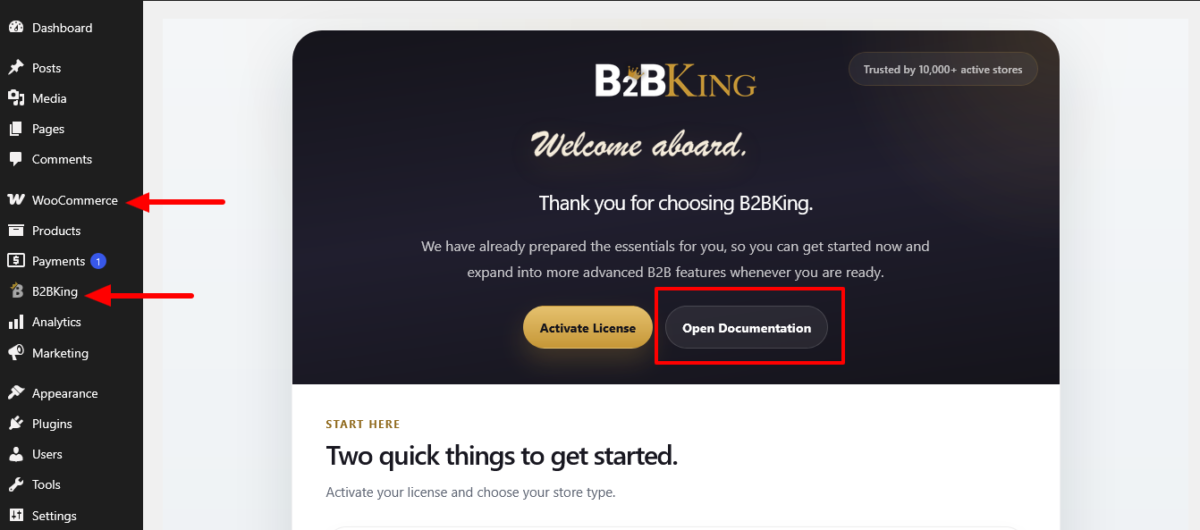
Setup was smoother than I expected for something this feature-dense. You get onboarding pages when you first activate it, a newer addition, which walk you through the core setup: user groups, pricing rules, and visibility settings.
Note: WooCommerce plugin must be installed and active.
Here’s roughly how the first hour went for me:
- Activate and run onboarding. This sets your store mode (pure B2B, hybrid, or private membership).
- Create your buyer groups. Wholesaler, Distributor, VIP Retailer, whatever fits your business.
- Set visibility rules. Decide what guests see versus what logged-in groups see.
- Configure pricing per group. Fixed prices, percentage discounts, or tiered quantity breaks.
- Turn on the order form and quote system if your buyers need them.
Where I got stuck, and I’ll admit this freely because Mia doesn’t do the fake-perfect-blogger thing, was the sheer number of settings. There’s an “Other Settings” area that used to feel like a junk drawer before their UI reorganization.
I spent a couple of minutes clicking around, looking for the toggle to hide prices for specific product categories only, rather than site-wide. It’s there. It’s just not where my brain expected it.
Lesson learned: read the docs tab before you go clicking blind. B2BKing’s documentation is genuinely thorough, and their support team answered a ticket I opened within a few hours with an actual solution, not a canned “have you tried turning it off and on again” response.
Support Experience
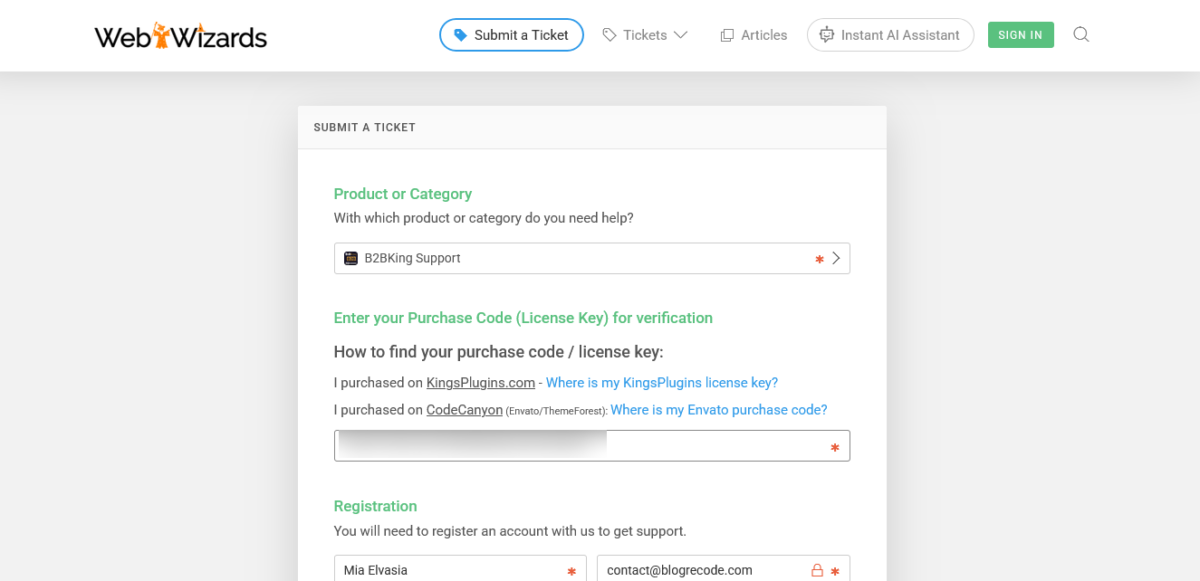
I’ve dealt with plenty of plugin support teams that treat every ticket like a hot potato. B2BKing’s support didn’t feel like that. My specific ask (a conflict with a caching plugin showing stale wholesale prices to logged-in users) got a clear, step-by-step answer with an actual fix, not a link to a generic FAQ page.
That matters more than people think. A 137-feature plugin is only as good as the support behind it when something doesn’t behave the way the docs say it should, and this is exactly where the B2BKing WooCommerce plugin’s support team earned some trust with me.
Build a wholesale store that scales with B2BKing →
Features That Impressed Me About the B2BKing WooCommerce Plugin
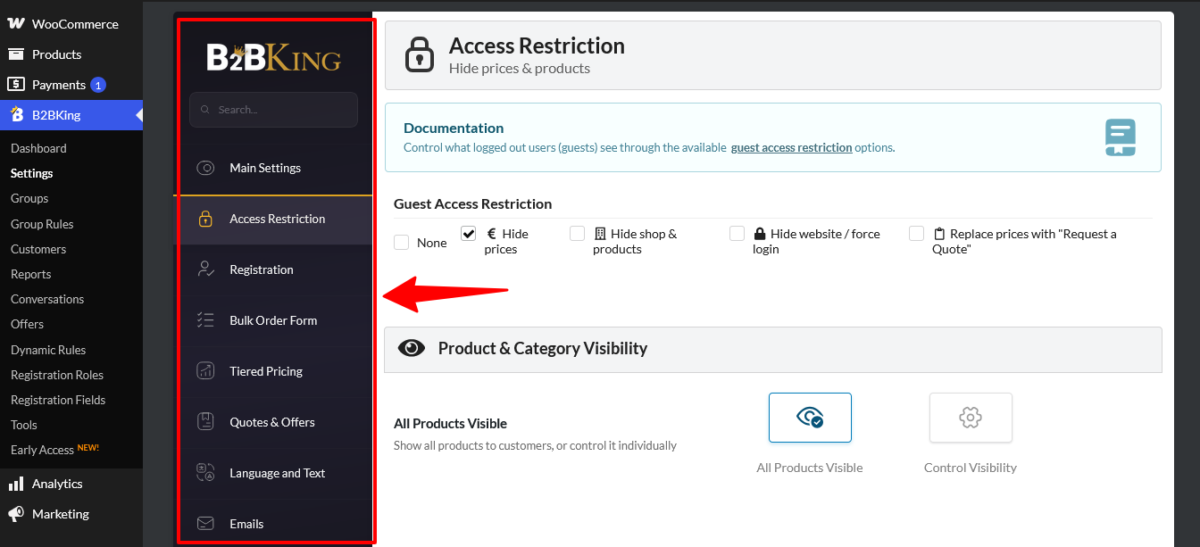
Price and Product Visibility
You can hide prices entirely, replace them with “Request a Quote,” or hide products altogether, for guests, specific roles, or specific individual users.
This alone solved half the client’s original problem, since their bulk buyers needed to see wholesale pricing while regular retail shoppers saw the standard storefront.
Tiered and Quantity-Based Pricing
Set price breaks at 10, 50, 100+ units, per product, per category, or per user group. This is table stakes for a real wholesale plugin, and B2BKing does it with a proper visual tiered pricing table on the frontend that updates live as buyers adjust quantity.
Wholesale Order Forms
Instead of forcing bulk buyers through the standard WooCommerce shop grid, you get a dedicated quick-order form with search, bulk add, and quantity fields. There are multiple order form styles to choose from (including newer AJAX-driven layouts with image previews).
My client’s repeat buyers loved this. It noticeably cut down their reorder time because they weren’t hunting through category pages anymore.
Quote Requests and Negotiation
Customers can request a quote, you can respond with a custom offer, even generate a branded PDF with your company logo, and they can accept it right there on the site. No email back-and-forth required.
Guest users can request quotes too, which is a nice touch for capturing leads who aren’t ready to register yet.
Tax Exemptions and VAT/VIES Validation
For anyone selling B2B in the EU, this feature alone saves your sanity during tax season. B2BKing handles tax-exempt customer flags and validates EU VAT numbers against the VIES database automatically.
Company Credit and CRM Hub
Newer additions let you track store credit per business account and keep lightweight CRM-style notes, order history, and subaccount info per customer without leaving WordPress. It’s not a replacement for a full CRM, but it’s genuinely useful for quick reference during a support call.
Subaccounts and Permissions
One business, multiple buyers, each with different permissions (like “can browse but not checkout”). Great for procurement teams where a purchasing assistant shouldn’t have the same authority as the account owner.
Integrations Worth Knowing About
B2BKing plays reasonably well with popular WooCommerce extensions and page builders, and the changelog shows regular integration work, including WPML sync improvements, Cloudflare Turnstile support for spam-proofing registration and quote forms, and compatibility fixes for themes like Uncode and plugins like XStore.
If you’re running a multivendor marketplace, there’s also a dedicated integration with their MarketKing plugin.
Upgrade your B2B workflow without the complexity →
Where It’s Not Flawless
I’m not going to sit here and tell you it’s magic, because it isn’t.
- The settings area can overwhelm beginners. If you’re not comfortable poking around plugin settings, budget extra time (or hire someone) for setup.
- Performance on shared hosting can dip if you go heavy on dynamic pricing rules across a large catalog, since role-based pricing logic runs on page loads. Pair it with decent caching and a host that isn’t cutting corners.
- Invoicing options for sales agents are limited out of the box. If your business runs on commissioned reps, you’ll want to pair it with their companion plugin, SalesKing, rather than expecting B2BKing to handle that solo.
- The learning curve is real. With 137+ features, there’s a genuine “which setting does what” adjustment period, even with good documentation.
None of these are dealbreakers for me, but you deserve the full picture, not just the highlight reel.
Security, Updates, and Long-Term Reliability
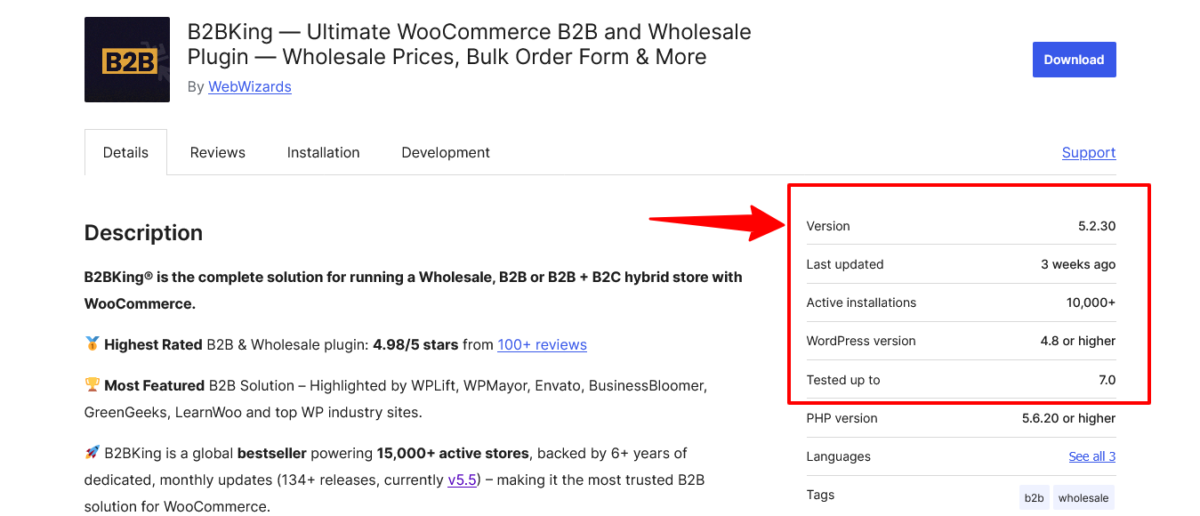
One thing I always check before recommending a premium plugin to a client is update cadence, because an abandoned plugin is a liability, not a feature set.
The B2BKing WooCommerce plugin has a genuinely active release history: 134+ versions and counting, with changelog entries showing monthly (sometimes more frequent) updates covering new features, bug fixes, and compatibility patches for things like WPML syncing and Cloudflare Turnstile spam protection on forms.
That matters for a plugin handling business registration data, pricing logic, and payment-adjacent workflows like invoice gateways.
A plugin that touches this much of your checkout flow needs a team that’s actually still shipping fixes, and the B2BKing WooCommerce plugin’s changelog backs that up with real dates, not vague “regularly updated” marketing copy.
If security issues do surface, B2BKing runs a public vulnerability disclosure program through Patchstack, which is a good sign for a plugin this deeply embedded in a store’s pricing and checkout logic. It means there’s a formal, monitored channel for researchers to report problems instead of hoping someone emails support.
Explore B2BKing before your competitors do →
Migrating From Spreadsheets to the B2BKing WooCommerce Plugin
If you’re coming from the same situation my client was in- manual quotes, email threads, and hand-applied discount codes- switching to the B2BKing WooCommerce plugin isn’t instant, but it’s more straightforward than I expected going in.
Here’s the rough migration path I followed:
- Audit your existing wholesale customers and pricing. Get their current discount levels and terms documented before you touch the plugin.
- Recreate those tiers as B2BKing user groups. Match existing discount structures as closely as possible so returning buyers don’t get a surprise price change.
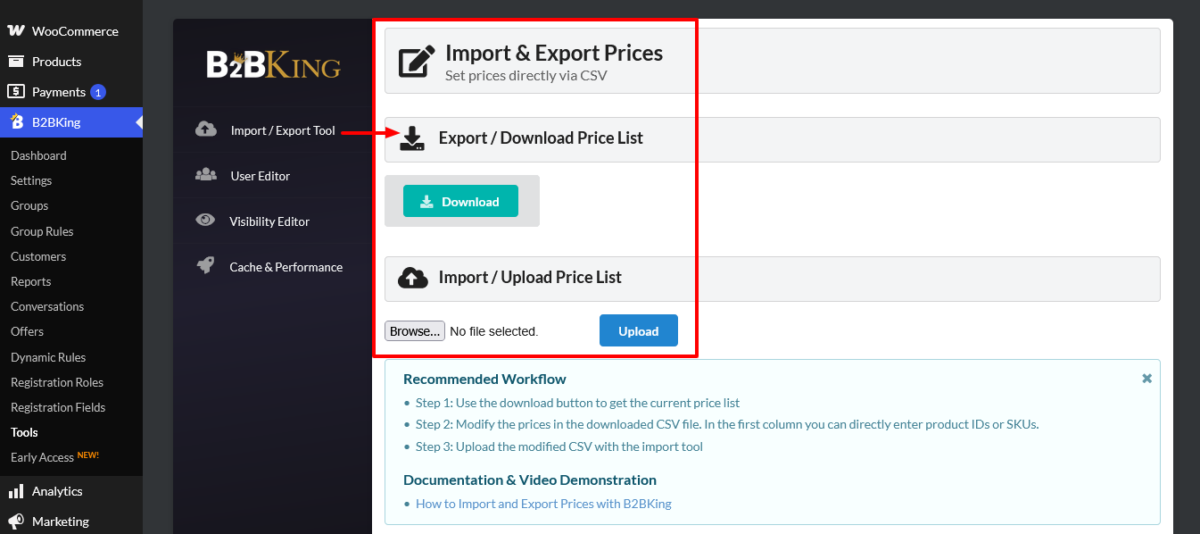
- Import or manually assign existing customers to their groups. B2BKing supports CSV import/export for bulk pricing and product data, which saved a lot of manual clicking.
- Run a parallel test period. Keep your old manual process as a backup for a few weeks while you confirm pricing displays correctly for each group.
- Turn off the manual process once you’ve confirmed at least one full order cycle went smoothly.
The CSV import/export tool specifically was the feature that turned this from a multi-week slog into something manageable in a few days for a catalog of a few hundred SKUs.
Yes. There’s a free base version available on WordPress.org with core functionality like basic price hiding and simple registration fields. It’s a decent way to test the waters before committing.
The premium version (what this review covers) unlocks the full 137+ feature set: tiered pricing, the quote system, tax exemptions, subaccounts, the CRM Hub, and everything else covered above. If your store has any real wholesale complexity, you’ll outgrow the free version fast.
Stop patching together plugins. Use B2BKing instead →
B2BKing WooCommerce Plugin Pricing (2026)
Pricing is annual, tiered by number of sites, and B2BKing regularly runs “special introductory” discounts on renewals, though renewals go back to full list price, so budget for that.
| Plan | Sites | Current Price (Discounted) | Full Renewal Price |
|---|---|---|---|
| Startup | 1 website | $199/year | $299.50/year |
| Pro (Best Value) | 3 websites | $299/year | $449.50/year |
| Developer | Unlimited websites | $449/year | $599.50/year |
All plans include the full feature set, monthly plugin updates, and premium support, backed by a 14-day money-back guarantee. Higher tiers add extras like white-labeling the backend and add-ons for Dokan/WCFM multivendor integrations.
Note: Lifetime plans are available starting from $1,099, $1,799, and $2,899 for starter, pro, and developer consecutively.
Heads up: prices and discount percentages shift depending on promos running at the time, so double-check the current numbers on their pricing page before you buy. I’m giving you what’s live as of this writing, not a guarantee it’ll be identical next quarter.
Join businesses scaling with B2BKing →
How B2BKing Stacks Up Against Other WooCommerce B2B Plugins
I’ve worked with two other names most often when clients ask “what about X instead”: Wholesale Suite and Addify’s B2B for WooCommerce. Here’s how they actually compare, based on what’s publicly documented by each vendor.
| Feature | B2BKing | Wholesale Suite | Addify B2B |
|---|---|---|---|
| Pricing model | Single plugin, all features included | Modular: free base plugin + separate premium add-ons (Prices, Order Form, Lead Capture) | Single plugin, $179/year (1-year plan), no free version |
| Active stores / installs | 15,000+ active stores | 25,000+ active stores (across the free + premium ecosystem) | 4,000+ active installs (WooCommerce.com listing) |
| Rating | 4.98/5 (100+ reviews, own listing) | Strong reputation, widely used since 2015 | 4.7/5 (135 reviews, WooCommerce.com) |
| Quote & negotiation system | Full workflow with branded PDF offers | Limited, varies by add-on | Built-in quote/mini-quote system |
| Tax exemption + VIES validation | Built-in | Not native to the core plugin | Tax display by role; VIES not a core focus |
| Wholesale order form | Multiple styles, AJAX-driven | Dedicated one-page order form add-on | Available as part of the bundle |
| Subaccounts / permissions | Yes | Multi-user accounts available in some bundles | Not a core focus |
| CRM-style customer notes | Yes (CRM Hub) | No | No |
| Total feature count | 137+ in one plugin | Spread across multiple modular products | Combines 5 of Addify’s best-selling extensions |
A few honest notes on that table. Wholesale Suite has been around longer (over 8 years) and has a bigger combined install base across its free and premium products, so it’s not some scrappy underdog.
It’s just built differently: more modular, more “buy what you need.” Addify’s B2B plugin is a genuinely solid all-in-one option too, and it’s priced lower per year than B2BKing’s Startup plan.
Where B2BKing pulls ahead for me is breadth in a single package: the quote-to-PDF workflow, native VAT/VIES handling, subaccounts, and the CRM Hub aren’t things you’d get bundled together anywhere else without buying multiple add-ons.
Who Should (and Shouldn’t) Use the B2BKing WooCommerce Plugin
Use it if:
- You’re running a wholesale-only store, or a hybrid retail + wholesale setup, and want the B2BKing WooCommerce plugin to handle it end to end.
- You need business registration, approval workflows, and tax exemptions.
- Your buyers negotiate pricing or request quotes regularly.
- You want one plugin instead of a Frankenstein stack of five.
- You’re managing multiple buyers per business account and need permission tiers.
Skip it (for now) if:
- You’re brand new to WordPress and not ready to spend real time learning settings.
- You only need one narrow feature, like just hiding prices. A lighter, single-purpose plugin might be cheaper and simpler.
- Your budget is tight, and Addify’s lower entry price covers your must-haves.
👉 Ready to stop duct-taping your wholesale setup? [Check current B2BKing pricing here.]
Final Verdict: 9.2/10
The B2BKing WooCommerce plugin earns its reputation as the ultimate solution for running a Wholesale, B2B, hybrid B2B+B2C, or Private Membership store with WooCommerce. It’s not the cheapest plugin on the market, and it’s not the easiest to learn in an afternoon.
But for the sheer breadth of what it replaces- multiple pricing plugins, a quote system, tax exemption handling, registration forms, subaccounts- it earns its price tag.
If I were setting up another wholesale store tomorrow, I’d reach for B2BKing again without a second thought.
👉 [Get started with B2BKing today] and stop losing wholesale orders to spreadsheet chaos.
FAQs
Is B2BKing good for a hybrid B2B and B2C store?
Yes. B2BKing is built specifically to let you run retail and wholesale customers side by side on the same WooCommerce store, showing different prices, products, and forms depending on who’s logged in.
Does B2BKing work with page builders and other WooCommerce plugins?
It’s designed to work with standard WooCommerce setups and integrates with popular themes and builders, with regular changelog entries addressing specific plugin and theme compatibility. Since every stack is different, I always recommend testing on staging first, especially with heavily customized checkouts.
Can I try B2BKing before committing?
There’s a live demo available on their site, plus a 14-day money-back guarantee if it’s not the right fit after purchase.
Does B2BKing slow down my site?
It can add some overhead if you’re running lots of dynamic pricing rules on a large catalog, especially on shared hosting. Pairing it with solid hosting and caching keeps this in check.
Is there a free version of B2BKing?
Yes, there’s a free base version on WordPress.org with core functionality, while the premium version (what this review covers) unlocks the full 137+ feature set.
How does B2BKing compare to Wholesale Suite or Addify?
B2BKing generally offers a broader built-in feature set in a single plugin, especially around quotes, tax exemptions, and subaccounts.
Wholesale Suite has a longer track record and a larger combined install base but sells its functionality as modular add-ons.
Addify’s B2B plugin is priced lower per year and covers most core B2B needs in one package, but doesn’t match B2BKing’s depth on quotes, VAT validation, or subaccount permissions.
Does B2BKing include a sales rep or agent system?
Not natively for commissions and rep management. That’s handled by their companion plugin, SalesKing, which is built to work alongside B2BKing.
What happens to my B2BKing price after the first year?
Renewals go back to the full list price rather than the discounted introductory rate, so factor that into your long-term budget before buying.