8 Best SEO Plugins I Use to Rank Faster & Smarter in 2026
Stop guessing which SEO plugin works. I’ve burned through enough cash testing them so you don’t have to.
My Top 3 Picks
Best for: Bloggers who want power without the learning curve
Why it wins: Schema markup that gets you in featured snippets + AI writing that doesn’t sound like a robot had a stroke.
Best for: People who are tired of bloated, complicated dashboards
Why it rocks: Everything you need, nothing you don’t. And did I mention it’s 100% free?
Best for: Teams who need reliable AI-powered optimization
Why it delivers: TruSEO analysis that speaks human, not nerd.
Listen, I’m gonna be real with you.
A friend of mine runs a travel blog. Recently, she texted me worried because her site was running slower than a snail on sleeping pills. Turns out she had three different SEO plugins installed because each one promised to be “the only plugin you’ll ever need.”
Spoiler alert: they all lied.
That conversation sparked something. I spent time digging into every major SEO plugin on the market.
Not just the surface-level “install and screenshot” bullshit you see in most roundups. Actually testing them. Running speed tests. Checking if their schema actually worked. Seeing if their “AI-powered” features were legit or just marketing fluff.
The best SEO plugins 2026 have to offer aren’t necessarily the ones with the flashiest landing pages or the most aggressive affiliate programs (though I’ll be transparent about which ones Blog Recode is affiliated with, because honesty matters).
They’re the ones that truly help you rank without turning your site into a bloated mess.
What Makes an SEO Plugin Good in 2026?

Before we get into my top 8 best SEO plugins 2026, let’s talk about what matters now. Because spoiler: SEO in 2026 isn’t the same beast it was two years ago.
Here’s what separates the winners from the wannabes:
Performance – Does it slow your site down? Because what’s the point of perfect SEO if your site loads like it’s running on dial-up?
AI Search Optimization – Can it help you get cited by ChatGPT, Claude, Perplexity, and other LLMs? This is huge now.
Schema Markup – Not just any schema. Does it really help you get rich snippets?
Ease of Use – Nobody has time to read a 200-page manual.
Price vs Value – Some plugins charge premium prices for features that should be standard.
Real Support – When shit hits the fan before a launch, does someone respond?
Now let’s get into the rankings.
1. Rank Math Pro – Feature Beast That Delivers

Pricing
Free version available | Pro: from ~$95–$107/year (unlimited personal sites) | Business: from ~$289–$335/year (up to 100 client sites, pricing varies by plan and renewal)
Here’s the thing about Rank Math you should know.
Everyone hypes it up like it’s the second coming of SEO plugins. And honestly? After years of using it and months of testing across multiple sites, the hype is ✅ justified ✅.
What Makes It Stand Out
The schema markup is genuinely impressive. We’re talking 20+ schema types you can configure without touching a single line of code.
A digital marketer in my Discord community set up an FAQ schema for their legal client’s site, and boom, featured snippets within two weeks.
The Content AI doesn’t just slap keywords together like a drunk word salad. It actually analyzes top-ranking content and gives suggestions that make sense. Revolutionary concept, right?
Additionally, in 2026, Rank Math rolled out AI Link Genius, a new feature built to take internal linking off your plate. It uses AI to find link opportunities, fix broken links, and improve your site structure without the manual grind. What a beauty.
My Honest assessment
The dashboard can feel overwhelming at first. There are SO many features that you might spend the first week just figuring out where everything lives.
Also, the free version is solid, but the good stuff (like advanced schema, redirects manager, and AI features) lives behind the Pro paywall.
Best For: Bloggers and small agencies who want enterprise-level features without enterprise-level complexity.
2. SureRank – Free Plugin That Punches Above Its Weight
Pricing
Free version available | Pro: from $99/year (up to 10 sites) | Business: from $179/year (up to 500 sites, pricing may vary with promos). Lifetime plans are available.
Okay, let me tell you about the plugin that made me question everything I thought I knew about SEO tools.
SureRank came onto my radar when Diane sent me a screenshot from the Dynamic WordPress Facebook group. She said, “IMia, everyone’s losing their shit over this SureRank thing. 50K installations already, and it’s been out of beta in a snap.”
I rolled my eyes because nothing good is free, right? By the way, I wrote all about it on: SureRank SEO Plugin 101: Why WordPress Users Are Switching
Wrong. So incredibly wrong.
What Makes It Different
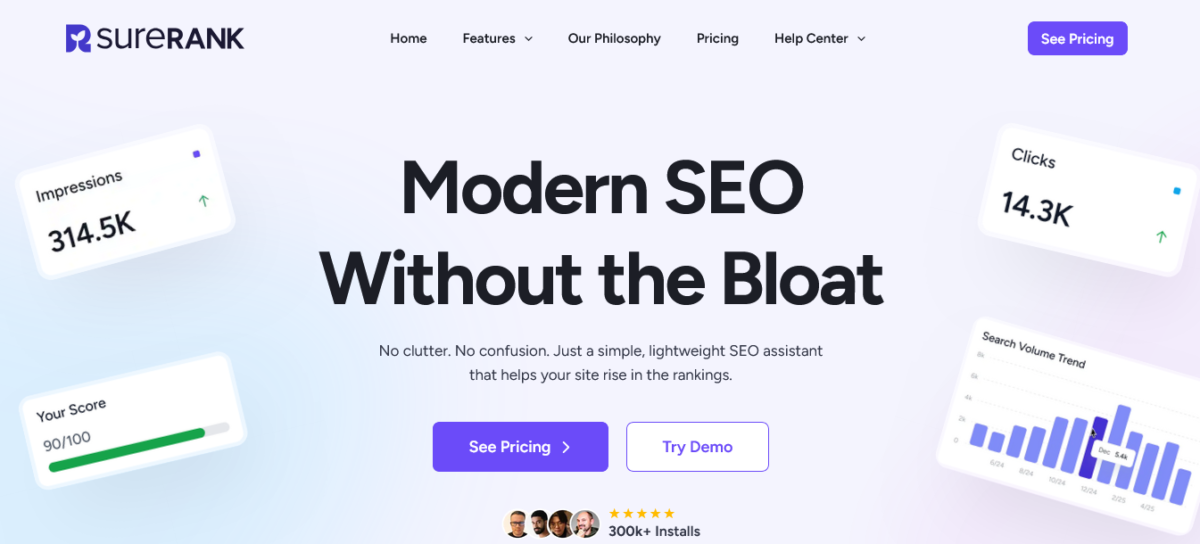
SureRank is built on this wild concept: what if an SEO plugin just… did SEO? Without trying to be your email marketing tool, your social media scheduler, and your toaster?
The interface is clean. Like, suspiciously clean. No clutter, no overwhelming settings, and none of that constant “upgrade now” pressure you get with most SEO plugins.
Features
The SEO analysis is real-time and focused on what actually moves the needle (and in my tests, it lined up surprisingly well with what I was seeing in Google Search Console).
Schema markup is refreshingly simple. You’re not digging through confusing settings or Googling definitions just to set up Article or FAQ schema.
The content analysis doesn’t overwhelm you with noise. It highlights what needs fixing without turning SEO into a checklist nightmare.
And the AI features? They’re built for speed. From internal linking to meta descriptions, it takes care of the tedious stuff so you can focus on creating content that ranks.
The Catch
There isn’t a big catch. The core plugin is genuinely free and covers everything most sites actually need.
Yes, there’s a Pro version, but it doesn’t feel like the free version is crippled just to push you into upgrading.
The only real downside? It’s still new. The community isn’t as massive as Rank Math or Yoast yet.
But honestly… the interface is so simple, you probably won’t need tutorials anyway.
Best For: Anyone who’s tired of paying monthly fees for features they don’t use. Bloggers, freelancers, small businesses – this works for everyone.
3. All in One SEO (AIOSEO) – Reliable, Powerful, User-Friendly

Pricing
Free version available | Basic: from $49.50/year (1 site) | Plus: from $99.50/year (3 sites) | Pro: from $199.50/year (10 sites) | Elite: from $299.50/year (100 sites)
AIOSEO is like that friend who’s not the loudest at parties but always comes through when you need them.
A blogger I know has used AIOSEO for five years straight. Five years. In the plugin world, that’s like a golden anniversary.
Why It Works
The TruSEO score is genuinely helpful. It’s not just yelling “USE MORE KEYWORDS!” like some plugins. It actually explains why your content might not rank and gives actionable fixes.
The setup wizard is perfect for beginners. You answer a few questions, and it configures everything for you. No guesswork.
Standout Features
Smart XML sitemaps that automatically update when you publish content.
Local SEO features that are actually useful if you’re running a local business.
WooCommerce SEO integration that doesn’t break your product pages.
Downside
The AI writing features feel a bit behind compared to Rank Math. They work, but they’re not as sophisticated.
The pricing tiers can be confusing. Make sure you know which features you need before buying.
Best For: WordPress users who want something reliable that won’t randomly break during an update.
Also Read: SureRank vs AIOSEO 2026: What’s Nobody’s Telling You
4. Yoast SEO Premium – The OG That’s Still Relevant
Pricing
Pricing: Free version available | Premium: $118.80/year per site (and yes, you pay that for every single site)
Yoast is the SEO plugin your uncle uses. And you know what? Your uncle’s site probably ranks.
There’s a reason Yoast has been around since 2010. It works. It’s stable. It doesn’t try to be everything to everyone.
What It Does Well
The free version is genuinely useful. Most plugins lock essential features behind paywalls. Yoast gives you enough to actually rank without paying.
Internal linking suggestions are solid. It scans your content and suggests relevant posts to link to.
Readability analysis has been refined over 15 years. It actually helps you write better.
My Assessment
The traffic light system (red/yellow/green) can be frustrating. Sometimes you get a red light even when your content is fine.
The Premium version is expensive compared to competitors, offering more features for less.
Best For: People who value stability over cutting-edge features. WordPress veterans who don’t want to relearn everything.
5. SEOPress Pro – Privacy-Focused MVP
Pricing
Free version available | Pro: $49/year (1 site) | Pro: $59/year (up to 5 sites) | Pro: $149/year (unlimited sites)
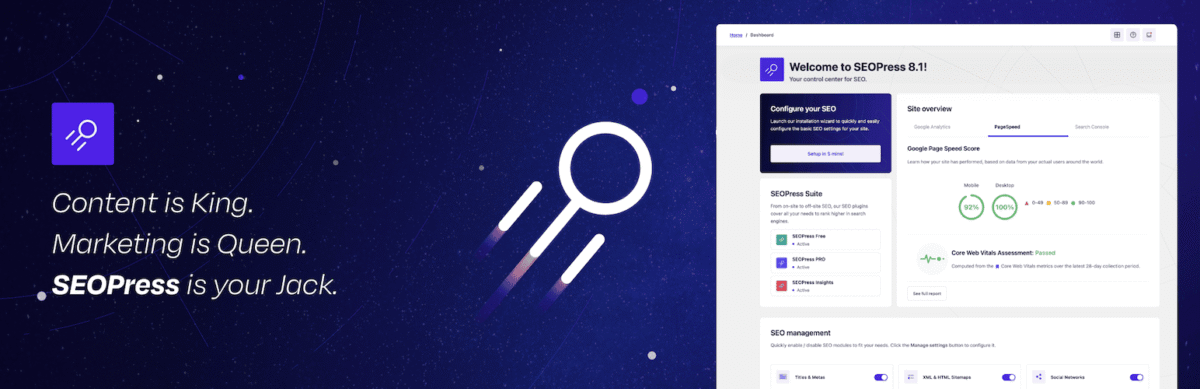
A privacy-conscious blogger I follow switched to SEOPress last year because they were tired of plugins that phone home with their data.
SEOPress doesn’t track you. No ads in your dashboard. No upsells. Just SEO.
What Makes It Special
White-label options for agencies. You can completely rebrand it for clients.
Google Analytics integration without slowing down your site.
Redirect manager that’s actually easy to use.
Challenge
The interface feels dated compared to newer plugins. Function over form.
Some features require the Pro version that should probably be in the free tier.
Best For: Agencies that need white-label solutions and privacy-conscious site owners.
6. Squirrly SEO – AI-Powered Guidance for Beginners
Pricing
Free version available | Pro: from ~$9.99/month (multi-site) | Business: from ~$71.99/month | Web Dev Kit: from ~$51.20/month (agency-focused)
Squirrly is what happens when someone builds an SEO plugin specifically for people who don’t know SEO.
A complete beginner blogger I mentored used this and ranked for competitive keywords within three months. That’s not magic. That’s good UX design.
What It Does Differently
The AI assistant literally walks you through every step. It’s like having an SEO consultant in your dashboard.
Keyword research is built right into the editor. You don’t need separate tools.
Downside
Monthly pricing adds up. That’s $180-$360/year, depending on your plan.
Can feel hand-holdy if you already know SEO basics.
Best For: Complete beginners who need serious guidance.
7. SEO Framework – Lightweight and Fast

Pricing
Free version available | Essentials: from ~$7/month | Business: from ~$17/month | Agency: custom pricing (extension-based model)
A speed-obsessed developer I know swears by The SEO Framework because it adds less than 5KB to page load.
If performance is your religion, this is your temple.
Why It’s Different
No ads. No upsells in the admin. Just clean, fast SEO.
Automatic meta descriptions that are actually decent.
Works quietly in the background without screaming for attention.
The Trade-off
Bare-bones interface. If you need hand-holding, look elsewhere.
Advanced features require purchasing separate extensions.
Best For: Developers and speed-focused site owners who know what they’re doing.
8. SmartCrawl Pro (WPMU DEV) – All-in-One for Agencies
Pricing
Free version available | Pro: included in WPMU DEV membership (from ~$36/year for 1 site to ~$600/year for unlimited sites)
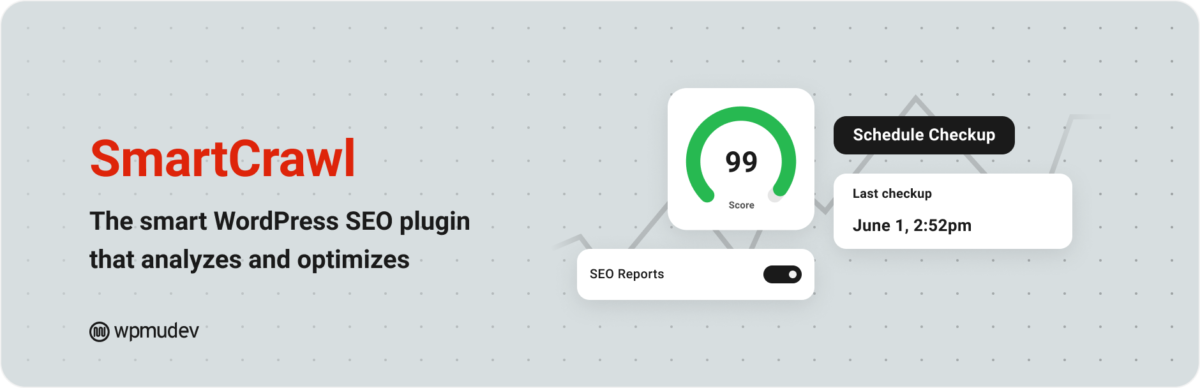
SmartCrawl comes bundled with WPMU DEV’s suite of tools. If you’re already paying for their hosting or security, this is essentially free.
An agency owner I know uses it across 50+ client sites and loves the centralized reporting.
Standout Features
Automatic sitemap generation and submission.
Moz integration for competitive analysis.
White-label reports for clients.
The Catch
You can’t buy it standalone. You need the full WPMU DEV membership.
Best For: Agencies already in the WPMU DEV ecosystem.
How to Choose the Right SEO Plugin for Your Site
Here’s the truth bomb nobody wants to hear: the “best SEO plugin 2026” is whichever one you’ll actually use consistently.
Pick Rank Math Pro if: You want maximum features and don’t mind a learning curve.
Pick SureRank if: You want something free that truly works without compromises.
Pick SEOPress if: Privacy matters to you, or you need white-label for clients.
Pick AIOSEO if: You value reliability and user-friendliness over bleeding-edge features.
Pick Yoast if: You’re already using it and it’s working. Don’t fix what ain’t broke.
My Personal Setup
For personal projects and sites, I use both Rank Math and Surerank.
For client sites, it depends on their needs. E-commerce sites usually get AIOSEO because of the WooCommerce integration. Sites that need heavy schema get Rank Math Pro or Schema Pro.
One client insisted on keeping Yoast because “it’s what I know,” and you know what? Their site still ranks fine. Familiarity has value.
Plugins I Didn’t Include (And Why)
Jetpack SEO: Meh. It’s fine, but nothing special. You’re better off with dedicated SEO plugins.
WordPress SEO by Rank Math Free: Already covered under Rank Math Pro.
SEO Simple Pack: Too basic for 2026’s competitive world.
Mistakes People Make with SEO Plugins
Installing multiple SEO plugins. Please don’t. They conflict with each other and slow down your site.
Ignoring the plugin’s recommendations. If you’re not going to follow the advice, why install it?
Expecting instant results. SEO takes time. The plugin is a tool, not magic.
Using default settings without customization. Take 30 minutes to configure it properly.
Forgetting to update. Old plugins = security risks + missed features.
Bottom Line
The best SEO plugins 2026 won’t magically rank your site. They’re tools. You still need good content, solid backlinks, and patience.
But the right plugin makes the technical stuff easier so you can focus on what matters: creating content people actually want to read.
For most people reading this, SureRank is the smart choice. It’s free, it’s powerful, and it doesn’t try to upsell you every five seconds.
If you need more advanced features and don’t mind paying, Rank Math Pro delivers incredible value.
And if you just want something reliable that won’t randomly break, AIOSEO has been solid for years.
Pick one. Configure it properly. Then stop obsessing over plugins and start creating content.
Want more brutally honest tool reviews? Subscribe to Blog Recode’s newsletter.
FAQs
What is the best free SEO plugin for WordPress in 2026?
SureRank takes the crown for best free SEO plugin in 2026. Unlike “freemium” plugins that lock essential features behind paywalls, SureRank gives you everything you need without any cost.
The SEO Framework and Rank Math’s free version are solid alternatives if you want other options.
Can I use multiple SEO plugins on the same site?
No, absolutely not. Using multiple SEO plugins causes conflicts, slows down your site, and creates duplicate meta tags that confuse search engines.
Pick one plugin and stick with it. If you need specific features another plugin offers, check if your current plugin has extensions or consider switching entirely.
Is Rank Math better than Yoast SEO in 2026?
For most users, yes. Rank Math offers more features in both free and premium versions at a lower price point.
However, Yoast has been around longer and is more stable with better documentation. If you’re already using Yoast successfully, there’s no urgent need to switch. But for new sites, Rank Math delivers more value.
Do SEO plugins really help with rankings?
SEO plugins don’t directly improve rankings, but they make it easier to implement SEO best practices. They help you optimize meta tags, create XML sitemaps, add schema markup, and improve content readability.
Think of them as tools that make technical SEO accessible. Good content still matters most.
What’s the difference between free and premium SEO plugins?
Free SEO plugins cover basics like meta tags, XML sitemaps, and basic schema markup. Premium versions add advanced features like AI content optimization, redirect management, advanced schema types, local SEO tools, and priority support.
For most bloggers, free versions are sufficient. Businesses and agencies benefit more from premium features.
Will an SEO plugin slow down my WordPress site?
It depends on the plugin. Lightweight options like The SEO Framework and SureRank add minimal load. Feature-heavy plugins like Rank Math and AIOSEO add more weight but remain reasonably fast.
Avoid installing multiple SEO plugins or plugins with excessive features you won’t use. Always test your site speed after installing new plugins.
Can SEO plugins help with AI search optimization for ChatGPT and Perplexity?
Yes, modern SEO plugins like SureRank, Rank Math, and AIOSEO now include optimization features specifically for AI search engines. This includes structured data markup, content clarity optimization, and formatting that makes it easier for LLMs to understand and cite your content.
This is becoming essential in 2026 as more people use AI for search.
Should I hire an SEO expert or just use a plugin?
For small blogs and basic websites, a good SEO plugin combined with learning SEO basics is usually enough. For competitive niches, e-commerce sites, or businesses where rankings directly impact revenue, hire an expert.
The plugin handles technical implementation, but strategy, keyword research, and link building still require human expertise.
Heads up: some links on this page are affiliate links. If you click and buy, we may earn a small commission at no extra cost to you. We only share tools we trust, not random stuff for a quick buck.