
Best AI Landing Page Builders That Converts Well (2026)
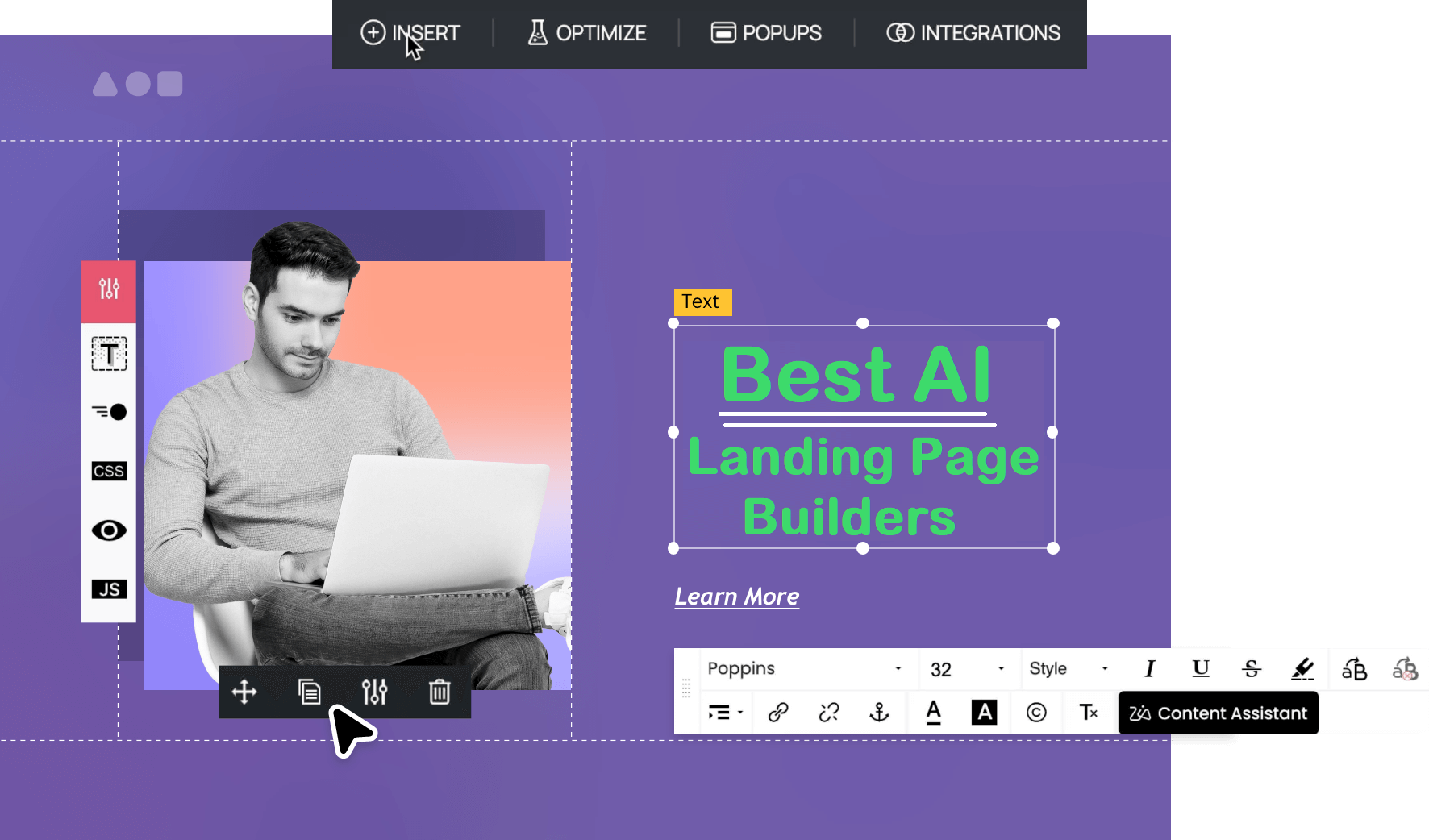
I wasted 3 days building landing pages the old way. Then I tried AI builders and finished 5 pages before lunch.
Quick Verdict: My Top Picks for AI Landing Page Builders
After testing several AI landing page builders I could find (and believe me, I spent way too many late nights on this), here’s what truly delivers:
🥇 Leadpages
Best for small businesses who want speed + conversion without the tech headaches. That Leadmeter thing? Chef’s kiss.
🥈 Instapage
Best for teams with actual ad budgets who need enterprise-level A/B testing. Pricey, but if you’re spending $10K+ monthly on ads, it pays for itself.
🥉 Unbounce
Best for marketers obsessed with optimization. Smart Traffic AI is legit, though the pricing tiers will make your wallet cry a little.
Start Your Free 14-Day Trial with Leadpages →
Look, I’m not gonna lie to you.
Last year, I was supposed to launch a landing page for a client’s product drop. The deadline was in 48 hours. My designer was on vacation (naturally), and my developer friend ghosted me after I asked for “one quick favor.”
So there I was, staring at a blank WordPress page, contemplating my life choices and wondering if it’s too late to become a yoga instructor instead.
Then I stumbled across a Reddit thread where someone said:
“Dude. Stop suffering. Use an AI landing page builder. I just made three pages in like an hour.”
That comment stuck with me. If people were building landing pages that fast, I figured it was worth testing a few AI landing page builders myself.
I’ll be honest, I rolled my eyes hard enough to see my brain. AI landing page builders? Sounded like another overhyped tool that would promise miracles and deliver garbage.
But desperation makes you do weird things, n’est-ce pas?
So I signed up for a free trial on Leadpages. And holy hell, I had a functioning, good-looking landing page live in 23 minutes.
Not a template I tweaked for hours. Not some janky drag-and-drop nightmare. A legit, conversion-optimized landing page that my client actually loved.
That moment changed how I work. Since then, I’ve tested different AI landing page builders for both my blog and client projects, spending way too much money and probably giving myself early carpal tunnel from all the clicking.
Here’s everything I learned so you don’t have to waste your time (or money) like I did.
What the Heck is an AI Landing Page Builder Anyway?

Before we dive into the rankings, let’s get on the same page (pun absolutely intended).
An AI landing page builder is basically a smart tool that uses artificial intelligence to help you create landing pages without needing to code, design, or sacrifice your firstborn to the tech gods.
Instead of starting from scratch or spending hours tweaking templates, you tell the AI what you need, like “I’m launching a productivity app for remote teams,” and it spits out a complete page with copy, layout, images, and all the conversion elements.
Some are simple AI assistants that help with headlines and button text. Others are full-blown AI systems that generate entire pages, run A/B tests, and optimize traffic routing.
The AI landing page builders worth your money do three things really well:
- Speed – You get pages live in minutes, not days
- Optimization – AI suggests (or automatically implements) changes that boost conversions
- Simplicity – You don’t need a PhD in UX design to create something professional
Now let’s get to the good stuff.
1. Leadpages – People’s Champion 🏆

Best for: Small businesses, solopreneurs, and anyone who wants results without the complexity
Pricing: Standard plan starts at $37/month (annual) or $49/month (monthly). Pro plan at $74/month (annual) or $99/month (monthly). Advanced plan at $149/month (annual) or $199/month (monthly).
Get Leadpages Free for 14 Days – No Credit Card Required →
Okay, so Leadpages isn’t the flashiest tool on this list. It won’t make your pages look like they belong in a design museum.
But you know what it does? It converts.
I’ve used Leadpages for both personal and about six client projects now, and here’s why it’s my top pick for most people.
The Leadmeter is Stupidly Helpful
This feature alone justifies the price.
Before you publish, Leadmeter grades your page against 14 conversion best practices; button contrast, headline length, CTA clarity, form placement, all that good stuff.
It’s like having a conversion expert looking over your shoulder, except without the judgmental looks when you make mistakes.
Last month, I built a webinar registration page. Leadmeter flagged that my CTA button was too low on mobile and my headline was 12 words too long. Made the fixes in under 5 minutes. Conversion rate jumped from 11% to 18%.
That’s not magic. That’s just… paying attention to stuff that actually matters.
AI Features That Honestly Work
Leadpages now has AI for headlines and images (10,000 monthly credits on Standard, unlimited on Pro and Advanced plans). The AI isn’t going to win any Pulitzer prizes, but it gives you solid starting points that you can tweak.
I tested it for a SaaS client. Prompted it with “project management tool for remote teams” and got three headline variations that were actually usable. Not groundbreaking, but way better than staring at a blinking cursor for 20 minutes.
250+ Templates Sorted by Actual Conversion Data
Here’s what’s brilliant: Leadpages doesn’t just give you templates. It tells you which ones convert best based on real data.
You can sort by industry, goal, and historical conversion rates. So instead of guessing which layout might work, you’re starting with layouts that have already proven they work.
Built-in Payment Processing
The Pro plan lets you accept payments directly through Stripe.
No redirect to checkout pages. No clunky integrations. Someone decides to buy? They pay right there on your landing page.
This increased conversions for a client’s digital product by 23% just by removing that extra click.
The Downside
The five-page limit on the Standard plan is annoying if you’re running multiple campaigns. And yeah, the interface isn’t as sexy as Unbounce or Instapage.
Also, some users have complained about billing issues when free trials convert to paid plans, so set yourself a calendar reminder two days before your trial ends.
Bottom line: If you’re a small business owner or freelancer who needs landing pages that convert without spending hours obsessing over pixels, Leadpages is the move.
The Pro plan at $74/month is the sweet spot; unlimited pages, A/B testing, and payment processing through Stripe.
Try Leadpages Risk-Free for 14 Days →
2. Instapage – Enterprise Beast 💼

Best for: Marketing teams with serious ad budgets who need collaboration features and advanced testing
Pricing: Create plan at $79/month (annual) or $99/month (monthly). Build plan starts at $199/month (annual). Convert plan requires custom pricing.
Start Your Instapage Free Trial →
When I first tested Instapage, I almost didn’t include it in this article.
Why? Because it’s expensive as hell for what most people need.
But then I used it for a client who’s spending $15K/month on Google and Facebook ads, and suddenly everything clicked.
Instapage isn’t for everyone. It’s for people who understand that improving your landing page conversion rate by even 2% can mean thousands of extra dollars in revenue when you’re pushing serious traffic.
Dynamic Text Replacement is Wild
This feature automatically matches your landing page headline to your ad copy. So if someone clicks an ad about “email marketing automation,” they land on a page with a headline about email marketing automation, not some generic “grow your business” nonsense.
The result?
Better Quality Scores, higher relevance, and conversion rates that make your boss stop asking if the marketing budget is “really necessary.”
Collaboration Features for Teams
If you’ve ever tried to get feedback from five different stakeholders on a landing page, you know it’s a special kind of hell.
Instapage has built-in commenting and approval workflows. People can leave feedback directly on the page elements, you make changes, they approve it, and you don’t have to manage 100s of email threads and a Slack channel that nobody remembers exists.
When I was working in a digital marketing agency, this would’ve saved me approximately 3,742 hours of my life.
AI Content Generation
Instapage’s AI writes headlines, body copy, and CTAs. It’s decent, better than some tools, not as good as others. You’ll still need to edit for brand voice, but it speeds things up considerably.
Advanced Analytics and Heatmaps
On the Convert plan, you get full heatmaps, click tracking, and conversion analytics that show exactly where people are dropping off.
I used this to identify that people were bouncing because a form asked for too much info.
Removed two fields, conversions went up 34%.
What Sucks
The pricing. Holy mother of all pricing structures.
The Create plan at $79/month is basically useless; you can’t even A/B test.
The Build plan at $199/month gets you the features you actually need. And for the good stuff (heatmaps, conversion analytics, full collaboration), you need the Convert plan with custom (read: expensive) pricing.
Also, some users report that prices increased dramatically without adding new features, which… yeah, that’s not cool.
Bottom line: If you’re a marketing team or agency managing significant ad spend, Instapage is worth every penny. If you’re a solopreneur or small business, it’s overkill. Save your money and go with Leadpages or Unbounce.
Get Started with Instapage Free Trial →
3. Unbounce – AI Optimization King

Best for: Performance marketers who live and breathe A/B testing
Pricing: Starter plan at $22/ month (annually) or $29/month (monthly), Build plan at $74/month (annually) or $99/month (monthly). Experiment at $112/month (annual) or $149/month (monthly). Optimize at $187/month (annual) or $249/month (monthly). Concierge (talk to sales).
Start Your 14-Day Unbounce Free Trial →
Unbounce has been around forever (in internet years), and they’ve evolved into something pretty special with their AI features.
The standout? Smart Traffic.
Smart Traffic is Actual AI Magic
Most A/B testing makes you wait weeks to gather enough data to know which variant wins. Smart Traffic uses AI to automatically send each visitor to the page variant they’re most likely to convert on.
It analyzes their device, location, and behavior in real-time and routes them accordingly. According to Unbounce, this improves conversion rates by an average of 30%.
I tested it on a webinar signup page. Created three variants. Smart Traffic started showing better results within 48 hours instead of the usual two weeks.
That’s… legitimately impressive.
AI Copywriting
Unbounce’s AI writes headlines, CTAs, and full-page copy. I’ve found it to be hit or miss, sometimes brilliant, sometimes generic as hell.
For a fitness coaching client, it generated “Transform Your Body in 90 Days,” which is… fine? Not terrible, not amazing. I’ve seen worse from actual human copywriters, honestly.
Mobile Optimization That Doesn’t Suck
Pages automatically adjust for mobile, and you can edit the mobile view separately if needed. This is clutch because about 60% of landing page traffic comes from mobile now, and a page that looks great on desktop can be a disaster on a phone.
Pop-ups and Sticky Bars
You get conversion tools beyond just landing pages, pop-ups, sticky bars, all that stuff. These can boost conversions when used strategically (and annoy the hell out of people when used poorly).
The Problems
Visitor limits are real. The Build plan caps you at 20,000 monthly visitors. If you’re running successful campaigns, you’ll hit that fast and have to upgrade.
Also, pricing increased dramatically for some longtime users (we’re talking 400%+ increases), which caused a lot of angry reviews. Not a great look, Unbounce.
Bottom line: If you’re a marketer who runs a lot of paid traffic and wants AI-powered optimization without manually testing everything, Unbounce delivers. Just watch those visitor limits and prepare to upgrade as you scale.
Try Unbounce Free for 14 Days – No Credit Card →
4. GetResponse – All-In-One Surprise 📧
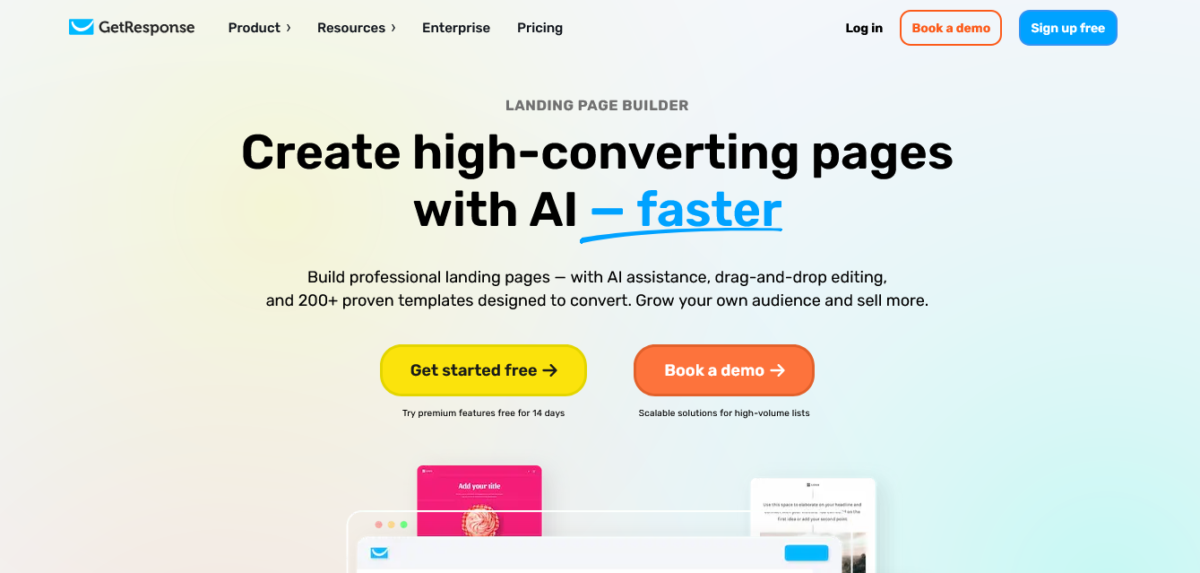
Best for: Anyone who needs email marketing + landing pages in one platform
Pricing: Free plan available (up to 500 contacts). Email Marketing plan starts at $19/month. Marketing Automation at $59/month. Ecommerce Marketing at $119/month.
Get GetResponse Free Forever Plan →
I’ll be real; I didn’t expect to love GetResponse.
I knew it as an email marketing tool. Turns out, their AI landing page builder is actually… really good?
AI Website Generator Creates Full Sites
You answer a few questions about your business, and GetResponse’s AI creates three complete landing page options in about 60 seconds.
I tested it for a freelance client who needed a consultation booking page. Got three solid options, picked one, swapped the stock photos for branded images, and was done in under 15 minutes.
The copy needed some tweaking (AI still can’t nail brand voice perfectly), but it was a strong starting point.
Email Integration is Seamless
Here’s where GetResponse shines: your landing page automatically connects to your email sequences, automation workflows, and audience segments.
Most tools make you set up Zapier connections or wrestle with API integrations. GetResponse?
Everything’s already connected. Someone opts in on your landing page, and boom, they’re in your welcome sequence without you lifting a finger.
When I built Blog Recode’s email list, this integration saved me hours of setup time.
Webinar Hosting Included
The higher plans include webinar hosting. So you can create a webinar registration landing page AND host the actual webinar in the same platform.
This is ridiculously convenient if you’re using webinars for lead generation or sales.
What’s Missing
GetResponse’s landing page builder isn’t as focused on conversion testing as Unbounce or Instapage. The templates are fine, but not revolutionary.
Also, the drag-and-drop editor can be clunky; you have to build separate mobile and desktop versions, which is annoying in 2026.
Bottom line: If you’re already doing email marketing or considering it, GetResponse gives you solid landing pages as part of the package. The Email Marketing plan at $19/month is an insane value. But if you only need landing pages, other tools do it better.
Start Free with GetResponse – No Card Needed →
5. Systeme.io – Budget Winner 💰

Best for: Course creators, coaches, and anyone building digital product funnels on a tight budget
Pricing: Free plan available (unlimited). Start at $17/month. Webinar at $47/month. Unlimited at $97/month.
Systeme.io is what happens when someone builds an all-in-one platform and actually prices it for normal humans instead of enterprise budgets.
For $17/month, you get landing pages, email marketing, sales funnels, course hosting, and affiliate management. That’s like… a fraction of what you’d pay elsewhere.
Also Read: Systeme.io Review 2026: The Budget All-in-One That Works
AI is Basic But Functional
Systeme.io’s AI generates page layouts and basic copy. It’s not going to blow your mind, but it gets you started quickly.
I used it for a client selling a digital course. The AI created a basic sales page structure that we customized. Took maybe 30 minutes total.
Templates Are Simple
The templates look… fine. Not gorgeous, not terrible. Think “clean and professional” rather than “award-winning design.”
If you need something fancy, this isn’t it. If you need something that works and won’t embarrass you, Systeme.io delivers.
The Best Part? The Free Plan
Seriously. Free. You get 2,000 contacts, 3 sales funnels, unlimited emails, and 1 course.
Most “free plans” are basically demos that force you to upgrade immediately. Systeme.io’s free plan is actually usable for small businesses just getting started.
Sales Funnel Builder
You can create complete funnels, landing pages, upsell pages, thank you pages, email sequences, all connected. This is huge for course creators and coaches who need the full customer journey automated.
The Downsides
The interface feels dated compared to newer tools. And if you’re looking for advanced A/B testing or sophisticated analytics, you’re not getting it here.
Also, limited integrations compared to bigger platforms. You’re kind of locked into the Systeme.io ecosystem.
Bottom line: If budget is your main concern and you need more than just landing pages, Systeme.io is a ridiculous value. It’s not the prettiest or most powerful, but for solopreneurs and small course creators, it’s hard to beat that price.
Get Started Free with Systeme.io – Zero Cost →
6. Landingi – Template Library Monster 📚

Best for: Marketers who want massive template variety and multi-language support
Pricing: Plans start around $29/month for basic features. Professional at $69/month. Enterprise at $1399/month.
Landingi has over 400 templates. FOUR HUNDRED.
If you’re the kind of person who loves having options, this is your playground.
AI Assistant for Copy and Translation
Landingi’s AI helps generate copy, adjust tone, and, this is cool, translate your pages into 35+ languages.
I used this for a client targeting both English and Spanish markets. One click, and boom, entire page translated. Still needed native speaker review, but it cut translation time by like 80%.
Smart Sections for Reusable Content
You can create content blocks once and reuse them across multiple pages. Update it in one place, and it updates everywhere.
This is super helpful if you’re managing dozens of pages or multiple client accounts.
EventTracker for Conversion Tracking
Track specific user actions: button clicks, form submissions, scroll depth. The data helps you understand exactly what’s working and what’s not.
The Problems
A/B testing isn’t available on cheaper plans. And while 400 templates sounds great, a lot of them look pretty similar.
Also, the visitor limits can be restrictive if you’re driving serious traffic.
Bottom line: Solid mid-tier option if you need template variety and multilingual support. Not the most innovative, but reliable.
Start Your Landingi Free Trial →
Other AI Landing Page Builders Worth Mentioning
7. ClickFunnels
Focused on sales funnels rather than standalone landing pages. Powerful for e-commerce and course creators, but expensive and has a steep learning curve.
Pricing: Basic plan at $147/month. Pro at $197/month
Best for: Businesses with complex sales funnels
Try ClickFunnels Free for 14 Days →
8. HubSpot Campaign Assistant
Free landing page builder if you’re already in the HubSpot ecosystem. The AI is decent, and integration with their CRM is seamless. But the free plan is limited, and paid plans get expensive fast.
Best for: Businesses already using HubSpot CRM
9. Hostinger Website Builder
Super beginner-friendly with AI that handles the entire page creation process. Great if you’re just starting out. Limited if you need advanced features.
Pricing: Starts at $2.99/month with web hosting included
Best for: Complete beginners who need hosting + landing pages
10. Wix ADI
Wix’s AI (Artificial Design Intelligence) creates full sites quickly. Flexible design control. But it’s more of a website builder than a dedicated landing page tool.
Pricing: Free plan available. Premium plans start at $17/month
Best for: Small businesses needing both website and landing pages
How I Test These Tools (So You Don’t Have To)
People always ask me, “Mia, how do you know this stuff before writing?”
Fair question.
Here’s my testing process:
1. Real Projects Only
I don’t test these tools with fake businesses or hypothetical scenarios. Every tool gets used for actual client work or Blog Recode campaigns.
If a tool can’t handle real deadlines and real stakes, it doesn’t make my list.
2. Conversion Tracking
I track actual conversion rates over at least 30 days. Pretty designs mean nothing if people don’t click the damn button.
3. Speed Tests
I time how long it takes to go from “blank page” to “published and live.” If a tool claims to be fast but takes 3 hours of setup, that’s a problem.
4. Support Testing
I deliberately break things or ask weird questions to see how support responds. You’d be shocked how many “24/7 support” claims are total BS.
5. Price-to-Value Ratio
I calculate whether the tool actually saves time/money compared to hiring designers or developers. Some expensive tools are worth it. Others… not so much.
Which AI Landing Page Builder Should You Use?
Here’s my honest recommendation based on different situations:
If you’re a small business or solopreneur just starting out:
→ Leadpages (Standard plan at $37/month annual)
You get conversion-optimized templates, the Leadmeter scoring tool, and enough features to grow without complexity overload.
Start Your Leadpages Free Trial →
If you’re running serious paid ad campaigns:
→ Instapage or Unbounce
The advanced testing and optimization features pay for themselves when you’re pushing real traffic and budget.
Try Unbounce Free → | Try Instapage Free →
If you need email marketing + landing pages:
→ GetResponse (Email Marketing plan at $19/month)
Best all-in-one value if you’re building an email list alongside landing pages.
If you’re on a tight budget:
→ Systeme.io (Free plan or Startup at $27/month)
Ridiculous value for course creators and digital product sellers.
If you need multilingual pages:
→ Landingi
The AI translation feature is genuinely useful for international campaigns.
Mistakes I Made So You Don’t Have To
Mistake #1: Choosing Based on Pretty Demos
I got seduced by beautiful demo pages and slick marketing videos. Then I actually tried to build something and realized the editor was a nightmare to use.
Lesson: Start with free trials. Actually build something before you pay.
Mistake #2: Ignoring Visitor Limits
I picked a tool with a 15,000 visitor/month cap. Hit that limit in week two of a successful campaign and had to upgrade mid-campaign. Super annoying.
Lesson: Choose plans based on your traffic goals, not your current traffic.
Mistake #3: Falling for “AI Will Do Everything” Hype
AI is helpful. AI is not magic.
You still need to understand your audience, write compelling offers, and test different approaches. AI speeds up the process; it doesn’t replace strategy.
Lesson: Use AI as a tool, not a crutch.
Mistake #4: Not Testing Mobile First
I built a gorgeous landing page on my desktop. Looked amazing. Then I checked it on my phone and wanted to cry. The CTA button was cut off, the text was unreadable, and forms were impossible to fill out.
Lesson: Always check mobile view before you publish. Over 60% of your visitors are on mobile.
Quick Comparison Table: AI Landing Page Builders at a Glance
| Tool | Best For | Starting Price | Free Trial | AI Features | A/B Testing | Mobile Optimization | Templates | Visitor Limit |
|---|---|---|---|---|---|---|---|---|
| Leadpages | Small businesses & solopreneurs | $37/mo | 14 days | AI copy & images, Leadmeter scoring | Yes (Pro plan) | Automatic | 250+ | Unlimited |
| Instapage | Marketing teams with big ad budgets | $79/mo | 14 days | AI copywriting, Dynamic text replacement | Yes (Build plan+) | Automatic | 500+ | Unlimited |
| Unbounce | Performance marketers | $74/mo | 14 days | Smart Traffic AI, AI copywriting | Yes (all plans) | Automatic + manual | 100+ | 20K-500K depending on plan |
| GetResponse | Email marketers | $19/mo | 30 days | AI website generator | Limited | Manual | 200+ | Unlimited |
| Systeme.io | Course creators on budget | Free | Forever free plan | Basic AI page generation | No | Automatic | 50+ | Unlimited |
| Landingi | Multilingual campaigns | $29/mo | 14 days | AI translation (35+ languages), AI copy | Yes (higher plans) | Automatic | 400+ | Varies by plan |
| HubSpot | CRM users | Free | N/A (free plan) | AI Campaign Assistant | Yes (paid plans) | Automatic | 50+ | Varies |
| Hostinger | Complete beginners | $2.99/mo | 30 days | Full AI website creation | No | Automatic | 150+ | Unlimited |
| Wix ADI | Small business websites | Free | N/A (free plan) | Artificial Design Intelligence | Limited | Automatic | 800+ | Bandwidth limits |
| ClickFunnels | Complex sales funnels | $147/mo | 14 days | Basic AI suggestions | Yes | Automatic | 100+ | Unlimited |
Final Thoughts: Stop Overthinking This
Look, I get it.
Choosing tools is overwhelming. There are too many options, too much marketing hype, and too many “experts” telling you contradictory things.
Here’s the truth: the best AI landing page builders are the ones you’ll actually use.
Leadpages, Unbounce, Instapage, they’re all solid. Pick one, learn it, use it consistently, and optimize based on real results.
I wasted months jumping between tools, always wondering if the grass was greener somewhere else. Know what I learned?
The tool matters way less than what you do with it.
A mediocre landing page that’s actually live beats a perfect landing page that’s still sitting in your drafts folder.
So pick something from this list, sign up for the free trial, and build your first page today.
Not next week. Not when you have more time. Today.
You got this.
Ready to build your first high-converting landing page?
Start Free with Leadpages – Best Overall Choice →
Try Unbounce – Best for A/B Testing →
Get GetResponse – Best Budget Option →
Launch with Systeme.io – Free Forever →
FAQs
What’s the difference between an AI landing page builder and a regular landing page builder?
AI landing page builders use artificial intelligence to generate pages, copy, layouts, and even optimize traffic automatically. Regular builders give you templates and tools, but you do all the work manually.
AI builders speed up the process significantly, thinking in minutes instead of hours.
For example, Unbounce’s Smart Traffic uses AI to automatically route visitors to the page variant they’re most likely to convert on, while traditional builders require you to manually analyze A/B test results.
Do I need coding skills to use these tools?
Nope.
That’s the whole point. All the AI landing page builders in this article are designed for non-technical users. If you can use Google Docs, you can use these tools.
I’ve had clients who can barely attach files to emails successfully create conversion-optimized pages with Leadpages and Systeme.io.
The drag-and-drop interfaces are intuitive enough for complete beginners.
Can AI really write good landing page copy?
AI writes decent copy that gives you a solid starting point. It won’t capture your exact brand voice or create award-winning prose, but it beats staring at a blank page.
Plan to edit and refine the AI output, don’t just publish it raw. I typically use AI to generate 3-5 headline variations, pick the best one, and tweak it to match my client’s voice.
Saves me about 45 minutes per page.
Which AI landing page builder is best for beginners?
Leadpages or Hostinger Website Builder. Both are super user-friendly with intuitive interfaces. GetResponse is also good if you’re comfortable with email marketing tools.
I’ve recommended Leadpages to three different clients who’d never built a landing page before, and all three had pages live within their first hour of using the platform.
Are these tools worth the money compared to hiring a designer?
For most small businesses? Absolutely.
A freelance designer charges $500-$2,000 per landing page.
These tools cost $20-$200 per month and let you create unlimited pages. Do the math. Even at Instapage’s higher pricing, you’d need to create just 2-3 pages to break even versus hiring a designer.
Plus, you can iterate and test variations instantly instead of waiting for designer revisions.
Can I use my own domain with these landing page builders?
Yes. All the tools mentioned allow custom domains. Some include free domains in higher-tier plans. Leadpages, Unbounce, and Instapage all make it easy to connect your existing domain or subdomain. I use a subdomain (page.blogrecode.com) for most of my landing pages.
Do these builders work for e-commerce?
Some do. Leadpages Pro includes Stripe payment integration. Systeme.io has e-commerce features built in. GetResponse’s Ecommerce Marketing plan handles product sales.
For serious e-commerce with large catalogs, though, you might want dedicated platforms like Shopify.
But for digital products, courses, and simple product sales, these AI landing page builders work great.
What’s A/B testing and why does it matter?
A/B testing shows different versions of your page to different visitors to see which performs better. It’s crucial for optimization. You might test two different headlines or button colors to see which converts better.
Tools like Unbounce and Instapage excel at this.
Budget tools like Systeme.io have limited A/B testing. I’ve seen A/B tests increase conversion rates by 50%+ just from changing a headline or form placement.
Can I export my landing pages and use them elsewhere?
Usually not.
Most of these are hosted platforms; your pages live on their servers. Some let you publish to WordPress or connect via custom domains, but you typically can’t download HTML and host it yourself.
This is intentional; they want to keep you on their platform. If you need fully exportable pages, look at tools like Elementor for WordPress instead.
How long does it take to actually build a landing page with AI?
With AI assistance?
Anywhere from 10 minutes to an hour, depending on complexity and how much you customize. Without AI? Could be 3-8 hours for the same result. That’s why these tools are game-changers.
My fastest time was 12 minutes with GetResponse; their AI generated the page, I swapped images and tweaked copy, and published. The slowest was about 90 minutes with Instapage when I was building a complex multi-step funnel.
Do these AI landing page builders integrate with email marketing tools?
Yes, most integrate with popular email platforms like Kit, ActiveCampaign, and MailerLite.
GetResponse has native email marketing built in. Leadpages integrates seamlessly with dozens of email tools. Unbounce and Instapage offer extensive integrations, too.
I typically connect landing pages to ActiveCampaign for client work and Beehiiv for my own projects.
What conversion rate should I expect from an AI-built landing page?
Industry average for landing pages is around 2.35%, but this varies wildly by industry and traffic source. With good AI landing page builders and proper optimization, you should aim for 5-15% for warm traffic (email lists, retargeting) and 2-5% for cold traffic (paid ads).
My best-performing page, built with Leadpages, converts at 22%, but that’s a webinar registration for a highly targeted audience.
Don’t obsess over conversion rates initially; focus on building, publishing, and iterating based on real data.
Can I use these tools if I’m not tech-savvy?
Absolutely.
That’s literally the point of AI landing page builders. I’ve had clients in their 60s who struggle with Facebook successfully build landing pages with these tools.
The AI handles the technical stuff, and you just fill in your content. Start with something simple like Systeme.io’s free plan or GetResponse’s AI generator; both are designed for non-technical users.
About Blog Recode: We help content creators and bloggers build smarter with AI, without the BS. No guru nonsense, no get-rich-quick schemes, just honest reviews and real strategies that work.
Disclosure: This article contains affiliate links. If you purchase through these links, Blog Recode earns a commission at no extra cost to you. I only recommend tools I’ve personally tested and actually use.
Landing page builders are becoming so much more intuitive with AI. If you’re looking to scale personalized landing pages for different brand segments, the Nano Banana API (https://nanobananaapi.dev) is a great tool for maintaining visual consistency across those pages. Appreciate the tips!