10 Best Webcams for Video Conferencing 2026 (Tested) 🎥
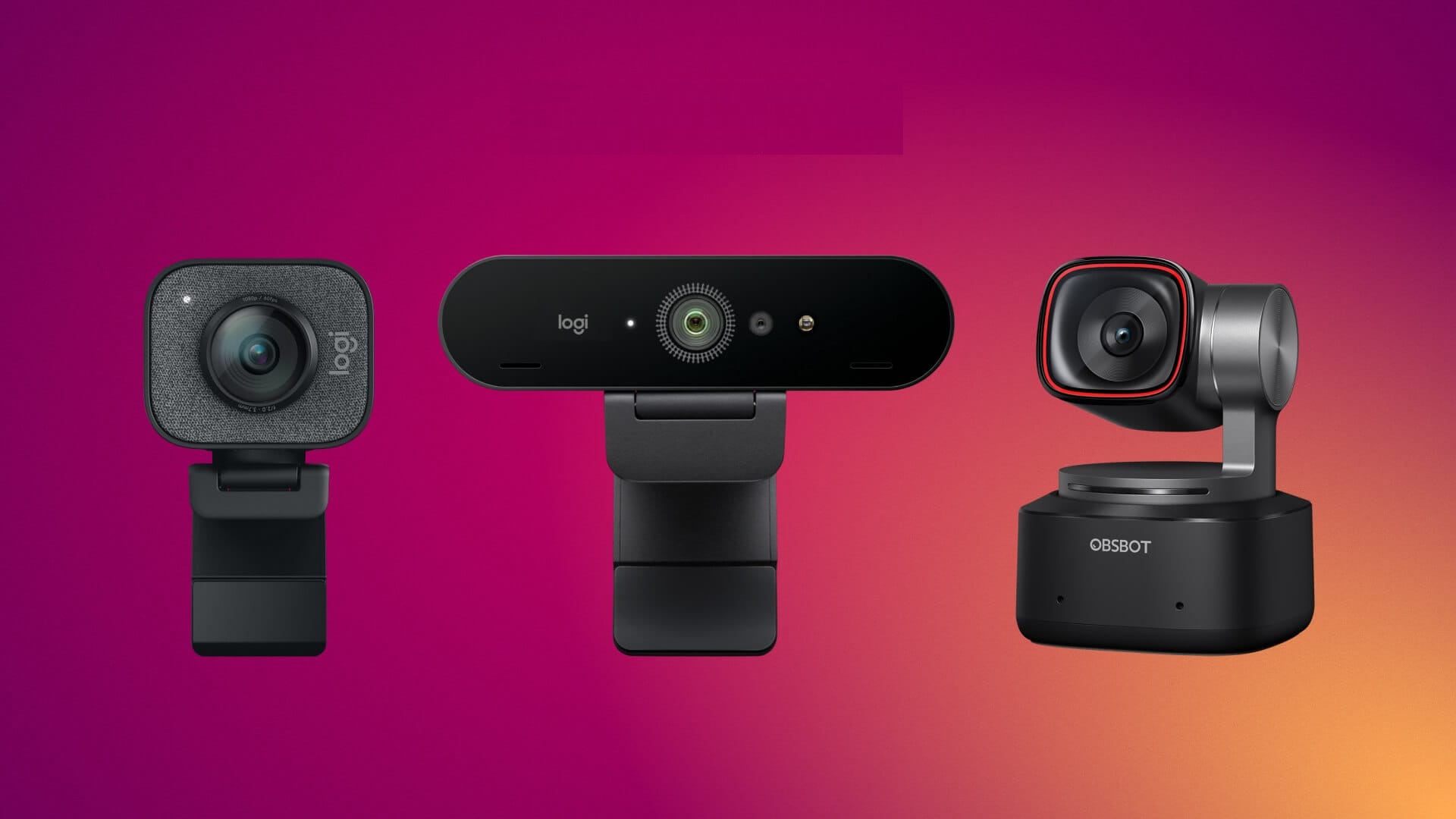
I spent months testing 20+ webcams in my studio apartment until my neighbors started asking if I was running a surveillance operation. Here are the 10 best webcams for video conferencing that won’t make you look like a grainy disaster on Zoom.
My Quick Answer (Because You’re Probably Late for a Meeting)
Listen, I get it. You clicked this because you’re tired of looking like a blurry potato on video calls. Or maybe someone finally had the guts to tell you that your laptop’s built-in camera makes you look like you’re calling from 2009 or from witness protection.
Best Overall: OBSBOT Tiny 3 ($349) – AI tracking that actually works
Best Value: Anker PowerConf C200 ($48-60) – Stupid cheap, surprisingly good
Best Budget with AI: OBSBOT Tiny 3 Lite ($199) – Baby brother of the champ
Best Premium: Insta360 Link 2 Pro ($249) – Gimbal magic for movers
Classic Pick: Logitech C920x ($60) – Still kicking after 14 years
But here’s the thing about the best webcams for video conferencing: what’s perfect for your setup depends on whether you’re a fidgeter, a statue, or somewhere in between. Stick around because I’m about to save you from making expensive mistakes.
Also Read: Best Webcams for Zoom Calls 2026: Top Choices Reviewed
Why I Became the Crazy Webcam Lady (And Lost a Client Because of It)

A few months ago, I was on a video call with a potential client. Big fish. The kind that could pay my rent for two months. Everything was flowing beautifully until they asked, “Mia, are you okay? You look… greenish?”
I wasn’t sick. I was just using the webcam that came with my laptop.
That call ended with a polite “we’ll be in touch” (spoiler: they weren’t). I rage-bought my first proper webcam that night, started testing more, and well… here we are.
My credit card is crying, but at least I can help you avoid my mistakes.
How I Tested These (Not Just Reading Spec Sheets Like a Robot)

Real talk: I used each webcam for at least 15-20 hours of actual video calls. That’s Zoom meetings with clients, Google Meet sessions with Diane, Microsoft Teams disasters, and late-night strategy calls where my lighting was absolute garbage.
Here’s what I tested:
- Image quality when my studio apartment lighting sucks (which is often)
- How the autofocus handles my annoying habit of leaning in and out
- Low-light performance because I refuse to buy a ring light
- Audio quality (most webcam mics are trash, just FYI)
- Whether “AI tracking” is real or just marketing BS
- Setup complexity (if I need a manual, it’s a no)
The best webcams for video conferencing aren’t always the most expensive ones. Sometimes they’re just the ones that don’t make you want to throw your laptop out the window.
10 Best Webcams for Video Conferencing (Ranked)
1. OBSBOT Tiny 3 – AI Tracking Champion That Earned Its Price Tag
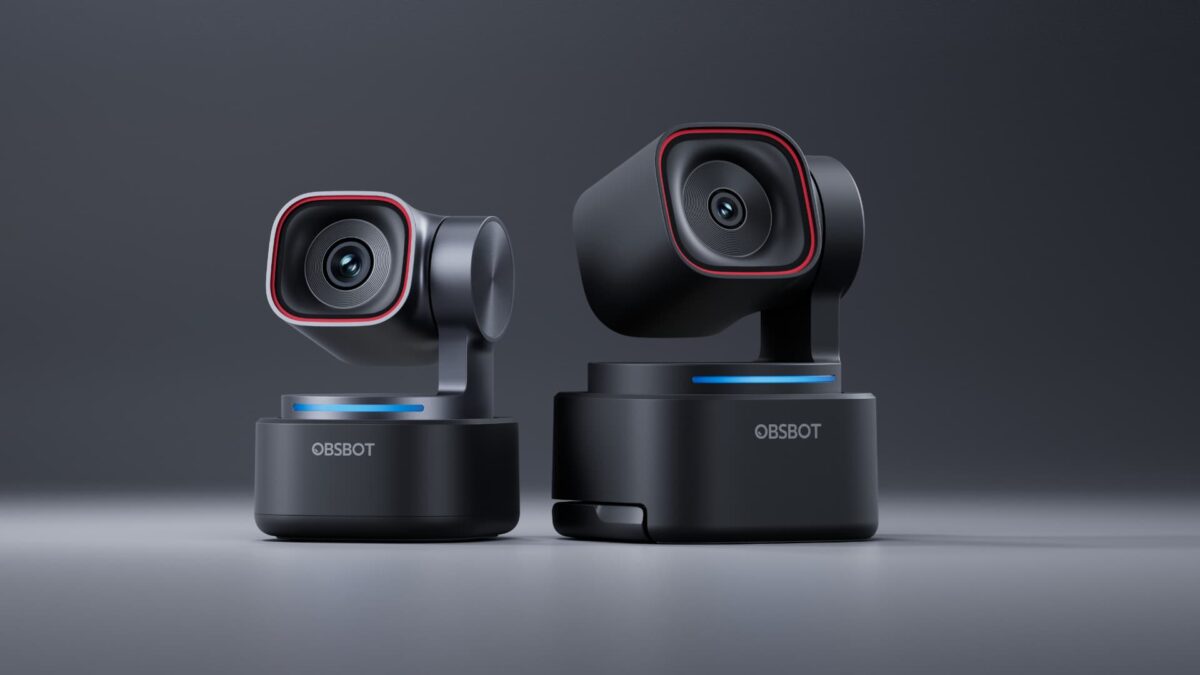
Okay, so $349 for a webcam sounds absolutely batshit crazy. I thought so too until I used this thing for a week and realized it’s basically a tiny robot cinematographer.
The OBSBOT Tiny 3 has a 1/1.28-inch sensor (that’s huge for a webcam), shoots 4K at 30fps or 1080p at 120fps, and the AI tracking is legitimately mind-blowing. I tested it by pacing around my apartment during presentations, and it followed me like a well-trained puppy.
What Makes It Special:
The tri-mic system with spatial audio is studio-grade.
I stopped using my separate mic. The voice-tracking feature locates you by sound and automatically rotates the gimbal.
I said “Hi Tiny” during a call, and it zoomed in on me. My client thought I had a camera operator hiding behind my desk.
The Reality Check:
It’s tiny (63 grams, smaller than my phone), supports gesture and voice controls, and handles low light like a beast, with ISO up to 12,800.
But yeah, it’s $349. That’s rent-money territory.
Best For: Content creators, presenters, and anyone who moves during calls
Current Price: $349
I justified this purchase by calculating how much that lost client would’ve paid me. Still hurts, but this webcam is ridiculous.
2. Anker PowerConf C200 – “Wait, This Costs HOW Much?” Surprise
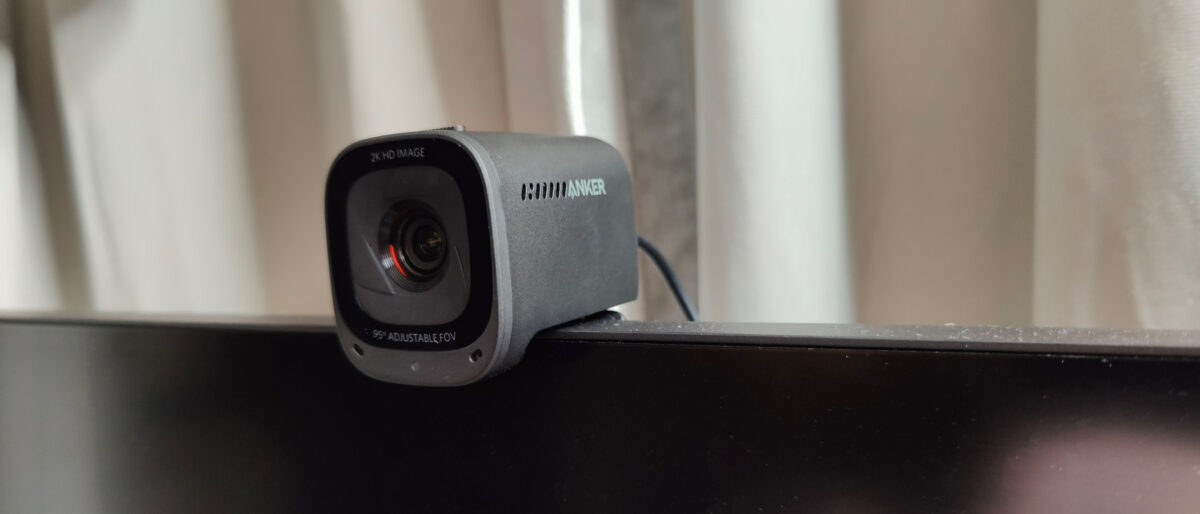
This is the webcam that made me question everything I thought I knew about budget tech. The Anker PowerConf C200 shoots in 2K resolution and costs between $48-60 depending on sales.
Let me say that again: TWO. KAY. UNDER SIXTY BUCKS.
I bought this expecting it to be garbage. It’s not.
The image quality punches way above its weight class, the autofocus is faster than some $200 webcams I tested, and the low-light correction actually works instead of just making you look like a ghost.
What I Love:
The f/2.0 aperture captures more light, so even when I’m calling from my cave-like apartment on a rainy Wednesday, I don’t look like I’m broadcasting from the underworld.
The dual mics with AI noise canceling are surprisingly decent.
What I Didn’t Like:
The build feels plasticky (because it is), and if your lighting is truly terrible, it struggles more than premium options. The privacy cover is manual, not automatic.
Best For: Anyone who needs good quality without selling organs
Current Price: $48-60
This is one of the best webcams for video conferencing if you’re on a budget. I’ve recommended it to several friends who are all annoyingly happy with it.
Check Anker PowerConf C200 Price
3. OBSBOT Tiny 3 Lite – Baby Titan, Big Performance
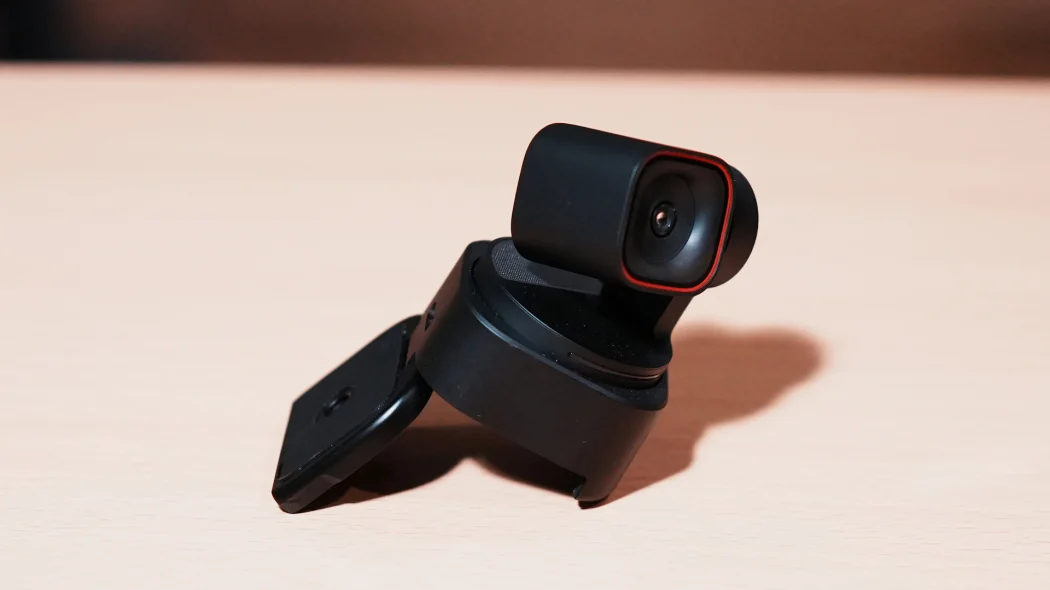
Think of this as the OBSBOT Tiny 3’s slightly more affordable sibling. At $199, it’s still not cheap, but you get most of the magic at $150 less.
The Tiny 3 Lite has a 1/2-inch sensor (still larger than most webcams), the same tri-mic spatial audio system, and the AI tracking that made its big brother famous.
The main difference? Slightly lower low-light performance and a smaller sensor.
The Sweet Spot:
For most people doing video calls, you won’t notice the difference between this and the full Tiny 3. I used both side-by-side for a week, and unless you’re in a dungeon, the Lite performs beautifully.
Real Talk:
It still does 4K at 30fps, has voice and gesture control, and the AI tracking kept me perfectly framed even when I was fidgeting like crazy during a Monday morning standup.
Best For: People who want OBSBOT magic without the premium price
Current Price: $199
See OBSBOT Tiny 3 Lite on Amazon
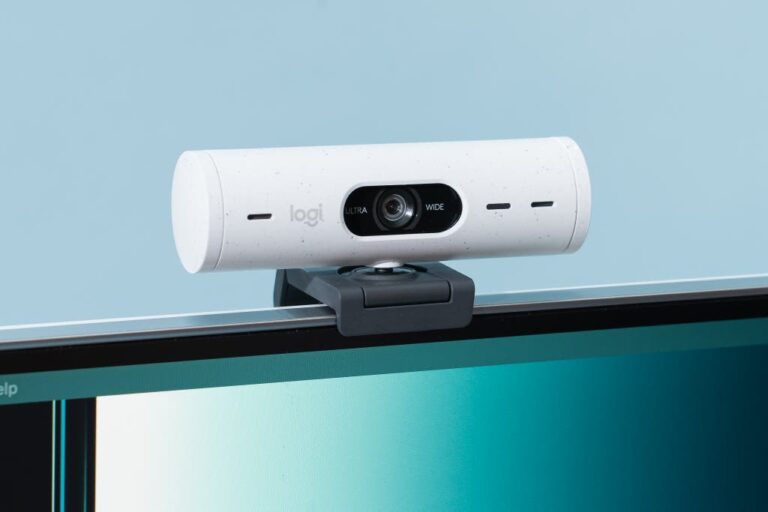
4. Logitech Brio 500 – Reliable Workhorse That Just Works
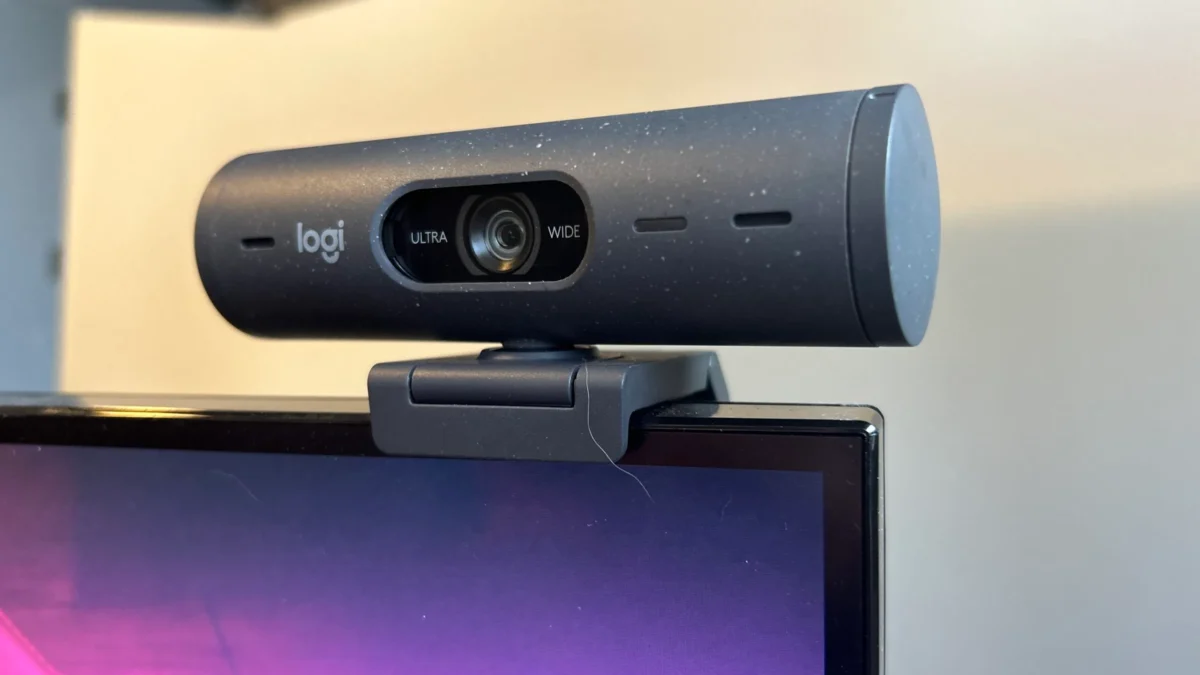
Sometimes you don’t need bells and whistles. Sometimes you just need a webcam that shows up, does its job, and doesn’t make you look like death.
That’s the Logitech Brio 500.
It’s 1080p at 30fps (or 720p at 60fps), has a 90-degree field of view, and the RightLight 4 auto-correction is genuinely good. I tested this during a particularly gloomy Sunday afternoon, and it made me look almost human.
Why It’s Great:
The auto-framing follows you around without being creepy about it. The built-in privacy shutter slides shut with a satisfying click.
Setup is literally plug-and-play. No drama, no complexity.
The Downside:
At $129, you’re paying Logitech’s premium. The microphone is just okay (you’ll want something better for serious work). And honestly, for $70 more, you could get something with 4K.
Best For: People who value reliability over flashy features
Current Price: $129
This is the webcam I keep going back to when I just need something that works without thinking about it.
5. Insta360 Link 2 Pro – Gimbal Beast for Dynamic Presenters
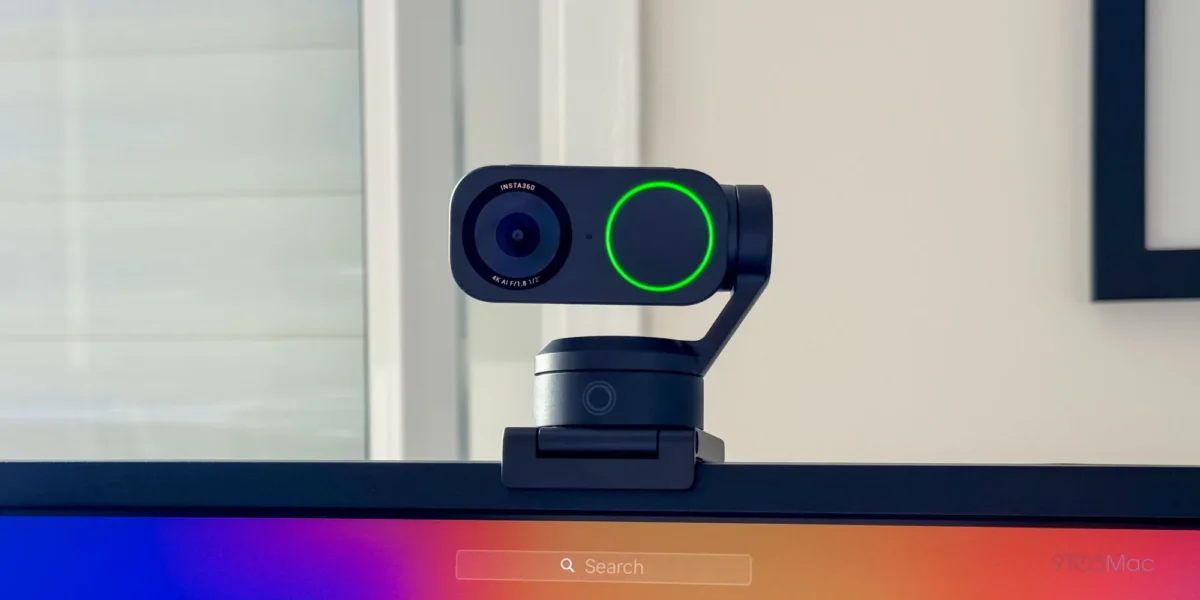
If you’re the type who paces during presentations, teaches online, or just can’t sit still on calls, the Insta360 Link 2 Pro is your new best friend.
The 2-axis gimbal physically pans and tilts to follow you. Not digital zoom – actual physical movement.
Combined with the 1/1.3-inch sensor and dual native ISO, this thing produces images that make people ask what camera you’re using.
The Magic:
I tested the whiteboard mode by scribbling notes during a strategy session. It automatically detected the board, adjusted the perspective, and kept everything readable.
My client’s mind was blown. The desk view mode tilts down to show your desk – perfect for product demos.
The Investment:
At $249, this isn’t impulse-buy territory.
But the image quality is borderline ridiculous for a webcam, and the gimbal tracking actually justifies the price if you move around.
Best For: Educators, fitness instructors, dynamic presenters
Current Price: $249 (or $199 for the Link 2C Pro without the gimbal)
Check Insta360 Link 2 Pro on Amazon
6. Logitech C920x – Immortal Classic That Refuses to Die
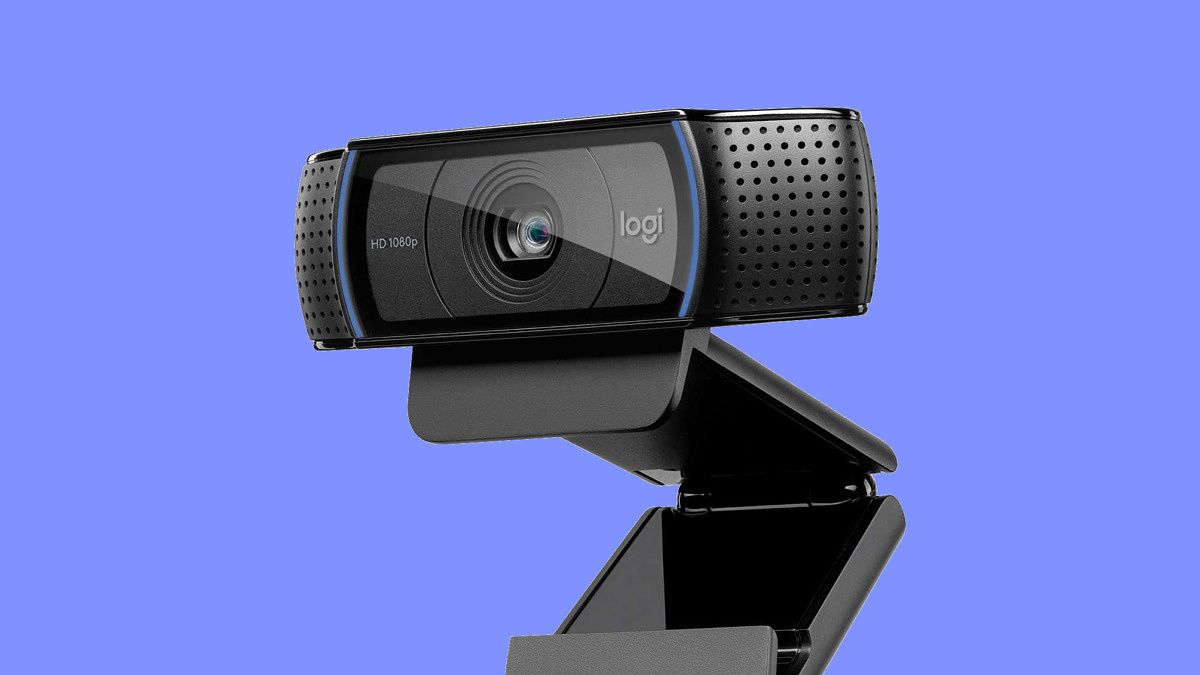
This webcam came out in 2012. TWENTY-TWELVE.
It’s older than some people reading this. And it’s still one of the best webcams for video conferencing you can buy.
The C920x shoots 1080p at 30fps, has decent autofocus, and costs around $60. That’s it.
No AI, no gimbal, no fancy sensors. Just solid, reliable video quality that’s been keeping people employed for 14 years.
Why It’s Still Here:
Because it works. The image quality is genuinely good for the price. The dual mics are acceptable. Setup is painless. And unlike newer webcams, there’s zero learning curve.
The Reality:
It’s showing its age in low light. The plastic build feels cheap (because it is). And if you’re comparing it to modern 4K cameras, yeah, you’ll see the difference.
Best For: People who just need good-enough quality at a budget price
Current Price: $55-65
I tested this against webcams costing 6x more, and honestly? For basic video calls, it holds its own.
7. Insta360 Link 2C – Premium Quality Without the Gimbal
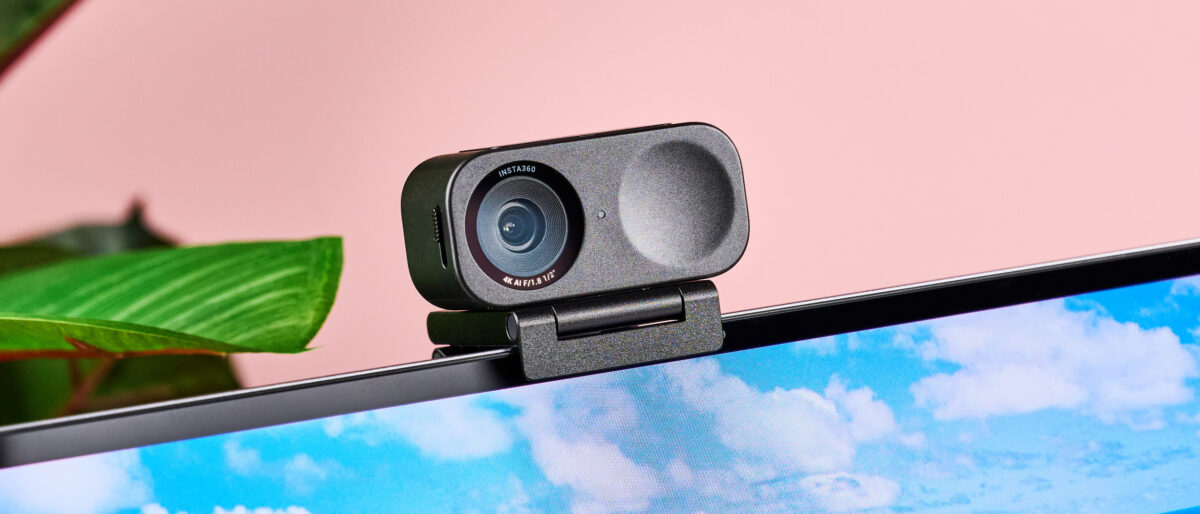
This is the Insta360 Link 2 Pro’s stationary sibling. Same imaging pipeline, same 4K quality, same smart features. But instead of a gimbal that physically moves, it uses advanced auto-framing with digital zoom.
At $149, it’s $100 less than the Pro, and for people who sit still during calls (apparently those people exist), it’s the smarter buy.
What You Get:
The 1/1.3-inch sensor produces beautiful, crisp images. The directional microphone with AI noise canceling is excellent. Gesture controls work surprisingly well.
And the image quality in low light is significantly better than cheaper options.
The Trade-Off:
No physical gimbal means no smooth tracking if you move. But the auto-framing keeps you centered well enough for most use cases.
Best For: Desk workers who want premium quality without gimbal overkill
Current Price: $149
Find Insta360 Link 2C on Amazon
8. OBSBOT Meet SE – Budget OBSBOT That Still Overdelivers
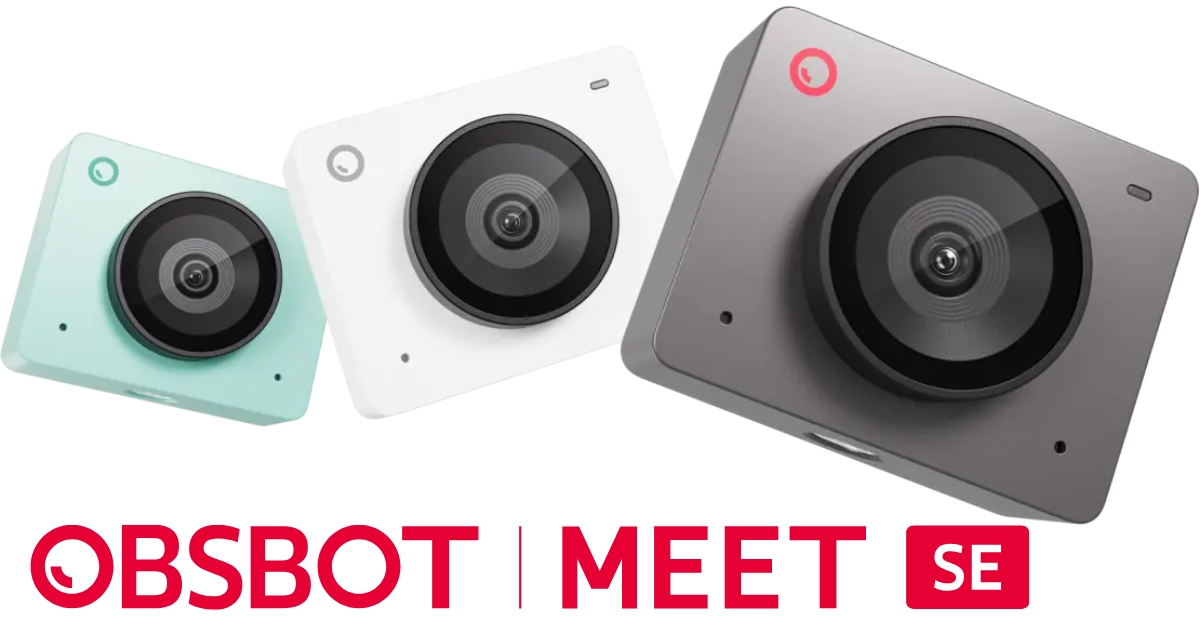
At $69, this is OBSBOT’s entry into budget territory, and it’s shockingly capable. It’s 1080p (not 4K), but it has AI auto-framing, gesture control, and decent low-light performance.
I tested this as my “hotel room webcam” during a work trip, and it performed way better than it had any right to at this price point.
The Surprise Factor:
The AI framing actually works. It kept me centered without that janky digital zoom effect cheaper webcams have. The built-in privacy shutter is a nice touch.
And setup is genuinely plug-and-play.
The Limitations:
It’s 1080p max. No gimbal. The microphone is mediocre. But for under $70, it’s hard to complain.
Best For: Frequent travelers or backup webcam needs
Current Price: $69
9. Logitech MX Brio – 4K for the Detail-Obsessed
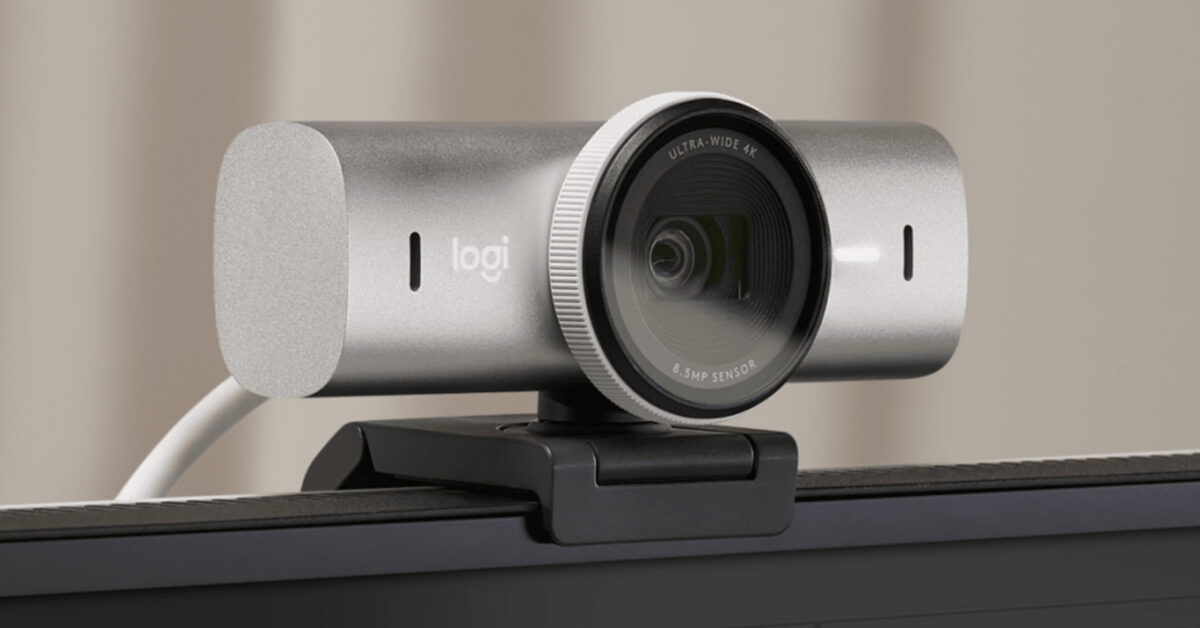
The Logitech MX Brio is for people who care about image quality more than anything else. It has an 8.5MP Sony Starvis sensor, shoots 4K, and the detail is almost scary.
At $199, it’s positioned as a premium option for professionals who need to look absurdly polished on calls.
What’s Great:
The image quality is genuinely excellent. Colors are accurate, not oversaturated. The RightLight 5 technology handles mixed lighting better than almost anything I tested.
The 4x digital zoom doesn’t look like garbage.
What’s Not:
No gimbal or AI tracking at this price point feels like a miss. The mounting clip is awkward. And honestly, most video platforms compress your video anyway, so the 4K is somewhat wasted.
Best For: Image quality perfectionists, corporate executives
Current Price: $199
Check MX Brio Pricing on Amazon
10. NexiGo N680P – Wide-Angle Budget Option
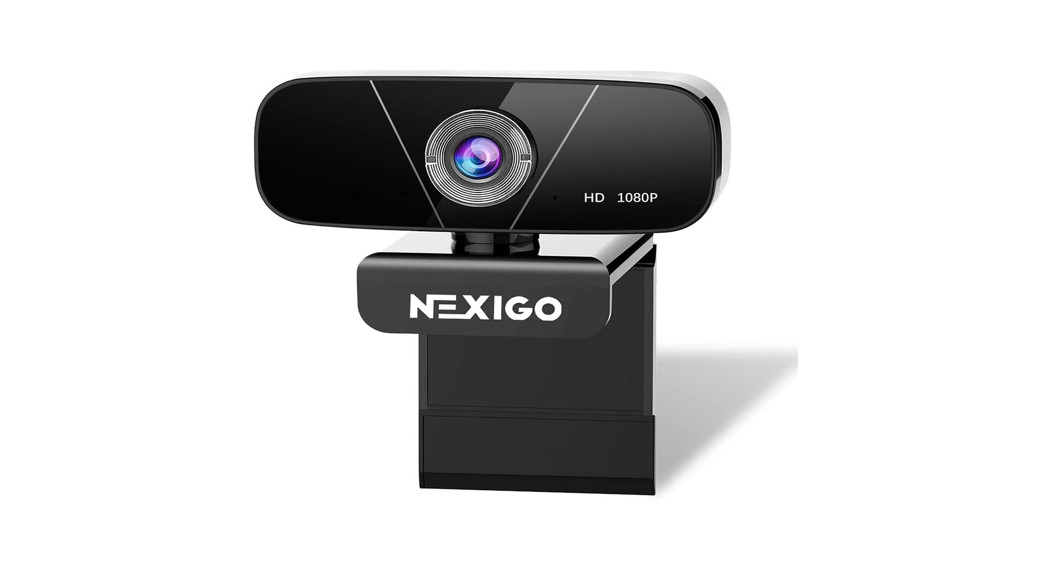
Sometimes you need to fit multiple people in frame. The NexiGo N680P has a wide 110-degree field of view, shoots 1080p at 60fps, and costs around $100.
I tested this for small team meetings in my studio, and it handled multiple people surprisingly well for the price.
Why It Made the List:
The wide-angle is genuinely useful for group calls. The 60fps makes motion smoother than standard 30fps webcams. And the price-to-performance ratio is solid.
The Compromises:
Build quality feels budget. Low-light performance is just okay. The autofocus hunts a bit in challenging conditions.
Best For: Small team meetings, family calls with multiple people
Current Price: $54-110
What Really Matters When Choosing the Best Webcams for Video Conferencing
After testing 20+ webcams, here’s what I learned actually matters:
1. Sensor Size Beats Resolution
A webcam with a larger 1/2-inch sensor at 1080p will look better than a tiny-sensor 4K camera. Physics doesn’t care about marketing claims.
2. Low-Light Performance Is Everything
Unless you’re blessed with perfect natural light, low-light capability matters more than resolution. The OBSBOT Tiny 3 and Insta360 Link 2 Pro excel here.
3. Autofocus Speed Matters More Than You Think
Slow autofocus makes you look blurry every time you lean forward. Fast autofocus (under 0.5 seconds) is worth paying for.
4. Built-In Mics Are Usually Trash
Even the “good” webcam mics sound worse than a $20 USB mic. If audio matters, invest in a separate microphone.
5. AI Features Aren’t Always Gimmicks
The AI tracking on OBSBOT and Insta360 cameras actually works and makes a real difference if you move during calls.
A Secret About Webcam Microphones
Let me save you some disappointment: almost every webcam microphone sucks compared to a dedicated mic. Even the “excellent” ones.
The OBSBOT Tiny 3’s tri-mic system is the best I tested, and it’s genuinely good. But my Renewed Blue Yeti Nano still sounds noticeably better.
If you care about audio quality (and you should), budget for a separate mic. Your clients will notice the difference immediately.
Common Webcam Mistakes I See People Make
Buying 4K When They Don’t Need It
Zoom maxes out at 1080p. Teams maxes out at 1080p. Unless you’re recording content, 4K is overkill.
Ignoring Lighting
A $60 webcam with good lighting beats a $300 webcam with terrible lighting. I’m not saying buy a ring light (though it helps), but sit facing a window if you can.
Placing the Camera Too Low
Looking up at people makes you look like you’re begging. Eye level or slightly above is the sweet spot. I stack books under my laptop like a professional.
Trusting “Auto” Everything
Sometimes manual adjustments work better than AI. The Logitech software lets you tweak settings, and it’s worth the effort.
My Honest Recommendations by Budget
Under $75: Anker PowerConf C200 ($48-60) or OBSBOT Meet SE ($69)
$100-150: Insta360 Link 2C ($149) or Logitech C920x ($60) + good lighting
$150-250: OBSBOT Tiny 3 Lite ($199) or Logitech MX Brio ($199)
$250+: OBSBOT Tiny 3 ($349) or Insta360 Link 2 Pro ($249)
The best webcams for video conferencing at each price point give you different strengths. Pick based on whether you value AI tracking, image quality, or just reliable performance.
My Verdict: Which One Should You Buy?
Here’s my brutally honest take after three months of testing:
If money’s tight: Anker PowerConf C200 ($48-60). It’s stupid cheap and surprisingly capable. Add a $20 desk lamp for better lighting.
For most people: OBSBOT Tiny 3 Lite ($199). Best balance of features, quality, and price. The AI tracking works, the audio is great, and it’ll make you look like you have your shit together.
If you move around: Insta360 Link 2 Pro ($249) or OBSBOT Tiny 3 ($349). The gimbal tracking is worth it if you’re presenting, teaching, or just can’t sit still.
If you just want reliable, the Logitech Brio 500 ($129). No learning curve, no complications, just solid performance every time.
The best webcams for video conferencing aren’t always the most expensive. They’re the ones that match how you actually work. Figure that out first, then buy accordingly.
And for the love of everything good, please stop using your laptop’s built-in camera for important calls. You deserve better.
FAQs
Do I really need a 4K webcam for video calls?
Honestly? Probably not.
Most platforms cap at 1080p anyway. Buy 4K if you’re recording content or if you want to use digital zoom without losing quality. Otherwise, a good 1080p camera with a large sensor will look better than a cheap 4K one.
What’s better for low light – the OBSBOT Tiny 3 or Insta360 Link 2 Pro?
The OBSBOT Tiny 3 handles extreme low light better with its ISO range up to 12,800. But the Insta360 Link 2 Pro’s dual native ISO performs excellently in most real-world conditions.
Unless you’re filming in a cave, either will work great.
Are webcam microphones good enough for professional calls?
For casual calls, yes. For professional work, get a dedicated mic.
Even the best webcam mics (like OBSBOT Tiny 3’s tri-mic system) sound noticeably worse than a $30 USB microphone.
Do I need AI tracking if I just sit at my desk?
No. If you’re stationary, save money and get something like the Logitech Brio 500 or Insta360 Link 2C.
AI tracking is for people who move, present, or teach.
Can I use these webcams with Zoom, Teams, and Google Meet?
Yes.
All the webcams I tested work with every major platform. They’re plug-and-play USB devices that show up as camera options in any video software.
What’s the difference between digital and optical zoom?
Optical zoom uses actual lens movement (none of these have it). Digital zoom crops and enlarges the image, which reduces quality.
The best webcams for video conferencing with large sensors (like OBSBOT Tiny 3) can do digital zoom without looking terrible.
How important is the mounting system?
More than you’d think. Monitor clip mounts (like Logitech) are universal but can be wobbly. Magnetic mounts (like Insta360) are stable but only work on metal surfaces.
I prefer magnetic when possible.
Should I wait for newer models?
These are all 2025-2026 models. Unless there’s a specific feature you’re waiting for, buy what’s available now.
Webcam tech evolves slowly, and these will stay relevant for years.
Note: Some of the links in this article are affiliate links, which means I may earn a small commission if you purchase through them, at no extra cost to you. This helps support the blog and allows me to continue creating helpful content.