Iconosquare Social Media Growth: How We Use It (2026)
Stop Guessing. Start Growing with Iconosquare Social Media Growth. Here’s the Workflow That Truly Works.
My Quick Take:
Iconosquare is an analytics-first social media platform that helps you track performance, schedule content, spy on competitors (legally, relax), and generate automated reports, all from one dashboard.
It supports Instagram, Facebook, TikTok, LinkedIn, X (Twitter), Pinterest, Threads, and YouTube.
I’ve been using it for client work and my own social strategy, and below I’ll walk you through the exact workflow that’s been making a real difference.
Stay for the juicy bits, like the competitor-tracking feature that honestly made me go, “Oh wow, I’ve been flying blind this whole time.”
Your social growth starts here →
Why I Even Bothered With Iconosquare
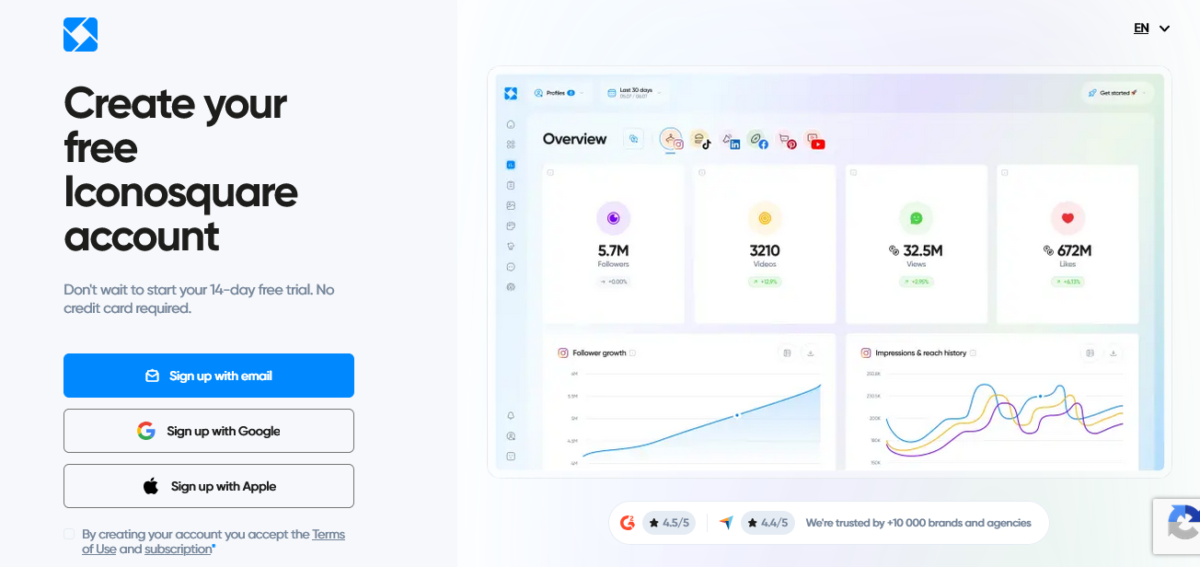
Early this year, I was at my favourite corner spot in the coffee shop near my studio apartment. I’ve got a whiskey sour in hand, and I’m staring at my Instagram insights like they personally offended me.
Because honestly? They kind of did.
I’d been posting consistently for two of my clients, good content, thoughtful captions, decent hashtags and still couldn’t figure out why one profile was growing, and the other felt like it was posting into a void.
Instagram’s native analytics gave me 30 days of data and a bunch of bar charts that said absolutely nothing useful. Facebook’s insights were somehow worse. I was making decisions based on vibes, and I knew it.
My friend, who runs her own content strategy business out of Amsterdam, had been telling me about Iconosquare for months. “Mia, just try it,” she kept saying. “Stop being hard-headed.”
I was stubborn. And then I wasn’t. And honestly? She was right, and I’m a little annoyed about that.
What Is Iconosquare Actually?
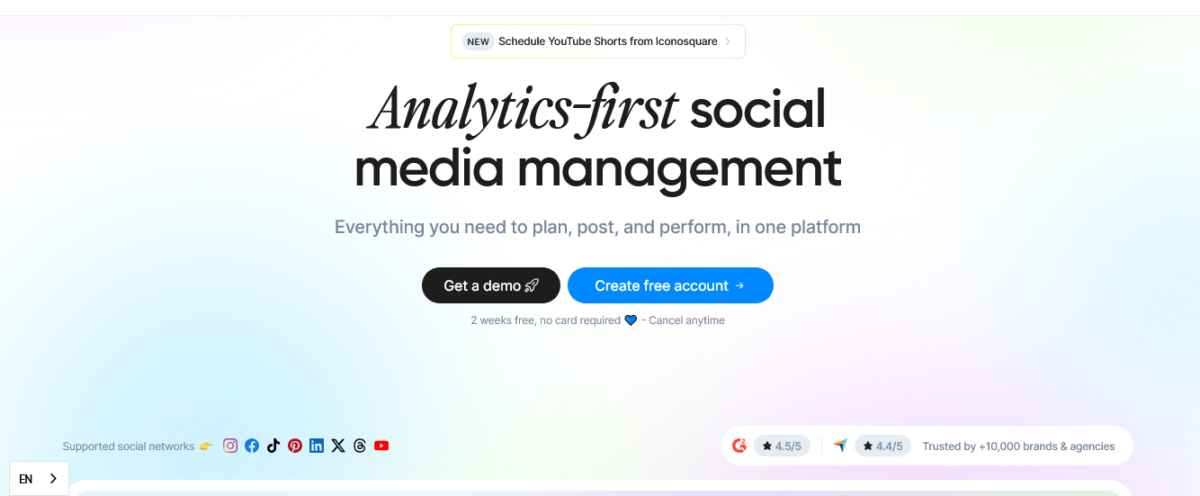
Iconosquare is an all-in-one social media analytics and management platform built specifically for marketers, brands, and agencies who want data-backed decisions, not gut feelings.
Here’s the thing that sets it apart: most tools lead with scheduling and treat analytics as an afterthought. Iconosquare flips that.
Analytics is the main course.
Everything else, scheduling, reporting, and competitor research, is built around helping you understand your performance first, then act on it.
It supports eight networks right now: Instagram, Facebook, TikTok, LinkedIn, X (Twitter), Pinterest, Threads, and YouTube. That’s your whole roster, basically.
The platform is French-built (based in Limoges) and GDPR-compliant, which matters more than people realise when you’re handling client data.
👉 Stop guessing. Start growing with Iconosquare →
My Real Iconosquare Workflow (Step by Step)
Okay, here’s the part you actually came for.
Let me walk you through exactly how I use this thing, no fluff, no “I learned so much through this experience” nonsense. Real specifics.
Step 1: Monday Morning Dashboard Check (15 Minutes)
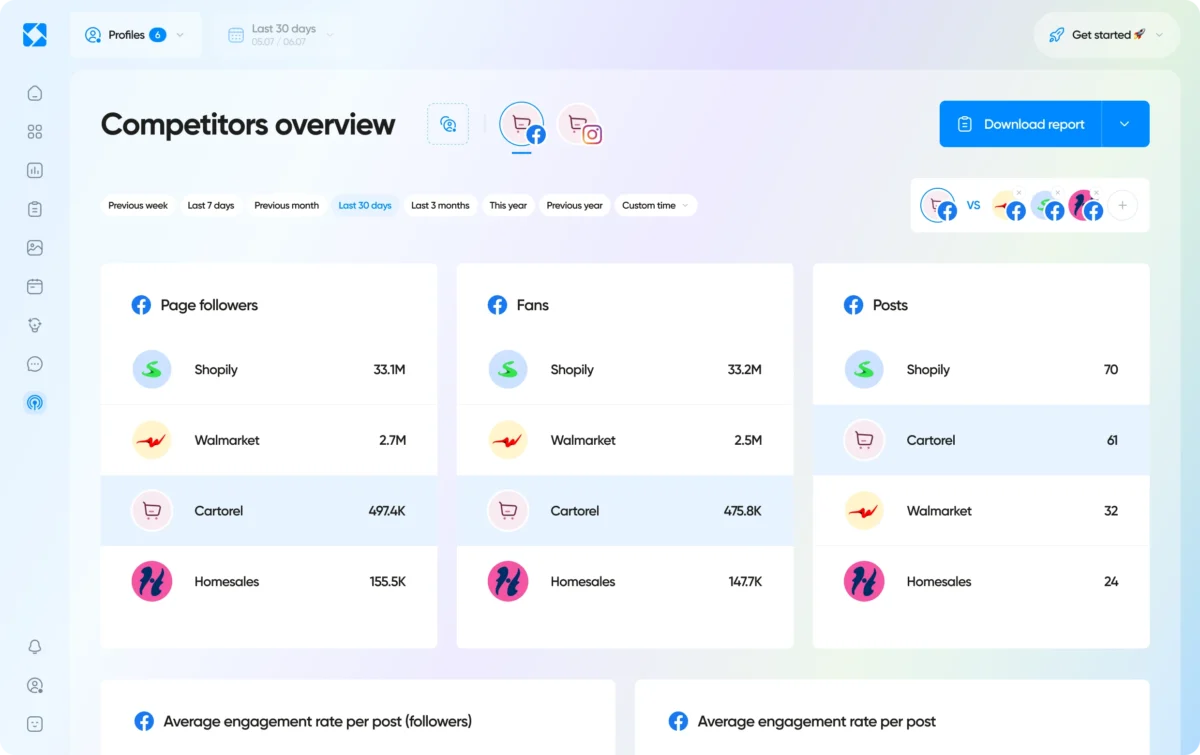
Every Monday morning, I open Iconosquare before I open anything else. Before email, before Slack, before the chaos. I pull up the main analytics dashboard and do a quick performance scan across all the profiles I manage.
I’m looking at: engagement rate trends, follower growth, reach, and impressions from the past 7 days. Iconosquare’s dashboard is customizable, so I’ve set mine up to show the metrics that actually matter to me upfront, not buried three clicks deep.
This 15-minute check tells me immediately which profiles need attention and which are humming along fine. Before Iconosquare, this used to take me almost 45 minutes of jumping between native platform insights.
That alone sold me.
Step 2: Content Calendar Review and Scheduling (Tuesday/Wednesday)
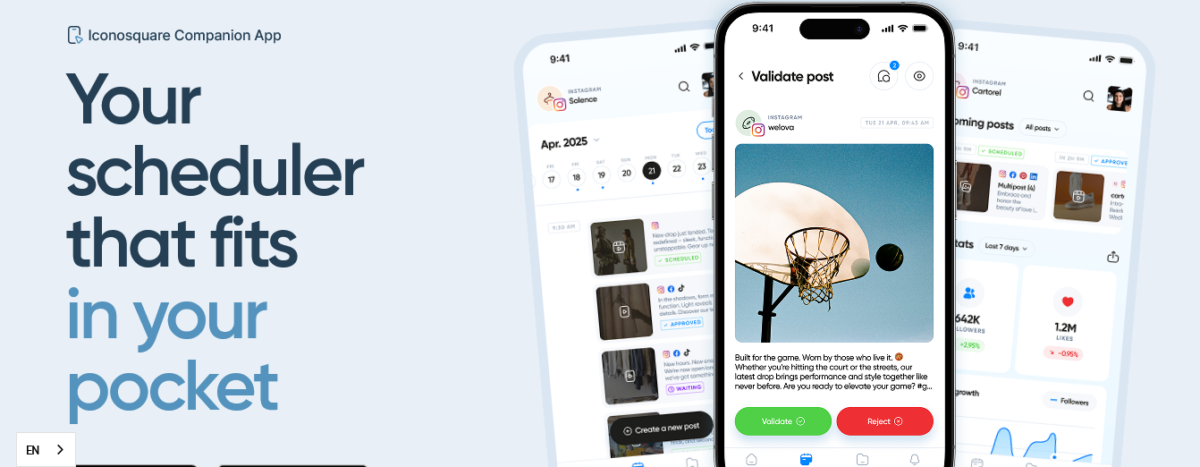
I do all my content scheduling in one sitting, usually on a Tuesday afternoon. I use Iconosquare’s content calendar to batch-schedule posts for the week across multiple profiles. The drag-and-drop calendar view makes it genuinely easy to visualise the week and spot gaps.
One feature I lean on hard is the “best time to post” suggestion. It’s not a generic recommendation pulled from some blog post about “posting at 9am on Wednesdays.” It’s based on your specific audience’s historical engagement data.
The first time I applied it to one of my client’s Instagram accounts, their engagement rate went up noticeably within two weeks. I was quietly smug about it.
Cross-posting is also possible; write a post once and push it to multiple platforms, with the option to edit the caption per platform. Because what works on LinkedIn really, really does not work on TikTok. Trust me.
Step 3: Competitor Check (Every Other Thursday)
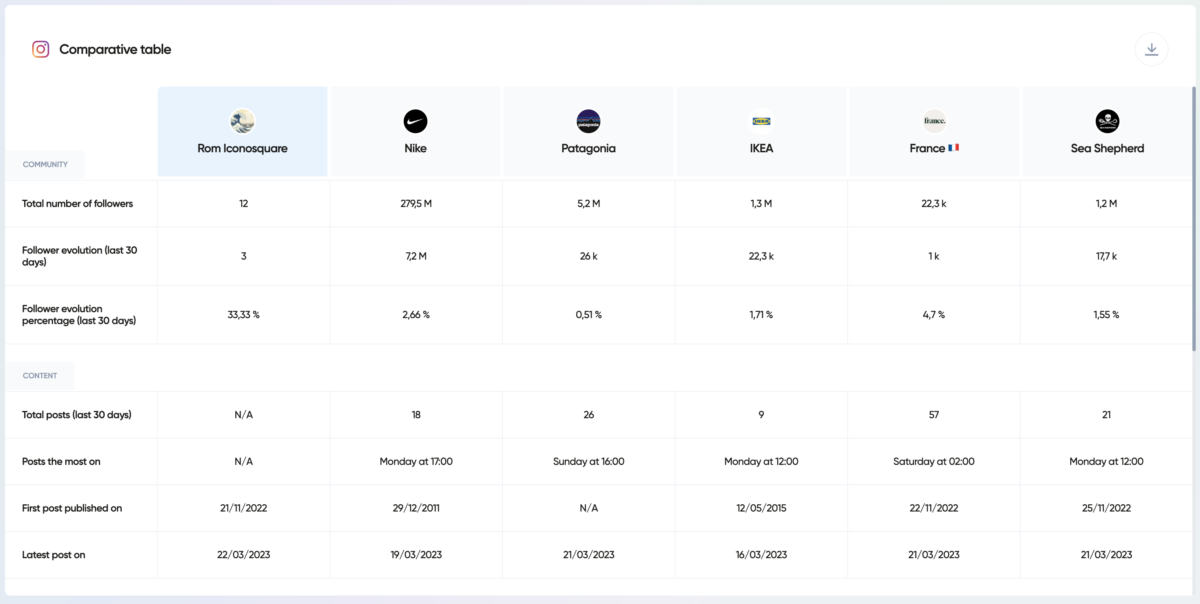
More on this in a minute, but I check competitor data every two weeks. This ritual has become something I actually look forward to, which is a little embarrassing to admit.
Step 4: Monthly Report Generation (Last Friday of the Month)
Client reports used to be my least favourite part of freelancing. I am not exaggerating when I say they used to eat up half a Friday.
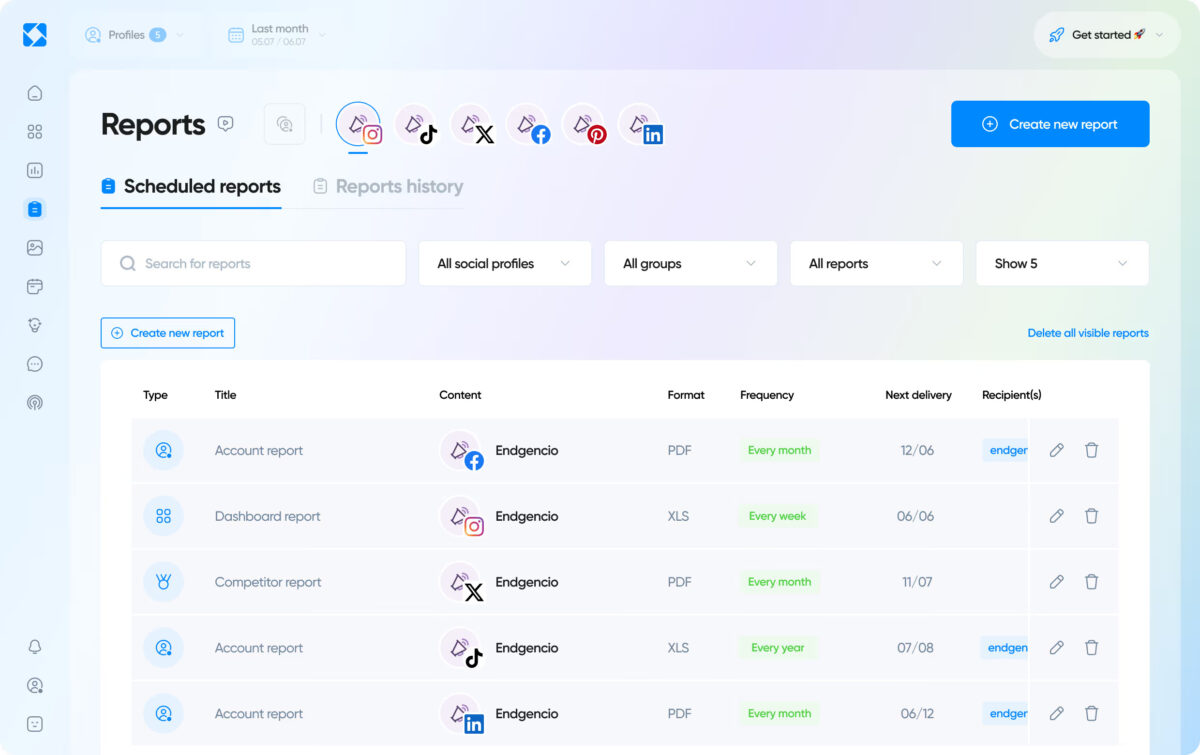
With Iconosquare, I now generate branded PDF reports in minutes, custom metrics, client logo, clean design, and email them directly from the platform.
This step alone saves me hours a month. Hours I now spend on, you know, actual strategy.
Analytics That Changed How I Post
Let me be honest: I thought I understood my clients’ audiences before Iconosquare.
I did not.
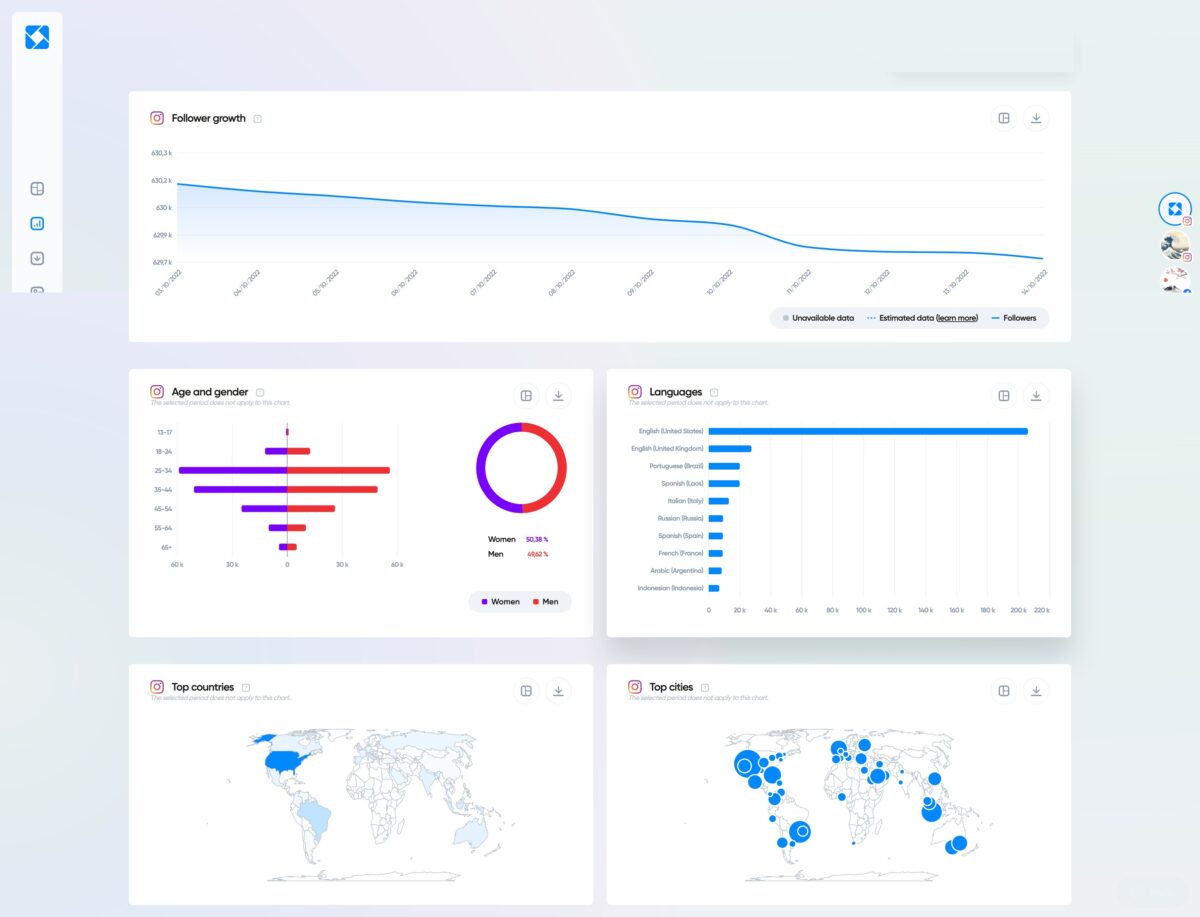
The platform’s analytics go way deeper than what you get natively. We’re talking:
- Follower growth tracking with historical data (1 year on Launch plan, 2 years on Scale, unlimited on Excel)
- Engagement rate per post with benchmarking against your own averages
- Instagram Stories analytics, including completion rates and exit points (wild how many people bail at slide 3)
- Reels’ performance with detailed view metrics
- Audience demographics broken down by location, age, and gender
- Reach and impressions history over custom date ranges
The Stories analytics specifically were eye-opening for one of my clients. We were making 8-slide Stories. Iconosquare showed us that the average completion rate tanked after slide 4. We cut it to 5 slides. Completion rate went up.
Simple as that, but we needed the data to see it.
One thing I want to flag: the platform is analytics-first for Instagram and Facebook, where the depth is genuinely impressive. For platforms like TikTok and LinkedIn, the analytics are solid but not quite at that same level.
Iconosquare is transparent about this, and honestly, they shouldn’t pretend otherwise.
Grow smarter with Iconosquare →
Scheduling Without Losing My Mind
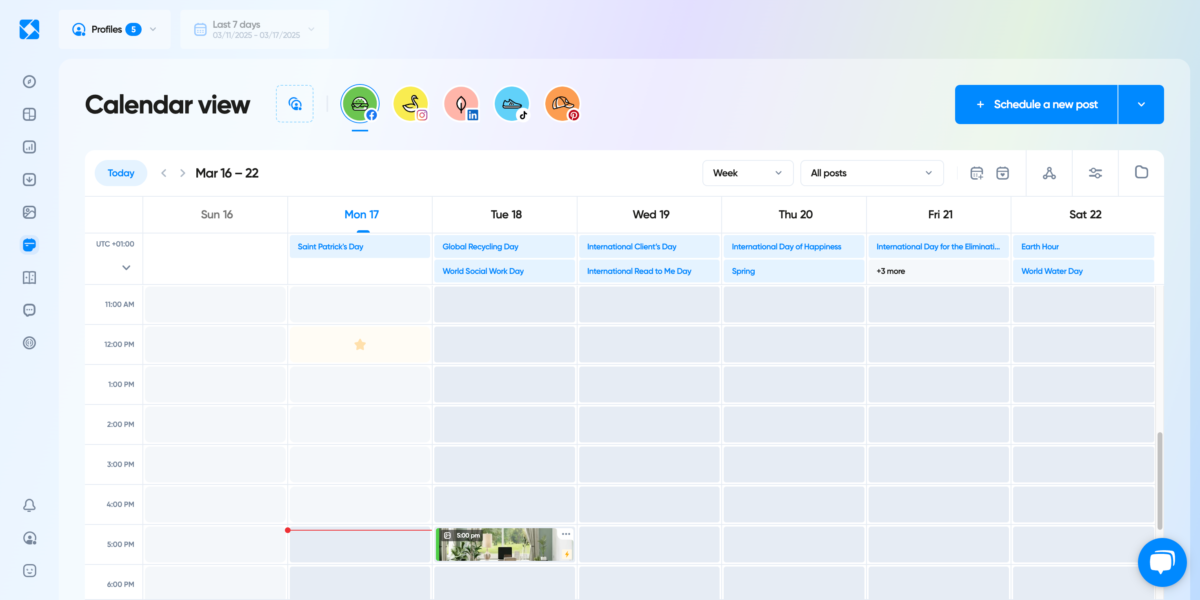
I’ve used a lot of schedulers. Hootsuite (clunky for me personally), Buffer (great for simplicity, lighter on analytics), SocialPilot (solid for agencies), and a few others I’ve forgotten about because they didn’t stick.
What I like about Iconosquare’s scheduler specifically:
The Instagram feed grid preview. You can see exactly how your feed will look before anything goes live. For visual brands, this is genuinely useful, not just aesthetic vanity. (Well, a little vanity. But useful vanity.)
Auto-publishing. Set it and forget it. No manual posting reminders. No waking up at 7am because something was supposed to go live at 7am.
Content approval workflows on the Scale plan and above. If you work with clients, this is huge. You can share your content calendar with a client for approval without giving them full access to the platform.
They review, they approve, you publish. No more 11pm “can you change the caption” messages. (Theoretically. Clients will still find a way.)
The Launch plan caps posts at 100 per month per profile, which is genuinely fine for most individuals and small brands. If you need unlimited posts, you’ll want Scale or higher.
Also Read: Ocoya Review 2026: Smart & Effective AI Social Media Tool
Competitor Tracking, My Favourite Guilty Pleasure
Okay, I need to talk about this feature because it changed how I think about social strategy entirely.
With Iconosquare, you can track up to 10 competitors per profile (on the Excel plan) and see their:
- Follower growth trajectory
- Average engagement rates
- Posting frequency and timing
- Top-performing content types
And there’s an industry benchmark feature that shows how your profiles stack up against the average in your niche. Not against a random competitor you picked, but against the actual industry norm.
Here’s the anecdote that made me a believer: I had a client in the lifestyle space who was posting every day and getting mediocre engagement.
We pulled competitor data and saw that the top performers in their niche were posting 4-5 times per week, not 7, but with significantly higher production quality.
We shifted strategy. Within a month, engagement had improved noticeably, and my client stopped panicking about daily posting. Sometimes less is more. But you need the data to prove it.
This feature alone justifies the subscription for anyone running social media for clients or brands.
Reporting for Clients Without Crying
I have freelanced for long enough to have sent some truly terrible client reports. Excel sheets. Screenshots pasted into Google Slides. One time, and I cringe even now, I just copied and pasted numbers into an email.
C’est la vie.
Iconosquare’s reporting is the most grown-up version of me that exists.
You can generate automated PDF or XLS reports that are scheduled to send at whatever frequency you need: weekly, monthly, or quarterly. You pick the metrics, add the client’s branding, and the platform handles the rest.
Excel plan users get white-label reporting, which is a chef’s kiss for agency work.
These reports pull real data directly from the platform’s analytics, so there’s no manual entry, no “I think this number is right,” no awkward moments when a client asks a follow-up question you can’t answer.
If you’re managing more than two client accounts, this feature alone makes Iconosquare worth it.
Iconosquare Pricing Breakdown (2026)
Here’s the current breakdown, and I want to be upfront: pricing varies slightly by region and currency, so always check the official pricing page for your exact cost.
| Plan | Users | Profiles | Key Features | Price (approx.) |
|---|---|---|---|---|
| Free | 1 | 2 | Basic analytics, 10 posts/month | $0 |
| Launch | 1 | 5-10 | Everything in Launch + campaign analytics, social listening, hashtag/mention tracking, approval workflows, and unlimited posts | ~$39/mo |
| Scale | 3 | Up to 30 | Everything in Launch + campaign analytics, social listening, hashtag/mention tracking, approval workflows, unlimited posts | ~$83/mo |
| Excel | 6 | Up to 50 | Everything in Scale + white-label reports, dedicated CSM, priority support, unlimited data retention, API access | ~$139/mo |
| Agency/Custom | Unlimited | Unlimited | Everything + custom packages for large agencies | Contact sales |
Annual billing saves you the equivalent of 2 months (up to 17% off). And there’s a 14-day free trial with full Excel plan access, no credit card required.
That’s a genuinely generous trial.
Compared to Hootsuite or Sprout Social, Iconosquare positions itself as significantly more affordable, especially for SMBs and agencies. Their own entry plan is reportedly 4-5x cheaper than those platforms. That tracks with my experience.
👉 Start your free 14-day trial here — no credit card needed.
What I Don’t Love About Iconosquare
Look, I’m not going to sit here and pretend everything is perfect. That’s not how I do things.
The mobile app is limited. A lot of the deeper analytics and features live on desktop. If you’re someone who runs everything from your phone, you’ll feel the friction. I’ve had clients mention this, and it’s a valid frustration.
The account reconnection thing. Multiple users have flagged this; sometimes, Iconosquare loses its connection to your social accounts, and you have to reconfirm. It doesn’t happen constantly, but when it does, it’s annoying, especially right before you were about to schedule something.
The Scale plan still has some feature gaps. A few reviewers on Capterra noted that even with Scale, certain insights feel limited. The jump from Scale to Excel is significant in terms of features, which can feel like a bit of a gap for teams that fall in between.
Analytics depth varies by platform. Instagram and Facebook are where Iconosquare shines brightest. TikTok, LinkedIn, and newer platforms are solid but not quite at the same depth. If your entire business is TikTok, you might want to supplement.
No direct Google Drive integration. A few users have asked for the ability to pull assets directly from Drive into the scheduler. Currently, you have to upload manually. Minor inconvenience, but it adds friction.
None of these is a dealbreaker for me — but you deserve to know they exist.
👉 Take the guesswork out of growth →
Is Iconosquare Worth It?
For social media managers, agencies, and brands who need to make data-backed decisions and manage multiple profiles efficiently, yes. Unambiguously.
The analytics depth, the competitor tracking, the scheduling with best-time suggestions, and the automated reporting genuinely save time and improve results. I’ve seen it in my own work and in my clients’ results.
For solo creators or beginners who just need basic scheduling and don’t care about deep analytics yet, you might start with the free plan and grow into it. The trial gives you full access to see if it fits before you commit.
For budget-first teams who only need scheduling, tools like Buffer or SocialPilot might serve you better at a lower price point. But you’ll be trading analytics depth for savings.
My rating: 8.5/10
It does what it promises, and it does it well. The platform limitations and mobile app gaps keep it from a perfect score, but for analytics-first social media management, it’s genuinely one of the best tools available right now.
👉 Try Iconosquare free for 14 days — no credit card required.
Partying Shot
I’ll be real with you: I resisted Iconosquare longer than I should have, mostly out of stubbornness and the misguided belief that I already had a “system.” My system was vibes and hope. That was not a system.
Since building a proper Iconosquare workflow, Monday dashboard checks, batched scheduling, bi-weekly competitor reviews, and automated client reports, social media management has actually become manageable instead of this endless scramble.
The data tells you what’s working. You stop guessing. You make better decisions.
And if you’re managing client accounts? The reporting alone will give you back hours every month. Hours you could spend on strategy, or on a whiskey sour at a coffee shop. Non-judgmental about which one.
If you’ve been trying to grow social media without real analytics backing your decisions, give Iconosquare’s 14-day trial a go. Full feature access, no credit card, no pressure. See what the data says about your own profiles; it might surprise you.
Let’s grow your socials the smart way →
Got questions about the workflow or the platform? Drop them below. I actually read the comments.
FAQs
What is Iconosquare used for?
Iconosquare is a social media analytics and management platform used for tracking performance metrics (engagement, reach, follower growth), scheduling and auto-publishing content, competitor analysis, industry benchmarking, and generating automated client reports.
It supports Instagram, Facebook, TikTok, LinkedIn, X (Twitter), Pinterest, Threads, and YouTube.
How much does Iconosquare cost in 2026?
Iconosquare offers a free plan (1 user, 2 profiles, 10 posts/month), a Launch plan starting at approximately $39/month (1 user, up to 10 profiles), a Scale plan at approximately $83/month (3 users, up to 30 profiles), and an Excel plan at approximately $139/month (6 users, up to 50 profiles).
A custom Agency plan is available for larger teams. Annual billing saves up to 17%. Pricing may vary by region.
Does Iconosquare offer a free trial?
Yes. Iconosquare offers a 14-day free trial with full access to all Excel plan features across all supported networks, no credit card required.
After the trial, you can choose a paid plan or continue with the limited free plan.
Which social networks does Iconosquare support?
Iconosquare supports eight social networks: Instagram, Facebook, TikTok, LinkedIn, X (Twitter), Pinterest, Threads, and YouTube. All plans include access to all eight networks.
Is Iconosquare good for agencies?
Yes, particularly for agencies that need to manage multiple client profiles, generate branded reports, and collaborate with team members. The Scale and Excel plans include content approval workflows, white-label reporting, and multi-profile management.
A dedicated Agency/Custom plan is also available for larger operations.
How does Iconosquare compare to Hootsuite or Sprout Social?
Iconosquare is significantly more affordable than Hootsuite or Sprout Social, with its entry plan reportedly 4-5x cheaper. Where Iconosquare differentiates is in its analytics depth, particularly for Instagram and Facebook and its competitor benchmarking features.
However, Hootsuite and Sprout Social offer broader social listening capabilities and more integrations for enterprise-level needs.
Can I track competitors on Iconosquare?
Yes.
Iconosquare offers competitor tracking that lets you monitor follower growth, engagement rates, posting habits, and top content types for competitors. You can track up to 10 competitors per profile on the Excel plan.
There’s also an industry benchmark feature that compares your performance to your niche’s average.
Does Iconosquare have AI features?
Yes.
Iconosquare includes AI-powered caption writing and content ideation tools on all paid plans. These are available as credits on the Launch plan and more extensively on Scale and Excel. The AI tools are built into the post composer to help speed up content creation.
Is Iconosquare GDPR compliant?
Yes.
Iconosquare is a French company that processes and stores social media analytics data on secure European infrastructure in compliance with GDPR. This is relevant for users and agencies handling data for EU-based clients.
What happens to my data after the free trial ends?
If you don’t upgrade after the 14-day trial, your account converts to the free plan with limited features (basic analytics, up to 2 profiles, 10 scheduled posts per month). Your data is retained, but access is restricted to what the free plan covers.
Some of the links here are affiliate links. If you sign up through them, we may earn a small commission. It helps support our work, and we only share tools we truly believe in.