Best WooCommerce Themes for High-Converting Stores 2026
The themes that turn browsers into buyers (tested on real stores)
Last month, I helped a client rebuild their WooCommerce store. They’d been using some bloated multipurpose theme that looked gorgeous in demos but loaded slower than my grandma’s dial-up connection.
Their bounce rate? 72%. Sales? Brutal.
We switched to a proper WooCommerce theme. Within two weeks, load time dropped from 7 seconds to under 2. Bounce rate fell to 43%. Sales increased 61%.
Same products. Same marketing. Different theme.
It was eye-opening: the best WooCommerce themes aren’t about having the prettiest demo or the most features crammed into a dashboard. They’re about making it stupidly easy for customers to find products, trust your store, and complete checkout.
I’ve tested dozens of WooCommerce themes across client stores, freelance projects, and experiments on Blog Recode’s test sites. Some themes promise the moon and deliver garbage. Others look basic but print money.
Here’s what actually works in 2026, ranked by real-world performance, not marketing hype.
What Makes a WooCommerce Theme Convert
Before we dive into specific themes, let’s kill some myths.
Myth #1: More features = better theme
Reality: Research shows conversion rates can drop by an average of 4.42% with each additional second of load time. Feature bloat kills speed. Speed kills conversions.
Myth #2: Any WordPress theme works fine with WooCommerce
Reality: Sure, WooCommerce works with most themes. But “works” and “optimized for sales” are different universes.
Myth #3: Premium themes are always better than free
Reality: I’ve seen free themes outperform $200 “premium” themes. Price doesn’t equal performance.
What truly matters:
- Load speed under 3 seconds (ideally under 2)
- Mobile optimization (60%+ of ecommerce traffic is mobile)
- Clean product page layouts that highlight key info
- Smooth checkout process without distractions
- Trust signals built into design (reviews, badges, security)
- Easy customization without breaking things
Now let’s talk themes.
#1: Astra – All-Around Champion
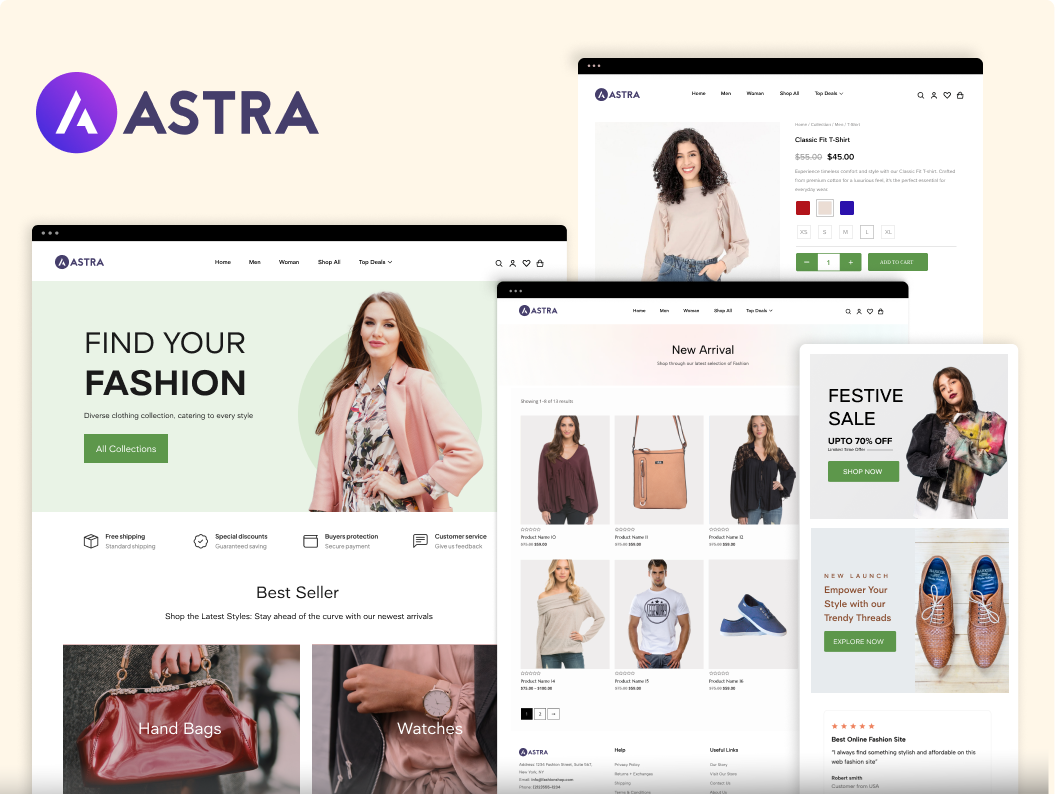
If I’m building a WooCommerce store in 2026 and money matters, Astra is my default choice.
Why Astra Wins
Astra has over 1 million active installations and is the only theme with 6,000+ five-star reviews. That’s not hype, that’s trust earned through actual performance.
The theme itself is lightweight, at less than 50KB, so it loads quickly before you add caching or optimization. I’ve launched Astra stores that hit 95+ on Google PageSpeed without breaking a sweat.
WooCommerce-Specific Features (with Astra Pro):
- Distraction-free checkout to reduce cart abandonment
- Product quick view so customers browse without page reloads
- Off-canvas cart that slides in smoothly
- Advanced product gallery layouts
- Sticky add-to-cart buttons
- Customizable shop layouts (grid, list, infinite scroll)
- Mini cart widget
- Product filters and custom widgets
I rebuilt a fashion store with Astra last year. The owner was skeptical about the “simple” design compared to their previous flashy theme. Three months in? Sales up 47%, cart abandonment down 23%.
Simple sells. Clean converts.
Pricing
Astra offers three premium plans, with pricing restructured in recent years:
- Free version: Fully functional with basic WooCommerce support
- Astra Pro (theme only): $59/year for 1 site, $139/year for unlimited sites
- Essential Toolkit: $119/year for 3 sites (includes Astra Pro + Spectra Pro + 300+ premium templates + Ultimate Addons for Elementor)
- Business Toolkit: Higher tier with additional tools and features
The free version works great for basic stores. For serious ecommerce, the Essential Toolkit at $119/year gives you everything needed without buying separate plugins.
What I Love
Speed: Consistently fast. I’ve never had an Astra site score below 90 on desktop PageSpeed.
Flexibility: Works beautifully with Elementor, Spectra, Gutenberg, and other page builders. Doesn’t force you into one ecosystem.
Active development: Regular updates, actually listens to users, fixes bugs fast.
Support: Even free users get decent support. Pro users get priority help that actually solves problems.
What Could Be Better
The free version is limited to serious WooCommerce stores. You’ll hit walls quickly and need Pro.
Some advanced features require the higher-tier bundles, not just basic Pro.
The sheer number of options can overwhelm beginners. Too much choice sometimes paralyzes rather than empowers.
Best For
- Any WooCommerce store where speed and conversions matter
- Stores using page builders like Elementor or Spectra
- Agencies building multiple client stores (unlimited license makes sense)
- Anyone who values reliable performance over flashy demos
Bottom line: Astra is boring in the best way. It works, it’s fast, it converts. That’s all that matters.
👉 Get Astra & Start Selling Faster
#2: Blocksy –Modern Dark Horse
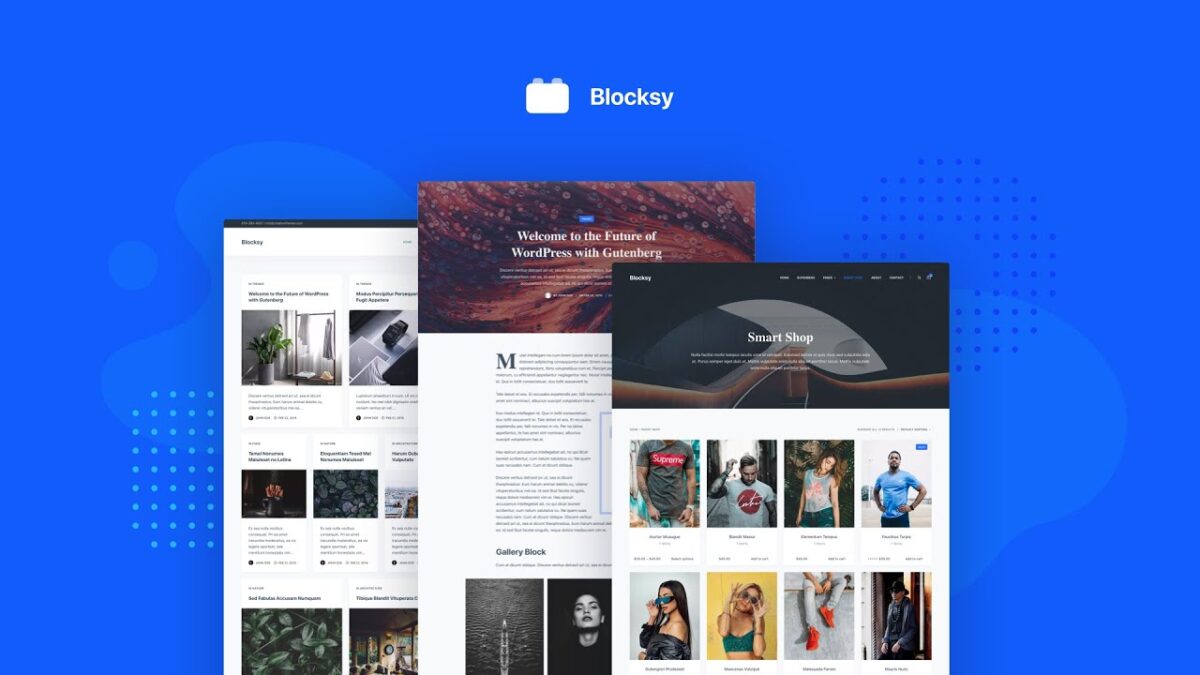
Blocksy is what happens when developers build a theme for 2026, not 2016.
Why Blocksy Rocks
Blocksy has 300,000+ active installations and near-perfect ratings. It’s not as massive as Astra yet, but it’s growing fast because people who use it become evangelists.
The theme was built from scratch with Gutenberg in mind, making it the cleanest option if you’re building with the WordPress block editor instead of third-party page builders.
I tested Blocksy on a client’s electronics store. PageSpeed scores hit 94-96 consistently. The header and footer builders are intuitive as hell, and customers loved the modern aesthetic.
WooCommerce Features:
- Product quick view popups
- Four product gallery styles
- Floating cart widget
- Off-canvas filters for mobile
- Sticky add-to-cart
- Wishlist functionality (Pro)
- Variation swatches (Pro)
- Advanced product layouts (Pro)
The free version is surprisingly powerful. You get solid WooCommerce integration without paying a cent. But the Pro version is where Blocksy shines.
Pricing
Blocksy offers three pricing tiers with both annual and lifetime options:
- Free version: Excellent for testing or small stores
- Personal: $69/year or $199 lifetime (1 site)
- Business: $99/year or $299 lifetime (10 sites)
- Agency: $149/year or $499 lifetime (unlimited sites)
Lifetime plans start from $199 to $499, which is brilliant if you’re building multiple stores or doing client work.
The free-to-play jump actually adds meaningful features, not just “premium” fluff.
What I Love
Modern codebase: Built with React components, Webpack pipelines, and modern JS. This isn’t your grandpa’s WordPress theme.
Gutenberg optimization: If you’re all-in on the block editor, Blocksy is the smoothest experience I’ve found.
Performance: Consistently fast out of the box. Lightweight code that doesn’t bloat.
Lifetime pricing: Pay once, use forever. No annual fees bleeding you dry.
User interface: The customizer is intuitive. Changes are previewed in real-time without lag.
What Could Be Better
A smaller community than Astra means fewer tutorials and third-party resources.
The Personal plan is too limited compared to the free version, barely worth upgrading. Jump straight to Business if you’re buying.
Less compatible with legacy page builders if that matters to you.
Best For
- Stores built with Gutenberg/block editor
- Modern, design-forward brands
- Anyone wanting lifetime licensing
- Developers who appreciate clean, modern code
Bottom line: Blocksy feels like the future. Fast, modern, well-coded. If you’re building new stores in 2026, this should be on your shortlist.
⚡ Your WooCommerce store deserves a faster theme.
Switch to Blocksy and experience blazing-fast performance.
#3: Kadence – Block Editor Powerhouse
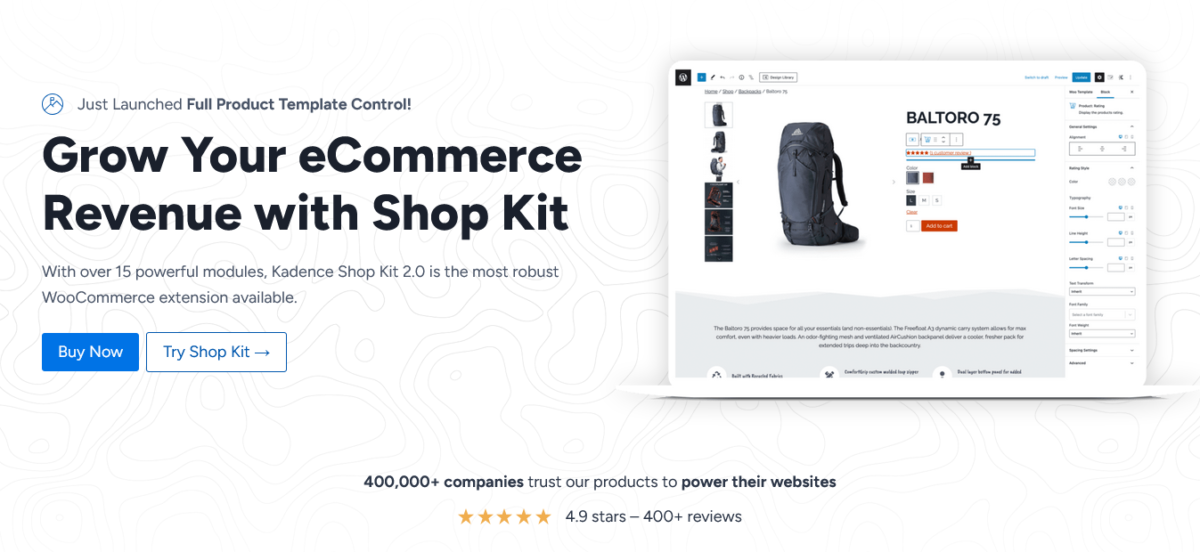
Kadence is Blocksy’s main competitor in the “modern WordPress themes” category.
Kadence is known for advanced header and footer builders, global color palettes, and deep WooCommerce integration despite extensive features producing no render-blocking CSS.
Key Features:
- Powerful header/footer builder
- Global styling system
- WooCommerce Shop Kit (with higher tiers)
- Conditional cart banners
- Advanced reviews system
- Mini cart drawer
Pricing: Free theme with paid plans starting at $69/year for Express (3 sites) up to $299/year for Ultimate (25 sites), with Shop Kit included only in Ultimate bundles ($299 minimum for serious WooCommerce builds)
The catch: Kadence restructured pricing in 2025, introducing stricter site limits and no longer offering unlimited licensing. The WooCommerce add-on (Shop Kit) only comes with the most expensive plan.
For basic WooCommerce, Kadence works great. For advanced store features, you’re paying $299/year minimum. That’s steep compared to Astra’s $119 Essential Toolkit or Blocksy’s $299 lifetime Business plan.
Still a solid theme, just expensive for what you get.
#4: Flatsome – Conversion Machine
Flatsome is the highest-selling WooCommerce theme on ThemeForest with over 200,000 sales.
Why it’s popular:
- Built specifically for WooCommerce (not multipurpose)
- Includes proprietary UX Builder with 400+ pre-built sections designed for product catalogs and checkout flows
- Beautiful pre-made shop layouts
- Live product search and quick view
- Conversion-focused features
Pricing: $59 one-time on ThemeForest (lifetime updates)
The trade-off: UX Builder content is locked to Flatsome. Switch themes, rebuild everything. Also, heavier than Astra or Blocksy.
Flatsome scores around 94-96% on speed tests, which is solid for a feature-rich theme but not quite as lightweight as Astra or Blocksy.
Best for: Dedicated WooCommerce stores that want built-in ecommerce features and won’t switch themes later.
Build a high-converting WooCommerce store with Flatsome, one of the best-selling themes on ThemeForest.
👉 Check Flatsome on ThemeForest
#5: Shoptimizer – Speed Demon
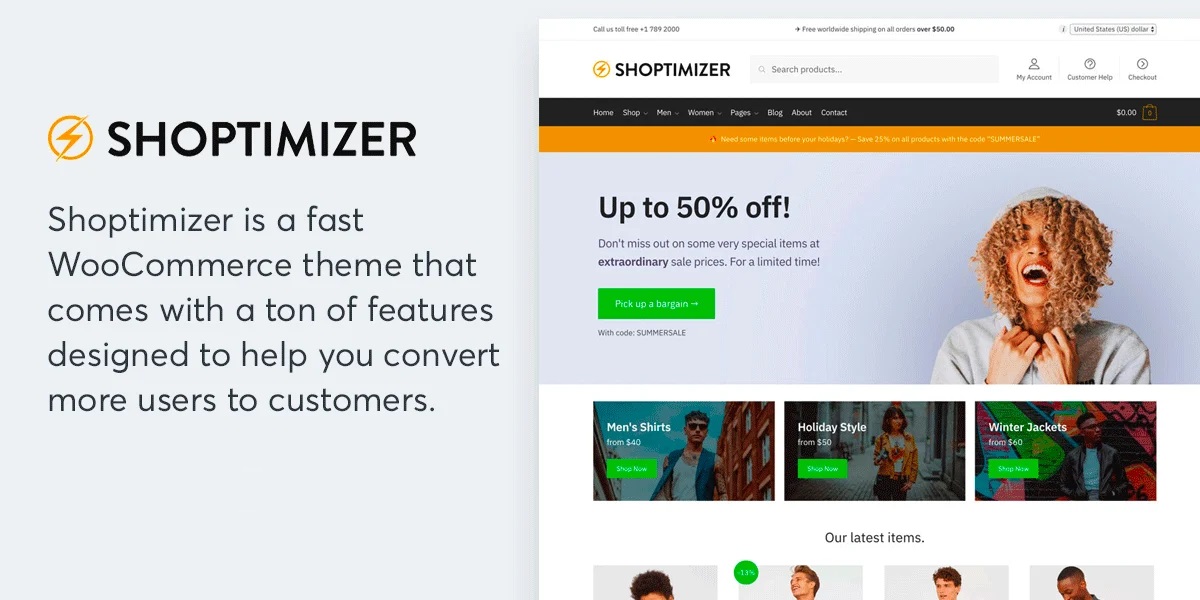
Shoptimizer is built for one thing: converting visitors into customers as fast as possible.
Shoptimizer consistently ranks as one of the fastest WooCommerce themes, scoring 97% average performance in speed tests.
Conversion features:
- Sticky add-to-cart
- Stock meters
- Trust badge placement
- Distraction-free checkout
- Automatic critical CSS generation
- Minified stylesheets
Pricing: $99/year single-site license
The catch: Less design flexibility. It’s optimized for conversions, not creative control. If you need unique layouts or heavy customization, you’ll struggle.
Best for: Store owners who prioritize conversions and speed over design freedom.
#6: GeneratePress – Lightweight Legend
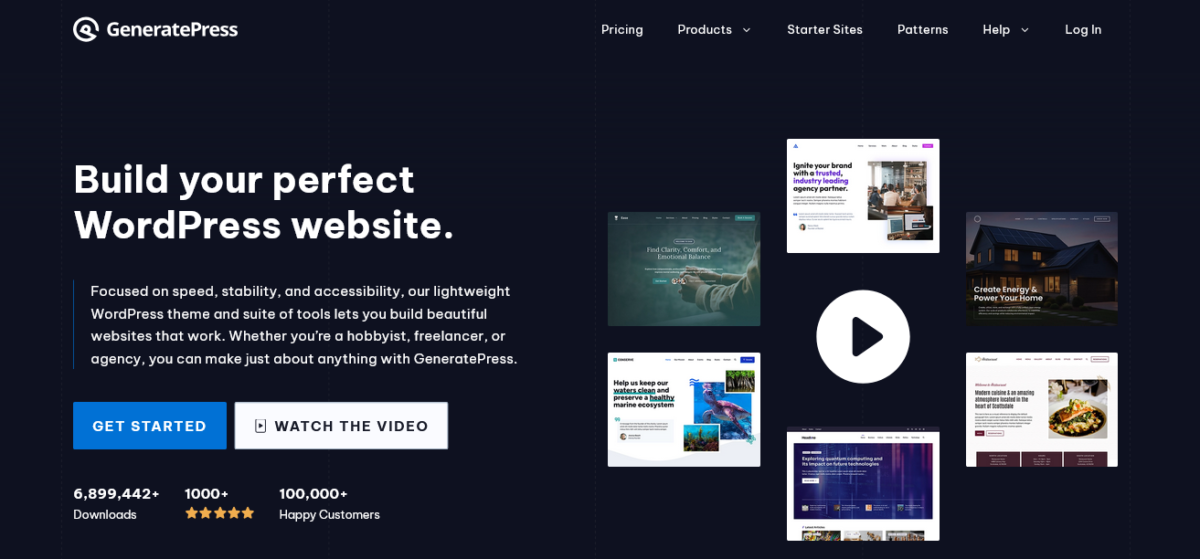
GeneratePress is the OG lightweight WordPress theme.
GeneratePress is the fastest in most cases, adding less than 10KB to page size with a modular design allowing only the needed features.
WooCommerce support: Solid but basic. Works well with WooCommerce, doesn’t add bloat, but lacks advanced shop-specific features.
Pricing: Free version available, Premium $59/year for unlimited sites
Best for: Minimalists who want maximum speed and will add shop features via plugins.
⚡ Want a faster WooCommerce store?
GeneratePress is lightweight, SEO-friendly, and built for performance.
#7: Storefront – Official (and Free) Option
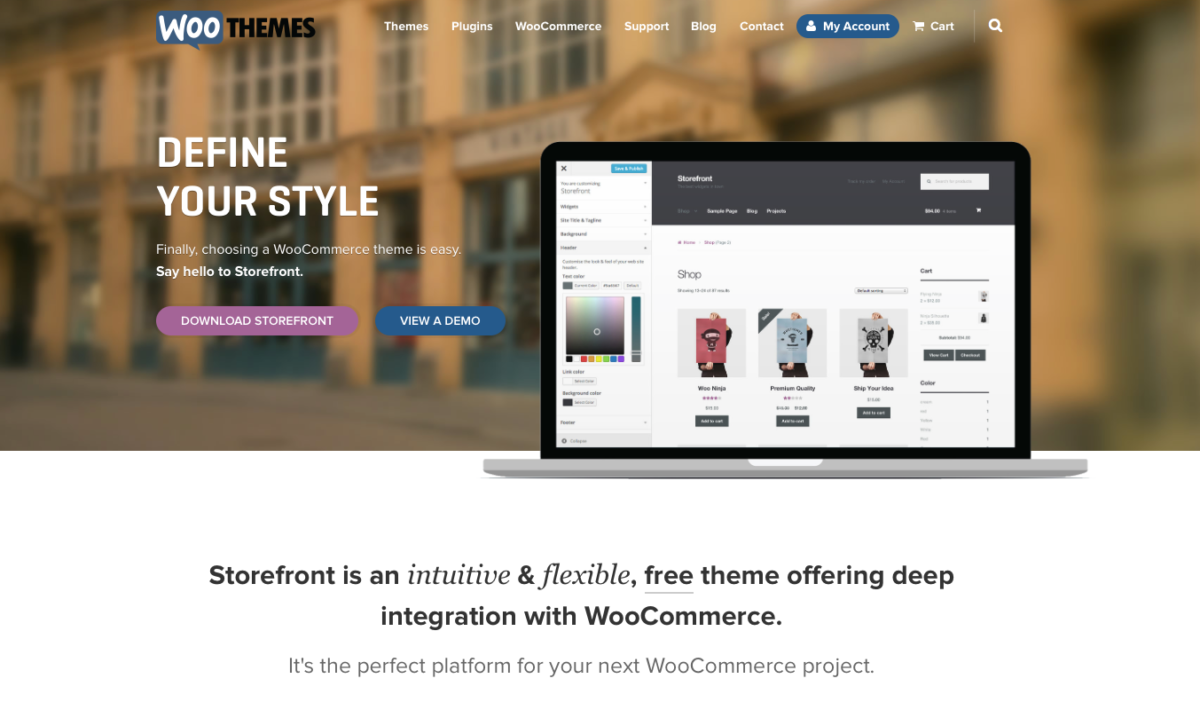
Storefront is the official WooCommerce theme built by WooCommerce developers, guaranteeing perfect compatibility with WooCommerce core and extensions.
Pros:
- Completely free
- Perfect WooCommerce compatibility
- Fast and lightweight
- Rock-solid stability
Cons:
- Basic design out of the box
- Limited customization without code
- No built-in page builder
Best for: Developers who want a clean foundation to customize, or stores on tight budgets.
🛒 Build your WooCommerce store on a rock-solid foundation with Storefront, the official theme designed by WooCommerce.
Themes I Wouldn’t Recommend
Some popular themes didn’t make this list for good reasons:
Divi: Powerful builder, but heavy. WooCommerce support is good, but the theme bloat hurts conversions. Better for general sites than dedicated stores.
Avada: Feature-rich to the point of bloat. Slow unless heavily optimized. Too complicated for most store owners.
WoodMart: Popular but heavier than Astra or Blocksy. Good for large catalogs but overkill for most stores.
OceanWP: Decent, but development has slowed. Better free alternatives exist.
How I Test These Themes
I don’t trust marketing claims. Here’s my testing process:
- Fresh install on standard hosting (no premium managed servers)
- Import demo content with products, images, and typical pages
- Run PageSpeed Insights for desktop and mobile
- Test checkout flow on multiple devices
- Monitor actual conversion rates on live stores when possible
- Check update frequency and support responsiveness
The numbers in this article come from real tests, not press releases.
Also Read: How to Set Up WooCommerce Subscriptions and Recurring Income in 2026
Which Theme Should YOU Choose?
Choose Astra if: You want proven performance, active development, great support, and the best balance of speed/features/price. This is the safe bet that works for 80% of WooCommerce stores.
Choose Blocksy if: You’re building with Gutenberg, want modern code, prefer lifetime licensing, and value a clean, fast theme built for 2026.
Choose Kadence if: You’re committed to the block editor and need advanced features, and you’re okay paying $299/year for the full WooCommerce toolkit.
Choose Flatsome if: You’re building a dedicated store, won’t change themes later, and want conversion-focused features built in.
Choose Shoptimizer if: Speed and conversions matter more than design flexibility, and you’re comfortable with limited customization.
Choose GeneratePress if: You’re a minimalist or developer who wants maximum speed and will add features via plugins.
Choose Storefront if: Budget is $0 and you’re comfortable with basic design or plan to customize with code.
The Secret to High-Converting Stores

Here’s what nobody tells you: the theme matters, but it’s maybe 30% of the conversion equation.
The other 70%?
- Product images that actually show the product clearly
- Descriptions that answer questions and build trust
- Reviews that prove social proof
- Clear pricing without surprise fees at checkout
- Fast hosting (even the fastest theme can’t fix garbage servers)
- Mobile optimization beyond just “responsive.”
- Trustworthy design (SSL, security badges, professional look)
I’ve seen stores with “mediocre” themes outperform gorgeous sites because they nailed these fundamentals.
Your theme creates the foundation. Your content, images, and user experience build the house.
Don’t obsess over finding the “perfect” theme. Pick a solid one (Astra or Blocksy works for most stores), optimize the hell out of everything else, and start selling.
The perfect theme that launches never beats the good theme that ships today.
Conclusion: Just Pick One and Start Building
Analysis paralysis kills more WooCommerce stores than bad themes ever will.
I’ve given you the best WooCommerce themes for 2026 based on actual testing, real client work, and performance data that matters.
My top recommendations:
- Astra – Best overall, proven track record, great value
- Blocksy – Best modern option, lifetime pricing, excellent for Gutenberg users
- Kadence – Best if fully committed to block editor (expensive but powerful)
All three work brilliantly. Pick based on your budget, technical comfort, and whether you prefer annual or lifetime pricing.
Install the free version. Test with your products. See how it feels. Upgrade if needed.
The WooCommerce store you launch with a “good enough” theme next week will make more money than the perfect store you’re still planning six months from now.
Stop researching. Pick a theme. Build your store. Start selling.
FAQs
What is the best WooCommerce theme for 2026?
Astra is the best WooCommerce theme for most stores in 2026, with over 1 million installations, under 50KB weight, and proven performance. It balances speed, features, and price better than alternatives.
Blocksy is the best modern option for Gutenberg users, while Flatsome works best for dedicated WooCommerce stores needing built-in conversion features.
Are free WooCommerce themes good enough?
Yes, for basic stores. Astra free, Blocksy free, and Storefront all work well for simple WooCommerce shops.
However, serious stores benefit from premium versions offering advanced features like distraction-free checkout, product quick view, sticky add-to-cart, and better customization options. Premium themes typically pay for themselves through increased conversions.
Which Best WooCommerce theme is the fastest?
GeneratePress and Shoptimizer are the fastest pure-speed champions, with Shoptimizer scoring 97% average performance.
However, Astra and Blocksy offer the best speed-to-features ratio, consistently hitting 90-95% on PageSpeed while providing robust WooCommerce functionality.
Theme speed matters, but hosting quality and image optimization matter more.
How much should I spend on a WooCommerce theme?
Budget $0-150/year depending on needs. Free themes like Astra, Blocksy, and Storefront work for starting out.
Serious stores should budget $60-150/year for premium versions: Astra Essential Toolkit ($119/year), Blocksy Business ($99/year or $299 lifetime), or Flatsome ($59 one-time). Lifetime licenses save money long-term for multiple stores.
Do I need a premium WooCommerce theme?
Not immediately, but eventually, yes, for serious stores. Free versions let you launch and test your business model.
Once you’re generating revenue, premium themes add conversion-boosting features like optimized checkout, advanced product displays, and better customization that typically increase sales enough to cover costs. Start free, upgrade when profitable.
Can I switch WooCommerce themes after launching?
Yes, but with caveats. Content (products, pages, posts) transfers fine. Theme-specific layouts, customizations, and page builder content may need rebuilding. Themes like Flatsome with proprietary builders create more migration work.
Astra and Blocksy, using the standard WordPress customizer or Gutenberg, make switching easier. Plan to invest 10-40 hours rebuilding design elements when migrating.
What WooCommerce features should my theme include?
Essential features: product quick view, off-canvas cart, mobile optimization, fast load times, customizable product pages, distraction-free checkout, sticky add-to-cart, and gallery options. Nice-to-haves: wishlist, variation swatches, advanced filters, product video support, and custom layouts.
Astra Pro and Blocksy Pro include most essentials; Flatsome and Shoptimizer add conversion-specific features.
Is Astra or Blocksy better for WooCommerce?
Astra is better for most WooCommerce stores: larger community, more resources, proven track record, better page builder compatibility. Blocksy is better for modern builds using Gutenberg, lifetime pricing preference, and valuing cutting-edge code.
Both perform excellently; choose based on workflow (page builders vs block editor) and licensing preference (annual vs lifetime).
This article represents honest testing and real-world experience. Blog Recode is an Astra affiliate and Blocksy affiliate, meaning we earn commission if you purchase through our links. However, these recommendations are based on actual performance and client results, not affiliate payouts. We only recommend themes we’d use ourselves.