Best AI Blogging Tools in 2026: 30+ Tools Compared & Tested
This is the guide I wish existed when I started. Not a list. A decision.
Who this is for
Bloggers, affiliate marketers, agencies, and content teams trying to figure out which of the best AI blogging tools are worth paying for in 2026 and beyond, instead of guessing from a dozen conflicting “top 10” lists.
FYI: Some links below are affiliate links, meaning I may earn a small commission if you buy through them, at no extra cost to you. I only recommend tools I’ve personally tested or would confidently hand to a friend. If the commission disappeared tomorrow, my picks wouldn’t change.
Quick Answer
If you only read one paragraph, read this one. The best AI blogging tools in 2026 depend on the job, not a single winner.
✅ For research and strategy, Frase is my overall pick this year.
✅ For pure SEO writing, SEOWriting AI.
✅ For budget and beginners, Rytr.
✅ For video content, HeyGen or Vidu AI
✅ For consolidating your AI subscriptions into one bill, the Bluehost AI All-Access Pack.
✅ For content repurposing, Repurpose
✅ For an AI landing page and site builder, Onepage
✅ For the site itself, a fast host like WordPress.com or WPX Hosting paired with a lightweight theme like Astra, Kadence, or GeneratePress.
💡 Creator Note: I spent over $3,000 of my own money testing AI blogging tools for my client work and for Blog Recode itself, and I’ve kept testing since.
This page covers writing, SEO, AI visibility, images, video, repurposing, website builders, hosting, plugins, and themes, because a modern blog isn’t built with one tool anymore, and nobody serious pretends otherwise.
💡 Key Takeaways
- The best AI blogging tools aren’t one-size-fits-all. Match the tool to the job, not the other way around.
- Frase is my overall winner for 2026, thanks to research depth that now feeds directly into writing and optimization.
- SEOWriting AI remains the strongest dedicated SEO writing tool for bloggers who publish frequently.
- AI visibility (whether ChatGPT, Gemini, and Perplexity cite your content) is now a separate discipline from Google SEO, with its own dedicated tools.
- A real blogging stack includes video and image tools now, not just a writer.
- Your hosting platform and theme matter as much as your AI writing tool. A slow, bloated site undoes good content fast.
- The Bluehost AI All-Access Pack is worth serious consideration if you’re paying for ChatGPT, Claude, and Gemini separately, since it bundles all three (plus Grok) for $20/month per seat.
- Not every AI tool with good marketing deserves your money. I’ve named the ones I stopped using, and why.
How I Tested These Tools
Most best AI blogging tools articles are written by someone who opened each tool for ten minutes and screenshotted the pricing page. That’s not what happened here.
I used these tools for real client work across several industries and for Blog Recode’s own content over the past year and beyond.
My testing framework weighs content quality at 40%, ease of use at 20%, SEO or feature performance at 20%, value for money at 15%, and support and reliability at 5%.
Testing scenarios: 50+ blog posts across different niches, client work for three different industries, head-to-head content and performance comparisons, and ongoing re-testing every time a tool ships a major update.
⚠️ Creator Mistake: Early on, I judged tools purely on their demo output, which is always their best foot forward. Real testing means running dozens of posts through a tool across different niches, not judging it off one polished example.
Best AI Blogging Tools at a Glance
Before the deep dives, here’s the full best AI blogging tools comparison table in one place.
| Tool | Category | Best For | Starting Price | Free Plan |
|---|---|---|---|---|
| Frase | Research & SEO | Overall winner, content strategy | $45/mo | Free trial |
| SEOWriting AI | Writing | SEO-first blog writing | $19/mo | Free trial |
| Rytr | Writing | Budget and beginners | Free to $29/mo | Yes |
| NeuronWriter | Optimization | On-page SEO scoring | $23/mo | Yes |
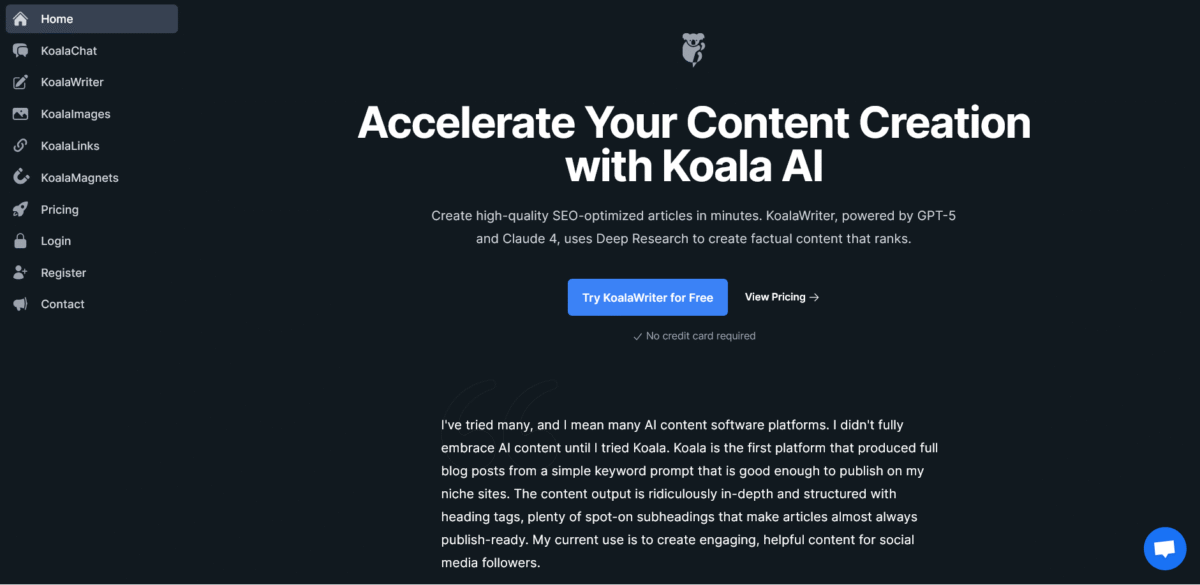
| Koala AI | Writing | High-volume affiliate content | $9/mo | No |
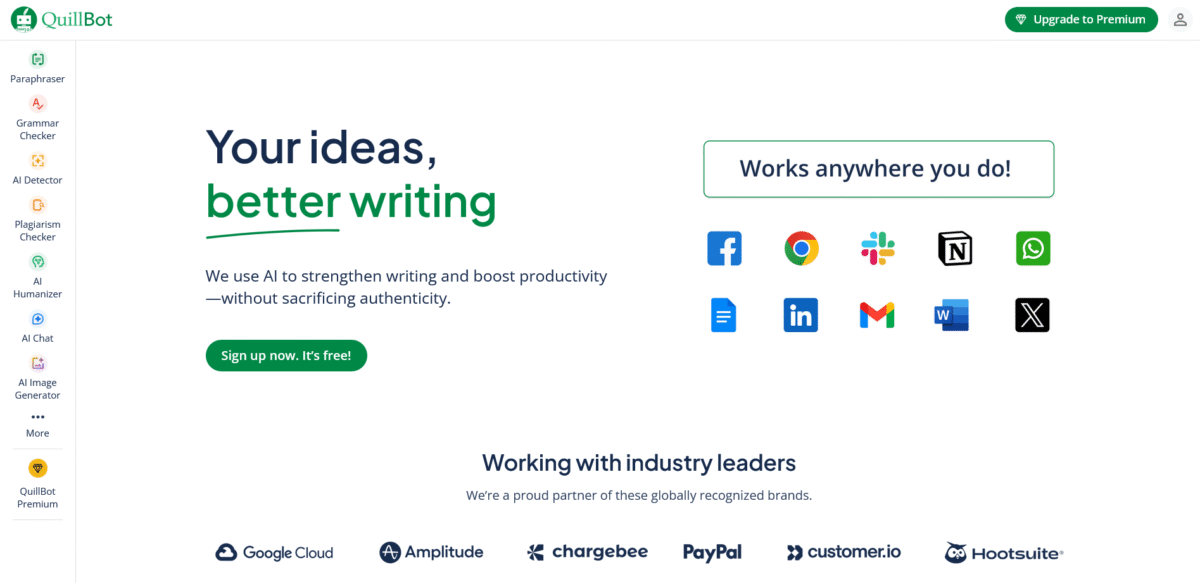
| QuillBot | Editing | Polishing and paraphrasing | $8.33/mo | Yes |
| Jenni AI | Writing | Research/citation-heavy posts | $20/mo | Free trial |
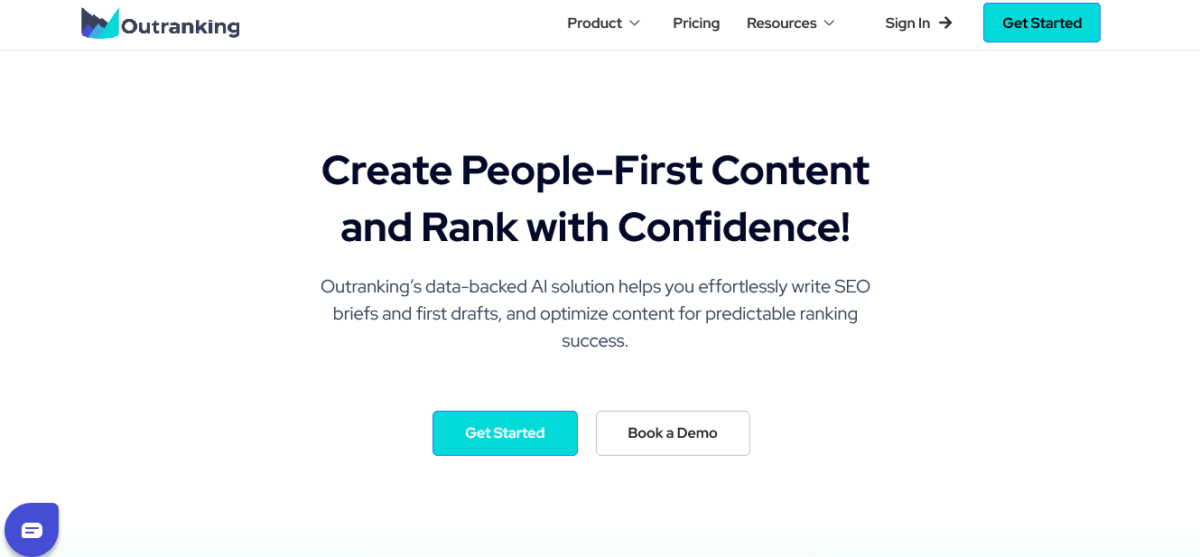
| Outranking.io | Strategy | Topic clustering and planning | Paid | Free trial |
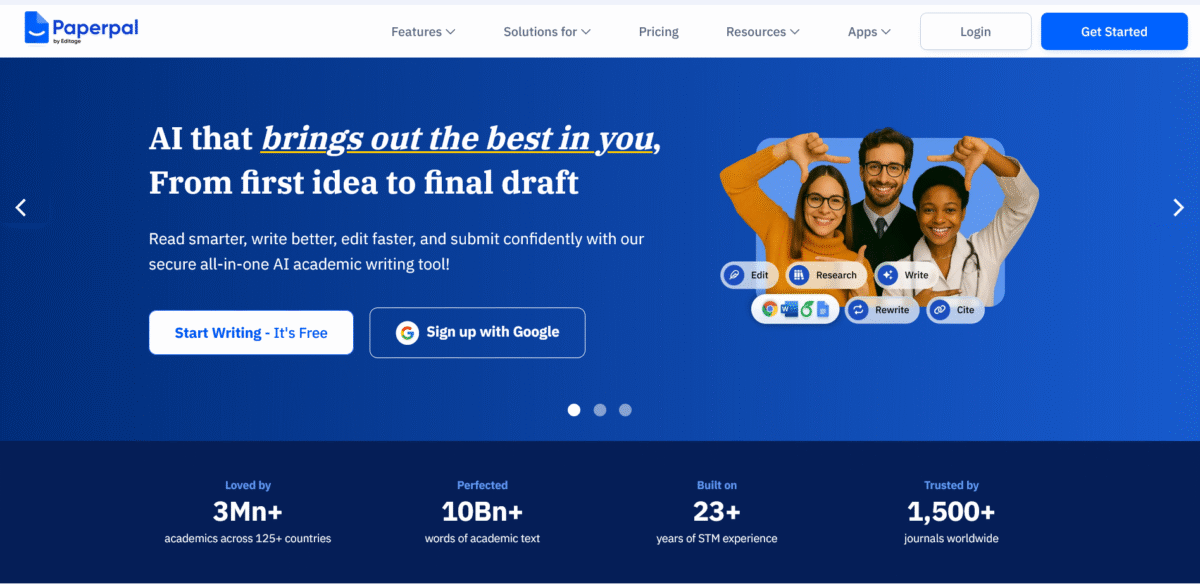
| Paperpal | Editing | Academic/technical polish | $5.70/mo | Yes |
| Copy.ai | Writing | Marketing copy and social captions | Free tier | Yes |
| ChatGPT Plus | General AI | Versatile all-rounder | $20/mo | Yes, limited |
| Claude Pro | General AI | Long-form voice consistency | $20/mo | Yes, limited |
| Bluehost AI All-Access Pack | Multi-model AI | Replacing multiple AI subscriptions | $20/mo/seat | No |
| Surfer AI Tracker | AI Visibility | Tracking AI search citations | Paid | No |
| xSeek | AI Visibility | AI crawler and mention tracking | Paid | Free trial |
| HubSpot AEO | AI Visibility | Brand visibility across AI engines | Paid | Free trial |
| HeyGen | Video | AI avatar and explainer videos | Free to $29/mo | Yes |
| Synthesia | Video | Corporate/training-style video | Paid | Free trial |
| Designs.ai | Images | Blog graphics and social visuals | Paid | Free trial |
| OpenArt AI | Images | AI image generation | Paid | Free trial |
| Repurpose.io | Repurposing | Turning posts into social content | Paid | Free trial |
| Onepage | Website builder | AI landing pages and simple sites | Free to $19.90/mo | Yes |
| WPX Hosting | Hosting | Fast managed WordPress hosting | $17.99/mo | No |
| WordPress.com | Hosting/CMS | All-in-one blogging platform | Free to paid tiers | Yes |
| Levamo | Hosting | High-traffic/WooCommerce sites | $35/mo | No |
| Astra | Theme | Lightweight, flexible theme | Free to $69/yr | Yes |
| GeneratePress | Theme | Speed-focused, developer-friendly | Free to $59/yr | Yes |
| Kadence Theme | Theme | Gutenberg-first with AI site building | Free to $149/yr | Yes |
| Rank Math | Plugin | SEO and schema for WordPress | Free to paid | Yes |
| SureRank | Plugin | Lightweight SEO alternative | Paid | Free trial |
Pricing reflects publicly listed rates at the time of writing. AI and hosting pricing shifts often, so confirm current rates before buying.
❔ Ready to see the full breakdown? Keep scrolling, or jump straight to the budget stacks if you just want the shopping list.
🏆 Our Top AI Blogging Tools (By Category)
Here’s the fastest way to find the best AI blogging tools for your specific situation without reading the full deep dives below.
Overall Winner: Frase, because it doesn’t just write; it researches, briefs, drafts, and optimizes within a single connected workflow.
Best AI Writing Tool: SEOWriting AI, for one-click blog posts with real SERP analysis and automatic WordPress publishing.
Best AI SEO Tool: NeuronWriter, for semantic keyword scoring and competitor gap analysis.
Best AI Research Tool: Frase, whose competitor content breakdown replaces an hour of manual SERP digging per article.
Best AI Visibility (GEO) Tool: Surfer AI Tracker, for connecting AI citation monitoring to an existing SEO workflow.
Best AI Image Tool: Designs.ai, for covering blog graphics and social visuals in one subscription.
Best AI Video Tool: HeyGen, for avatar-led explainer videos without filming yourself.
Best AI Content Optimization Tool: Frase’s content editor, for real-time scoring against actual top-ranking pages.
Best AI Repurposing Tool: Repurpose.io, for turning one blog post into a week of social content automatically.
Best AI Website Builder: Onepage, for fast AI-assisted landing pages and simple sites.
Best Hosting for AI-Assisted Blogs: WordPress.com or WPX Hosting, for keeping image- and plugin-heavy content loading fast.
Best WordPress Theme: Astra, for the widest balance of speed, flexibility, and a genuinely usable free tier.
Best for Beginners: Rytr + ChatGPT Plus, for a low-cost, forgiving combo.
Best Budget/Free Option: Rytr’s free plan, generous enough to test the waters before paying anything.
Best for Replacing Multiple AI Subscriptions: Bluehost AI All-Access Pack, bundling ChatGPT, Claude, Gemini, and Grok into one $20/month seat.
Best AI Blogging Tools by Job
The best AI blogging tools lists organize by product. Bloggers think in tasks. Here’s the same best AI blogging tools, organized the way you’ll use them day to day.
Research: Frase, ChatGPT Plus, the Bluehost AI All-Access Pack’s research agents.
Keyword research: NeuronWriter, Frase, Rank Math’s built-in keyword tracking.
Content briefs: Frase, Outranking.io.
Outlining: ChatGPT Plus, Claude Pro, working from a Frase brief.
Writing: SEOWriting AI, Rytr, Koala AI, Jenni AI, Copy.ai for shorter marketing copy.
Editing: QuillBot, Paperpal for technical or academic tone.
Fact-checking: Manual verification, always. No tool on this page replaces this step.
SEO: NeuronWriter, Frase, Rank Math, SureRank.
AI visibility: Surfer AI Tracker, xSeek, HubSpot AEO.
Images: Designs.ai, OpenArt AI, Canva for quick free graphics.
Video: HeyGen, Synthesia, Invideo, Fliki AI, and Descript for editing.
Social media: Repurpose.io, SocialBee, Tailwind for Pinterest-heavy niches.
Email/newsletters: Kit (formerly ConvertKit), Beehiiv.
Analytics: Rank Math inside WordPress, Surfer AI Tracker for AI search visibility.
Website building: Onepage, ZipWP.
Hosting: WordPress.com, WPX Hosting, Levamo, Bluehost.
Themes: Astra, GeneratePress, Kadence Theme, Blocksy.
Plugins: Rank Math, Fluent Forms, Pretty Links, ShortPixel, ThirstyAffiliates, CrawWP, and more.
Deep Dive: Best AI Writing and SEO Tools
This is the core of the guide, and it’s where I’ve gone deepest, because your writing tool is the one you’ll touch every single day. If you’re only going to bookmark one section of this best AI blogging tools guide, make it this one.
👉 Every review below reflects actual usage, not a demo.
1. Frase: the Research Beast (Overall Winner)

Frase offers a free trial, a Basic plan around $45/month for 30 search queries, and a Team plan around $115/month for three users with unlimited queries.
Why it’s my overall winner this year
Frase isn’t a writer first; it’s a content intelligence platform, and that distinction matters more every year search gets more competitive.
It analyzes the top 20 competitors for any keyword, generates a brief with must-include subtopics, and then lets you draft and optimize inside the same interface instead of bouncing between four tabs.
My workflow with Frase
Enter the target keyword, let it analyze the top 20 competitors, review the auto-generated brief, write or AI-assist sections against that brief, then run the finished draft through Frase’s content editor for a live optimization score.
My results
I used it for a comparison post between two competing SEO tools. Frase identified 23 subtopics competitors covered, plus eight they’d all missed. That post now ranks in the top three for its target keyword and pulls consistent monthly traffic.
Why you can trust this pick
I’ve run Frase against manual competitor research side by side more than a dozen times, and it consistently surfaces gaps a human skim misses simply because it processes 20 pages at once instead of three.
The good
Unmatched research depth, briefs that save hours of manual analysis, strong for topical authority building, and one of the few tools that improves your strategy, not just your sentences.
Frustrating parts
Pricier than basic AI writers, search query limits on lower plans, and the interface takes a session or two to feel natural.
✅ Best for
Content strategists and established bloggers who take rankings seriously.
Skip if: you’re on a tight budget or just need simple content creation.
Research. Write. Rank with Frase →
2. SEOWriting AI: the SEO Powerhouse

SEOWriting AI is built specifically for bloggers who care about search rankings, not just word count. Pricing starts around $19/month, scaling toward $59/month for higher-volume plans.
What makes it special
One-click blog post generation with real SERP analysis, automatic WordPress publishing, built-in image generation, and content briefs that reflect what’s actually ranking right now rather than generic outlines.
My experience
I used this for a client’s fitness blog. The tool analyzed top-ranking competitors, suggested a sharper angle than what I’d planned, and generated a 2,500-word post that reached page one within six weeks. That’s not a hypothetical; that’s a specific client result I can point back to.
Why you can trust this pick
It’s the tool I still reach for on roughly 80% of my own posts, and I don’t stay loyal to tools that stop performing, affiliate commission or not.
The good
Truly understands SEO in a way most AI writers don’t, integrates cleanly with WordPress, generated images are usable rather than embarrassing, and content briefs are comprehensive.
The not-so-good
A real learning curve on the advanced features, can be overkill for a simple 500-word post, and fact-checking is still required, like every AI tool on this page.
Best for
Serious bloggers who want to rank.
Skip if: you’re just starting out or write purely personal content.
Write. Rank. Win with SEOWriting AI →
3. Rytr: the Budget Champion

Rytr offers a free plan with 10,000 characters monthly, an Unlimited plan around $9/month, and a Premium plan around $29/month supporting 35+ languages.
What I use it for
Social captions, email newsletters, blog outlines, and product descriptions for client work where speed matters more than depth.
The surprise winner
I ran a blind test where my audience voted on blog intros from several tools. Rytr-generated intros, heavily edited, beat more expensive tools three times out of five. Price genuinely doesn’t predict quality here.
Why you can trust this pick
It’s the tool I recommend most often to beginners specifically because I’ve watched non-writers get usable drafts out of it within their first session, no prompt-engineering degree required.
The good
Incredible value at roughly $9/month, 35+ language support, multiple content types, and a genuinely user-friendly interface.
The not-so-good
Not specialized for long-form content, limited SEO features, and it needs more editing than premium tools before it’s publish-ready.
Best for
Beginners and budget-conscious creators.
Skip if: you need advanced SEO features or minimal editing time.
Write faster, sound smarter with Rytr →
4. NeuronWriter: the SEO Specialist

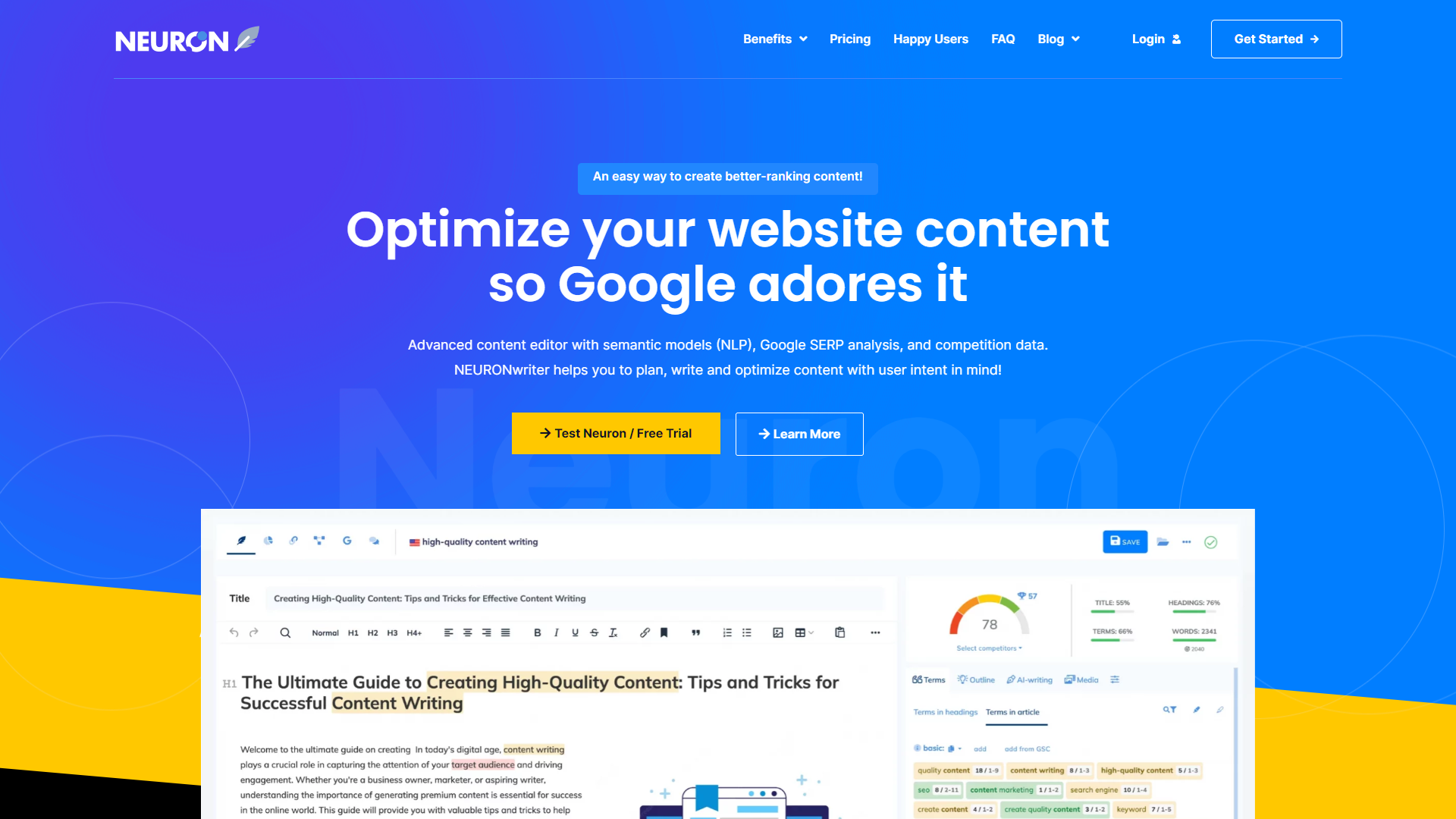
NeuronWriter has a genuinely usable free plan and paid plans starting around $23/month.
Standout features
Content scoring based on real top-ranking competitors, semantic keyword suggestions, SERP analysis integration, and competition gap analysis that goes deeper than most on-page tools.
My case study
I used it while updating a Jetpack tools roundup.
NeuronWriter suggested 40+ semantic keywords I hadn’t considered. That post now ranks in the top three for a dozen different long-tail keywords, which is the kind of compounding result that on-page optimization tools are supposed to deliver but rarely do this consistently.
Why you can trust this pick
I re-ran the same article through three different optimization tools before settling on NeuronWriter’s suggestions, and it was the only one whose recommendations held up against actual ranking movement over the following months.
The good
Deep SEO analysis, visual content optimization suggestions, competitor gap identification, and reasonable pricing for what’s included.
The not-so-good
A steep learning curve for beginners, a real risk of over-optimizing content if you chase every suggestion, and limited creative writing capability on its own.
Best for
SEO-focused content creators.
Skip if: you prioritize ease of use over optimization depth.
Smarter SEO starts with NeuronWriter →
5. Koala AI: the Content Volume King

Simple pricing for both KoalaChat and KoalaWriter starting around $9/month.
What sets it apart
Amazon product integration, bulk content generation, affiliate-friendly templates, and WordPress auto-posting built specifically for volume-focused affiliate marketers.
My experience
I generated 20 product comparison posts in three hours for a niche site test. They needed editing, but the foundation was solid, and one started ranking within two weeks, which is fast for a brand-new affiliate post.
Why you can trust this pick
I’ve watched Koala-generated drafts get flagged by readers as “templated” when they weren’t edited enough, so I only recommend it with the honest expectation that editing time is part of the real cost.
The good
Genuinely great for affiliate content, real bulk creation capability, smooth Amazon integration, and affordable pricing.
The not-so-good
Content can feel templated without a real edit pass; it’s built for commercial content specifically, and it requires meaningful editing time to reach publishable quality.
Best for
Affiliate marketers and niche site builders.
Skip if: you write diverse content types or prioritize a distinctive voice.
Let Koala handle the heavy writing →
6. QuillBot: the Polish Master

QuillBot Premium runs around $19.95/month, dropping to roughly $8.33/month billed annually.
What it excels at
Paraphrasing and rewriting, grammar checking, citation generation, and general content polishing. It’s honest about what it is: an editing tool, not a content creator.
My honest take
It’s more useful for improving existing content than writing anything from scratch, and I use it almost exclusively as the last step before publishing, never the first.
Why you can trust this pick
It’s the one tool on this page that hasn’t changed my opinion of it in over a year of use, which for a fast-moving AI category says something about how solid its core function is.
Best for
Cleaning up a rough AI draft before publishing.
Skip if: you need something to write the post from scratch.
Make every sentence shine with QuillBot →
7. Jenni AI: the Research and Citation Writer

Plus plan, priced at $30/month, Jenni AI is built specifically for academic and research-heavy writing.
When to use it
If you’re writing research-heavy content, case studies, or anything requiring proper citations, Jenni AI genuinely earns its keep here.
Unique features
Automatic citation generation, research paper integration, academic writing templates, and built-in plagiarism checking.
My verdict
Excellent for a specific use case, but overkill for most day-to-day blog posts. I keep it on hand specifically for the handful of data-heavy pieces I write each quarter.
Ace your research writing with Jenni AI →
8. Outranking.io: the Content Strategy Tool

Outranking is more of a strategy and planning tool than a writer, focused on content strategy planning, competitor analysis, topic clustering, and content optimization.
Honestly
It’s genuinely strong for planning, but you’ll need a separate tool for the actual drafting. I use it almost exclusively during the content calendar planning phase, not during writing itself.
Best for
Planning a content cluster before you write a word of it.
Skip if: you want one tool that plans and writes.
Outrank competitors with smarter content planning →
9. Paperpal: the Academic Polish Tool

Paperpal starts at around $4.80/month and is built around academic and technical writing evaluation.
Best use case
Academic writing and research papers, where it reportedly provides an unusually high number of suggested edits per document compared to general-purpose grammar tools.
For bloggers
Overkill unless you write very technical, research-adjacent content. I’ve used it exactly twice this year, both times for a heavily cited guest post.
Write confidently with Paperpal →
10. Copy.ai: the Marketing Copy Helper

Copy.ai has a usable free tier and paid plans scaling with team size.
What it’s genuinely good at
Social media captions, email marketing copy, and short-form marketing content. It’s not built for long-form blog posts and doesn’t pretend to be.
My honest take
I reach for Copy.ai specifically when I need ten variations of a headline or a CTA and don’t want to burn a Frase or SEOWriting AI credit on something that short.
Best for
Marketing copy and social captions.
Skip if: you need full blog articles.
Speed up your marketing copy with Copy.ai →
11. ChatGPT Plus: the Versatile Veteran
ChatGPT Plus runs $20/month, sitting between the free tier and OpenAI’s higher-usage Pro tiers.
Why it’s still relevant
It remains one of the best general-purpose values in AI, even against dedicated blogging tools, simply because of how flexible it is across outlining, brainstorming, and quick drafts.
Not specialized for blogging, but incredibly versatile, and it’s usually the first tool I open when a post idea is still half-formed.
Best for
Brainstorming, outlining, and general versatility.
Skip if: you want built-in SEO scoring.
12. Claude Pro, the Context King
Claude Pro also runs $20/month and stands out for long-context handling and voice consistency across lengthy pieces.
Why I use it
Claude tends to hold a consistent voice better than most models across a long draft, which matters more than people expect once you’re past 2,000 words.
Best for
Long-form content and maintaining a consistent voice.
Skip if: you need built-in SEO or WordPress publishing.
Best AI Visibility Tools for Bloggers (GEO)
You’ve written the article. You’ve optimized it for Google. The next question is whether ChatGPT, Claude, Gemini, and Perplexity are recommending it, and that’s genuinely a separate discipline from traditional SEO now.
1. Surfer AI Tracker

Best for
Bloggers and content teams who want to track and improve their visibility in AI search.
SEO is no longer just about where your article ranks on Google.
Your content can also be discovered through AI-generated answers, so it helps to know whether platforms like ChatGPT, Gemini, Perplexity, and Google’s AI search features are mentioning your brand or using your content as a source.
Why Surfer is my top pick here
AI visibility isn’t treated as a separate activity bolted onto its existing tools. Surfer connects AI visibility tracking with its broader content optimization workflow, so you can see what’s happening, then act on it inside the same platform.
What I like most
You can track how your brand appears in AI-generated answers over time, monitor competitor visibility, analyze which URLs AI models cite as sources, spot mention gaps where competitors show up and you don’t, and track across ChatGPT, Gemini, Perplexity, Google AI Overviews, and AI Mode.
Who should use it
Bloggers, affiliate publishers, SEO professionals, and content teams that already have content published and want to understand performance beyond traditional Google rankings. If you’re brand new and still working on basics, this isn’t your first purchase.
My verdict
My number one AI visibility pick for bloggers who want to connect AI search monitoring with an existing SEO and content workflow, because you’re not just given a visibility number, you’re given the actual AI responses, competing brands, and cited sources to act on.
2. xSeek

Best for
Tracking and improving your visibility across AI search engines specifically.
Creating great content is only half the battle now. Bloggers also need to know whether AI platforms are finding, mentioning, and recommending their content at all.
What I like about xSeek
Dedicated AI visibility tracking, competitor analysis showing who gets mentioned when you don’t, content gap insights for AI search opportunities, AI crawler insights showing how bots interact with your site, and a GEO-specific optimization angle built around generative search rather than traditional Google results.
Who should use it
Bloggers, publishers, and affiliate marketers who already have content published and want visibility into the rapidly growing AI search ecosystem. If you only want a tool to write posts, this isn’t it.
3. HubSpot AEO

Best for
Tracking brand visibility and citations across AI search engines, especially for teams already inside the HubSpot ecosystem.
HubSpot AEO helps marketers see how their brand appears in AI-generated answers across ChatGPT, Gemini, and Perplexity, tracking brand visibility, competitor share of voice, prompts, and citations, while offering recommendations to improve visibility.
What I like about it
Visibility monitoring across major platforms, competitor share-of-voice comparison, citation analysis showing which pages AI engines cite, prompt tracking relevant to your business, and prioritized AEO recommendations.
Who should use it
Marketers, bloggers, and content teams that want a fuller picture of brand and content performance across AI search platforms alongside competitor tracking.
AI Video and Image Tools for Blog Content
No list of the best AI blogging tools is complete without visuals anymore, since text-only posts increasingly underperform in both search and AI Overviews.
HeyGen: the Camera-Shy Blogger’s Best Friend

HeyGen offers a free plan (three videos a month, watermarked), a Creator plan around $29/month, and higher tiers scaling to roughly $149/month plus per-seat pricing for teams.
Why it matters for blogging
AI Overviews and video search increasingly reward posts paired with actual video content, and HeyGen lets you produce an avatar-led explainer without ever turning on a camera.
My experience
As someone who’s admittedly camera-shy, I’ve used HeyGen to turn a couple of long-form guides into short explainer videos for embedding and social distribution, and the avatar quality has genuinely improved enough in the last year that it no longer feels like a novelty.
Best for
Creators who want video content without filming themselves.
Skip if: you need more than a handful of minutes of video a month, since the credit system adds up fast on the lower tiers.
Synthesia: the Corporate-Style Alternative

Best for
Training-style or corporate explainer video, where a more polished, less personality-driven presenter style fits the brand better than an avatar built to feel like “you.”
My honest take
I reach for Synthesia specifically for client work where the tone needs to be more neutral and professional than my own on-camera style would be anyway.
Designs.ai: for Blog Graphics and Social Visuals

Best for
Covering blog featured images, social graphics, and light logo work without hiring a designer.
My experience
It’s become my go-to when I need a batch of on-brand social graphics to accompany a post launch, since it keeps a consistent style across multiple images faster than prompting a general image generator from scratch each time.
OpenArt AI: for Custom Image Generation

Best for
More creative or stylized featured images where you want finer control over the generation process than a template-based tool offers.
Repurpose.io: for Turning Posts Into Everything Else

What it does
Turns one blog post into social clips, threads, and newsletter fodder automatically, which matters if promotion, not writing, is your actual bottleneck.
My experience
I underestimated how much time this saved until I tracked it. A single pillar post now feeds roughly a week of social content instead of a single “new post is live” announcement.
Best for
Bloggers whose writing output outpaces their promotion output.
Skip if: you don’t have an active social presence to repurpose into yet.
Website Builders, Hosting, Themes, and Plugins
The best AI blogging tools in the world don’t matter if the site publishing them is slow, ugly, or unreliable.
This section covers the infrastructure most “best AI blogging tools” articles skip entirely.
Onepage, the Fast AI Website Builder

Onepage has a real free tier (one site, three pages), an Essential plan at $19.90/month, scaling up to $179.90/month for agencies, with AI features available as an add-on.
What it’s good for
Spinning up landing pages, simple sites, and linktree-style pages quickly with AI-assisted copy and layout generation.
My experience
I built five pages on Onepage specifically to test it for Blog Recode, and it’s genuinely fast for single-purpose pages, though it’s not trying to be a full WordPress replacement and shouldn’t be judged as one.
Best for
Landing pages, lead capture, and quick campaign-specific sites.
Skip if: you need a full content-heavy blog with deep customization.
WPX Hosting, the Speed and Support Pick

WPX Hosting’s Starter plan is $17.99/month, with Business and Professional tiers scaling up for more sites and resources.
Why it’s my hosting pick
Managed WordPress hosting with a custom high-speed CDN, daily backups, malware scanning, and live chat support that’s consistently fast, which matters enormously once your AI-assisted publishing pace picks up and you’re troubleshooting more often.
Explore: Best WordPress Hosting for Creators 2026 (Tested & Ranked)
Why you can trust this pick
It’s the host running blogrecode.com itself, so every recommendation on this page has been published through it.
Best for
Bloggers who want speed and responsive human support without managing server infrastructure themselves.
Skip if: you need a rock-bottom budget host and can tolerate slower support.
WordPress.com: the All-in-One Option

Best for
Bloggers who want hosting and CMS bundled together with less setup friction than self-hosted WordPress.
Also Read: WordPress.com Review: I’m Still Recommending It in 2026 💙
My honest take
It’s a genuinely solid starting point for beginners who don’t want to think about hosting at all yet, with the tradeoff being less flexibility than a self-hosted setup once you outgrow the basics.
Levamo: for High-Traffic and WooCommerce Sites

Levamo (formerly Rapyd Cloud, built by the team behind BuddyBoss) starts around $35/month for its Lite plan, with LiteSpeed servers, a free CDN, and auto-scaling resources across every tier.
What it’s built for
WooCommerce stores, membership sites, LMS platforms, and high-traffic blogs that need dynamic resources rather than a fixed shared-hosting allocation.
Why you can trust this pick
It’s built specifically for the workloads that push ordinary shared hosts to their limits, logged-in users, personalized content, and constant API traffic, rather than trying to be a general-purpose budget host.
Also Read: Levamo Review 2026: Blazing-Fast Hosting or Overpriced?
Best for
WooCommerce stores, membership sites, and high-traffic publishers.
Skip if: you run a simple low-traffic blog that doesn’t need auto-scaling.
WordPress Themes That Honestly Matter for Bloggers
Astra, the theme I’d recommend to almost anyone starting out. The free version is genuinely usable, with a header/footer builder, hundreds of starter templates through the companion Starter Templates plugin, and solid WooCommerce support. Pro pricing starts around $69/year for three sites.
Why trust it: over a million active installations and a track record stretching back years make it one of the safest first tests for a new WordPress site.
GeneratePress, the developer and speed favorite. It adds well under 30KB to your page weight, ships with clean semantic HTML, and consistently posts strong Core Web Vitals scores. Premium runs around $59/year.
Best for: bloggers and affiliate sites where page speed is a genuine ranking factor, not an afterthought.
Kadence Theme, the modern pick for Full Site Editing fans. It includes a free header/footer builder, the popular Kadence Blocks plugin for advanced Gutenberg layouts without a separate page builder, and even built-in AI assistance for generating starter-site content and images.
Premium runs around $149/year.
Best for: agencies and bloggers who prefer the block editor over a traditional page builder.
Blocksy, a newer block-editor-first multipurpose theme with a clean, modern customizer. Pro pricing starts around $69/year for a single site.
Best for: bloggers who want a modern interface without Astra or GeneratePress’s larger, more established ecosystems.
WordPress Plugins Worth Pairing With Your AI Content
Rank Math for SEO and schema markup, with a genuinely capable free tier that covers most bloggers’ needs before any paid upgrade is necessary.
SureRank as a lighter, faster alternative for bloggers who want core SEO functionality without Rank Math’s larger feature surface.
Wordfence for security, which matters more once AI-assisted publishing means posting more frequently and needing more automated protection against the resulting increase in attack surface.
Fluent Forms for lead capture and contact forms that integrate cleanly with most WordPress themes without extra setup friction.
Bluehost AI All-Access Pack: The Subscription Consolidator

What It Is
The Bluehost AI All-Access Pack is a single subscription that bundles access to ChatGPT 5, Claude Sonnet 4.5, Gemini 3, and Grok 4.1 through one dashboard, priced at $20/month per user. You don’t need Bluehost hosting to buy it.
What’s Included
- Access to all four major frontier AI models from one login
- Built-in research agents for faster fact-finding and competitor analysis
- A presentation builder for turning content into slides quickly
- SEO-friendly article generation tools
- A Privacy+ tier with encrypted searches, data sanitization, and user-specific PINs for teams handling sensitive client work
How It Compares
Paying separately, ChatGPT Plus, Claude Pro, and a Gemini subscription each run around $20/month on their own, meaning three separate subscriptions cost roughly $60/month before adding a single specialized SEO tool.
The All-Access Pack replaces that stack for $20/month per seat.
It doesn’t replace dedicated tools like Frase or SEOWriting AI, which are built specifically for SEO content workflows. Think of it as your general-purpose AI layer, not your specialized SEO engine.
Who It’s For
Bloggers who want to compare model outputs on the same prompt, agencies managing AI access across a team without juggling individual logins, and anyone currently paying for more than one general AI chat subscription.
Blogger Workflow Examples
Research stage: use the built-in research agent to pull competitor angles before opening Frase for the deeper content brief.
Drafting stage: run the same outline through Claude and ChatGPT inside the dashboard to compare which handles your topic’s tone better, then pick the stronger draft to edit.
Client work: agencies handling multiple client accounts can use Privacy+ to keep client prompts and data separated with user-specific PINs.
Pros and Cons
Pros: one bill instead of several, genuine model comparison in one place, no Bluehost hosting required, Privacy+ option for client-sensitive work.
Cons: doesn’t include SEO-specific features like SERP analysis or WordPress auto-publishing, so it works best alongside a dedicated writing tool, not instead of one.
✅ My Verdict
If you’re currently paying for two or more general AI chat subscriptions, the Bluehost AI All-Access Pack is one of the easiest cost-saving swaps you can make this year. Pair it with a specialized SEO tool for the actual writing and optimization work.
🚀 Get Bluehost AI All-Access Pack for just $20/month →
How to Build an AI Blogging Workflow
Even the best AI blogging tools won’t finish blog posts by themselves. A workflow does. Here’s the sequence I actually run, five days a week.
Research → Plan → Write → Edit → Optimize → Create Visuals → Publish → Repurpose → Analyze
1. Research: Frase or the Bluehost AI All-Access Pack’s research agent to see what’s ranking and what’s missing.
2. Plan: Frase’s content brief, structured around real search intent, not guesswork.
3. Write: SEOWriting AI for SEO-first drafts, or the Bluehost AI All-Access Pack when comparing how different models handle the same brief.
4. Edit: QuillBot for polish, plus a manual human pass, always. This step doesn’t get skipped.
5. Optimize: NeuronWriter or Frase’s content editor for semantic coverage and on-page scoring.
6. Create Visuals: Designs.ai or OpenArt AI for images, HeyGen if the post pairs with a short explainer video.
7. Publish: SEOWriting AI’s WordPress auto-publish, or your CMS directly, hosted on something fast like WPX Hosting or WordPress.com, running a lightweight theme like Astra or GeneratePress.
8. Repurpose: Repurpose.io to turn the post into social clips and newsletter content.
9. Analyze: Rank Math for on-page SEO tracking, paired with Surfer AI Tracker or xSeek to see whether AI assistants are citing the piece.
💡 Creator Note: research and planning happen Monday, drafting Tuesday and Wednesday, editing Thursday, and optimization plus publishing on Friday. Four solid posts a week, roughly 12 hours of hands-on work.
Best AI Blogging Stack for Different Budgets
Buying the best AI blogging tools individually is never the actual goal. Building the right stack for your budget is.
🆓 $0 Budget
ChatGPT free tier + Google Search Console + Canva free + WordPress.org self-hosted with Astra’s free theme
Enough to validate whether blogging is something you’ll stick with before spending a dollar.
💵 ~$20/Month
Bluehost AI All-Access Pack alone ($20/mo per seat)
One dashboard covering four major AI models, useful if you’re not ready to commit to a specialized writing tool yet.
💰 ~$50/Month
Rytr Unlimited ($9) + ChatGPT Plus ($20) + WPX Hosting Starter (roughly $15 to $18)
Total: roughly $44 to $47/month. Low cost, gentle learning curve, versatile.
🎯 Serious Blogger
SEOWriting AI Professional ($59) + Frase Basic ($45)
Total: roughly $104/month. SEO-focused writing paired with real competitor research.
🔁 Affiliate Blogger
Koala AI ($9) + SEOWriting AI ($19) + a hosting plan built for content volume
Total: roughly $28/month plus hosting. Bulk generation with SEO polish layered on top.
📆 High-Volume Publisher
SEOWriting AI ($59) + Frase ($45) + QuillBot annual ($8.33) + Repurpose.io for social distribution
Total: roughly $112/month plus repurposing costs. A full research-to-distribution pipeline built for volume.
🏢 Team/Agency
Frase Team ($115) + NeuronWriter ($23) + Bluehost AI All-Access Pack Privacy+ across seats + Levamo or Kinsta for client hosting
Total: roughly $158/month or more, scaling with seats and client sites. Multi-user, scalable, and built for handling several client accounts without mixing up their data.
🚀 Check Bluehost AI All-Access Pack plan for your team →
AI Blogging Tools We Don’t Recommend
Not every AI tool marketed as one of the best AI blogging tools deserves that label. This section is the one most roundups skip, and it’s exactly why I include it. If every tool on a list gets a glowing writeup, that list isn’t trustworthy.
Writesonic: used to be a genuinely strong contender. It hasn’t kept pace with the competition, and the pricing no longer matches the output quality I’m seeing from it now.
Article Forge: produces content that reads as AI-generated from a mile away, even after editing. Not worth the subscription for anyone who cares about voice.
ContentBot: the interface feels stuck in 2019, and the content quality hasn’t moved much either.
🤔 What Most Blogs Won’t Tell You: a slick landing page and a low price don’t tell you anything about output quality. If a tool’s demo content looks polished but every real test post needs a full rewrite, that’s the tool telling you something.
How to Choose the Right AI Blogging Tools
Choosing among the best AI blogging tools gets a lot easier once you skip the hype and ask these questions in order.
1. What’s your actual bottleneck? If it’s research, buy a research tool. If it’s writing speed, buy a writing tool. Don’t buy an all-in-one platform to solve a one-step problem.
2. What’s your realistic budget? Pick a number you’ll actually pay every month for six months, not an aspirational one.
3. How much SEO do you need built in? A personal blog needs less structured SEO tooling than an affiliate site chasing search traffic.
4. Are you working solo or with a team? Team pricing and seat management matter more than most single-tool reviews mention.
5. Does it fit your existing CMS, hosting, and theme? A tool that doesn’t integrate with WordPress cleanly, or that slows down a bloated theme even further, adds friction you’ll feel every single week.
6. Would you recommend it without the affiliate commission? This is the test I hold every recommendation on this page to.
What the Best AI Blogging Tools Still Can’t Do
They can’t: replace your unique experience, understand your audience better than you do, or replace strategic editorial judgment.
They excel at: speeding up research, suggesting structural improvements, handling repetitive tasks, and beating writer’s block.
📈 Looking Ahead: the tools that matter in two years will be the ones that make you faster at your own thinking, not the ones trying to think for you.
Partying Shot
If there’s one thing worth remembering from this entire best AI blogging tools guide, it’s this: the best AI blogging tools in 2026 aren’t a single winner, they’re a stack built around your actual bottleneck, your budget, and your publishing frequency.
Frase takes the overall crown this year for connecting research to writing to optimization in one place, but the right stack for you might look completely different, and that’s the point of this whole guide.
✅ Pick your starting point right now: if you’re overwhelmed, start with the $20/month Bluehost AI All-Access Pack to explore what AI can do before committing to specialized tools.
If you already know SEO is your priority, Frase is where I’d put my first dollar.
FAQs
These are the questions I get asked most often about the best AI blogging tools, answered plainly.
What are the best AI blogging tools for 2026 overall, and how did you rank them?
Frase is the overall winner this year for its combined research, briefing, and optimization workflow. SEOWriting AI leads for dedicated SEO writing, and Rytr remains the top budget pick.
Which AI blogging tool is best for beginners?
Rytr at roughly $9/month for the Unlimited plan, paired with ChatGPT Plus ($20/month), gives beginners a versatile, low-cost combo under $30/month total.
Is the Bluehost AI All-Access Pack worth it compared to separate AI subscriptions?
If you’re paying for ChatGPT Plus, Claude Pro, and a Gemini plan separately, that’s roughly $60/month combined.
The Bluehost AI All-Access Pack bundles all four major models (including Grok) for $20/month per seat, which makes sense if you value having multiple models available over committing to just one.
What’s the difference between an AI writing tool and an AI visibility tool?
An AI writing tool like SEOWriting AI or Frase helps you create and optimize content for search engines. An AI visibility tool like Surfer AI Tracker, xSeek, or HubSpot AEO tracks whether AI assistants like ChatGPT and Perplexity are actually citing that content once it’s published.
They solve different problems and most serious bloggers eventually need both.
Do I need a separate AI video tool for blogging?
Not always, but pairing a written post with a short HeyGen or Synthesia explainer video can extend its reach into video search and social platforms, especially for tutorial or review content.
What’s the best AI website builder for a new blog?
Onepage works well for fast landing pages and simple sites. For a full-featured blog, self-hosted WordPress on fast hosting like WPX, running a lightweight theme like Astra or GeneratePress, still offers more long-term flexibility.
What’s the best WordPress theme to pair with AI-generated content?
Astra for the widest balance of speed and flexibility, GeneratePress if page speed is your top priority, and Kadence Theme if you want built-in AI assistance for generating starter-site content.
What’s the best hosting for an AI-assisted blog?
WPX Hosting for speed and support, WordPress.com if you want hosting and CMS in one place, and Levamo if you’re running a high-traffic WooCommerce store or membership site that needs auto-scaling.
Which WordPress plugins pair best with AI-generated content?
Rank Math for SEO and schema markup, SureRank as a lighter alternative, and Wordfence for security, since AI-assisted publishing often means posting more frequently and needing more automated protection.
Are expensive AI blogging tools worth the cost?
It depends on your goals. Frase, priced from $45 to $115/month, is worth it for serious SEO and content strategy work. Beginners can get solid results from budget options like Rytr combined with careful editing.
Will search engines penalize AI-generated blog content?
No, not simply for being AI-assisted. Search engines evaluate content quality, not creation method. Well-edited content with genuine expertise and unique insight performs the same either way, as long as a human adds real value on top.
How much should I budget for AI blogging tools overall?
Beginners can start around $20 to $50/month. Serious bloggers typically land between $100 and $150/month. Agencies often spend $200 or more once you factor in team seats, multiple specialized tools, and client hosting.
Continue Your Creator Journey
Want a full content-repurposing plan? Read: AI Affiliate Blogging: Smart 2026 Strategies That Convert
Need to squeeze more out of your SEO plugin? Read: 60+ Rank Math Tools For Every Smart Blogger in 2026
Curious about AI agents beyond writing? Read: AI Agents for Beginners: What They Are & How to Start (2026)
Comparing website builders? Read: Onepage Review 2026: I Built 5 Pages to See If It’s Worth It
Weighing hosting options? Read: HostArmada Review 2026: I Bought a Plan to Check (Results)
Looking for free options while you test the waters? Read: 15+ Best Free AI Tools for Startups 2026

Really helpful comparison! I have been looking for an AI tool that can help with blog image enhancement and found pictro.ai to be surprisingly good for generating featured images. The quality has improved a lot recently. Would love to see a dedicated section on AI image tools in your next update.