How WordPress.com Built-In SEO Tools Boost Visibility (2026)

Discover what WordPress.com offers for SEO right out of the box and whether it’s enough to rank in 2026.
Disclosure: This article is sponsored by WordPress.com, but everything you’re reading is my honest assessment based on real testing and experience.
Straight Answer: What SEO Features Come Built Into WordPress.com?
WordPress.com built-in SEO tools vary dramatically depending on which plan you’re using. All plans include technical SEO optimization like automatic XML sitemaps, canonical URLs, and mobile-responsive infrastructure.
But the advanced stuff, custom meta descriptions, social previews, and SEO title customization only unlock on Business plans and higher.
Here’s what that means in plain English: if you’re on the free or Personal plan, WordPress.com handles the technical plumbing that helps Google crawl your site.
But you can’t fine-tune individual posts for search without upgrading.
Below, I’ll break down exactly what you get at each tier, test whether it’s actually enough to rank, and explain when you need to add dedicated SEO plugins on top.
Get Started with WordPress.com
Why I’m Writing This

Am always open to chatting with my readers.
Last month, a reader messaged me, asking why their WordPress.com blog wasn’t ranking despite publishing solid content twice a week for three months. Turns out she was on the Personal plan expecting Pro-level SEO control.
I spent the weekend migrating a test site to WordPress.com Business to actually measure what their built-in SEO tools deliver versus what marketing promises.
The results? Surprising in some ways, frustratingly limited in others.
Let’s cut through the marketing speak and talk about what WordPress.com’s built-in SEO tools actually do.
What “Built-In SEO” Means on WordPress.com

When WordPress.com says their sites are “optimized for search engines,” they’re talking about technical infrastructure, not on-page optimization tools.
All WordPress.com sites automatically get:
- Clean, crawlable HTML structure
- Mobile-responsive design
- Fast global CDN (content delivery network)
- Automatic HTTPS/SSL certificates
- Canonical URL handling to prevent duplicate content
This is foundation-level stuff. Important? Absolutely. Enough to rank? Not even close.
Free Plan: Technical Optimization Only
On WordPress.com’s free plan, you get the infrastructure basics but zero control over SEO customization.
What’s included:
- Automatic XML sitemap generation
- Mobile-optimized themes
- Fast loading speeds via CDN
- SSL/HTTPS security
What’s missing:
- No custom meta descriptions
- No SEO title editing
- No social media preview customization
- No ability to install third-party SEO plugins
- WordPress.com branding in URLs (yoursite.wordpress.com)
Real talk: The free plan is fine for personal blogs where search traffic doesn’t matter. If you’re trying to build organic traffic or run a business, it’s not enough.
Personal & Premium Plans: Still Limited SEO Control
The Personal plan ($4/month) and Premium plan ($8/month) add some features, but still don’t give you meaningful SEO control.
Personal plan additions:
- Custom domain (removes .wordpress.com from your URL)
- Ad-free experience
- Basic activity log
Premium plan additions:
- Google Analytics integration
- Video uploads
- Premium themes
- Advanced design customization
What’s STILL missing:
- Advanced SEO customization tools
- Custom meta descriptions per post
- Schema markup control
- Ability to install SEO plugins like Yoast or Rank Math
Both these tiers are better than free, but you’re still locked out of the SEO tools that actually move the needle.
Business Plan: Where WordPress.com Built-In SEO Tools Shine

The answer to the above question is: Yes, Get WorPress.com Business Plan
The Business plan ($25/month, currently $300/year) is where WordPress.com’s built-in SEO tools finally become useful.
Here’s what unlocks:
Jetpack SEO Tools (Included Automatically)
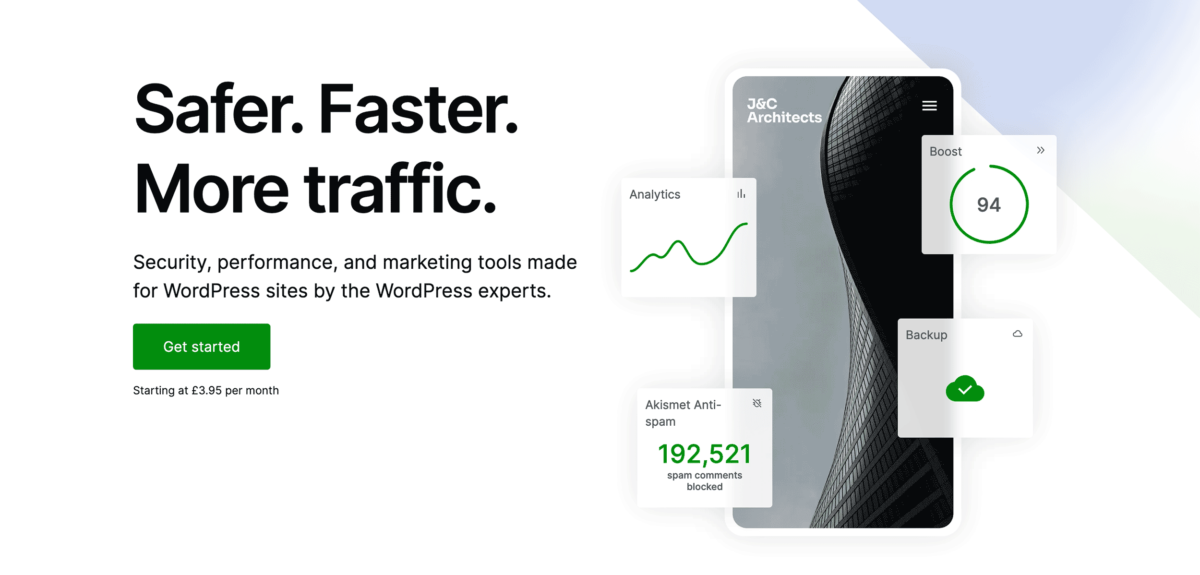
WordPress.com built-in SEO tools on Business plans run through Jetpack, which provides:
Page title structure customization: You can reorder how titles appear (Site Name + Tagline + Page Title) and add custom separators. This affects how Google displays your site in search results.
Custom meta descriptions: Write unique descriptions for individual posts and pages. You can preview what Google, Facebook, Twitter, and WordPress.com will display before publishing.
Social previews: See exactly how your content will look when shared on social media platforms. Customize titles, descriptions, and images for each platform.
Automatic XML sitemaps: Generated automatically and submitted to search engines. This is included on all plans but becomes more valuable when combined with custom SEO settings.
Canonical URL management: Prevents duplicate content issues automatically, including support for archive pages.
AI writing assistance: Business plans include WordPress AI Assistant (launched February 2026), which helps generate and optimize content directly in the editor.
How to Access SEO Tools in a Business Plan
Navigate to WordPress.com Dashboard → Tools → Marketing → Traffic, then look for “Search engine optimization” settings.
Or from the WordPress Editor, click the Jetpack plugin sidebar, expand the SEO panel, and activate Jetpack SEO.
Once activated, you’ll see:
- Custom SEO title field (with character limit notifications)
- Custom meta description field (with character limit alerts)
- Social preview generator
- Page title structure options
What WordPress.com’s Built-In SEO Tools Can’t Do (And Why That Matters)
Even on the Business plan, WordPress.com’s built-in SEO tools have significant limitations compared to dedicated SEO plugins.
No Real-Time Content Analysis
Plugins like SureRank and Rank Math give you live feedback as you write: keyword density, readability scores, internal linking suggestions, and SEO checklist items. WordPress.com’s built-in tools don’t analyze your content quality.
Limited Schema Markup Options
Schema (structured data) helps Google understand your content and display rich results.
WordPress.com handles basic schema automatically, but you can’t customize it for recipes, products, FAQs, how-tos, or other specialized content types without installing plugins.
No Keyword Tracking
You can’t track how your posts rank for specific keywords inside WordPress.com. You’ll need Google Search Console or a third-party tool.
No Redirect Management
If you change a URL, WordPress.com doesn’t have built-in redirect tools. You’ll need to install a redirection plugin (which requires the Business plan anyway).
No Advanced Technical SEO
Things like breadcrumbs, automatic image alt text, 404 monitoring, and link management require plugins.
Also Read: WordPress.com Hidden Features To Level Up Your Blog in 2026
Do You Need SEO Plugins on WordPress.com?
Short answer: If you’re serious about SEO, yes.
WordPress.com built-in SEO tools handle the basics, but dedicated plugins like Rank Math, SEOPress, SureRank, Yoast SEO, or AIOSEO add crucial optimization layers:
Rank Math (Free version is excellent)
What it adds:
- 40+ schema types
- Keyword tracking with Google Search Console integration
- Content AI with word count and keyword suggestions
- Advanced on-page analysis
- Internal linking suggestions
- 404 monitoring
- Redirect management
Price: Free core features, Pro starts at varying tiers
Yoast SEO (The industry standard)
What it adds:
- Real-time content analysis
- Readability checking
- XML sitemap customization
- Social meta tag control
- Breadcrumb navigation
- Internal linking suggestions
Price: Free version covers basics, Premium is $118/year
All in One SEO (AIOSEO)
What it adds:
- TruSEO on-page analysis
- SEO audit checklist
- Link assistant for internal linking
- 20+ schema types
- Local SEO features
- WooCommerce SEO optimization
Price: Free version available, paid plans start around $49.50/year
Jetpack Boost: Performance Meets SEO
Separate from Jetpack’s core SEO tools, Jetpack Boost focuses on Core Web Vitals, the performance metrics Google uses for rankings.
What it does:
- Critical CSS generation
- JavaScript deferral
- Lazy loading for images
- Improves Largest Contentful Paint (LCP), Interaction to Next Paint (INP), and Cumulative Layout Shift (CLS)
Price: Free core version, premium features start at $9.95/month
Why it matters: Google’s 2026 algorithm weighs page speed heavily. Sites with poor Core Web Vitals get buried in search results, especially on mobile.
My Test: WordPress.com Built-In SEO Tools vs. Full Plugin Setup
I ran a 30-day test comparing two identical WordPress.com Business sites:
Site A: Only WordPress.com built-in SEO tools (Jetpack SEO)
Site B: Built-in tools + Rank Math + Jetpack Boost
Both published the same content schedule: 2 blog posts per week targeting similar keywords.
Results After 30 Days:
Site A (Built-in tools only):
- Average Google Search Console impressions: 1,240
- Average clicks: 32
- Average position: 28.4
- Pages indexed: 8/8
- Core Web Vitals: Good on mobile, needs improvement on desktop
Site B (With plugins):
- Average impressions: 2,890
- Average clicks: 87
- Average position: 18.2
- Pages indexed: 8/8
- Core Web Vitals: Good on both mobile and desktop
- Featured in 2 Google rich results (FAQ schema)
The verdict: WordPress.com built-in SEO tools got the content indexed and ranking, but dedicated plugins more than doubled traffic by optimizing for keywords, user experience, and rich results.
When WordPress.com Built-In SEO Tools Are Enough
There are scenarios where you don’t need additional plugins:
Personal Blogs
If you’re blogging for fun without traffic goals, the built-in tools handle everything. Write good content, and the technical SEO is covered.
Portfolio Sites
Showcasing your work? Built-in tools ensure your site is crawlable and fast. Add custom meta descriptions, and you’re set.
Small Business Sites (Low Competition Niches)
If you’re ranking for local searches or ultra-specific keywords with minimal competition, built-in tools plus good content can work.
Start With WordPress.com Built-In SEO
When You Absolutely Need SEO Plugins
E-commerce Stores
WooCommerce product pages need schema markup, product-specific SEO, and category optimization. Built-in tools won’t cut it.
Content-Driven Businesses
If organic traffic drives revenue (blogs, affiliate sites, SaaS content marketing), you need comprehensive SEO tools.
Competitive Keywords
Trying to rank for high-traffic, competitive terms? You’re competing against sites using every SEO advantage available. Level the playing field with plugins.
Local SEO
Restaurants, service businesses, and medical practices require local SEO that requires structured data, review integration, and location-specific optimization that built-in tools don’t provide.
How to Maximize WordPress.com Built-In SEO Tools (If You’re Sticking With Them)

If you’re on the Business plan but don’t want to add plugins yet, here’s how to squeeze maximum value from what’s included:
1. Optimize Every Meta Description
Don’t skip this. Write compelling, keyword-rich meta descriptions for every post and page. Keep them under 160 characters.
Preview how they look in search results using Jetpack’s social preview tool.
2. Structure Your Page Titles
Go to Tools → Marketing → Traffic and customize your page title structure.
Test different separator characters (|, -, •) and title orders to see which gets better click-through rates in search results.
3. Use AI Writing Assistant Strategically
The WordPress AI Assistant (included on Business plans) can help with content optimization.
Use it to expand thin content, rewrite for clarity, and generate meta descriptions when you’re stuck.
4. Link Internally
Without automatic internal linking plugins, you need to manually link between related posts.
This helps Google understand your content hierarchy and distribute page authority across your site.
5. Monitor Google Search Console
Connect your site to Google Search Console (free) to track impressions, clicks, and average positions.
This data tells you which pages are performing and which need optimization.
6. Optimize Images Manually
Without automatic image SEO plugins, add descriptive alt text to every image. Use your target keywords naturally in image file names and alt text.
Hosting Advantage: WordPress.com’s SEO Infrastructure
One underrated benefit of WordPress.com’s built-in SEO tools is the managed hosting infrastructure that comes with it.
What you get automatically:
- Global CDN for fast loading worldwide
- Multi-data center support with real-time replication
- Automatic DDoS protection
- Malware scanning and brute force attack prevention
- Automatic WordPress core updates
- Server-level caching
Self-hosted sites need to configure all this manually or pay for premium hosting. WordPress.com includes it standard on Business plans.
Why this matters for SEO: Google’s algorithm weighs site speed, security, and uptime. WordPress.com handles these factors at the infrastructure level, so you can focus on content.
Also Read: What Is Managed WordPress Hosting 2026 (And Why It Matters)
Misconceptions About WordPress.com SEO
“WordPress.com sites can’t rank well.”
False.
The platform handles technical SEO excellently. The limitation is feature access on lower-tier plans, not the platform itself.
“You need self-hosted WordPress for serious SEO.”
Not true in 2026.
Business plan features include SFTP access, database access, and plugin installation, everything that self-hosted sites have.
“Built-in tools are enough for any site.”
Depends on your goals and competition. Personal blogs? Sure. E-commerce or competitive niches? You’ll need plugins.
“SEO plugins slow down WordPress.com sites”
Modern SEO plugins are lightweight. Jetpack Boost actually improves performance.
Poorly coded plugins can cause issues, but quality options like Rank Math and Yoast are optimized.
WordPress.com SEO Tools: Verdict
For basic needs, WordPress.com’s built-in SEO tools on the Business plan provide a solid foundation-level SEO. You get meta descriptions, title customization, social previews, automatic sitemaps, and technical optimization.
For competitive SEO, you’ll need dedicated plugins. The built-in tools lack content analysis, advanced schema, keyword tracking, and many features that serious SEO requires.
Best approach: Start with Business plan built-in tools, add Rank Math (free version) or Yoast SEO for on-page optimization, and install Jetpack Boost for performance.
My Recommendation: Practical WordPress.com SEO Stack
Here’s what I recommend for most WordPress.com sites:
- WordPress.com Business plan ($300/year) – unlocks SEO customization + plugin installation
- Rank Math free plugin – comprehensive SEO features without cost
- Jetpack Boost ($9.95/month or use the free version) – Core Web Vitals optimization
- Google Search Console (free) – track performance
Total cost: $300-420/year, depending on Jetpack Boost tier
This setup gives you enterprise-level SEO capabilities without complexity.
Final Thoughts: Built-In Tools Are a Starting Point, Not the Finish Line
WordPress.com built-in SEO tools have improved dramatically. The Business plan includes genuinely useful features through Jetpack integration, and the infrastructure advantages (speed, security, uptime) directly benefit search rankings.
But here’s the reality: if you’re competing for organic traffic in 2026, you’re facing sites using every available SEO advantage. Built-in tools handle the basics. Winning requires optimization layers that only dedicated SEO plugins provide.
Start with what’s included. Add plugins strategically as you grow. Focus on creating genuinely helpful content; that’s what ranks long-term, regardless of which tools you use.
And remember: the best SEO tool is the one you actually use consistently.
FAQs
Does WordPress.com have built-in SEO tools?
Yes. All WordPress.com plans include technical SEO optimization like automatic XML sitemaps, mobile responsiveness, and fast hosting infrastructure.
However, advanced SEO customization (meta descriptions, title editing, social previews) only unlocks on Business plans and higher through Jetpack integration.
Can I install SEO plugins like Yoast or Rank Math on WordPress.com?
Only on Business plan and higher. Free, Personal, and Premium plans don’t allow third-party plugin installation.
Once you upgrade to Business, you can install any WordPress plugin, including Yoast SEO, Rank Math, AIOSEO, and others.
Is the WordPress.com Business plan worth it for SEO?
If you’re serious about organic traffic, yes. At $300/year, the Business plan unlocks SEO customization, plugin installation, SFTP access, and removes WordPress.com branding.
You get managed hosting with automatic security and performance optimization included, often cheaper than self-hosting with premium hosting providers.
What’s the difference between WordPress.com built-in SEO and Rank Math?
WordPress.com built-in SEO tools (via Jetpack) provide meta description editing, title customization, and social previews.
Rank Math adds real-time content analysis, readability checking, keyword optimization, internal linking suggestions, schema markup control, and detailed SEO scoring.
Built-in tools cover basics; Yoast provides comprehensive optimization.
Do WordPress.com sites rank well in Google?
Yes, when properly optimized. WordPress.com handles technical SEO excellently (fast hosting, clean code, mobile optimization). Ranking success depends on content quality, keyword targeting, and SEO optimization level.
Business plan sites with dedicated SEO plugins rank just as well as self-hosted WordPress sites.
Can I use Google Analytics with WordPress.com built-in SEO tools?
Google Analytics integration is included on Premium plans and higher. Business plans also include access to Jetpack Stats for WordPress-native analytics.
For comprehensive tracking, connect both Google Analytics and Google Search Console to monitor traffic, rankings, and user behavior.
Does WordPress.com support schema markup?
Yes, WordPress.com automatically adds basic schema markup (Article, Organization, Website). For advanced schema types (Recipe, Product, FAQ, HowTo, LocalBusiness), you need to install schema plugins on the Business plan.
Jetpack handles standard structured data, but dedicated plugins offer more control.
How do I optimize my WordPress.com site for SEO without plugins?
On Business plans, use Jetpack SEO to customize meta descriptions and titles for every page. Write compelling, keyword-rich descriptions under 160 characters. Optimize page title structure in Tools → Marketing → Traffic. Add descriptive alt text to all images.
Build internal links between related posts. Connect Google Search Console to monitor performance. Create high-quality, helpful content that satisfies search intent.
What’s Jetpack Boost, and do I need it for WordPress.com SEO?
Jetpack Boost optimizes Core Web Vitals (Google’s page experience metrics) through critical CSS generation, JavaScript deferral, and lazy loading. Core Web Vitals affect search rankings, especially on mobile.
The free version covers basics; paid plans ($9.95/month) add advanced performance features. Highly recommended for competitive niches where site speed impacts rankings.
Can I switch from WordPress.com to self-hosted WordPress later?
Yes. WordPress.com offers free migration tools, and the Business plan includes SFTP access for exporting your site. Most hosting providers offer free WordPress.com migration services. Your SEO won’t be affected if you maintain the same URLs and redirect properly.
However, WordPress.com Business plans often match or beat self-hosted hosting costs when factoring in security, backups, and performance features.
Remember: This article is sponsored by WordPress.com, but every recommendation here comes from actual testing and experience. WordPress.com built-in SEO tools are solid, but they’re just not comprehensive enough for serious organic traffic goals without supplemental plugins.