
Why I Switched to a Mechanical Keyboard for Writing in 2026
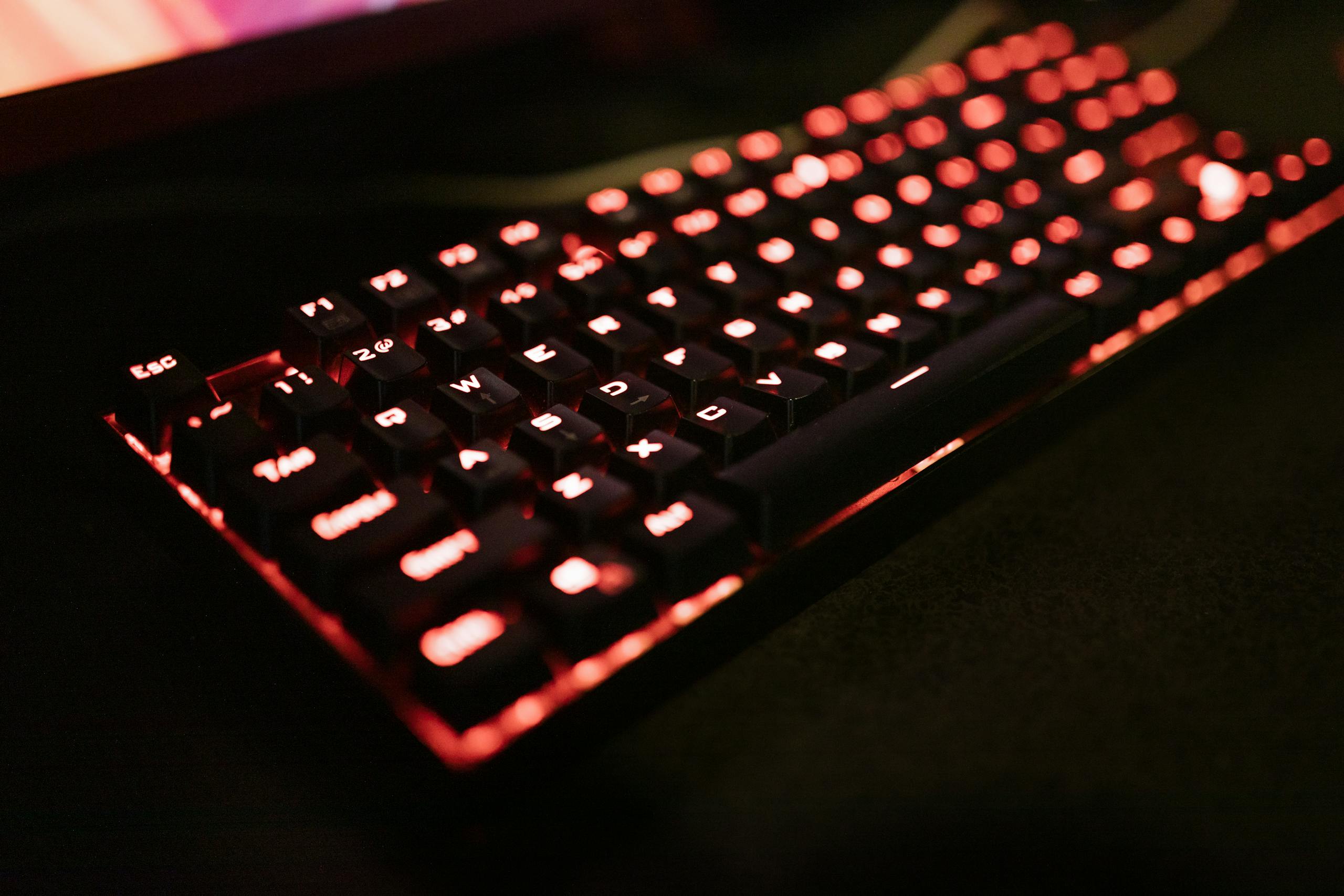
Sometimes the clickiest fix is the best one, even if it sounds like I’m tap dancing on my desk and my neighbors secretly hate me.
Okay, so switching to a mechanical keyboard for writing wasn’t exactly on my 2023 goals list. I was pleased with my quiet little membrane keyboard that came free with my computer setup. Thank you very much.
But then my wrists started screaming at me.
After typing roughly 50,000 words in a fierce month (don’t ask about my deadline management skills), I couldn’t ignore the fact that my hands felt like they belonged to someone twice my age.
My physical therapist friend Diane (not her profession) took one look at my setup and basically staged an intervention.
“Mia, that keyboard is garbage for the amount of typing you do,” she said, while I tried to defend my mushy little keys like they were family members.
Three months and way too much research later, I’m sitting here with a mechanical keyboard for writing that sounds like a tiny typewriter orchestra, and honestly?
I’m never going back.
Breaking Point: When Cheap Keyboards Bite Back
Let me paint you a picture of my pre-mechanical keyboard life.
Every morning, I’d sit down to write, and for the first hour, everything felt fine. But by hour three of a writing session, my fingers felt like they were pushing through quicksand.
You know that feeling when you’re typing and you’re not sure if you actually pressed the key hard enough? So you end up pushing harder, which makes your fingers tired faster, which makes you press even harder?
Yeah, that was my daily reality.
I was also making way more typos than I wanted to admit. Not just the occasional “teh” instead of “the,” but complete sentences that looked like I’d typed them while riding a mechanical bull.
My editing time was basically doubled because I had to fix so many mistakes.
The final straw was during a live writing session I was streaming. I kept having to backspace and retype words because I couldn’t tell if keys had actually registered. Chat started making jokes about my “ghost typing,” and I realized I looked like an amateur who couldn’t even handle basic equipment.
That’s when I decided a mechanical keyboard for content creation might actually be worth the investment and noise complaints.
Research Rabbit Hole: Switch Types Are Apparently a Science
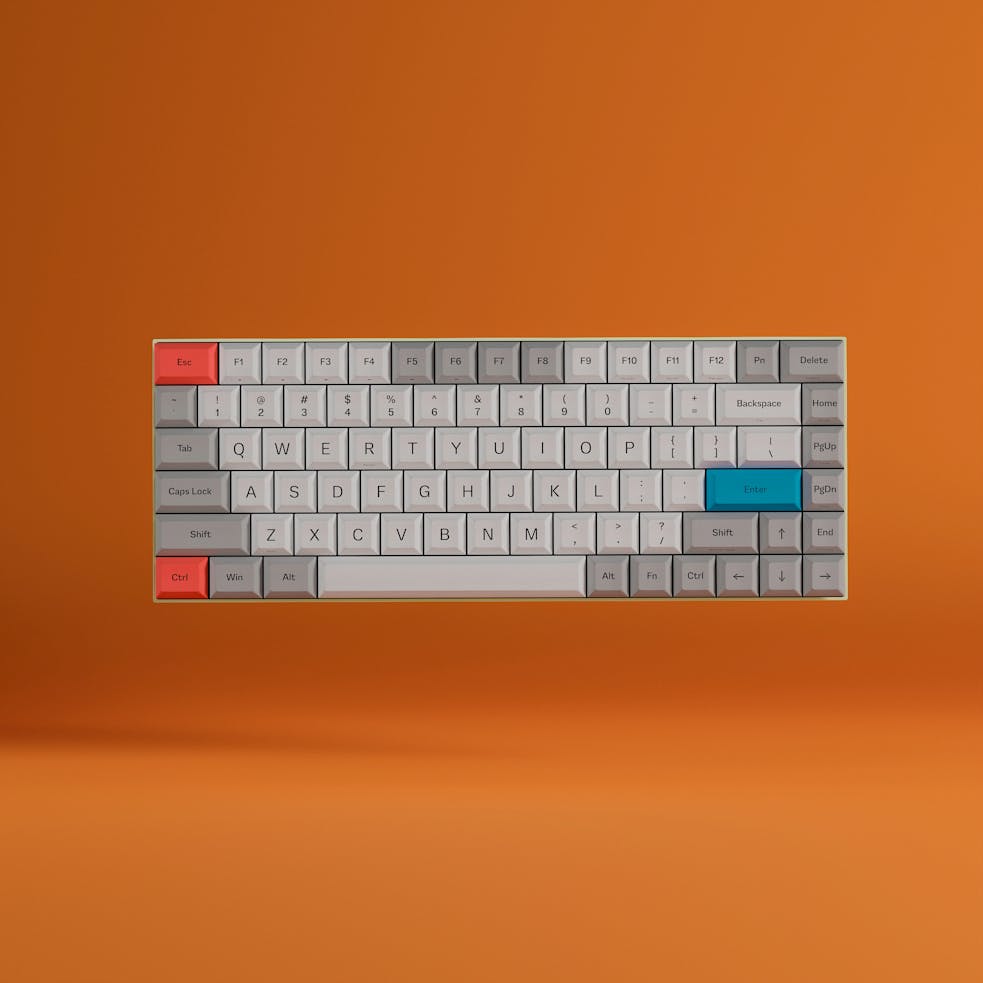
Here’s where things got overwhelming fast.
I thought I was just buying a keyboard. It turns out that mechanical keyboards are like coffee; everyone has strong opinions, and there are way more options than any sane person needs.
The switch type crisis:
- Blue switches: Clicky and loud (my neighbors’ nightmare)
- Brown switches: Tactile but quieter (the compromise candidate)
- Red switches: Linear and smooth (the silent type)
- Then there are like fifty other colors that all do slightly different things
I spent an embarrassing amount of time on Reddit forums reading debates about actuation force and travel distance. People were talking about keyboards like wine enthusiasts discuss vintage bottles.
My breaking point was reading a 3,000-word essay about why someone preferred their custom switch lubrication technique.
I realized I was overthinking this harder than I researched actual blog topics.
So I did what any reasonable person does when overwhelmed by choices.
I bought three different keyboards to try them all.
My credit card was not amused.
My Great Keyboard Experiment: Living with Different Switches 🧪
Week 1: Cherry MX Blue switches
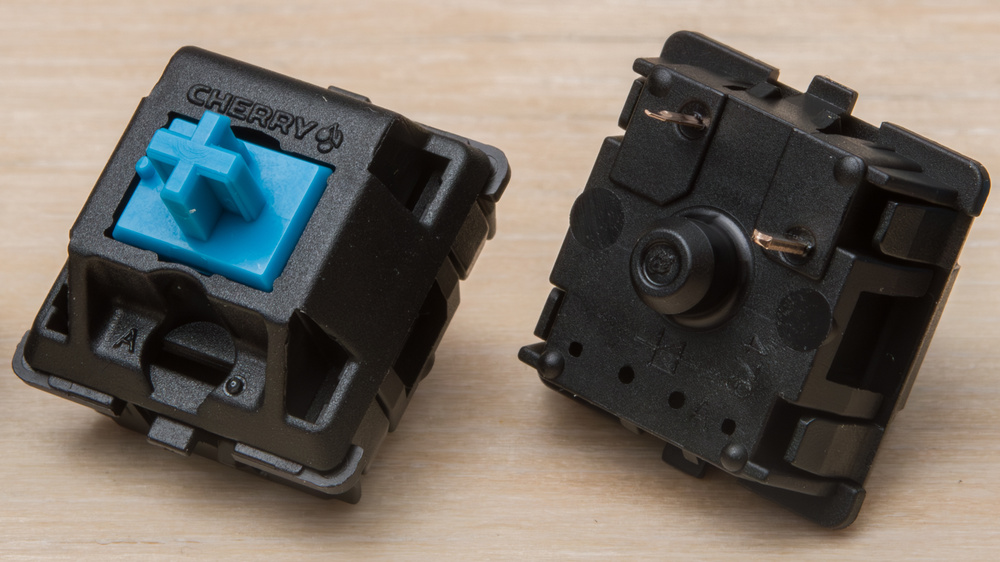
Holy shit, these things are LOUD.
Like, I-can-hear-myself-typing-through-noise-canceling-headphones loud. But the tactile feedback was incredible. Every keypress felt deliberate and satisfying.
Writing flow improved immediately. I knew precisely when keys registered, so I wasn’t second-guessing myself or pressing harder than needed. My typing speed actually increased because I trusted the keys to work.
Downside: My upstairs neighbor texted me asking if I was “building furniture at midnight.” Apparently, blue switches carry through thin apartment walls better than I expected.
Week 2: Cherry MX Brown switches
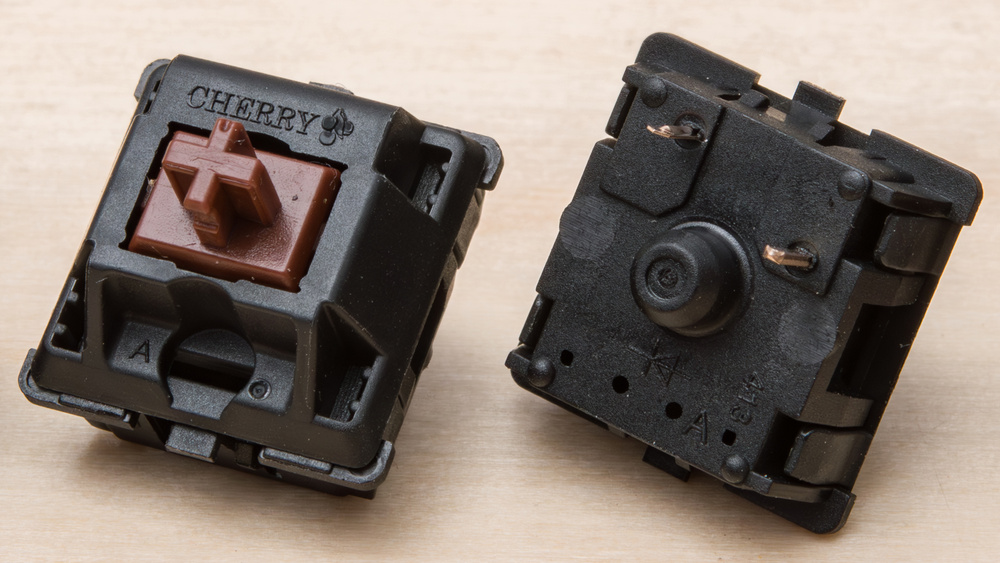
The “best of both worlds” option. Still tactile enough to feel the keypress, but quiet enough that I wasn’t getting passive-aggressive notes slipped under my door.
These felt like a good middle ground, but after the blues, they seemed almost mushy.
Not membrane-keyboard mushy, but definitely less satisfying. Like switching from craft beer to light beer – still good, but missing something.
Week 3: Cherry MX Red switches
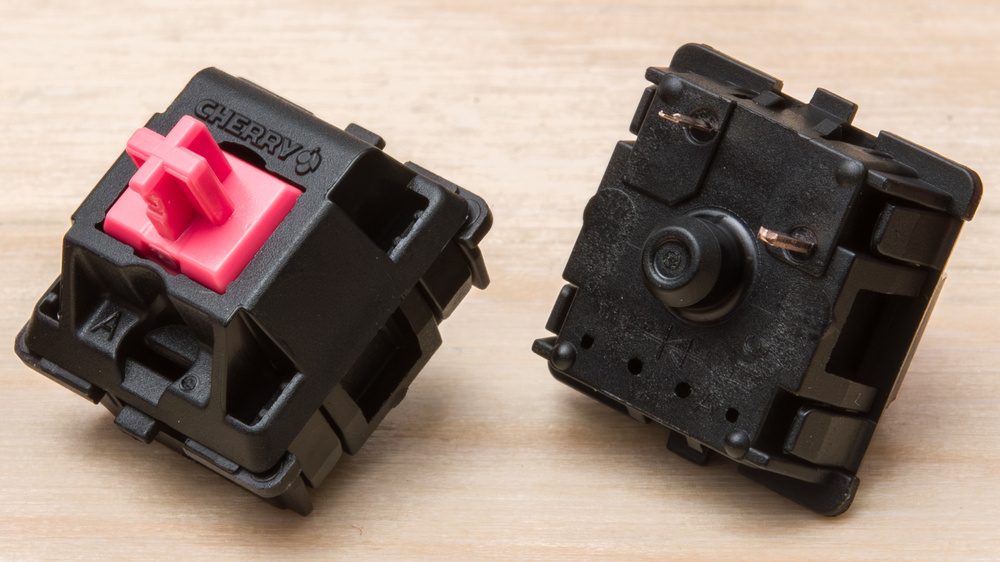
Smooth as butter and whisper quiet.
My neighbors probably thought I’d given up writing entirely. But for me, these felt too smooth. Without tactile feedback, I found myself bottoming out keys harder, which defeated the ergonomic purpose.
Also, I made more typos with reds because there was no tactile confirmation that I’d actually pressed the key. Mechanical keyboard for writing where accuracy matters; this was a dealbreaker.
Winner: Browns, with occasional blue switch envy
How It Changed My Writing Process (For Real) ✍️

Switching to a mechanical keyboard for writing didn’t just change how typing felt; it changed how I write.
And I’m not being dramatic here.
Typing rhythm became a thing. With membrane keyboards, typing felt like mashing buttons. With mechanical switches, there’s an actual rhythm to writing. It sounds weird, but that rhythm helps me maintain flow state longer.
First drafts got cleaner. Fewer typos meant less stopping to backspace and correct mistakes. My first drafts became actually readable instead of looking like autocorrect had a seizure.
Writing sessions got longer. The ergonomic improvement was real. I can write for 4-5 hours now without my hands cramping up. Before, I’d hit a wall around 2-3 hours and needed to take breaks.
Editing became more precise. The tactile feedback makes it easier to make minor edits and corrections. When you’re doing detailed line editing, knowing exactly when keys register is actually essential.
The weirdest change?
I started enjoying the physical act of writing more. There’s something satisfying about the mechanical click-clack that makes even editing feel less tedious.
The Sound Factor: Embrace It or Fight It 🔊
Let’s address the elephant in the room.
Mechanical keyboards are noisy. Even “quiet” ones are louder than membrane keyboards. This was my biggest concern before switching.
Noise management strategies that actually work:
O-rings under keycaps reduce the bottom-out noise by about 30%. They’re cheap ($10-15) and easy to install, though they slightly change the key feel.
Desk mats help absorb vibrations. I got a thick rubber mat that goes under my entire setup, and it cut down on the hollow desk amplification significantly.
Recording considerations: For video content, I had to adjust my microphone positioning and use a noise gate. The keyboard sounds are actually not terrible in recordings. They sound more professional than membrane keyboard mushiness.
For live streaming, I warned my clients about the keyboard change. Surprisingly, most people said it made my streams sound more “professional” and “authentic.”
Apparently, the typing sounds signal that real work is happening.
Some streamers actually use blue switches specifically because viewers associate the sound with productivity.
Who knew?
Budget Check: Don’t Need to Spend $300 💸
The mechanical keyboard for writing rabbit hole can get expensive fast.
Custom builds, artisan keycaps, premium switches – it’s easy to spend more than you did on your actual computer.
Budget tier ($50-$ 100): Redragon and Tecware offer solid mechanical keyboards that won’t break the bank. I tested a Redragon K552 for a month, and it’s honestly 80% as good as keyboards costing three times more.
Mid-range ($100-200): This is the sweet spot for content creators. Keychron, Ducky, and Leopold keyboards in this range have better build quality and more switch options. My daily driver is a Keychron K8 that’s been rock solid for over a year.
Premium ($200+): Diminishing returns territory unless you’re really into keyboards as a hobby. The typing experience is better, but not 3x better for most people.
My honest recommendation: Start with a keyboard priced between $80 and $ 120, featuring brown switches. If you love it, you can always upgrade later. If you hate it, you haven’t blown your entire setup budget on one component.
Switch Recommendations by Content Type 📝
Different types of content creation benefit from different switch characteristics. Here’s what I’ve learned from actually using these setups:
Long-form writing (blogs, articles): Brown switches are perfect. Tactile enough for feedback, quiet enough for long sessions. You’ll thank me during those 3,000-word deep dives.
Live streaming/video recording: Blue switches if you don’t mind the noise (some audiences love it), or browns if you need quieter operation. Avoid reds – the lack of feedback leads to more typos during live content.
Coding/technical writing: Browns or blues work well. The tactile feedback helps with accuracy when typing a large number of symbols and syntax. Reds can work if you’re a light typist.
General content creation: Start with browns. They’re the most versatile for mixed use cases.
Ergonomics: The Real Game Changer 🤲
This is where mechanical keyboards really shine for content creators or writers. The ergonomic benefits aren’t just marketing corporate confetti.
Actuation force matters. Membrane keyboards require you to press every key to the bottom to register. Mechanical switches actuate partway through the keypress, so you don’t have to pound keys into submission.
Travel distance is optimized. The consistent key travel on mechanical switches means your fingers develop muscle memory faster. Less guessing, less strain.
Key wobble is minimal. Cheap membrane keyboards have a mushy, inconsistent key feel. Mechanical switches are precise and stable.
After six months of using mechanical keyboards for writing, I returned to my old membrane keyboard for a day to test.
Dude, it felt like typing through mud. I couldn’t believe I’d been torturing my hands for years.
My wrist pain disappeared almost entirely within two weeks of switching to the new medication. That alone was worth the investment and noise complaints.
Maintenance: They’re Pretty Bulletproof
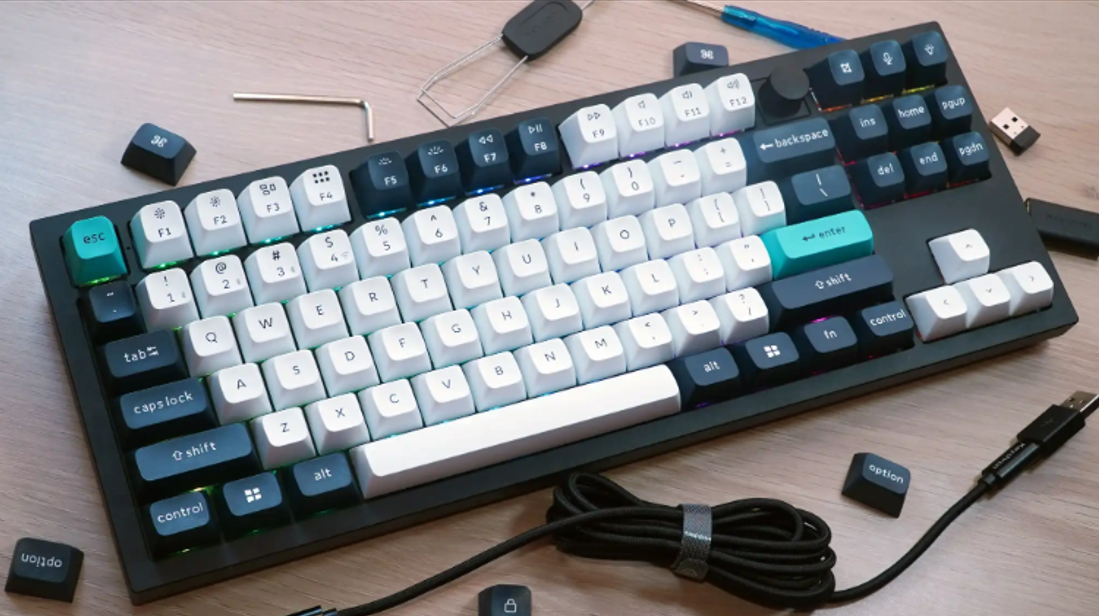
One unexpected benefit of mechanical keyboards for writing or content creation – they last forever if you take basic care of them.
Cleaning is easier than I expected. Individual keycaps pop off for deep cleaning. I clean mine every few months, and it still looks and feels new after a year of heavy use.
Switches can be replaced individually on most mechanical keyboards. If one key starts acting up, you don’t need to replace the entire keyboard, as with membrane boards.
Spill resistance varies by model, but most mechanical keyboards handle minor spills better than membrane keyboards. I’ve survived two whiskey incidents that would have killed my old keyboard.
Keycap replacement means you can refresh the look without buying new hardware. I switched to different keycaps after six months just because I was bored with the aesthetics.
Downsides of mechanical keyboard for writing Nobody Talks About 😒
Let me be honest about the mechanical keyboard for the writing or content creation experience.
It’s not all rainbow switches and productivity gains.
Portability sucks. Mechanical keyboards are heavy and bulky. My laptop bag went from manageable to “did I pack a brick?” overnight. For coffee shop writing sessions, I still use my laptop’s built-in keyboard.
Learning curve is real. The first week with new switches feels weird. Your typing rhythm changes, and you might actually type slower initially while adjusting.
Customization addiction is real. Once you start looking at different keycaps, switches, and layouts, it becomes a hobby. I’ve spent more money on keyboard accessories than I care to admit.
Not everyone will understand. Friends and family will think you’re weird for caring this much about a keyboard. My mom asked if I was “going through something” when I tried to explain the different types of switches.
When Mechanical Keyboards Might Not Be Right
Being honest here. Mechanical keyboards for writing aren’t for everyone, even content creators. This is one of the pieces of terrible blogging advice you have to navigate.
If you write in public spaces frequently, the noise might be a dealbreaker. Coffee shops and libraries don’t appreciate the clicking symphony.
If you’re extremely sensitive to sound, even quiet mechanical switches might bother you during extended writing sessions.
If your budget is tight, a decent membrane keyboard might be a better investment than a cheap mechanical one. Bad mechanical keyboards exist, and they’re worse than good membrane keyboards.
If you type very lightly, linear switches might actually work better for you than tactile ones. This is personal preference territory.
My Current Setup and Why It Works
After all the testing and switching around, here’s what I settled on:
Main keyboard: Keychron K8 with brown switches
Backup: Redragon K552 with blue switches (for when I miss the clicking)
Accessories: O-rings for noise reduction, thick desk mat, extra keycaps because I’m apparently that person now
The K8 hits the sweet spot of build quality, switch options, and price. It’s wireless when I need it, wired when I want reliability. The brown switches are perfect for my mix of writing, editing, and occasional coding.
I keep the Redragon as backup because sometimes I miss the satisfying click of blue switches. It’s also what I recommend to people who want to try mechanical keyboards without a significant investment.
Making the Switch: Practical Next Steps
If you’re thinking about trying a mechanical keyboard for content creation, here’s what I wish someone had told me:
Start with a tester kit. Spend $20 on a switch tester with different switch types before buying a full keyboard. It’ll save you from my “buy three keyboards” approach.
Consider your recording setup first. If you do a lot of audio/video content, factor noise into your decision. Test recording with different switches if possible.
Budget for accessories. Factor in $30-50 for a desk mat, O-rings, or other noise-reduction accessories if you’re noise-conscious.
Set realistic expectations. A mechanical keyboard won’t magically make you a better writer, but it might make writing more comfortable and enjoyable.
Have a backup plan. Keep your old keyboard for a few weeks in case you hate the mechanical experience. Some people genuinely prefer membrane keyboards.
The mechanical keyboard for writing or content creation journey has been weirdly transformative for me. My hands feel better, my typing is more accurate, and I actually enjoy the physical act of writing more than before.
Is it necessary? Probably not.
Will it revolutionize your content creation? Maybe.
Is it worth trying if you type for hours every day? Absolutely.
Just maybe warn your neighbors first.
FAQs
Do mechanical keyboards really make you type faster?
Not necessarily faster, but more accurate. I type about the same speed as before, but I make fewer mistakes and don’t fatigue as quickly during long sessions.
The improved accuracy means less time spent correcting typos.
Are mechanical keyboards better for people with wrist problems?
They can be. The reduced key travel and tactile feedback mean less force required per keystroke.
However, individual results vary, and proper ergonomics (wrist position, desk height) matter more than keyboard type.
Which mechanical switches are best for beginners?
Brown switches are the most versatile starting point. They provide tactile feedback without being too loud, and work well for most content creation tasks.
Avoid blues if you’re noise-sensitive or record audio frequently.
How long do mechanical keyboards last compared to regular keyboards?
Mechanical switches are rated for 50-100 million keystrokes vs 5-10 million for membrane keyboards. With proper care, a high-quality mechanical keyboard can last 10 years or more.
Individual switches can also be replaced if they fail.
Are expensive mechanical keyboards worth it for content creators?
Not necessarily. The $80-150 range offers the best value for most creators.
Premium keyboards have better materials and customization options, but won’t dramatically improve your writing experience unless you’re really into keyboards as a hobby.
Can you use mechanical keyboards for gaming and content creation?
Absolutely. Most mechanical keyboards work great for both.
Brown switches are remarkably versatile for mixed use. If you primarily game, you might prefer red switches, but they work fine for writing too.
How do you reduce mechanical keyboard noise for recording?
O-rings under keycaps, thick desk mats, and microphone positioning help significantly.
For recording, consider quieter switches like browns or reds over blues. Some creators embrace the typing sounds as part of their audio signature.
What’s the difference between cheap and expensive mechanical keyboards?
Build quality, materials, and features. Expensive keyboards often have better keycaps, more durable switches, and premium materials.
However, budget mechanical keyboards ($50-$ 80) can still offer most of the ergonomic and typing benefits.
Do I need a full-size keyboard for content creation?
Not necessarily. Tenkeyless (without numpad) keyboards save desk space and are fine for most writing tasks.
Full-size is better if you do a lot of data entry or need dedicated function keys for shortcuts.
How do I know if mechanical keyboards are right for me?
Try a switch tester first, or test keyboards at a store if possible. Consider your noise tolerance, typing style, and workspace setup.
If you type for hours daily and experience hand fatigue, mechanical keyboards are worth trying.
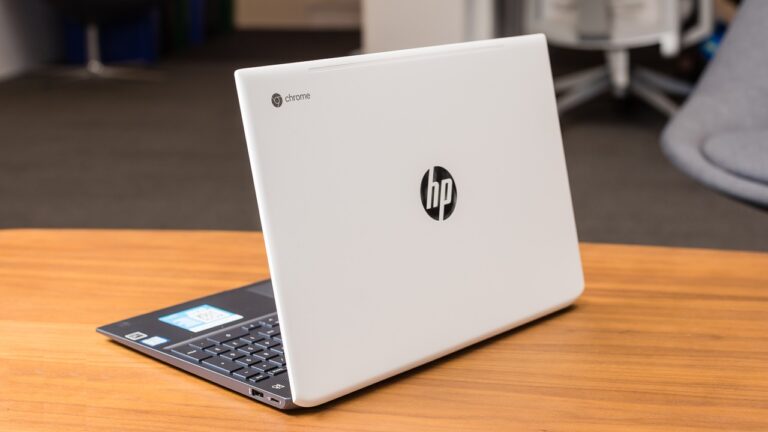

Read this blog post for guiding me how to get a mechanical keyboard. Got a Lofree Flow 84 and bought some custom switches. Love it! Didn’t know I would enjoy typing on it this much. I thought Apple Magic Keyboard is the best. Hell no!
I totally get the struggle with cheap keyboards! After hitting that breaking point, a mechanical keyboard can make a huge difference. I switched to the Best ergonomic split keyboard for work and it’s been a game changer for productivity and comfort. No more typing-induced wrist pain!