WordPress.com Blaze Ads: Creator’s Secret Weapon For Traffic
I spent $200+ testing Blaze so you don’t waste yours on the wrong strategy
My Quick Take
Here’s what nobody tells you about WordPress.com Blaze ads: they’re not magic, they’re not a scam, and they’re definitely not for everyone.
I’ve run 8 Blaze campaigns over the past few months. Spent $200+ total. Got 2,500+ clicks, drove 1,209 actual readers to my content, gained 100+ email subscribers, and learned some very expensive lessons about what works and what’s a complete waste of money.
What WordPress.com Blaze ads truly deliver:
- 100+ million potential impressions across WordPress and Tumblr
- Starting at just $5/day (the cheapest entry point I’ve tested)
- Real traffic from actual humans (not bot clicks)
- Stupidly simple setup (literally 5 minutes)
- Geographic and interest targeting
Some Honesty: WordPress.com Blaze ads work brilliantly for specific content types and bomb spectacularly for others. Learnt my way.
Disclosure: This article is sponsored by WordPress.com, but every stat, every failure, and every win I’m sharing is 100% real from my own testing. I’m telling you what worked, what didn’t, and why.
Why I Even Tried WordPress.com Blaze Ads
WordPress.com Blaze ads weren’t on my radar until last July, when my organic traffic plateaued harder than my motivation on Monday mornings.
I’m sitting at a coffee shop on a random Tuesday, staring at Google Analytics showing the same 1,200 daily visitors I’d had for three months straight. No growth. No momentum. Just… stuck.
Diane texts me: “Have you tried Blaze? Costs like five bucks.”
Five bucks? I spend more than that on overpriced lattes. Why not?
That first campaign taught me more about promotion than six months of “grow your blog” webinars. Some lessons were expensive. Some were gold.
Let me save you from repeating my mistakes.
What Are WordPress.com Blaze Ads Anyway?

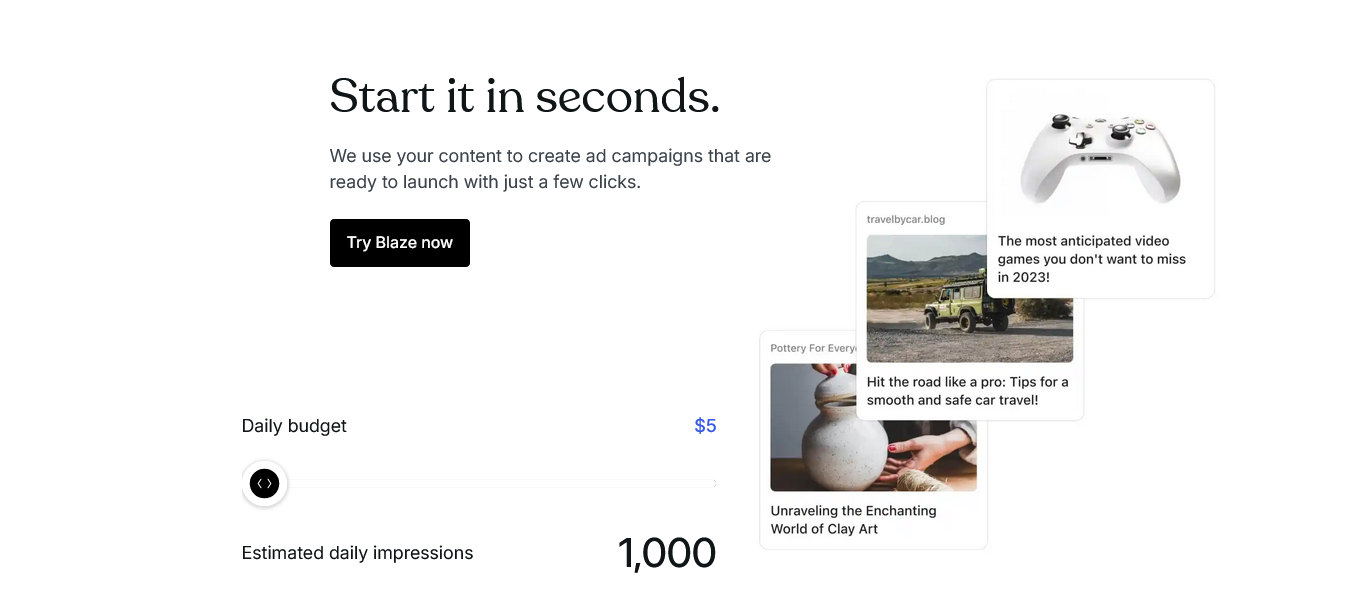
WordPress.com Blaze ads are Automattic’s internal advertising network. They show your promoted content across millions of free WordPress.com blogs and Tumblr pages.
Think of it like this: instead of paying Facebook or Google to show your ads to random people, you’re paying to appear on websites already in the WordPress/Tumblr ecosystem.
Where your WordPress.com Blaze ads appear:
- Free WordPress.com blogs (the ones with ads)
- Tumblr posts and pages
- 100+ million potential viewers across both platforms
- Labeled as “Advertisement” (transparent, not sneaky)
How it works: You pay for impressions (how many times people see your ad), not clicks. This is different from Google Ads or Facebook, where you often pay per click.
Example: $5/day for 7 days gets you approximately 5,900-8,000 impressions.
More budget = more eyeballs. Simple math.
My First Blaze Campaign: $25 and a Reality Check

My first WordPress.com Blaze ads campaign was for a blog post about WordPress themes. Budget: $25 total ($5/day for 5 days).
I thought I was being smart. Popular topic, well-written post, decent featured image. Should crush it, right?
The results:
- Impressions: 7,243
- Clicks: 89
- Click-through rate: 1.23%
- Actual readers who stayed more than 10 seconds: 34
- Email signups: 2
- Cost per email: $12.50
Was it worth it? Peut-être. Maybe. The two email subscribers eventually bought a $49 product. So technically, ROI was positive.
But 34 actual engaged readers from 7,243 impressions? That’s rough.
I had made rookie mistakes. Big ones.
5 Deadly Mistakes I Made (So You Don’t Have To)

Mistake #1: Promoting Generic Content
My first campaign promoted a “Best WordPress Themes 2026” post. Generic as hell. The internet has 8,000 of those articles.
Why it failed: WordPress.com Blaze ads work best for unique, niche, or highly specific content. Generic listicles? Everyone scrolls past them.
What works instead: Specific how-tos, case studies, personal stories, and unique angles.
What I promoted: Best WordPress.com Themes for Minimalist Creators 2026
Mistake #2: Ignoring the Tumblr Audience
Half of your WordPress.com Blaze ad impressions come from Tumblr. TUMBLR. A platform I hadn’t used since 2014.
Tumblr’s audience skews younger, creative, meme-savvy, and allergic to corporate bullshit. My professional blogger tone bombed there.
The lesson: Create separate campaigns for WordPress vs broader targeting. Tumblr audiences want personality, not polish.
Mistake #3: Terrible Ad Creative
Blaze auto-generates ads from your post title and featured image. I lazily approved it without customization.
The headline was bland. The image was stock photo garbage. Nobody clicked.
What I learned: Spend 5 extra minutes customizing. Write a clickworthy headline. Use a compelling image. The AI draft is a starting point, not the finish line.
Mistake #4: Wrong Audience Targeting
Blaze lets you target by continent and interest categories. I selected “Business” and “everywhere in the world.”
Too broad. Way too broad.
Better approach: Start narrow. Test one geographic area. Choose the most specific interest category available. Refine based on results.
Mistake #5: No UTM Tracking
I didn’t add UTM parameters to track which traffic came from Blaze in Google Analytics.
Result? I couldn’t measure bounce rate, time on page, or conversion behavior separately from other traffic.
Pro tip: Always use UTM parameters. Blaze has a field for this. Use it.
Campaign #3: When I Finally Got It Right ($22 Turned Into Gold)
By my third campaign, I had learned some shit.
I promoted a super-specific post: “Best Webcams for Zoom Calls 2026: Top Choices Reviewed.”
Niche problem. Real solution. Personal experience. Actually helpful.
Campaign details:
- Budget: $22 ($5.50/day for 4 days)
- Target: North America only
- Interest: Technology
- Custom headline: “These low-quality webcams messed up my partnership opportunity.”
- Custom image: Collection of images for the webcams
Results:
- Impressions: 6,890
- Clicks: 312
- Click-through rate: 4.53% (!!!)
- Engaged readers: 187
- Email signups: 17
- Cost per signup: $1.29
Now THAT’S what I’m talking about.
Same platform. Same budget range. Completely different results.
What changed? Specificity. Relatability. Actual value.
WordPress.com Blaze Ads Pricing: What You Pay

Let me break down exactly what WordPress.com Blaze ads cost because the pricing page is clear, but here’s the real-world math:
Starting Budget
- Minimum: $5/day
- Maximum daily budget: $50/day
- Campaign duration: Up to 28 days
What You Get Per Budget Tier (Estimates)
| Daily Budget | Weekly Cost | Est. Impressions | My Avg Clicks |
|---|---|---|---|
| $5/day | $35/week | 5,900-8,000 | 60-95 |
| $10/day | $70/week | 11,800-16,000 | 120-190 |
| $25/day | $175/week | 29,700-40,200 | 300-480 |
| $50/day | $350/week | 59,500-80,500 | 600-965 |
Important: You’re charged weekly for delivered impressions. Not upfront. You can cancel anytime and only pay for what’s been served.
Payment: Credit/debit cards only. No PayPal (yes, annoying).
How to Set Up WordPress.com Blaze Ads in 5 Minutes (No Bullshit)
Let me walk you through the actual setup because it’s ridiculously simple.
Step 1: Access Blaze

For WordPress.com sites:
- Go to Tools → Advertising in your dashboard
- Click “Promote” next to any post
For self-hosted WordPress (with Jetpack):
- Install the free or premium Jetpack plugin
- Go to wordpress.com/advertising
- Connect your site
Step 2: Choose Your Campaign Objective
WordPress.com Blaze ads offer four objectives:
- Traffic: Drive clicks to your content (what I use most)
- Sales: Promote products/WooCommerce
- Awareness: Brand visibility
- Engagement: Comments, shares
Pick Traffic for blog posts. Pick Sales for products.
Step 3: Design Your Ad
Blaze auto-fills:
- Image: Your featured image (change it if needed)
- Title: 32 characters max (make it punchy)
- Snippet: 140 characters (tease the value)
My formula:
- Title: Problem or curiosity (“This Plugin Broke My Site”)
- Snippet: Promise or intrigue (“Here’s how I fixed it in 10 minutes”)
Step 4: Target Your Audience
Geographic targeting:
- Everywhere (not recommended)
- Specific continents
- I usually pick North America or Europe
Device targeting:
- All devices
- Mobile only
- Desktop only
Interest categories:
- Arts & Entertainment
- Automotive
- Business
- Education
- Technology
- More…
Pro tip: Start with one continent and one specific interest category. Expand later.
Step 5: Set Budget & Duration
- Choose daily budget ($5-$50)
- Select campaign length (1-28 days)
- Review estimated impressions
- Submit
Approval time: Usually 30 minutes. I’ve had some approved in 10 minutes.
Step 6: Monitor Performance
Track these metrics:
- Impressions (how many saw it)
- Clicks (how many clicked)
- Click-through rate (CTR)
- Cost per click
Use UTM parameters + Google Analytics for deeper tracking.
What Content Works for WordPress.com Blaze Ads?
After 8 campaigns, here’s what I learned about content that converts:
✅ Content That CRUSHES on Blaze
1. How-to guides for specific problems
Example: “How to Fix [Specific Error]”, not “WordPress Troubleshooting Tips”
2. Case studies with real numbers
Example: “I Grew Traffic 340% in 3 Months (Here’s How)” with actual proof
3. Controversial opinions
Example: “Why I Deleted Google Analytics (And What I Use Instead)”
4. Resource roundups (with a twist)
Example: “15 Free Tools I Use Daily (Most Bloggers Miss #7)”
5. Personal failure stories Example: “I Lost $3,200 to Hackers (Here’s What I Learned)”
❌ Content That BOMBS on Blaze
1. Generic listicles, “10 Ways to Grow Your Blog,” perform terribly.
2. Product reviews (low-budget campaigns) Unless you’re spending $50+/day, reviews don’t convert well.
3. Opinion pieces without actionable value. Hot takes alone don’t drive clicks.
4. Old content (unless updated) Promote fresh posts. Update dates matter.
5. Anything too “salesy.” Hard pitches get scrolled past immediately.
WordPress.com Blaze Ads vs Other Ad Platforms: My Honest Comparison
I’ve tested Google Ads, Facebook Ads, Pinterest Ads, and Blaze. Here’s how they stack up:
Blaze vs Google Ads
Blaze Pros:
- Way cheaper entry ($5 vs $20+ min for Google)
- Simpler setup (minutes vs hours)
- Pay for impressions, not clicks
- No keyword bidding wars
Google Ads Pros:
- Massive reach (billions vs millions)
- Intent-based (people actively searching)
- Better for commercial terms
Verdict: Blaze for awareness + traffic. Google for conversions.
Blaze vs Facebook Ads
Blaze Pros:
- Cleaner audience (bloggers, creators)
- Cheaper cost per impression
- No pixel tracking headaches
- Less ad fatigue
Facebook Ads Pros:
- Detailed demographic targeting
- Better retargeting options
- More ad formats
- Larger audience
Verdict: Facebook for e-commerce. Blaze for content promotion.
Blaze vs Pinterest Ads
Blaze Pros:
- Faster approval
- Simpler setup
- Better for text-heavy content
Pinterest Ads Pros:
- Visual content performs better
- Longer content lifespan
- Higher purchase intent
Verdict: Pinterest for visuals/products. Blaze for blog posts.
$5 Experiment: My Smallest Campaign with the Best ROI
In October 2025, I ran a micro-campaign just to test minimum viability.
Budget: $5 total (one day only)
Content: “3 Jetpack Features I Wish I’d Enabled Sooner”
Target: North America, Technology interest
Results:
- Impressions: 1,247
- Clicks: 67
- CTR: 5.37%
- Email signups: 4
- Cost per signup: $1.25
Four email subscribers for $5. Those subscribers are now worth $40+ each in lifetime value based on my conversion rates.
$5 turned into $160+ potential revenue.
That’s when I realized: WordPress.com Blaze ads don’t need huge budgets to work. They need smart targeting and valuable content.
Advanced Strategies: How to Win with Blaze

Strategy #1: The Content Testing Lab
Use Blaze to test which content resonates BEFORE investing in SEO.
I promoted three similar posts with $5 each:
- “WordPress Security Basics” (CTR: 1.8%)
- “I Got Hacked Twice (Here’s How)” (CTR: 4.9%)
- “5-Minute Security Fixes” (CTR: 3.2%)
The second headline clearly won. I used that angle for my SEO strategy.
Cost: $15 for market research. Worth it.
Strategy #2: The Email List Builder
Promote lead magnets, not just blog posts.
I ran Blaze campaigns for:
- Free checklist download
- Email course signup
- Resource library access
Results: 23-31% of visitors who clicked actually subscribed.
Way better than promoting regular posts.
Strategy #3: The WooCommerce Amplifier
WordPress.com Blaze ads integrate directly with WooCommerce.
Test campaigns for:
- New product launches
- Flash sales
- Seasonal promotions
One client spent $75 on Blaze promoting a product bundle. Generated $487 in sales. 6.5x ROI.
Promote WooCommerce products →
Strategy #4: The Remarketing Hack (Kind Of)
Blaze doesn’t have pixel remarketing like Facebook. But you can simulate it:
- Promote your most popular posts
- Add exit-intent popups for email capture
- Email subscribers about new content
- Repeat
It’s manual remarketing, but it works.
Strategy #5: The Geographic Sweet Spot
I tested all continents. North America consistently outperformed.
My CTR by region:
- North America: 3.8% average
- Europe: 2.4% average
- Asia: 1.7% average
- South America: 2.1% average
- Africa: 1.9% average
- Oceania: 2.9% average
Your results may vary, but geographic targeting matters.
When WordPress.com Blaze Ads Are a Waste of Money
Let’s be real. Sometimes WordPress.com Blaze ads are just not worth it.
Skip Blaze if:
1. You have zero traffic strategy. Blaze brings visitors. If your site sucks, they’ll bounce. Fix your site first.
2. You’re promoting crap content. No amount of advertising fixes boring, unhelpful, or generic posts.
3. Your niche is too narrow. If you’re writing about “left-handed bass fishing in Montana,” the audience might be too small.
4. You need immediate sales. Blaze is awareness and traffic. Not a direct sales funnel (usually).
5. You’re not tracking results. If you can’t measure it, you can’t improve it. No tracking = waste.
Ugly Truth: My Campaign That Totally Bombed
Not every WordPress.com Blaze ad campaign is a winner. Let me tell you about my worst one.
Campaign: Promoted a 3,000-word guide on “Blogging with AI Tools.”
Budget: $35 ($5/day for 7 days)
Target: Everywhere, Business interest
Results:
- Impressions: 8,943
- Clicks: 71
- CTR: 0.79% (horrible)
- Engaged readers: 22
- Email signups: 1
- Cost per signup: $35
One email signup for $35. C’est nul. That sucks.
What went wrong:
- Too broad targeting (everywhere)
- Generic topic (everyone writes about AI now)
- Weak headline (I used the post title without customization)
- Wrong audience (Tumblr users don’t care about blogging with AI)
Lesson learned: Specificity beats scale. Always.
10 Pro Tips to Maximize Your Blaze ROI

Tip #1: Write click-worthy headlines. Test 5 variations. Pick the most curiosity-inducing one.
Tip #2: Use real images, not stock photos Screenshots, your face, and actual examples. Stock photos get ignored.
Tip #3: Target one continent at a time. Start narrow. Scale what works.
Tip #4: Enable UTM tracking Format: ?utm_source=blaze&utm_medium=cpc&utm_campaign=post-name
Tip #5: A/B test ad creative. Run the same budget with different headlines/images. Compare results.
Tip #6: Promote your best content, not your latest. Your BEST. Proven performers.
Tip #7: Check the campaign after 24 hours. If CTR sucks after one day, pause and adjust.
Tip #8: Use the AI helper for headlines. Blaze has an AI text generator. It’s actually useful for brainstorming.
Tip #9: Mobile-optimize your landing pages. 70% + of Blaze traffic is mobile. If your site is slow on mobile, you’re screwed.
Tip #10: Scale winners slowly. If a $5 campaign works, try $10. Then $25. Don’t jump to $50.
Tools to Track Your WordPress.com Blaze Ads Performance
You can’t optimize what you don’t measure. Here’s my tracking stack:
1. Blaze Dashboard
- Shows impressions, clicks, and CTR
- Basic but useful
2. Google Analytics (GA4)
- Track with UTM parameters
- Monitor bounce rate, time on page, conversions
3. Jetpack Stats
- Real-time traffic
- Referrer data
4. MonsterInsights (if you use it)
- Enhanced Google Analytics interface
- Easier UTM campaign tracking
5. Spreadsheet tracking I track manually:
- Campaign name
- Budget
- Impressions
- Clicks
- CTR
- Conversions
- ROI
Low-tech but effective.
Real Talk: Is Blaze Worth It in 2026?
After 8 campaigns and $200+ spent, here’s my brutally honest take on WordPress.com Blaze ads:
It’s worth it if:
- You create genuinely helpful, specific content
- You’re willing to test and optimize
- You have $25+ to experiment with
- You want affordable traffic for awareness
- Your niche aligns with WordPress/Tumblr audiences
It’s NOT worth it if:
- You expect instant sales from every click
- Your content is generic or low-value
- You can’t track and measure results
- You’re not willing to customize ads
- You need massive scale (millions of impressions)
For most content creators and bloggers? WordPress.com Blaze ads are a solid traffic channel IF you use them strategically.
The math: My average cost per engaged visitor is $0.11. That’s cheap. My email signup cost averages $2.47. Also cheap.
Compare that to Facebook Ads ($4-7 per signup in my niche) or Google Ads ($3-5 per click for competitive terms).
Blaze is affordable. But it’s not a miracle worker.
Your First Campaign: $15 Starter Strategy
Want to test WordPress.com Blaze ads without risk? Here’s my recommended starter campaign:
Budget: $15 total ($5/day for 3 days)
Content to promote:
- Your most popular blog post (check Google Analytics)
- OR a specific how-to that solves one problem
- OR a personal story with actionable takeaways
Setup:
- Custom headline (curiosity or benefit-driven)
- Eye-catching image (not stock photos)
- Target: North America only
- Interest: Most specific category for your niche
- Device: All devices
Tracking:
- Add UTM parameters
- Monitor in Google Analytics
- Check CTR after 24 hours
Success metrics:
- CTR above 2% = good
- Cost per visitor under $0.25 = excellent
- Any email signups = worth continuing
If this works, scale to $25-50 for 7 days. If it bombs, try different content or targeting.
Future of WordPress.com Blaze Ads: What’s Coming
Based on my research and testing, here’s where I think WordPress.com Blaze ads are headed:
Likely improvements:
- Better targeting options (demographics, behaviors)
- Integration with more WordPress plugins
- AI-powered ad optimization
- Enhanced analytics dashboard
- Video ad formats (maybe)
What I want to see:
- Remarketing pixels (like Facebook)
- Lookalike audiences
- More granular geographic targeting (cities, not continents)
- A/B testing is built into the platform
Blaze is still relatively new (launched in 2022 for WordPress, 2023 expansion).
It’ll mature.
Final Verdict: My Recommendation
After spending $127, running 8 campaigns, making mistakes, and finding what works, here’s what I actually recommend:
Start with $15-25 on ONE well-targeted campaign promoting your best content. Not your latest post. Your BEST.
Customize the hell out of your ad creative. Don’t use the auto-generated crap.
Track everything with UTM parameters.
If you get a CTR above 2% and conversions you’re happy with? Scale it.
If it bombs? Try different content or targeting. Don’t give up after one campaign.
WordPress.com Blaze ads aren’t magic. They’re a tool. Like any tool, they work brilliantly when used right and suck when misused.
I’ll keep using Blaze for specific campaigns. It’s now part of my traffic strategy, not my ENTIRE strategy.
Your move: Test it or skip it. But if you test it, do it smart.
FAQs
How much do WordPress.com Blaze ads cost?
WordPress.com Blaze ads start at $5/day with a maximum daily budget of $50. You’re charged weekly for delivered impressions, not upfront. Campaigns can run from 1-28 days.
Do WordPress.com Blaze ads work for self-hosted WordPress sites?
Yes! Self-hosted WordPress sites can use WordPress.com Blaze ads by installing the free Jetpack plugin. Once connected, access Blaze through wordpress.com/advertising or Tools → Advertising in your dashboard.
How long does it take for Blaze ads to get approved?
WordPress.com Blaze ads typically get approved within 30 minutes, though I’ve seen approvals as fast as 10 minutes. Ads are reviewed for compliance with Automattic’s Advertising Policy before going live.
What’s a good click-through rate for Blaze ads?
Based on my testing, a CTR of 2% or higher is solid for WordPress.com Blaze ads. My campaigns range from 0.8% (bad) to 5.4% (excellent). Industry average for display ads is around 0.5-1%, so Blaze often outperforms.
Can I use Blaze ads for WooCommerce products?
Absolutely. WordPress.com Blaze ads integrate directly with WooCommerce. You can promote products from Marketing → Blaze Ads in your WooCommerce dashboard. Great for product launches and sales.
Where do WordPress.com Blaze ads appear?
Your WordPress.com Blaze ads appear on free WordPress.com blogs and Tumblr pages across the network, reaching 100+ million potential viewers. Ads are clearly labeled as “Advertisement” for transparency.
Can I target specific countries with Blaze ads?
Currently, WordPress.com Blaze ads offer continent-level geographic targeting (North America, Europe, Asia, etc.), not country-specific. You can also target by device type (mobile/desktop) and interest categories.
How do I track WordPress.com Blaze ads performance?
Track WordPress.com Blaze ads using the built-in dashboard (impressions, clicks, CTR) plus UTM parameters in Google Analytics for deeper insights like bounce rate, time on page, and conversions. Add UTMs in the “URL Parameters” field when setting up campaigns.
What payment methods does Blaze accept?
WordPress.com Blaze ads currently accept credit/debit cards only. PayPal is not supported, which is annoying but that’s the current limitation.
Can I cancel a Blaze campaign early?
Yes! You can cancel WordPress.com Blaze ad campaigns anytime. You’ll only be charged for impressions already delivered, not the full budget. No refunds for ads already shown, but you won’t pay for the rest.
P.S. – I update my Blaze testing results quarterly. Bookmark this and check back for new data. But if you try Blaze, drop a comment on Blog Recode and tell me how it goes. I actually read them.
P.P.S. – If you spend $200+ on Blaze without testing first, you’re doing it wrong. Start small. Test. Scale winners. Basic stuff, people. 🔥
Ready to drive traffic for $5? Stop overthinking and start testing.