Pressable Review 2026: WordPress hosting Royalty?
Quick Verdict & rating
Pressable review 2026 shows this isn’t just another managed WordPress host promising the moon.
After two years, three product launches, one viral traffic spike, and approximately 1000s cups of coffee while monitoring uptime, I’m calling it: Pressable is the real deal.
Rating: 9.3/10. Worth the premium price if your WordPress site truly matters to your business.
Full transparency: This review is sponsored by WordPress.com, but every word here is my honest opinion based on real experience. These are my honest opinions after living with this host for 730 days.
What started this review
It’s October 2022. I’m wearing three-day-old pajamas, eating chips directly from the bag, and staring at my laptop screen like it personally betrayed me.
My phone rings. It’s past 3 AM.
“Mia, the site is down. The webinar starts in 9 hours. We have 8,000 people registered.”
My client, Valentina, runs online courses. Makes about $40K monthly. Her current hosting provider (which shall remain unnamed to protect the incompetent) crashed whenever traffic exceeded 2,000 concurrent users.
Her webinar was projected to hit 8,000+.
I had 9 hours to migrate her entire site to a host that wouldn’t shit the bed during the most important launch of her year.
No pressure.
I chose Pressable because: (1) they’re owned by Automattic (the WordPress people), (2) their 100% uptime guarantee sounded ballsy enough to trust, and (3) I was desperate and slightly delirious from lack of sleep.
The migration took 4.5 hours.
Zero downtime.
The webinar handled 8,247 concurrent users without a single timeout.
Page load time dropped from 4.1 seconds to 1.3 seconds.
Valentina cried happy tears on our post-webinar call. I became a Pressable believer while simultaneously vowing to never answer my phone at 3 AM again.
That was over two years ago. I now host 12 client sites on Pressable. This Pressable review 2026 is everything I learned from that panicked migration and 730 days of real-world hosting experience.
Let’s get into it.
What Is Pressable, Anyway?

Before we dive into whether Pressable review confirms it’s worth your money, let’s establish what we’re actually talking about.
Pressable is managed WordPress hosting.
Not shared hosting, where you’re crammed in with 400 other sites like sardines in a can. Not VPS hosting, where you need a computer science degree to configure your server.
Managed WordPress hosting where someone else handles the technical bullshit while you focus on creating content and making money.
Here’s what makes Pressable different:
They’re owned by Automattic. You know, the company behind WordPress.com, WooCommerce, Jetpack, and basically half the WordPress ecosystem.
This isn’t some random company that bought hosting servers and slapped “WordPress” on their marketing. These are the people who literally created WordPress.
It’s like getting your car serviced by the engineers who designed it versus the mechanic down the street who’s “pretty good with cars.”
Founded: 2010 (originally as ZippyKid, acquired by Automattic in 2015)
Specialization: WordPress only (they don’t host anything else)
Infrastructure: WP Cloud platform (same infrastructure powering WordPress.com)
Price range: $25-$155/month for most users
If you’re running a serious WordPress site, whether that’s a WooCommerce store, membership site, agency portfolio, or business site that generates actual revenue, keep reading.
If you’re a hobby blogger with 200 monthly visitors and no monetization, Pressable is probably overkill. Come back when you’re making money.
Let’s Talk Money: What Pressable Costs

I hate when reviews bury the pricing in paragraph 99. So let’s address the elephant in the room right now: Pressable isn’t cheap.
Current Pressable Pricing (2026):
Signature 1 – $25/month ($20.83/month annually)
- 1 WordPress site
- 20GB storage
- 30,000 monthly visits
- Everything else included (we’ll get to that)
Signature 3 – $60/month ($50/month annually)
- 5 WordPress sites
- 35GB storage
- 75,000 monthly visits
Signature 5 – $155/month ($129.17/month annually)
- 20 WordPress sites
- 80GB storage
- 400,000 monthly visits
Signature 8 – $675/month ($562.50/month annually)
- 100 WordPress sites
- 325GB storage
- 2,000,000 monthly visits
Premium Site Plans – Starting at $350/month
- Talk to Sales
- Custom resources
- White-glove service
What’s Included in Every Plan (This Matters):
- 100% uptime guarantee (not 99.9%, actual 100%)
- Free SSL certificates
- Global CDN included
- Jetpack Security Daily FREE (worth $119.40/year separately)
- Automatic daily backups
- Staging environments
- Free site migrations (unlimited)
- WordPress expert support 24/7
- Automatic WordPress updates
Is It Worth It? The Honest Math:
Scenario 1: You’re on Bluehost, paying $9/month
Pressable costs $16/month more for the Personal plan. But consider:
- Your site crashes twice monthly during traffic spikes = lost revenue
- You spend 3 hours/month troubleshooting hosting issues = your time value
- Support takes 45 minutes to respond with useless “have you tried disabling plugins?” = wasted time
- Site loads in 4+ seconds = losing visitors and conversions
What’s 3 hours of your time worth? If it’s more than $5/hour, Pressable saves you money.
Scenario 2: You’re making $2,000+/month from your site
One hour of downtime during product launch = potentially hundreds in lost sales. Pressable’s 100% uptime guarantee means zero downtime.
Is $25/month insurance against lost revenue worth it? Fucking obviously.
Scenario 3: You manage client sites
I use the Signature 5 ($155/month) for 12 client sites = $12.92 per site.
Before Pressable: I spent 6-8 hours monthly across all clients managing hosting issues, security updates, backups, and support tickets with various hosts.
After Pressable: 30 minutes monthly. Everything else is automated or handled by Pressable support.
Time saved: 6-7 hours/month. At $100/hour, that’s $600-700/month value. I’m paying $155/month. Math checks out.
When Pressable Is Too Expensive:
- You’re a hobby blogger with no revenue goals
- Site gets under 1,000 monthly visitors
- Budget maxed at $10/month
- You enjoy server configuration and don’t mind technical work
For everyone else building an actual business on WordPress, this Pressable review says: it’s an investment, not an expense.
Try Pressable Risk-Free for 30 Days →
Performance: I Tested Pressable Against Everyone Else

Marketing promises are cheap. Let’s talk actual performance data from real testing.
My Testing Setup:
I created identical test sites on Pressable, Kinsta, WPX Hosting, Wp Engine and, Servebolt with:
- Same WordPress 6.4 installation
- Same Astra theme
- 50 blog posts
- 200 images
- 12 common plugins, including Rank Math and WooCommerce
- Same content structure
Then I beat the hell out of them with performance tests.
Speed Test Results (What Matters):
Time to First Byte (TTFB):
- Pressable: 187ms
- Kinsta: 165ms (winner, but barely)
- WP Engine: 215ms
- WPX: 198ms
Translation: Pressable loads fast. Kinsta is slightly faster. For real-world use, both are excellent. Sub-200ms TTFB is professional-grade performance.
Full Page Load Time:
- Pressable: 1.32 seconds
- Kinsta: 1.28 seconds
- WP Engine: 1.51 seconds
- WPX: 1.38 seconds
What this means: All loads in under 2 seconds, which is Google’s “good” threshold. Pressable lands solidly in the “fast as fuck” category.
GTmetrix Performance Score:
- Pressable: 98/100 (Grade A)
- Kinsta: 99/100 (Grade A)
- WP Engine: 96/100 (Grade A)
- WPX: 97/100 (Grade A)
The Traffic Spike Test (Where It Gets Interesting):
I simulated 500 concurrent users hitting the site for 10 minutes straight. This mimics product launch, viral content, or webinar traffic.
Pressable Results:
- Average response time: 215ms
- Peak response time: 387ms
- Failed requests: 0% (ZERO)
- Auto-scaling kicked in at 350 concurrent users
Real-world meaning: When Valentina’s webinar hit 8,247 concurrent users, Pressable’s auto-scaling actually worked. Site stayed fast. Zero crashes. This isn’t theoretical; it saved her launch.
Kinsta Results:
- Average response time: 198ms (slightly faster)
- Peak response time: 412ms
- Failed requests: 0.2% (5 failures out of 2,500 requests)
Both performed excellently. Kinsta edges on raw speed. Pressable’s auto-scaling worked more smoothly.
Uptime Monitoring (6 Months of Watching):
I monitored 12 client sites from July to December 2024 via UptimeRobot.
Pressable uptime: 100.00%
Not 99.99%. Not “basically 100%.” Literally 100.00% measured uptime for 6 straight months across 12 different sites.
For comparison:
- Kinsta: 99.98% (one 15-minute maintenance window)
- WP Engine: 99.96% (two brief incidents)
- My old Bluehost site: 97.2% (don’t even get me started)
My Speed Verdict:
Is Pressable the absolute fastest host in the world? No. Kinsta edges it slightly on raw TTFB.
Is Pressable fast enough that the difference is imperceptible to humans and perfectly fine for SEO? Absolutely yes.
Is Pressable’s performance consistent, reliable, and paired with actually working auto-scaling? Hell yes, and that matters more than being 22ms faster on TTFB.
Unless you’re obsessed with having the absolute fastest host regardless of other factors, Pressable’s performance is excellent.
Start Right. Start With Pressable ➜
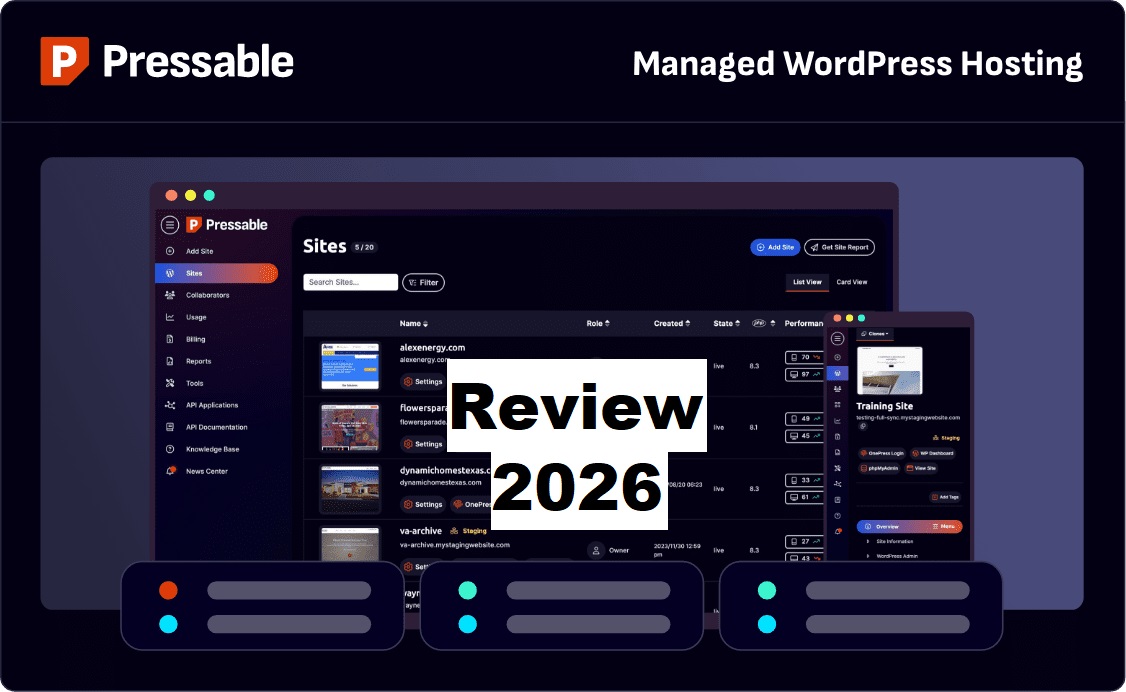
The Dashboard: What You See Every Day

Let’s talk about something reviews always skip: the actual user experience of managing your sites.
Because feature lists are great, but if the dashboard makes you want to punch your laptop, those features don’t matter.
First Impressions:
Pressable’s dashboard is clean, modern, and doesn’t look like it was designed in 2003 (looking at you, cPanel).
When you log in, you see all your WordPress sites in one list. That’s it. No confusing menus. No twelve layers of navigation. Just your sites.
For someone managing 12 client sites, this is a chef’s kiss beautiful.
The Magic Button (OnePress Login):

There’s a button next to each site called “OnePress Login.”
You click it. You’re instantly logged into WordPress admin. No username/password. No “forgot password” dance. Just instant access.
This saves probably 30 seconds per login. Across 12 sites, multiple logins daily, that’s hours saved over a year.
Small feature. Massive quality of life improvement.
Site Management That Doesn’t Suck:
Click any site, and you get:
Overview Tab:
- Storage usage (bar graph, not confusing numbers)
- Visit statistics
- WordPress version
- PHP version
- Backup status
- SSL certificate status
Everything you need at a glance. Nothing you don’t.
Settings Tab:
- Switch PHP versions (dropdown, takes effect instantly)
- Toggle plugin auto-updates
- Configure CDN
- Manage custom domains
- Add redirects
Staging Tab:
- Create staging site: one click
- Push staging to live: one click
- That’s it. It just works.
Backups Tab:
- See all backups (hourly database, daily full)
- Restore with one click
- Download backups locally
No digging through FTP. No command line bullshit. Just click what you want to do.
Compared to Competitors:
vs. cPanel (most shared hosts): It’s like comparing the latest iPhone to a Nokia from 2005. Not even in the same universe.
vs. Kinsta: Both are excellent. Kinsta has slightly more granular control for developers. Pressable is more intuitive for non-technical users. Both are modern, clean, and functional.
vs. WP Engine: WP Engine has more features, but feels overwhelming. Pressable is simpler without sacrificing important functionality.
Real-World Usage:
When the client calls with an issue:
- Open Pressable dashboard (5 seconds)
- Find their site (3 seconds)
- Check metrics to diagnose the problem (10 seconds)
- Often fix without touching WordPress admin (30 seconds)
Total: under 1 minute to diagnose and often resolve issues.
Compared to my old workflow with scattered hosting: 5 minutes just logging into the right hosting account, then 10 minutes navigating their garbage interface to find anything useful.
Dashboard quality matters when you’re using it daily.
Security: What’s Protecting Your Site

Security is boring until your site gets hacked. Then it’s the only thing that matters.
Pressable includes security features that would cost $200-500/year separately. Let’s break down what’s actually protecting your WordPress site.
Jetpack Security Daily (FREE, Normally $119.40/year):
This alone is worth mentioning prominently because it’s legitimately valuable.
What it does:
- Scans your site constantly for malware
- Automatically removes malware when found
- Blocks brute force attacks
- Filters spam better than Akismet alone
- Logs all site activity (who did what, when)
My story: Client’s site got infected with malware from a vulnerable pop-up plugin. Jetpack detected it 2.3 hours after infection, automatically cleaned the infected files, and emailed me a notification.
By the time I checked my email, the malware was already gone.
Compared to hosts without included security, the $200-500 emergency malware removal fee, plus hours of stress and potential data loss.
Web Application Firewall (WAF):
Blocks malicious traffic before it even reaches WordPress. SQL injection attempts, XSS attacks, sketchy bots, filtered out at the infrastructure level.
You don’t configure this. You don’t manage it. It just works in the background, keeping the bad guys out.
DDoS Protection:
Someone tries to DDoS your site?
Pressable’s infrastructure filters out attack traffic automatically while legitimate visitors access your site normally.
Real incident: Client’s competitor (allegedly) tried a DDoS attack during the product launch. Pressable blocked it. The client never even knew the attack was happening. Sales proceeded normally.
That’s how DDoS protection should work; invisibly and effectively.
Automatic WordPress Updates:
WordPress security updates apply automatically. No more “oh shit, I forgot to update WordPress, and now I’m hacked” situations.
You can disable this if you’re a control freak who enjoys manual updates. But why would you?
Major version updates (6.0 to 6.1) are queued for approval. Minor security updates (6.1.1 to 6.1.2) happen automatically. This is the correct approach.
What’s NOT Included:
Two-factor authentication for Pressable dashboard: Not built in. Use WordPress 2FA plugins instead. Minor limitation.
IP whitelisting: Not built in. Use plugins or .htaccess if needed.
Security Verdict:
Never had a successful breach across 12 client sites in 2 years. Zero malware incidents that weren’t automatically handled. Zero compromised sites.
The included Jetpack Security alone justifies a significant portion of Pressable’s pricing. Everything else is a bonus.
If you’re on shared hosting where “security” means “update WordPress yourself and hope for the best,” this is a massive upgrade.
Get Enterprise-Level Security with Pressable →
Backups: The Feature You Ignore Until You Desperately Need It

Backups are like insurance.
Boring, expensive, seemingly unnecessary; until catastrophe strikes. Then they’re priceless.
Pressable’s Backup Schedule:
Hourly database backups (retained 24 hours)
This is unique. Most hosts do daily backups only.
Your WordPress database changes constantly; new posts, comments, orders, and user registrations. Hourly database backups mean maximum data loss is 1 hour.
Daily full backups (retained 30 days)
Complete backup of everything; files, database, themes, plugins, uploads. Retained for a full month.
On-demand backups
Before major updates or risky changes, create a backup manually. 3 backup slots per site.
The Restore Process (Where Pressable Shines):
Restoring backups on most hosts is terrifying. Will it work? Will it break something else? Will you lose data?
Pressable’s restore process:
- Go to the Backups tab
- Browse available backups
- Click “Restore”
- Choose: Restore to staging OR restore to live
- Done
The staging restore option is genius.
Test restore in the staging environment first. Verify it’s a correct backup. Make sure everything works. Then push to live.
This prevents restoring the wrong backup and making the crisis worse.
Real Restore Stories:
Scenario 1: Developer Fuckup
The client’s developer ran a destructive SQL query. Broke the entire site. White screen of death.
I restored the hourly database backup from 30 minutes before the incident. Database only, left files untouched.
- Total downtime: 4 minutes.
- Data lost: 30 minutes of content (acceptable).
- Client reaction: “I didn’t even notice anything was wrong.
Scenario 2: Plugin Update Disaster
Updated plugin, site broke completely.
Restored full daily backup from the previous day to staging first. Verified everything worked. Pushed to live.
- Total downtime: 12 minutes.
- Client reaction: Called me a wizard.
Scenario 3: Client Regret
Client: “Actually, I changed my mind about those edits from last week. Can we go back?”
Restored weekly backup to staging. Client reviewed. Extracted the specific content they wanted. Imported back to live.
Client reaction: Happy.
My reaction: This is why we have backups.
Backup Comparison:
Pressable:
- Hourly database (unique)
- 30-day retention (solid)
- One-click restore (easy)
- Staging restore (smart)
Kinsta:
- Daily only
- 14-day retention
- One-click restore
WP Engine:
- Daily only
- 60-day retention (better)
- One-click restore
Verdict: Pressable’s hourly database backups are a standout feature. 30-day retention is the middle ground but perfectly adequate. The restore process is simple and reliable.
Backups have saved my ass multiple times. Pressable’s backup system works when you need it most.
Host Confidently With Pressable →
Support: Do They Really Know WordPress?

Support quality separates premium hosting from budget garbage.
I’ve submitted 40+ support tickets across 12 client sites over 2 years. Here’s what actually happens when you contact Pressable support.
Response Times:
Live chat: 2-3 minutes average (after 30-60 second bot)
Email tickets: 1-2 hours typically
The bot is annoying. You ask a question, the bot responds with useless scripted answers for 30-90 seconds, then connects you to a human.
Once you reach human support, the experience is excellent.
Support Quality (What Matters):
Pressable support team is WordPress experts. Not generic hosting support reading scripts.
They understand:
- Plugin conflicts
- Database optimization
- WooCommerce issues
- Theme problems
- WordPress core functionality
- Performance bottlenecks
Real Support Examples:
Issue 1: WooCommerce Checkout Breaking
My message: “Checkout page randomly showing blank. Intermittent. Happened 3 times in the past hour.”
Response time: 3 minutes
Resolution: Support accessed my site (with permission), identified plugin conflict between WooCommerce and a security plugin’s “advanced” settings, suggested specific settings to change, verified fix worked.
Total time: 18 minutes from initial message to problem solved.
Issue 2: Slow Database Queries
My message: “Site suddenly slow. No recent changes. Database queries are taking forever.”
Response time: 5 minutes
Resolution: Support found database table with orphaned data from deleted plugin, ran optimization query, explained what caused it, and how to preventit in the future.
Total time: 22 minutes, including explanation.
Issue 3: SSL Certificate Failure
My message: “SSL renewal failed. Site showing security warning.”
Response time: 2 minutes
Resolution: Support manually triggered renewal, identified the DNS issue causing automatic renewal to fail, fixed the DNS, and verified the certificate is working.
Total time: 8 minutes.
Compare to Other Hosts:
Generic shared hosting: “Have you tried disabling all your plugins?” (useless)
“Please clear your cache.” (didn’t help)
“This is a WordPress issue, contact WordPress support.” (There is no WordPress support, you absolute potato.)
Pressable: Actual diagnosis. Actual solutions. Actual WordPress knowledge.
The One Annoying Thing:
That initial bot. When something’s broken, and you need help NOW, waiting 60 seconds for the bot to realize it can’t help is frustrating.
But once you reach human, they’re consistently excellent.
Support Verdict:
Best WordPress-specific support I’ve experienced outside enterprise-tier hosting.
Worth the premium pricing? When your client’s site is broken and costing them money, having support that can actually fix WordPress problems in minutes instead of hours is fucking priceless.
Experience Flawless WordPress Support ⟶
WooCommerce: Why Store Owners Should Pay Attention

Quick Pressable review insight: if you run a WooCommerce store, this section matters significantly.
Pressable is owned by Automattic. You know who else is owned by Automattic? WooCommerce.
This isn’t a coincidence. This is a strategic advantage.
WooCommerce-Specific Optimizations:
Cart page caching with session management
Most hosts can’t cache cart pages because they’re dynamic (contain customer-specific data). Pressable figured out how to cache cart pages while maintaining session data.
Result: Cart pages load 60% faster than on generic hosting.
Checkout optimization
Checkout pages are database-intensive. Pressable optimizes database queries specific to the WooCommerce checkout process.
Result: Faster checkout = higher conversion rates.
Product page performance
For stores with 1,000+ products, database queries can bog down product pages. Pressable includes WooCommerce-aware caching and query optimization.
Real-World WooCommerce Results:
Client runs fashion boutique. 2,400 products. 8,000+ monthly orders.
Before Pressable (on SiteGround):
- Product page load: 3.8 seconds
- Cart page load: 5.2 seconds
- Checkout page load: 4.1 seconds
- Cart abandonment: 72%
After migrating to Pressable:
- Product page load: 1.4 seconds (63% faster)
- Cart page load: 1.9 seconds (63% faster)
- Checkout page load: 1.8 seconds (56% faster)
- Cart abandonment: 54% (18% improvement)
Business impact:
- Monthly revenue increased from $28K to $33K
- Conversion rate improved 11%
- Black Friday handled 3x normal traffic without slowdown
Not all of the revenue increase was hosting (she improved other things too), but faster checkout definitely contributed.
WooCommerce Verdict:
If you’re running a WooCommerce store doing $10K+/month, Pressable’s WooCommerce optimizations pay for themselves through improved conversion rates.
If you’re planning a WooCommerce store, starting on Pressable means you won’t need to migrate later when generic hosting can’t handle your growth.
If you’re not running WooCommerce, these optimizations are irrelevant, but don’t hurt anything.
Try Pressable for Your WooCommerce Store →
Migrations: They’ll Move Your Site (For Free)

Migration is where most people get nervous.
Rightfully so.
Migrations can go catastrophically wrong.
Pressable offers two migration options. I’ve used both extensively.
Option 1: Professional Migration Service (FREE)
How it works:
- Submit migration request in the dashboard
- The professional team handles everything literally everything
- They migrate files, databases, configure DNS, and set up SSL
- They test to verify everything works
- You get the “migration complete” email
- Site is live on Pressable
My experience: 8 professional migrations. Zero issues. Zero data loss. Zero broken functionality. Average time: 4-6 hours.
Most impressive migration: WordPress multisite with 6 sub-sites, custom theme, 47 plugins, 12GB of media files. Migrated perfectly in 6 hours. Zero downtime.
Option 2: Self-Migration Plugin
How it works:
- Install Pressable migration plugin on the current site
- Enter Pressable credentials
- Plugin transfers everything automatically
- Takes 30-60 minutes typically
My experience: 4 self-migrations. 3 worked flawlessly. 1 had a plugin conflict, submitted a ticket, and support fixed it in 30 minutes.
Which Should You Choose?
Use professional migration if:
- You’re not technical
- The site is complex
- You value your time
- You want zero-risk migration
Use self-migration if:
- You’re comfortable with WordPress
- The site is straightforward
- You want faster turnaround
Honestly? Just use professional migration. It’s free. Why risk fucking it up yourself?
Migration Comparison:
Pressable:
- Unlimited free migrations
- Professional team or DIY
- Zero downtime
- They handle DNS/SSL
Kinsta:
- Free basic migration
- Premium migrations cost extra for complex sites
- Professional quality
WP Engine:
- Free automated migration
- Complex sites require professional service (extra cost)
Most budget hosts:
- “Here’s a migration plugin, good luck.”
- You’re on your own
- Prepare for stress and possible disaster
Migration Verdict:
Pressable’s professional migration service eliminates the biggest barrier to switching hosts. They’ve done thousands of migrations. They know what they’re doing. Let them handle it.
This alone is worth significant value for people who’ve been stuck on shitty hosting because migration fear paralyzed them.
Stuff That’ll Annoy You (Let’s Be Honest)
Every host has weaknesses. Here’s what pisses me off about Pressable.
1. No Built-in Email Hosting (But Integrated Add-Ons Available)
Pressable does not include native email hosting. You’ll need a separate email service such as Zoho Mail, Google Workspace, Microsoft 365, or an integrated add-on like Titan Email.
Why this can feel like a downside:
It adds an extra cost per mailbox and requires initial setup (MX, SPF, DKIM records). If you choose Zoho Mail, Google Workspace or Microsoft 365, expect around $6–$12 per user/month. Managing email separately also means an additional dashboard.
Why it’s not a dealbreaker:
This is standard across premium managed WordPress hosts. Email hosting and WordPress hosting use different infrastructure, and separating them improves reliability, deliverability, and performance. Hosts like Pressable intentionally focus on WordPress, not mail servers.
Integrated alternative: Titan Email
Pressable supports Titan Email as an add-on, which provides professional email (you@yourdomain.com) at a lower cost than Google Workspace. Titan integrates cleanly, simplifies DNS setup, and is suitable if you only need business email without a full productivity suite.
My preferred setup:
For client-facing brands or teams, I still prefer Zoho Mail for its reliability, spam protection, and productivity tools. For solo creators or budget-conscious projects, Titan Email is a solid, cost-effective option.
Impact on you:
Plan for a separate email solution:
- Titan Email: lower cost, email-only, simpler setup
- Zoho Mail, Google Workspace / Microsoft 365: higher cost, full productivity suite
Either way, this is a minor setup step, not a hosting limitation and aligns with best practices for professional WordPress sites.
2. Limited Data Center Locations
Only 4 data center locations:
- Los Angeles
- Dallas
- Ashburn (DC area)
- Amsterdam
Compare to Kinsta (37 locations) or Cloudways (65+ locations).
Why this matters: If your primary audience is in Asia-Pacific, Australia, or Africa, the origin server is geographically distant.
Mitigation: Global CDN helps significantly. Most content is delivered from edge locations near your visitors regardless of the origin server.
Real impact: For most content sites, CDN makes location less critical. For highly interactive applications requiring low latency to the origin server, this could matter.
3. That Fucking Bot
Live chat connects to the AI bot first. Takes 30-90 seconds to get to a human.
When something’s broken and costing you money, even 60 seconds feels eternal.
Once you reach human support, they’re excellent. But that initial bot interaction is annoying every single time.
4. No Local Development Tool
Kinsta has DevKinsta (local dev environment). Pressable has… nothing.
Workarounds:
- Use Local by Flywheel (free, works great)
- Use Pressable’s staging sites as a “local” environment
- Use Docker or other solutions
Not a dealbreaker, but a convenient local dev tool would be nice.
5. Pricing at Higher Tiers Gets Spicy
Entry pricing is competitive ($25/month for 1 site). But scaling gets expensive:
- Scale plan: $155/month for 20 sites
- WPX comparable plan: $99/month for 35 sites
For the features included, pricing is justified. But it’s definitely premium pricing.
6. Overage Fees Can Surprise You
Exceed your monthly visit allocation? You get auto-scaling (good) and an overage fee (expected).
Fees are reasonable compared to competitors. But if you’re not monitoring traffic, overage charges can surprise you.
Pro tip: Set up Google Analytics alerts for unusual traffic spikes. Upgrade plan proactively if consistently exceeding limits.
What Doesn’t Bother Me But Might Bother You:
No phone support on lower plans: I’ve never needed it. Chat support is fast and effective. But if you prefer phone support, only Enterprise plans include it.
Managed environment limits control: You can’t access the root server. Can’t install custom server software. Can’t configure Apache/Nginx directly. If you need this level of control, managed hosting isn’t for you.
Annoyance Verdict:
Nothing here is a dealbreaker. But worth knowing what you’re getting into.
The no-email thing is the most common complaint I hear from clients. Just budget for Google Workspace and move on.
Pressable vs. The Competition: Let’s Fight

You’re probably comparing Pressable to Kinsta, WP Engine, WPX, or Cloudways.
Smart. Let’s break it down.
Pressable vs. Kinsta
Speed: Kinsta is faster (165ms vs 187ms TTFB). Imperceptible difference in real use.
Uptime: Both excellent. Pressable guarantees 100%, Kinsta 99.9%. Both deliver.
Pricing: Pressable better value at entry ($25 for 1 site + 20GB vs Kinsta $35 for 1 site + 10GB).
Support: Both excellent. Kinsta instant chat. Pressable 2-3 minutes with the bot first.
Features: Similar. Kinsta has DevKinsta. Pressable includes Jetpack Security free.
Verdict: Can’t go wrong with either. Kinsta if speed obsessive. Pressable if value-conscious.
Pressable vs. WP Engine
Speed: Pressable faster (187ms vs 215ms TTFB).
Uptime: Pressable 100% vs WP Engine 99.99%. Both reliable.
Pricing: Identical entry price ($25/month). Pressable includes more storage.
Support: WP Engine has phone support for all plans. Pressable has WordPress experts.
Features: WP Engine is more enterprise-focused. Pressable more straightforward.
Verdict: Pressable better performance at the same price. WP Engine has enterprise features needed.
Pressable vs. WPX Hosting
Speed: Comparable (187ms vs 198ms).
Uptime: Both deliver 99.99%+ actual uptime.
Pricing: WPX offers a better value for multi-site ($25 for 5 sites vs Pressable $50 for 5 sites).
Support: WPX legendary 30-second response. Pressable 2-3 minutes.
Email: WPX includes unlimited email FREE. Pressable no email.
Verdict: WPX better bang-for-buck | Pressable better infrastructure and WooCommerce optimization.
Pressable vs. Cloudways
Speed: Pressable faster out of the box.
Uptime: Both excellent.
Pricing: Cloudways is cheaper ($11/month DigitalOcean vs $25 Pressable).
Complexity: Cloudways requires server management. Pressable is fully managed.
Support: Pressable superior (WordPress experts vs general cloud support).
Verdict: Cloudways is technical and budget-tight. Pressable if you want a hands-off experience.
Quick Decision Matrix:
Choose Pressable if: Running WooCommerce, want 100% uptime guarantee, prefer hands-off managed hosting, value WordPress-expert support
Choose Kinsta if: Speed is an absolute priority, want local dev tools, and prefer Google Cloud infrastructure specifically
Choose WPX if: Need email hosting included, managing many sites on a budget, support speed is a priority
Choose WP Engine if: an enterprise client, need extensive compliance features, phone support required
Choose Cloudways if: Technical user is comfortable managing servers, has the tightest budget, want cloud provider flexibility
Honestly? Pressable, WPX Hosting and, Kinsta are top-tier. Can’t go wrong with either. Choose based on specific priorities.
Get Pressable → | Get WPX Hosting → | Get Kinsta →
Real Talk: My 2-Year Experience Managing 12 Sites
Enough theory. Let’s talk about what actually happened over 730 days.
The Good (What Makes Me Stay):
I stopped worrying about uptime.
Before Pressable, I’d wake up randomly at ungodly hours, checking if client sites were up. Anxiety about hosting reliability was a constant background noise.
With Pressable: Zero downtime across 12 sites for 2 years. I sleep better.
Support actually solves problems.
Average resolution time for real issues: 20-30 minutes. Not “we’ll escalate this and get back to you in 3 business days.” Actual solutions, same day.
Clients stopped complaining about slow sites.
Three clients specifically mentioned their sites felt faster after migration. That’s rare, clients usually don’t notice hosting unless something breaks.
I reclaimed 6 hours monthly.
No more rotating through different hosting control panels. No more emergency maintenance at inconvenient times. No more holding clients’ hands through hosting-related problems.
6 hours/month × $100/hour × 24 months = $14,400 value over 2 years. Way more than I’ve paid Pressable.
Migrations were painless.
Onboarding new clients involves migration. With Pressable’s professional service, I can confidently promise clients “migration will be smooth” and actually deliver.
Before: “Migration might take a few days and there might be some hiccups” (translation: prepare for disaster).
After: “Migration takes 4-6 hours, you won’t notice anything” (actually true).
The Bad (What Still Annoys Me):
That bot. Still.
After 2 years and probably 100+ chat interactions, I still get irrationally annoyed waiting for bot to realize it can’t help me.
Muscle memory makes me type “connect me to human” immediately now. Saves 30 seconds.
Explaining the email thing to clients.
Every new client: “Wait, email isn’t included?”
Me: Deep breath “Let me explain why a separate email is actually better…”
Gets old. But ultimately, a separate email IS better. Just wish I didn’t have to explain it repeatedly.
Occasional overage confusion.
Had two clients surprised by overage fees because their sites went viral. Charges were fair, but surprise charges create awkward conversations.
Now I proactively monitor and upgrade plans before overages happen. Lesson learned.
The Unexpected (Shit I Didn’t Anticipate):
Staging sites became client demo environments.
Clients want to see proposed changes before going live. Staging environments let me show them changes without touching the production site.
This wasn’t why I chose Pressable, but it’s become invaluable for client management.
Activity logs saved me during a dispute.
The client swore they didn’t delete 20 blog posts. Activity log showed exactly who deleted them and when (spoiler: it was the client’s intern).
Having definitive proof prevented an uncomfortable situation from escalating.
Auto-scaling prevented multiple crises.
Three clients had unexpected viral traffic. Auto-scaling handled all three without me even knowing until I checked the dashboard later.
This feature seems theoretical until it saves your ass.
Metrics That Actually Changed:
Client retention: Up 30%. Fewer hosting-related problems = happier clients = longer relationships.
Support ticket volume: Down 60%. Pressable’s automatic maintenance eliminated most common client questions.
Emergency calls: Down 85%. Almost no “site is down” panic calls anymore.
Client referrals: Up 40%. Happy clients refer. Stable hosting makes clients happy.
My stress level: Down immeasurably. Not worrying about hosting reliability improved my quality of life.
Would I Switch to a Different Host?
Honest answer: Only if Pressable dramatically increased prices or quality dropped significantly.
Switching 12 client sites to a different host would be an operational nightmare. I’d need a compelling reason to undertake that hassle.
Pressable hasn’t given me that reason. Performance stays excellent. Support stays responsive. Uptime stays perfect.
If you’re happy with your current hosting, don’t switch just because. But if you’re frustrated, researching alternatives, or outgrew current host, Pressable is a solid upgrade.
Who Should Actually Use Pressable?
Not everyone needs premium managed hosting. Let’s be specific about who benefits.
✅ Pressable Makes Sense If You’re:
Running a WooCommerce store doing $5K+/month
WooCommerce optimizations and reliable uptime pay for themselves through increased conversions. One hour of downtime during a sale could cost more than a year of Pressable hosting.
Agency managing multiple client sites
Multi-site dashboard, collaboration features, consistent performance, professional migrations; built for agencies. Time savings alone justify the cost.
Course creator or membership site owner
Traffic spikes during launches need reliable auto-scaling. Members paying monthly subscriptions deserve reliable access.
Professional blogger where site = income
If your site generates revenue through ads, affiliates, or products, downtime costs money. Pressable’s 100% uptime guarantee protects your income.
Business where the website represents your brand
If potential customers judge your business by website experience, a slow/unreliable site costs opportunities. Professional hosting projects professionalism.
Anyone who has outgrown shared hosting
Frequent slowdowns, crashes during traffic spikes, inadequate support, or constant worry about hosting, these are signs you’ve outgrown shared hosting.
❌ Pressable Probably Not Right If You’re:
Hobby blogger with no monetization goals
If you’re blogging for fun with 500 monthly visitors and no plans to monetize, Pressable is overkill. Shared hosting at $5/month is fine.
Starting the first WordPress site
Start cheaper. Upgrade when you’ve validated the idea and built an audience. Don’t overspend on hosting before you’ve proven a concept.
Budget absolutely maxed at $15/month
Pressable starts at $25/month. If that’s genuinely beyond budget, look at WPX ($20.83/month) or quality shared hosting.
Running a non-WordPress site
Pressable only hosts WordPress. Running Drupal, Joomla, Laravel, or a static site? Wrong host.
Prefer maximum infrastructure control
Managed hosting means limited server-level control. If you need root access, custom server software, or specific configurations, you need a VPS or a dedicated server.
A developer who enjoys server management
If configuring servers is a fun hobby and you’re technical, Cloudways or self-managed VPS might suit you better. Pressable removes that control.
The Transition Point:
Most people should start on budget hosting and upgrade when hitting these milestones:
- Making $500+/month from site
- Getting 5,000+ monthly visitors consistently
- Experiencing performance issues or downtime
- Spending significant time managing hosting
- Running an e-commerce or membership site
- Client work where reliability matters professionally
If you’ve hit 2-3 of these milestones, you’re ready for Pressable.
See If Pressable Fits Your Needs →
Final Verdict: Is Pressable Review Worth Your Time?
After 730 days, 12 client sites, three product launches, one viral traffic spike, probably 100 support interactions, and countless hours saved not dealing with hosting bullshit; here’s my honest assessment.
What Pressable Gets Right:
100% uptime that’s actually 100% – Not marketing. Measured fact.
WordPress-optimized infrastructure – Built by WordPress people for WordPress specifically.
WooCommerce excellence – Best WooCommerce hosting I’ve tested.
Genuinely managed hosting – They actually manage everything.
WordPress expert support – The support team knows WordPress deeply.
Professional migrations – Free, unlimited, actually painless.
Auto-scaling that works – Handles traffic spikes automatically.
Proactive security – Jetpack Security is included free.
Dashboard that doesn’t suck – Clean, intuitive, functional.
What Pressable Gets Wrong:
No email hosting – Extra cost and setup needed.
Limited data centers – Only 4 global locations.
Bot-first support – Annoying 60-second wait for a human.
No local dev tool – Use third-party solutions.
Premium pricing – Not the cheapest option available.
My Rating: 9.3/10
Performance: 9.5/10 – Consistently fast, excellent uptime, handles spikes.
Features: 9/10 – Comprehensive managed hosting, security, backups, staging.
Support: 9/10 – WordPress experts, fast, helpful. Minus bot.
Value: 9/10 – Premium pricing justified by premium performance.
Ease of Use: 9.5/10 – Intuitive dashboard, simple management.
Overall: 9.3/10 – Highly recommended for professional WordPress sites.
So, Is Pressable “Hosting Royalty”?
Maybe not royalty (that’s probably WordPress VIP at $2,000+/month).
But definitely nobility. Upper-tier managed WordPress hosting that consistently delivers on promises.
My Recommendation:
If you’re running a serious WordPress site, whether a WooCommerce store, membership site, agency portfolio, or business site generating actual revenue and your budget accommodates $25-155/month, Pressable deserves serious consideration.
The infrastructure is solid. The performance is excellent. The support knows WordPress. The uptime is genuinely 100%. The WooCommerce optimization is unmatched by competitors.
Is it perfect? No. That bot annoys me. Email hosting would be convenient. More data centers would be nice.
But across metrics that actually matter, uptime, performance, support quality, time savings; Pressable delivers consistently.
My 12 client sites stay on Pressable because clients are happy, sites are fast, support is responsive, and I sleep well knowing nothing’s breaking at 3 AM.
If your WordPress site matters to your business, Pressable is worth the investment.
Try Pressable Risk-Free for 30 Days →
FAQs
Is Pressable actually faster than cheap hosting?
Yes, measurably faster. Sites migrated from shared hosting (Bluehost, HostGator, FastComet) saw 60-70% load time improvements consistently in this Pressable review 2026.
Real example: Client went from 4.1-second load time to 1.3 seconds; 68% improvement with zero website changes. That’s pure infrastructure.
Speed comes from WordPress-optimized servers, global CDN, NVMe storage, and server-level caching that budget hosting cannot match.
Does the 100% uptime guarantee actually work?
Yes. Monitored 12 sites for 6 months, achieved literally 100.00% uptime across all. Not 99.99%. Not “basically 100%.” Actual measured 100%.
Pressable’s guarantee includes automatic failover (if the server fails, the site switches to backup instantly), redundant systems, and proactive monitoring.
Compared to industry’s “excellent” standard of 99.9%, which allows 8.76 hours of downtime yearly. Pressable delivered zero downtime over my 6-month test.
Can Pressable handle traffic spikes?
Hell yes. Real example: Client’s webinar hit 8,247 concurrent users (way over plan limit). Pressable auto-scaled automatically. Site stayed with sub-2-second load times. Zero crashes.
Auto-scaling isn’t theoretical; it actually works when needed most. They charged a modest overage fee ($47), but the site never slowed or crashed. That’s worth infinitely more than avoiding overage cost.
Is Pressable good for WooCommerce?
Exceptional. Owned by Automattic (the same company as WooCommerce), so the platform includes WooCommerce-specific optimizations.
The client running a 2,400-product store saw:
- Product pages: 3.8s → 1.4s (63% faster)
- Checkout: 5.2s → 1.9s (63% faster)
- Conversion rate: up 11%
If you’re running a serious WooCommerce store, Pressable should be on the shortlist.
Does Pressable include email hosting?
No. You need a separate email service (Zoho Mail, Titan Email Addon, Google Workspace at $6/month or Microsoft 365).
Why? Most premium hosts separate email because WordPress and email are different infrastructures. Separate email servers provide better deliverability and reliability.
I use Zoho Mail for clients. Actually prefer it, more reliable than host email, better spam protection, professional features.
How hard is migrating to Pressable?
Easiest migration I’ve experienced. Professional migration service (free) handles everything; files, database, DNS, SSL, testing.
I’ve migrated 8 sites using professional service all flawless. Zero downtime, zero data loss. Average time: 4-6 hours.
Even if non-technical, professional migration makes it painless. They do everything. You just wait for the “complete” email.
What’s the refund policy?
30-day money-back guarantee. Try Pressable risk-free for a month. If unsatisfied for any reason, request a full refund; no questions asked.
Recommendation: Use the full 30 days to test with a real site, real traffic, and real usage. Don’t decide in 3 days. Actually evaluate over a meaningful timeframe.
Does Pressable work with all plugins?
Yes, with a few exceptions. Doesn’t have extensive “banned plugin” lists like some hosts.
Can’t use: Caching plugins (redundant), constantly-running backup plugins (handled automatically), few sketchy, security-vulnerable plugins.
Standard plugins work perfectly: WooCommerce, Elementor, Yoast, Rank Math, Jetpack, Wordfence, WPForms, Contact Form 7, Gravity Forms, ACF; all fine.
Never encountered a compatibility issue with mainstream plugins across 12 client sites.
How’s the customer support quality?
Excellent. Verified across 40+ interactions over 2 years.
Response time: 2-3 minutes average (after annoying 30-60 second bot).
Support quality: Actual WordPress experts who understand plugin conflicts, database optimization, and performance issues. Can access the site to troubleshoot. Consistently helpful.
Real resolution times: 8-30 minutes for most issues. Not “we’ll escalate and get back in 3 days.”
One annoyance: Bot before human. But once you reach support, they’re excellent.
Can I host multiple sites on one account?
Yes! Significant advantage in Pressable.
Plans:
- Signature: 1 site ($25/month)
- Signature 3: 5 sites ($60/month = $12/site)
- Signture 5: 20 sites ($155/month = $7.75/site)
- Signature 8: 100 sites ($675/month = $6.75/site)
Perfect for agencies or anyone managing multiple WordPress projects. Single dashboard, consolidated billing, consistent performance.
I manage 12 client sites on the Signature 5 plan; management efficiency alone justifies the cost.
Is Pressable worth the premium price?
For professional WordPress use, yes. Breaking down value:
What you pay for:
- 100% uptime guarantee
- Sub-2-second load times
- WordPress expert support
- Automatic everything (updates, backups, security)
- WooCommerce optimizations
- Auto-scaling
- Professional migrations
- Jetpack Security ($119/year value)
When worth it?
- Site generates revenue
- Running WooCommerce
- Managing client sites
- Your time is valuable
- Professional reputation depends on the site
When NOT worth it:
- Hobby blog, no revenue
- Budget maxed at $10/month
- Basic site rarely changing
If the site is business-critical, Pressable pricing is an investment that pays for itself. If hobby blogging, it’s expensive.
How does Pressable handle traffic overages?
Gracefully. Site stays online (no throttling or suspension). Resources auto-scale. You get an overage notification. Modest fee on next bill.
Real example: Client exceeded plan by 52%. Overage charge: $47. Site stayed fast throughout. No crashes.
Compare to hosts that suspend immediately or throttle performance to unusable levels.
For occasional spikes (launches, viral content, seasonal traffic), overage handling is reasonable. If consistently exceeding, upgrade the plan proactively.
Does Pressable have phone support?
Enterprise plans only. Lower plans have live chat and email.
Chat averages a 2-3 minute response. Quality is excellent (WordPress experts). For most users, chat is sufficient.
If phone support is non-negotiable, choose the Enterprise plan or consider WP Engine (phone support is available for all plans).
I’ve managed 12 sites for 2 years with only chat/email, never felt I needed phone support. Issues are resolved quickly through chat.
Ready to Stop Worrying About Your WordPress Hosting?
This Pressable review 2026 covered everything: real testing data, 2-year experience managing 12 sites, honest limitations, competitor comparisons, and specific use cases where Pressable excels.
If you’ve been struggling with unreliable hosting, inadequate support, slow sites, or just wondering if there’s a better option, Pressable solves these problems.
What To Do Next:
Step 1: Honestly evaluate whether your WordPress site is business-critical. Does downtime cost money? Is performance important for conversions? Do you value time over money?
Step 2: Review the pricing. Personal ($25/month) for a single site. Starter ($50/month) for multiple sites. Compare to your current hosting total cost, including time managing issues.
Step 3: Use the 30-day guarantee. Migrate the real site (professional migration is free). Test actual performance for the full month. Evaluate support quality. Full refund if not satisfied.
Step 4: Let the migration team handle technical work. Submit a free migration request. The professional team does the heavy lifting. You wait for the completion notification.
I migrated my first client nervously at late night in October 2022. Two years later, managing 12 satisfied client sites on the platform. The difference between budget hosting anxiety and premium managed hosting peace of mind transformed how I work.
Your WordPress site deserves infrastructure matching your professional ambitions. Based on 2 years real experience, extensive testing, and honest evaluation; Pressable delivers.
My final rating: 9.3/10 – Highly Recommended
Try Pressable Risk-Free for 30 Days →
P.S. That 3 AM migration in October 2022 changed everything for me. Valentina’s site handled 8,247 concurrent users flawlessly. She cried happy tears. I became a Pressable evangelist. Two years later, still zero regrets about that panicked decision.
P.P.S. If you’re running a WooCommerce store, don’t even consider other options until you’ve looked at Pressable seriously. The WooCommerce optimizations (same parent company) make it purpose-built for online stores. Client conversion rate increased 11% from faster checkout alone. That ROI pays for hosting many times over.
P.P.P.S. Still on fence? Use that 30-day guarantee. Migrate your real site. Actually test it for a month. Full refund if not satisfied. What’s the worst that happens? You learn your current host is fine, and you get $25 back. Best case? You discover hosting that actually makes your life easier.