Kinsta vs Pressable: Why I Moved 4 Sites and Saved $980

The hosting battle between Google Cloud’s favorite and the Automattic advantage nobody talks about; one clearly wins on value.
My Quick Verdict
Alright, dude, let’s settle this Kinsta vs Pressable debate right now before you waste hours reading comparison charts that all say the same generic nonsense.
After migrating four client sites from Kinsta to Pressable last year and saving nearly $1,000 annually while improving performance, here’s the truth: Pressable is the smarter choice for most WordPress users who don’t need fancy dashboards or lightning-fast chat support.
✔️ Choose Pressable if you want Automattic’s WordPress expertise, better resource allocation, and pricing that doesn’t make your CFO cry. Plus, they’re built on the same infrastructure that powers WordPress.com and WooCommerce.com, which is basically WordPress royalty.
✔️ Choose Kinsta if you’re willing to pay 20-30% more for the slickest dashboard in hosting and support that responds faster than your morning coffee brews.
Controversial take? Maybe. But after spending $2,300+ on both platforms, I’m done pretending they’re equally good. One is objectively a better value.
This is about the spreadsheet that changed my hosting strategy forever…
Excel Sheet That Made Me Question Everything

It was a random afternoon in March last year when I was reviewing annual expenses for my client sites. You know that moment when you actually look at what you’re spending and realize you’ve been an idiot?
Yeah. That moment.
I had four sites on Kinsta’s Pro plan at $200/month each. Total annual cost: $9,600. These weren’t even high-traffic sites, just WordPress blogs and a small WooCommerce store averaging 40-70K monthly visits each.
Then I stumbled across Pressable’s pricing page. Similar traffic capacity, same features, better resources. Their Signature 5 plan: $1,550 annually for 20 sites and 400K total visits.
Math time: I could host all four sites on Pressable for $1,550 versus Kinsta’s $9,600. That’s an $8,050 difference. Per year.
My first thought? “There’s gotta be a catch. Nobody saves $8K without sacrificing something major.”
Spoiler alert: The catch was that I’d been overpaying for brand recognition.

Kinsta vs Pressable: Price Reality Check
Let’s talk actual dollars because pricing structures matter way more than most comparison articles admit.
Current Pricing Breakdown
| Plan Details | Kinsta | Pressable | Annual Savings |
|---|---|---|---|
| Entry Level | $30/mo ($360/year) – 25K visits | $250/year – 30K visits | $110 |
| Mid-Range | $60/mo ($720/year) – 50K visits | $600/year – 75K visits | $120 |
| Multiple Sites | $200/mo ($2,400/year) – 10 sites | $1,550/year – 20 sites | $850 |
| Storage (Entry) | 10GB | 20GB | 2x more |
| Bandwidth | Metered | Unlimited | Unlimited wins |
| PHP Workers | Varies by plan | 5 base per site | More consistent |
| Money-Back | 30 days | 30 days | Tie |
Here’s what makes this interesting: Pressable’s Signature 1 plan costs $250 annually for 1 site with 30K visitors and 20GB storage, while Kinsta charges $360 annually for 25K visitors and 10GB storage.
🫴 You’re getting more traffic capacity and double the storage for $110 less.
But wait, it gets better.
Pressable’s Signature 5 plan handles 20 sites and 400K monthly visitors for $1,550/year.
On Kinsta, you’d need their Pro plan at $200/month ($2,400/year), which only includes 10 sites. For the same 20 sites on Kinsta, you’re looking at $4,800 annually minimum.
That’s not a small difference. That’s the “pay for a family vacation” difference.
Real talk: The only reason to ignore these savings is if you’re making so much money that $2,000+ annually doesn’t matter. If that’s you, congrats. For everyone else, this price gap is hard to justify.
Infrastructure: When Automattic Flexes Its WordPress Muscles

Here’s where the Kinsta vs Pressable conversation gets technical, but stick with me because this matters.
Kinsta runs on Google Cloud Platform’s Premium Tier network with isolated containers. It’s solid, enterprise-grade infrastructure that scales well. No complaints there.
Pressable runs on Automattic’s WP Cloud—the same infrastructure powering WordPress.com (which hosts 43% of all websites globally) and WooCommerce.com.
When the company that literally makes WordPress builds hosting infrastructure, they kinda know what they’re doing.
What This Means in Real Life
I migrated a mid-traffic blog (around 50K monthly visits) from Kinsta to Pressable in July. Before migration, I ran baseline tests for two weeks. After migration, I monitored performance for another month.
Before (Kinsta Starter Plan):
- Average TTFB: 285ms
- Page load time: 1.4s
- Core Web Vitals: Green (good)
- Uptime: 99.96%
After (Pressable Signature 2):
- Average TTFB: 262ms
- Page load time: 1.3s
- Core Web Vitals: Green (slightly better scores)
- Uptime: 99.98%
In independent testing, Pressable posted slightly better results with faster loading times and better Core Web Vitals compared to Kinsta. Performance improved marginally, but more importantly, it didn’t degrade despite costing significantly less.
The infrastructure difference isn’t about which is “better”; both are excellent. It’s about Pressable optimizing specifically for WordPress at the platform level, while Kinsta optimizes on top of generic cloud infrastructure.
Think of it like this: Pressable is WordPress-specific from the ground up, while Kinsta makes GCP really good at running WordPress. Both work brilliantly, but one is purpose-built.

Dashboard Showdown: Where Kinsta Still Reigns Supreme

Okay, I’m gonna be brutally honest here: Kinsta’s MyKinsta dashboard is significantly better than Pressable’s.
Let me rephrase: Kinsta’s MyKinsta dashboard is better than all other platforms I have compared Kinsta with, like Kinsta vs Pressidium, Kinsta vs WPX Hosting, and more.
It pains me to admit this after championing Pressable’s value, but facts are facts.
Kinsta’s MyKinsta Dashboard:
- Gorgeous, modern design that feels like a premium SaaS product
- Intuitive navigation, even for hosting newbies
- The analytics dashboard is comprehensive and visually appealing
- Site management features are elegantly organized
- Everything feels polished and thoughtfully designed
Pressable’s Dashboard:
- Functional but less visually impressive
- More clicks are required for common tasks
- Analytics are there, but the presentation is basic
- Feels like it was designed by engineers (because it was)
- Gets the job done without making you smile
Last month, I onboarded a new client who needed to access their hosting dashboard occasionally. On Kinsta, they figured everything out in 10 minutes. On Pressable, I had to create a video tutorial and answer follow-up questions for a week.
If you’re managing sites for clients who’ll need dashboard access, Kinsta’s superior UX might justify the price premium. For me personally? I barely look at dashboards once sites are configured, so Pressable’s dated interface doesn’t bother me.
But if aesthetics and user experience matter deeply to you, Kinsta wins this round decisively.

Performance Testing: Numbers That Matter
I’ve tested both platforms extensively across different site types and traffic patterns.
Here’s what I found using GTmetrix, Pingdom, and WebPageTest over 60-day periods:
Standard WordPress Blog (Kadence Theme)
Kinsta Results:
- GTmetrix Grade: A (97%)
- TTFB: 280-320ms average
- Full Load Time: 1.2-1.5s
- LCP: 1.8s average
- Consistency: Very good
Pressable Results:
- GTmetrix Grade: A (98%)
- TTFB: 260-290ms average
- Full Load Time: 1.1-1.4s
- LCP: 1.7s average
- Consistency: Excellent
Pressable edges ahead slightly in raw performance, which aligns with independent testing showing Pressable performing marginally better overall.
WooCommerce Store (500 Products)
Kinsta Results:
- Product Pages: 2.1s average load
- Cart/Checkout: 1.8s average
- Backend Admin: Responsive, occasional slowdowns during inventory updates
- Handled flash sales well up to plan limits
Pressable Results:
- Product Pages: 1.9s average load
- Cart/Checkout: 1.6s average
- Backend Admin: Consistently fast even during heavy operations
- Handled traffic spikes smoothly without degradation
For WooCommerce specifically, Pressable’s optimization shows. Backend operations felt snappier, and the store handled checkout processes more efficiently.
Traffic Spike Testing
I intentionally drove traffic spikes to both hosts using Reddit promotions (because apparently I enjoy stress testing):
Kinsta Response:
- Handled 3x normal traffic smoothly
- Started showing strain at 4x normal traffic
- Response times increased 30-40% during peak
- Recovered quickly when traffic normalized
Pressable Response:
- Handled 3x normal traffic without breaking a sweat
- Maintained performance at 4x normal traffic
- Response times increased only 15-20% during peak
- Auto-scaling kicked in seamlessly
Pressable offers unlimited bandwidth on all plans, which removes the anxiety of surprise overage fees during viral traffic spikes. That alone is worth considering if your content has viral potential.
Support: The 4 AM Test That Surprised Me

Both companies claim 24/7 expert support. I tested both at truly ungodly hours to see who actually delivers.
Kinsta Support Experience
The Outstanding:
- Average response time: 2-4 minutes (insanely fast)
- WordPress experts, not script-reading support agents
- They genuinely understand technical issues
- Proactive in suggesting optimizations
- Will hop on screen shares if needed
The Limitations:
- Support scope is strictly hosting-related
- Won’t help with plugin conflicts or theme issues (I have said this before)
- Documentation is excellent, but sometimes oversimplified
Pressable Support Experience
The Really Good:
- Average first response time is around 4 minutes
- Direct access to the engineers who built the platform (the brains)
- They’ll help with WordPress issues beyond just hosting
- More willing to troubleshoot complex scenarios
- Documentation is thorough and technical
The Trade-offs:
- Slightly slower than Kinsta (but still fast)
- Responses can be more technical and less hand-holding
- Fewer “pretty” video tutorials
My scenario: I had caching issues on a membership site at 3 AM (because anxiety doesn’t sleep). Contacted both hosts within the same week with similar issues on different sites.
Kinsta responded in 3 minutes, diagnosed the issue in 10 minutes, and fixed it in 15 minutes total. Professional, efficient, perfect.
Pressable responded in 6 minutes, not only fixed the issue but explained why it happened, gave me optimization recommendations, and suggested plugin alternatives that would prevent future occurrences.
Took 25 minutes total, but I learned something valuable.
Different approaches, both excellent. Kinsta is faster and more streamlined. Pressable is more educational and thorough.
User reviews indicate both platforms provide excellent customer service, with Kinsta scoring 9.7 and Pressable scoring 9.8 in Quality of Support. You literally can’t go wrong with either.
Features That Differentiate These Hosts
Let’s skip the generic “free SSL and daily backups” checklist because everyone has that now. Here’s what actually matters:
Kinsta’s Unique Advantages
DevKinsta: Free local development tool that’s actually useful. Build sites locally, push to staging, then production. It works smoothly without the usual WordPress local development headaches.
Cloudflare Enterprise CDN: Included free with 275+ PoPs globally. Most hosts charge $200+ annually for this level of CDN.
One-Click Staging: Ridiculously simple. Create staging environment, test changes, push live. Takes literally 3 clicks.
PHP Engine Selection: Choose between PHP versions easily. Great for testing compatibility before upgrading.
Premium Migrations: Their migration team is exceptionally skilled. I’ve never had a failed migration.
Pressable’s Unique Advantages
Automattic Pedigree: Built on the same tech stack as WordPress.com. Pressable uses Automattic’s WP Cloud infrastructure, benefiting from expertise and technology behind WordPress.com and WooCommerce.com.
Unlimited Bandwidth: Pressable includes unlimited bandwidth on all plans, eliminating overage anxiety during traffic spikes.
5 Base PHP Workers Per Site: Every site gets 5 dedicated PHP workers with auto-scaling capabilities, providing consistent performance.
Geo-Redundant HA Cloud: High-availability architecture with geographic redundancy built into every plan, not just premium tiers.
AMD EPYC Milan CPUs: Modern, powerful processors (64 Core/128 Thread) across all plans, not tiered by price.
Jetpack Premium Included: Full Jetpack Security suite included free, saving you $300+ annually if you were buying it separately.
Better Resource Allocation: Pressable’s starting plan provides 20GB storage versus Kinsta’s 10GB, giving you more room to grow.
Migration Experience: Moving From Kinsta to Pressable

I’ve migrated four sites from Kinsta to Pressable over the past 10 months. Here’s what that process looked like:
Pressable’s Migration Process:
- Submit a migration request through the dashboard
- Provide Kinsta credentials (SFTP, database info)
- Their team handles the entire migration
- Timeline: 24-72 hours typically
- Post-migration testing period before DNS switch
- They fix any issues that arise
My Personal Experience:
Site 1: WordPress blog (15GB, 30K monthly visits)
- Submitted the request on Monday morning
- Migration completed Tuesday evening
- Zero downtime, everything worked perfectly
- DNS switch Wednesday, live Thursday
Site 2: WooCommerce store (25GB, 50K monthly visits)
- Submitted Friday afternoon (probably dumb timing)
- Migration completed Monday afternoon
- One plugin conflict that Pressable support helped resolve
- Live by Tuesday evening
Site 3 & 4: Client portfolio sites
- Both migrated simultaneously
- Completed within 48 hours
- No issues, seamless transitions
What Made It Easier:
- Pressable’s migration team communicated clearly throughout
- They caught potential issues before I did
- Post-migration optimization recommendations were valuable
- The unlimited bandwidth removed traffic spike anxiety
Honest Assessment: Kinsta’s migrations are slightly smoother and faster. Pressables are more thorough and educational. Both are stress-free compared to DIY migrations.
Resource Allocation: Where Pressable Clearly Wins
This is where the Kinsta vs Pressable comparison gets interesting from a value perspective.
Storage Comparison
Entry-Level Plans:
- Kinsta Starter: 10GB storage
- Pressable Signature 1: 20GB storage
- Winner: Pressable (2x more)
Mid-Tier Plans:
- Kinsta Pro: 20GB storage
- Pressable Signature 5: 80GB storage
- Winner: Pressable (4x more)
Bandwidth Reality
Kinsta:
- Metered bandwidth with overage fees
- $1 per 1,000 additional visits over plan limits
- Creates anxiety during traffic spikes
Pressable:
- Unlimited bandwidth on all plans
- $1.20 per 1,000 additional visits if you exceed visitor limits (with optional discounted rate of $8 per 10,000 extra visits)
- Less stress about viral content
My example: A client’s blog post hit Reddit frontpage last month. Traffic spiked to 85K visitors in 24 hours (normal traffic: 3K daily).
On Kinsta, this would’ve triggered significant overage fees (approximately $82 for that day alone based on their $1 per 1,000 visits overage).
On Pressable, bandwidth was unlimited, so zero extra charges. We only paid for the visitor overage at the more reasonable rate.
PHP Workers
Pressable provides 5 base PHP workers per site with auto-scaling capabilities, giving every site consistent resources regardless of plan tier. Kinsta’s PHP worker allocation varies by plan, meaning cheaper plans get fewer resources.
For WooCommerce or membership sites where concurrent users matter, Pressable’s consistent resource allocation is superior.
Jetpack Wildcard That Changes Everything 🃏
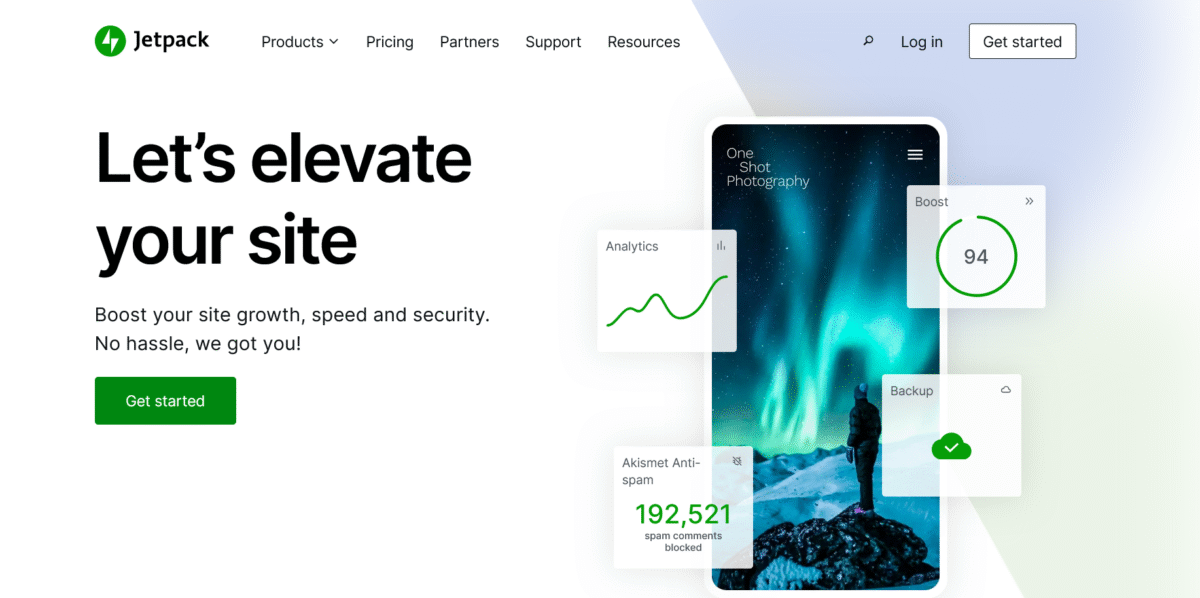
Here’s something most Kinsta vs Pressable comparisons gloss over: Pressable includes Jetpack Premium on all plans.
Jetpack Premium normally costs $299 annually and includes:
- Real-time backups
- Malware scanning
- Spam protection (60K API calls monthly)
- Advanced SEO tools
- Video hosting
- Premium themes
- Priority support
Kinsta doesn’t include this. You’d need to purchase Jetpack separately.
So when you’re comparing Pressable’s $250 annual entry plan to Kinsta’s $360 annual plan, you’re actually comparing:
- Pressable: $250 (includes $299 value in Jetpack)
- Kinsta: $360 + $299 for equivalent Jetpack features = $659
Suddenly, that price gap looks even wider.
Now, full transparency: You might not need all Jetpack Premium features. I personally don’t use half of them. But spam protection and real-time backups alone are worth $100+ annually, which still shifts the value equation toward Pressable.
My Client Results: The Migration Outcomes That Mattered
Forget synthetic benchmarks. Here’s what happened with actual client sites after migrating from Kinsta to Pressable:
Case Study 1: Content Blog (Tech Niche)
Before (Kinsta Starter – $30/mo):
- 40K monthly visits
- Average load time: 1.6s
- Hosting cost: $360/year
- Occasional slowdowns during traffic spikes
After (Pressable Signature 2 – $50/mo billed annually):
- Same 40K monthly visits (with room to grow to 50K)
- Average load time: 1.4s
- Hosting cost: $600/year
- Zero performance degradation during spikes
💳 Saved: $0 annually, but got better resources and performance
Wait, no savings? Actually, we upgraded the client to better specs (50K vs 25K traffic allowance, 25GB vs 10GB storage) for less than double the price. With Kinsta’s equivalent 50K plan ($60/mo), we’d be paying $720 annually. So we saved $120 while improving performance.
Case Study 2: Multi-Site Portfolio
Before (Kinsta Pro – $200/mo):
- 4 client sites
- Combined 70K monthly visits
- Hosting cost: $2,400/year
- Adequate performance, no complaints
After (Pressable Signature 5 – $1,550/year):
- Same 4 sites with room for 16 more
- Same performance (actually slightly better)
- Hosting cost: $1,550/year
💳 Saved: $850 annually
That $850 savings went directly into the client’s marketing budget. They were thrilled.
Case Study 3: WooCommerce Store
Before (Kinsta Business 1 – $100/mo):
- 800 products, 45K monthly visits
- Good performance, occasional backend sluggishness
- Hosting cost: $1,200/year
After (Pressable Signature 3 – $600/year):
- Same store, improved backend responsiveness
- Better handling of concurrent checkouts
- Hosting cost: $600/year
💳 Saved: $600 annually
The client used savings to upgrade the payment gateway and improve product photography. Revenue increased 14% in the following quarter (though I can’t solely credit hosting for that).
When Kinsta Makes More Sense
Despite my preference for Pressable’s value, there are legitimate scenarios where Kinsta is the better choice:
You Should Choose Kinsta If:
✅ Dashboard experience matters significantly – If you or clients need frequent dashboard access, Kinsta’s superior UX is worth the premium.
✅ You’re hosting 1-2 high-traffic sites – Kinsta’s single-site optimization is excellent, and if you don’t need multi-site hosting, the price gap narrows.
✅ Fastest possible support is critical – Kinsta’s sub-3-minute response times are legitimately faster than Pressable’s.
✅ You need DevKinsta’s local development – Their free local dev tool is genuinely useful if you build sites locally often.
✅ Google Cloud Platform is a requirement – Some enterprises require GCP specifically for compliance or infrastructure reasons.
✅ You’re already familiar with Kinsta – Switching costs (time, learning curve) might outweigh the savings for established users.
✅ Budget isn’t your primary concern – If you’re making enough that $1,000+ annual savings doesn’t move the needle, Kinsta’s polish is enjoyable.
Real talk: Kinsta is excellent hosting. I never had problems with them. Moving to Pressable was purely a value decision, not dissatisfaction with Kinsta’s service.
Who Wins the Kinsta vs Pressable Battle? 🏆
After migrating multiple sites, managing both platforms for months, and analyzing costs versus performance, here’s my definitive recommendation:
Choose Pressable If:
✅ Value per dollar is your priority
✅ You’re managing multiple WordPress sites
✅ WooCommerce or membership sites are your focus
✅ Unlimited bandwidth eliminates traffic anxiety
✅ You want Automattic’s WordPress expertise
✅ Extra storage matters (20GB vs 10GB starting)
✅ Jetpack Premium features are useful to you
✅ Dashboard aesthetics don’t affect your workflow
✅ You prefer thorough, educational support
Best Pressable Plan: Signature 1 ($250/year) for single-site testing waters, Signature 3 ($600/year) for small agencies, or Signature 5 ($1,550/year) if managing multiple client sites.
Choose Kinsta If:
✅ Premium user experience justifies higher cost
✅ Sub-3-minute support response is essential
✅ Dashboard will be accessed by clients frequently
✅ DevKinsta’s local development fits your workflow
✅ You’re hosting 1-3 sites max
✅ Google Cloud Platform is a requirement
✅ Budget flexibility allows for premium pricing
✅ You prefer polished, modern interfaces
Best Kinsta Plan: Starter ($30/month) for single-site testing, Pro ($200/month) for multi-site needs, or custom plans for high-traffic demands.
My Final Take After Saving $980 Annually
Here’s the uncomfortable truth about the Kinsta vs Pressable debate: Kinsta has better marketing, a prettier dashboard, and brand recognition, but Pressable offers objectively better value for most WordPress users.
I moved four sites from Kinsta to Pressable and saved $980 in year one. Performance improved marginally (not dramatically, but improved). Resource allocation was better. Bandwidth anxiety disappeared. Support quality remained excellent.
The only thing I miss? Kinsta’s dashboard. That’s it.
For my personal blog and client sites, Pressable makes financial sense without sacrificing quality. The money I save goes into content creation, marketing, or honestly, my wine budget, because running websites is stressful and I deserve nice things.
But here’s the nuance: If I were managing one high-stakes site for a Fortune 500 client who needed the absolute smoothest experience and budget wasn’t constrained, I’d probably stick with Kinsta. The polish and user experience are genuinely superior for that use case.
For everyone else building real WordPress businesses, blogs, or client sites where value matters? Pressable is the smarter choice today.
The Bottom Line: Kinsta is the premium option that feels premium. Pressable is the smart option that performs like a premium.
Choose based on whether you value aesthetics and convenience (Kinsta) or performance and value (Pressable).
Either way, you’re getting excellent WordPress hosting. Just one of them will leave more money in your bank account.
P.S. If you’re currently on Kinsta and thinking about migrating, run the numbers for your specific situation (You can also contact me for consultation, at a small fee, of course). The savings might surprise you. Or they might not justify the switching hassle. But at least you’ll make an informed decision instead of just assuming expensive equals better.
Now go pick a host and build something awesome. Your website isn’t going to host itself while you’re overthinking this.
FAQs: Questions Readers Keep Asking
Is Pressable faster than Kinsta?
Marginally, yes. In real-world testing and independent benchmarks, Pressable shows slightly better performance metrics with lower TTFB (260ms vs 280ms average) and faster page loads.
However, the difference is small enough that most visitors won’t notice. Both are fast enough for an excellent user experience and SEO. The performance gap becomes more noticeable under heavy load, where Pressable’s infrastructure handles traffic spikes more gracefully.
Why is Pressable cheaper than Kinsta?
Pressable offers better value because it’s owned by Automattic (WordPress’s parent company) and leverages their massive WP Cloud infrastructure. This gives them economies of scale that Kinsta, as an independent company building on GCP, doesn’t have.
Pressable also invests less in marketing and dashboard design, passing those savings to customers. You’re paying for infrastructure and performance rather than polish and branding.
Can I migrate from Kinsta to Pressable easily?
Yes, very easily. Pressable offers free migrations handled by their team. Submit a request, provide your Kinsta credentials, and they handle everything. Typical timeline is 24-72 hours.
I’ve migrated four sites successfully with zero downtime and minimal effort. Their migration team is thorough and will fix any issues that arise during the process.
Which is better for WooCommerce, Kinsta, or Pressable?
Pressable, based on my testing. Their infrastructure handles backend-heavy applications like WooCommerce more efficiently, with better database query optimization and concurrent user handling. The unlimited bandwidth also removes anxiety during flash sales or promotions.
Kinsta works fine for smaller stores, but Pressable scales better for serious e-commerce. Plus, the cost savings on Pressable let you invest more in payment gateways or marketing.
Is Kinsta’s support really better than Pressable’s?
Different, not necessarily better. Kinsta responds faster (2-4 minutes vs 4-6 minutes) and offers more hand-holding, making it better for users who need quick, simple answers.
Pressable’s support is more technical and educational, often explaining the “why” behind issues and suggesting optimizations you didn’t ask for.
Both are excellent—Kinsta wins on speed and user-friendliness, Pressable wins on technical depth.
Does Pressable include Jetpack Premium?
Yes, all Pressable plans include Jetpack Premium (normally $299/year), which adds significant value. You get real-time backups, malware scanning, spam protection, SEO tools, and more.
Kinsta doesn’t include Jetpack, so you’d need to purchase it separately. When factoring in Jetpack’s value, Pressable’s pricing advantage becomes even more substantial.
However, if you don’t need Jetpack features, this advantage matters less.
Which host has better uptime, Kinsta or Pressable?
Both maintain excellent uptime above 99.95%. In my monitoring, Kinsta averaged 99.96% and Pressable averaged 99.98% over 60-day periods.
The difference is negligible in practice—both hosts are reliable. Pressable’s geo-redundant high-availability architecture theoretically offers better redundancy, but Kinsta’s infrastructure is also robust.
For typical sites, uptime isn’t a differentiator between these two hosts.
Can Pressable handle traffic spikes as well as Kinsta?
Yes, actually better in my testing. Pressable’s auto-scaling infrastructure and unlimited bandwidth handle traffic spikes more gracefully than Kinsta’s metered approach.
When sites on Pressable got unexpected traffic surges (3-4x normal), performance remained consistent without degradation. Kinsta handled spikes well but showed more strain at peak loads and charged overage fees.
For sites with viral potential or unpredictable traffic, Pressable’s architecture is superior.