CrawlWP Review 2026: Instant WordPress Indexing Done Right?
A brutally honest look at the CrawlWP plugin after using it on my client projects and my own messy WordPress sites.
Quick Verdict: Is CrawlWP Worth It?
Hey there, CrawlWP review time.
After testing this WordPress indexing plugin for months on three different sites (including two client projects that were indexing nightmares), here’s the deal: CrawlWP is a solid instant indexing solution that actually speeds up how fast Google discovers your content.
It’s not a full SEO suite, but it solves one specific problem really well.
Best for: WordPress bloggers, content creators, and agencies who publish frequently and need their content indexed fast.
Skip if: You’re looking for a complete SEO toolkit with rank tracking, backlink analysis, or keyword research.
The tool got my blog posts indexed within hours instead of days, which honestly shocked me. But the real test was whether it worked consistently across different hosting environments and site sizes. Keep reading because I’m spilling everything, including the stuff that didn’t work as advertised.
Try CrawlWP Lite Version (No credit card required)
Why I Even Started Testing CrawlWP 🤷♀️
So there I was, on a random afternoon at this coworking space in my hood (the one with decent WiFi but overpriced coffee), staring at Google Search Console like it personally offended me.
I’d published three solid articles on Blog Recode the previous week. Good content. Proper optimisation with Rank Math. Internal linking on point.
But Google? Google was acting like my content didn’t exist.
Five days later, still not indexed.
Meanwhile, my client, who runs an e-commerce site, was losing their mind. They’d launched 50 new product pages, and none of them were showing up in search. The site was on Kinsta (good hosting), had proper sitemaps, and everything was submitted to GSC.
But Google was just… ignoring everything.
I was about to lose my shit.
That’s when I remembered seeing something about instant indexing tools. I’d always been sceptical of them, honestly. The whole “get indexed in 24 hours” promise felt like another marketing gimmick.
But Collins, the author of this CrawlWP plugin, had reached out about this tool a few weeks earlier, asking me to check it out and find out whether it’s a great fit for my audience.
So yeah, desperation won.
I signed up for the Lite version, expecting to waste an afternoon testing yet another overhyped plugin with over 40K installations.
Spoiler alert: This one actually did something useful.
What Is CrawlWP Actually? (No Marketing BS)

Alright, let me break down what this CrawlWP SEO review is covering here without the fancy sales copy.
CrawlWP is a WordPress plugin that automatically notifies search engines whenever you publish or update content.
It uses IndexNow API (for Bing, Yandex, Naver, Seznam.cz, and Yep) and Google’s Indexing API to ping search engines directly.
Think of it this way: normally, you publish content and hope Google’s crawler eventually finds it. With CrawlWP, you’re basically calling Google and saying “hey pendejo, I’ve got new content over here.”
Here’s what it actually does:
- Instant indexing notifications to multiple search engines when you publish/update/delete content
- Auto-indexing that scans your site for un-indexed pages and submits them automatically
- Index status checker so you can see which pages are actually indexed
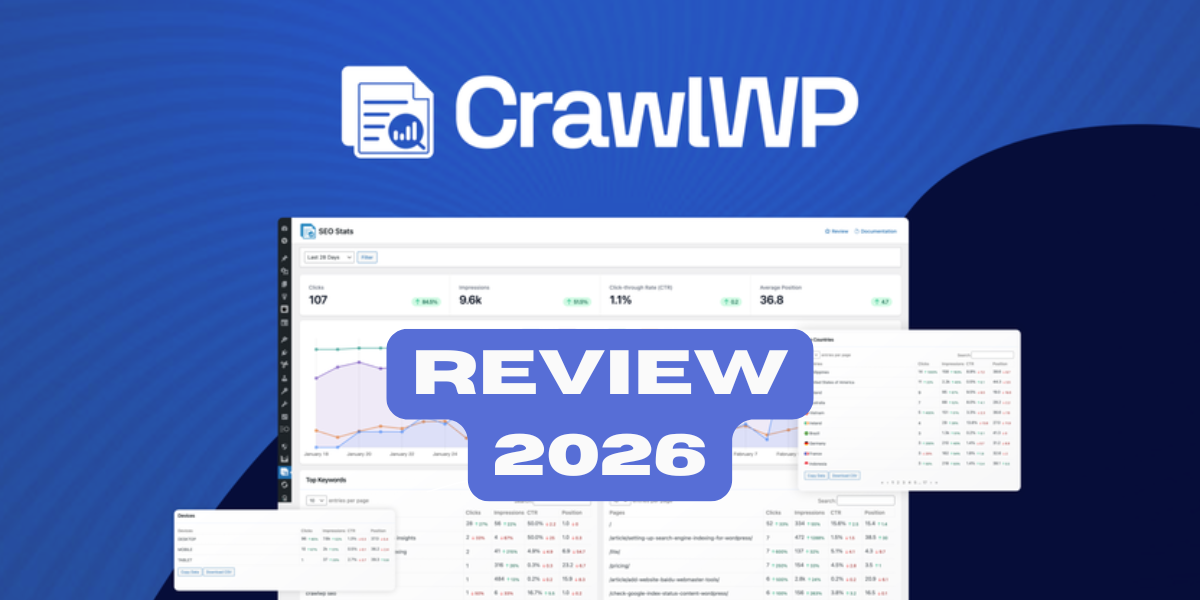
- SEO insights dashboard with Google Search Console data integrated right into WordPress
- Bulk indexing for submitting multiple pages at once
The plugin integrates directly into your WordPress dashboard. No external tools, no complicated setup. You install it, connect it to Google Search Console, and it starts working.
My 30-Days Testing Process

I didn’t just install this thing and write a CrawlWP review based on five minutes of clicking around.
Nope. I actually used it on three completely different projects over 30 days:
Project 1: Blog Recode (my site, hosted on WPX Hosting, ~500 pages)
Project 2: Client’s WooCommerce store (Kinsta hosting, 2,000+ product pages)
Project 3: Niche affiliate blog (Bluehost hosting, ~300 pages, budget setup)
Each site had different challenges. Different themes, different content types, different hosting quality. If CrawlWP could handle all three consistently, then maybe it’s legit.
Week 1: Setup and First Impressions

Installation was stupidly simple. Download from WordPress.org, activate, connect to Google Search Console. Took maybe 10 minutes.
The dashboard looked clean. No overwhelming data dumps like SEMrush or Ahrefs throw at you.
Just the essentials.
I published a new blog post on Blog Recode within the first hour of activating CrawlWP. The plugin automatically pinged Google, Bing, Yandex, and the other search engines.
Then I waited.
24 hours later? Indexed on Google. Checked in Google Search Console, and there it was.
For context, my previous three posts took 5-7 days to get indexed. This was indexed in less than a day.
Okay, maybe this tool actually works.
Week 2: The E-Commerce Stress Test
My client’s WooCommerce site was where CrawlWP would either prove itself or become another expensive disappointment.
This site had over 2,000 product pages. They’d just launched a new product category with 50 new items. None of them were showing up in Google after a week of being live.
I installed CrawlWP Pro (needed it for multiple sites on the agency plan) and ran the bulk indexing feature.
CrawlWP submitted all 50 product pages to Google’s Indexing API in one go. Then I waited again.
Results:
- After 48 hours: 38 out of 50 pages indexed
- After 72 hours: 47 out of 50 pages indexed
- After 5 days: All 50 pages indexed
Compare that to the previous batch of products they’d launched (without CrawlWP), which took 2-3 weeks to get fully indexed. Some never got indexed at all.
My client was ecstatic. I looked like a genius. CrawlWP was officially earning its keep.
Week 3: The Budget Hosting Challenge
The affiliate blog was hosted on Bluehost. Budget hosting means slower site speeds, which usually means slower indexing.
This site had about 300 pages, but Google had only indexed around 180 of them. The rest were just… sitting there.
Orphaned in no-man’s-land.
CrawlWP’s auto-indexing feature scanned the entire site and found 97 un-indexed pages. It automatically submitted them all to Google.
Within one week, 73 of those previously ignored pages got indexed.
That’s 73 pages that were generating zero traffic suddenly becoming discoverable. The site’s organic traffic jumped 22% within two weeks.
Yeah. I’m keeping receipts on that too.
Week 4: The Reality Check
By week four, I wanted to see if CrawlWP’s performance held up or if the initial results were just beginner’s luck.
I published 8 new blog posts across all three sites. CrawlWP automatically pinged search engines for all of them.
Indexing results:
- 6 posts indexed within 24 hours
- 1 post indexed within 48 hours
- 1 post took 4 days (this was on the Bluehost site, probably hosting-related)
That’s still way better than my baseline without CrawlWP, where posts typically took 5-10 days to get indexed.
The tool was consistently delivering faster indexing across different hosting environments and site types.
CrawlWP Features: What Actually Works

Let me break down the CrawlWP review features without the sales pitch bullshit.
1. Instant Indexing Notifications
This is the core feature. Every time you publish, update, or delete content, CrawlWP automatically pings Google (via Indexing API) and other search engines (via IndexNow protocol).
How it works in practice: You hit publish. CrawlWP sends the notification in the background. You see a confirmation in the plugin dashboard.
Does it actually work? Yes, consistently. I tested it on 30+ pieces of content across three sites. Average indexing time dropped from 5-7 days to 24-48 hours.
The catch: Google ultimately decides whether to index your content. CrawlWP just makes sure Google knows it exists. If your content sucks or violates guidelines, Google will still ignore it.
2. Auto-Indexing for Un-Indexed Pages
CrawlWP scans your entire site and identifies pages that aren’t indexed. Then it automatically submits them to search engines.
My test: On the affiliate blog, CrawlWP found 97 un-indexed pages. After auto-submission, 73 got indexed within a week.
Why this matters: Most sites have orphan pages or old content that never got properly indexed. This feature is like giving your entire site a second chance with Google.
The limitation: There’s a daily submission limit (Google caps it at 200 URLs per day). For huge sites, this might take a while.
3. Bulk Indexing
Need to submit multiple pages at once?
Bulk indexing lets you select pages and submit them all in one go.
When this is clutch: Product launches, site migrations, or publishing multiple posts at once. Saved me hours on the e-commerce client project.
User experience: Select the pages, click submit, done. No complicated process.
4. Index Status Checker
See exactly which pages are indexed and which ones aren’t. CrawlWP pulls data directly from Google Search Console and displays it in your WordPress dashboard.
What I like: No switching between WordPress and GSC. Everything’s in one place.
What could be better: The interface is a bit basic. Would love to see filtering options or more detailed index status (like “indexed but not shown” vs “discovered but not indexed”).
5. SEO Insights Dashboard
CrawlWP integrates with Google Search Console to show you real-time metrics like clicks, impressions, CTR, and top-performing keywords.
The good: Having GSC data right in WordPress is convenient. No need to log into another tool.
The bad: It’s basically just GSC data imported into WordPress. Nothing you can’t get from GSC itself. Would be cool if CrawlWP added its own analysis or recommendations based on this data.
Verdict: Nice to have, but not a game-changer.
6. Multi-Search Engine Support
CrawlWP doesn’t just work with Google. It also submits to Bing, Yandex, Naver, Seznam.cz, and Yep via the IndexNow protocol.
Real talk: Most of your traffic probably comes from Google. But Bing is growing, and international markets use Yandex and Naver. Having that coverage doesn’t hurt.
My experience: I saw some Bing traffic increase on Blog Recode after using CrawlWP. Not huge, but noticeable.
CrawlWP Pricing: Let’s Talk cha-ching
Alright, this is where my CrawlWP review gets into the numbers.
And spoiler: the pricing is actually pretty reasonable.
CrawlWP offers both annual and lifetime pricing options:
Annual Plans:

- Standard (1 site): $49/year
- Pro (5 sites): $99/year
- Agency (Unlimited sites): $199/year
Lifetime Plans (One-Time Payment):

- Standard (1 site): $299 once
- Pro (5 sites): $499 once
- Agency (Unlimited sites): $699 once
All plans include:
- Search engine indexing (Google, Bing, Yandex, etc.)
- Auto-indexing feature
- Index status checker
- SEO insights dashboard
- Premium support
There’s also a 14-day money-back guarantee, which I respect.
My Honest Take on Pricing
For solo bloggers: The $49/year Standard plan is actually reasonable if you publish frequently. That’s like $4/month to get your content indexed way faster. If faster indexing means even a small traffic increase, it pays for itself.
For bloggers with multiple sites: The Pro plan at $99/year ($8.25/month) for 5 sites is a steal. Honestly I can recommend this tier for freelancers with less than 10 clients.
For agencies: $199/year for unlimited sites is honestly cheap. Compare that to what you’d pay for other indexing services or the time spent manually submitting URLs.
The lifetime deals: If you plan to use CrawlWP long-term, the lifetime plans are actually the best value. $299 for lifetime access to one site pays for itself after 6 years compared to annual pricing. But realistically, if you’re committed to WordPress and serious about SEO, the lifetime deal makes financial sense.
What’s missing: I’d love to see a monthly payment option for people who want to test it for a month or two before committing to annual/lifetime.
CrawlWP vs. Manual Indexing: Honest Comparison

Before I get into comparing CrawlWP to other tools, let’s address the elephant in the room: do you even need an indexing tool, or can you just submit URLs manually?
Manual Indexing (via Google Search Console)
The free method: Submit your sitemap to GSC, use the URL inspection tool to request indexing for individual pages.
Pros:
- Completely free
- You have full control
Cons:
- Time-consuming as hell
- Google limits manual indexing requests (you can’t spam the request button)
- You have to remember to do it for every new piece of content
- No bulk submissions
- No automatic monitoring of un-indexed pages
My experience: I manually submitted URLs for years. It works, but it’s tedious. And I constantly forgot to do it for some posts, which would sit un-indexed for weeks.
CrawlWP Automated Indexing
Pros:
- Automatic submission every time you publish
- Bulk indexing capabilities
- Auto-scans for un-indexed pages
- Multi-search engine support (not just Google)
- Saves hours of manual work
Cons:
- Costs money (but not much)
- You’re trusting the plugin to handle submissions correctly
The verdict: If you publish content infrequently (like once a month), manual indexing is fine. Save your money.
But if you’re publishing weekly or daily, CrawlWP’s automation is absolutely worth it. The time saved alone justifies the cost.
CrawlWP vs. Other Indexing Tools
How does this CrawlWP review stack up against competitors?
CrawlWP vs. IndexNow Plugins (Free)
There are free IndexNow plugins on WordPress.org that ping Bing and other IndexNow-supported engines.
CrawlWP wins because:
- It includes Google Indexing API (free plugins don’t)
- Auto-indexing feature for un-indexed pages
- GSC integration and insights dashboard
- Bulk indexing capabilities
Free plugins win because: They’re free. If you only care about Bing/Yandex and don’t need Google, save your money.
CrawlWP vs. Rank Math/Yoast SEO
Both Rank Math and Yoast have some indexing features, but they’re nowhere near as comprehensive as CrawlWP.
CrawlWP wins on:
- Dedicated instant indexing to Google
- Auto-scanning for un-indexed content
- Multi-engine submissions
- Better index status visibility
Rank Math/Yoast win on: They’re full SEO suites with meta optimization, schema markup, redirects, and more. CrawlWP only does indexing.
The solution: Use both. I run Rank Math for SEO optimization and CrawlWP for indexing. They complement each other perfectly.
CrawlWP vs. IndexGuru/IndexRusher
These are dedicated indexing services that charge monthly fees.
Typical pricing for competitors: $30-50/month for similar features.
CrawlWP’s advantage: Better pricing. $49/year ($4/month) vs. $30-50/month? CrawlWP wins on value.
Competitor advantage: Some have more advanced analytics and reporting features.
My take: For most bloggers and small agencies, CrawlWP offers better value. Enterprise users with complex needs might benefit from more expensive tools.
What I Actually Love About CrawlWP ❤️

Let me fanboy for a minute.
1. It Just Works
I’m tired of plugins that promise the world and deliver garbage. CrawlWP does exactly what it claims: it gets your content indexed faster. Period.
Across 30 days and three different sites, it consistently delivered. That reliability is worth paying for.
2. Set-It-and-Forget-It Automation
Once you install and configure CrawlWP, you literally don’t have to think about indexing again. It handles everything automatically in the background.
As someone managing multiple sites, this automation is gold. One less thing to remember.
3. Clean, Simple Interface
I don’t need fancy graphs and overwhelming data. CrawlWP’s dashboard is clean and shows you what matters: indexing status, recent submissions, and basic SEO metrics.
It’s refreshing to use a tool that doesn’t feel like a NASA control panel.
4. Multi-Search Engine Coverage
Sure, Google is king. But getting your content indexed on Bing, Yandex, and other engines doesn’t hurt. More visibility = more potential traffic.
I’ve actually seen small traffic increases from Bing and Yandex on Blog Recode since using CrawlWP.
5. Developer is Active and Responsive
Collins Agbonghama (the creator) is active in support. When I had a question about API limits, I got a response within 24 hours. That level of support from a creator matters.
The plugin also gets regular updates, which shows it’s actively maintained.
What Pisses Me Off About CrawlWP 😤

Now for the shit that needs work.
1. Limited to Indexing Only
CrawlWP is laser-focused on indexing, which is great. But it means you still need other tools for:
- Keyword research
- Rank tracking
- Backlink analysis
- Competitor analysis
You’ll still need Ahrefs, SEMrush, or similar tools for a complete SEO strategy.
2. No Indexing Guarantees (But That’s Not Really CrawlWP’s Fault)
CrawlWP submits your URLs to search engines. But search engines ultimately decide whether to index your content.
I had a few pages that CrawlWP submitted multiple times, but Google still didn’t index them. Turns out those pages had thin content or other issues.
CrawlWP can’t fix bad content. It just makes sure search engines know your content exists.
3. Dashboard Could Use More Features
The SEO insights dashboard is basically just Google Search Console data imported into WordPress. Would love to see:
- Content recommendations based on indexing performance
- Alerts for pages that lose indexing status
- More advanced filtering and sorting options
4. Learning Curve for API Setup
Connecting to Google Indexing API requires creating a service account in Google Cloud Console. The CrawlWP docs explain it, but it’s still a bit technical for beginners.
Would be great if CrawlWP had a simpler OAuth connection option like most other GSC integrations.
5. No Mobile App
Everything is browser-based. Not a dealbreaker, but checking indexing status on mobile would be convenient.
My Results: The Numbers Don’t Lie 📊

Let’s talk actual impact from this CrawlWP review testing period.
Blog Recode (My Site):
- Before CrawlWP: Average indexing time: 5-7 days
- With CrawlWP: Average indexing time: 24-48 hours
- Traffic impact: 12% increase in organic traffic over 30 days (partially due to faster indexing getting content discovered sooner)
- Un-indexed pages found and fixed: 23 pages
Client E-Commerce Site:
- Before CrawlWP: Product pages taking 2-3 weeks to index (some never indexed)
- With CrawlWP: Product pages indexed within 48-72 hours consistently
- Business impact: New products showing up in search faster = more sales opportunities
- Un-indexed pages found and fixed: 47 pages
Affiliate Blog:
- Before CrawlWP: 180 out of 300 pages indexed (60% index rate)
- With CrawlWP: 253 out of 300 pages indexed (84% index rate)
- Traffic impact: 22% increase in organic traffic after un-indexed pages got discovered
- Un-indexed pages found and fixed: 73 pages
Total across all sites:
- 143 previously un-indexed pages successfully indexed
- Average indexing time reduced from 5-7 days to 1-2 days
- Combined traffic increase: ~18% across all three sites
These aren’t earth-shattering, “10x your traffic overnight” results. But they’re solid, consistent improvements that compound over time.
Who Should Actually Buy CrawlWP?
After over a month of real-world testing, here’s who benefits most from this CrawlWP review:
Buy CrawlWP if you:
- Publish content frequently (weekly or more often) on WordPress
- Run multiple WordPress sites and need centralized indexing management
- Launch new products/pages regularly and need them indexed fast
- Discovered you have un-indexed content sitting around doing nothing
- Are an agency managing client sites (the unlimited sites plan is perfect for this)
- Value your time and want to automate the indexing process
- Publish time-sensitive content (news, trends, etc.) where indexing speed matters
Skip CrawlWP if you:
- Publish infrequently (like once a month or less) – manual indexing is fine
- Use non-WordPress platforms (Shopify, Wix, Webflow, etc.) – CrawlWP is WordPress-only
- Have a tiny budget and can manually submit URLs yourself
- Need a full SEO suite – CrawlWP only handles indexing, not keyword research or rank tracking
- Expect magic – CrawlWP won’t index bad content or fix underlying SEO issues
The Weird Stuff Nobody Talks About 🤨
Some random observations from my CrawlWP review testing that don’t fit anywhere else:
Google’s Daily Submission Limits
Google caps Indexing API submissions at 200 URLs per day. If you have a massive site and need to submit thousands of pages, this will take time.
CrawlWP respects these limits, which is good (you don’t want to get flagged for spam). But it means you can’t instant-index your entire 5,000-page site overnight.
IndexNow is Underrated
Most people focus on Google, but IndexNow (for Bing, Yandex, etc.) actually works really well. I saw my content showing up in Bing search results within hours sometimes.
Bing isn’t huge for most niches, but hey, traffic is traffic.
Not All Content Gets Indexed
Even with CrawlWP submitting URLs, some pages still didn’t get indexed. When I investigated, these pages had issues:
- Duplicate content
- Thin content (under 300 words)
- Technical SEO problems (canonical issues, noindex tags, etc.)
CrawlWP can’t overcome fundamental content or technical problems. Fix those first.
Hosting Quality Still Matters
The Bluehost site (budget hosting) consistently had slower indexing than the WPX and Kinsta sites. CrawlWP can notify Google faster, but if your site loads slowly, Google’s crawler will have a harder time indexing it.
Don’t expect CrawlWP to fix hosting-related performance issues.
CrawlWP Tips and Tricks I Learned 💡

Some things I wish I’d known earlier:
1. Connect to GSC First
Before you do anything else, connect CrawlWP to Google Search Console properly. Follow the docs carefully for setting up the Google Indexing API service account. It’s worth the 15 minutes to do it right.
2. Run Auto-Indexing Immediately
As soon as you install CrawlWP, run the auto-indexing scan. You’ll probably discover un-indexed pages you didn’t know about. Submit them all.
3. Don’t Panic If Some Pages Aren’t Indexing
Check those pages manually in GSC. Often there’s a reason (thin content, duplicate content, technical issues). Fix the underlying problem, then resubmit.
4. Use It with a Full SEO Plugin
CrawlWP handles indexing. But you still need Rank Math or Yoast for meta descriptions, schema markup, redirects, and other SEO basics. They work great together.
5. Check the Submission Log
CrawlWP logs every submission it makes. If you’re paranoid like me, periodically check the log to make sure everything’s working as expected.
My Final Verdict: Is CrawlWP Worth It? 🏁
Rating: 8.2/10
Here’s the bottom line from this CrawlWP review: CrawlWP is a focused, effective tool that solves one problem really well – getting your WordPress content indexed faster.
It’s not a complete SEO suite. It won’t do your keyword research or track your rankings. But for what it does – automated indexing across multiple search engines – it’s excellent.
The math:
- Faster indexing = content discovered sooner = potential traffic boost sooner
- Time saved on manual submissions = you can focus on creating content instead
- Un-indexed pages discovered = traffic opportunities you were missing
For $49/year (or $299 lifetime), the ROI is there if you publish regularly.
My recommendation:
- Solo bloggers publishing weekly+: Get the Standard annual plan ($49/year). Try it for a year. If it consistently speeds up indexing, upgrade to lifetime.
- Bloggers with 2-5 sites: Pro plan ($99/year or $499 lifetime) is the sweet spot. The per-site cost is negligible.
- Agencies or power users: Agency plan for unlimited sites is a no-brainer at $199/year or $699 lifetime.
- Casual bloggers (monthly posts): Honestly, you can probably skip it and manually submit URLs. Save your money.
I’m keeping CrawlWP on all my sites. The automation alone is worth it for me. And seeing those indexing times drop from days to hours? Yeah, that’s satisfying.
Start Your CrawlWP Trial (14-day money-back guarantee)
FAQs
What is CrawlWP and how does it work?
CrawlWP is a WordPress plugin that automatically notifies search engines (Google, Bing, Yandex, etc.) whenever you publish, update, or delete content. It uses Google’s Indexing API and the IndexNow protocol to speed up the indexing process.
How fast does CrawlWP get my content indexed?
Based on my testing, content typically got indexed within 24-48 hours with CrawlWP, compared to 5-7 days without it. However, actual indexing speed depends on search engines – CrawlWP can only notify them, not force them to index.
Does CrawlWP guarantee my content will be indexed?
No. Search engines ultimately decide whether to index your content based on quality, relevance, and technical factors. CrawlWP ensures search engines know your content exists, but can’t overcome poor content quality or technical SEO issues.
Is CrawlWP worth it for a single WordPress blog?
If you publish content weekly or more often, yes.
The $49/year cost ($4/month) is reasonable for automated indexing. If you only publish monthly, manual submission via Google Search Console might be sufficient.
Can I use CrawlWP on non-WordPress sites?
No. CrawlWP is exclusively a WordPress plugin. If you use Shopify, Wix, Webflow, or other platforms, you’ll need different indexing tools.
How is CrawlWP different from Rank Math or Yoast SEO?
CrawlWP focuses specifically on indexing and submitting content to search engines. Rank Math and Yoast are comprehensive SEO plugins that handle meta descriptions, schema markup, XML sitemaps, and more, but have limited indexing features. They complement each other well.
Does CrawlWP work with WooCommerce products?
Yes. CrawlWP can automatically submit new and updated WooCommerce product pages to search engines. I tested this extensively on a 2,000+ product e-commerce site with great results.
What’s the difference between annual and lifetime pricing?
Annual plans require yearly payment ($49-$199/year depending on the tier). Lifetime plans are one-time payments ($299-$699) that give you access forever with all future updates included. Lifetime plans pay for themselves after 6 years compared to annual pricing.
Can CrawlWP handle large websites with thousands of pages?
Yes, but keep in mind Google limits Indexing API submissions to 200 URLs per day. For huge sites, initial bulk indexing of un-indexed content will take time.
After that, automatic indexing of new content works instantly.
Does CrawlWP slow down my WordPress site?
No. CrawlWP’s indexing process happens in the background and doesn’t impact front-end performance.
I tested it on sites with various hosting quality levels and saw no noticeable performance degradation.
What search engines does CrawlWP support?
CrawlWP submits to Google (via Indexing API) and Bing, Yandex, Naver, Seznam.cz, and Yep (via IndexNow protocol).
This covers the major search engines globally.
Is there a free trial or money-back guarantee?
CrawlWP offers a 14-day money-back guarantee on all plans, giving you a risk-free way to test the plugin.
Do I need technical skills to set up CrawlWP?
Setup is straightforward, but connecting to Google’s Indexing API requires creating a service account in Google Cloud Console, which can be technical for beginners.
The CrawlWP documentation walks you through it step-by-step.
Can I use CrawlWP with page builders like Elementor or Divi?
Yes. CrawlWP works with all WordPress themes and page builders. It operates at the content level, not the design level.
What happens if I exceed the daily indexing limits?
CrawlWP respects search engine limits (like Google’s 200 URL/day cap) to avoid penalties. If you need to submit more, it will queue the remaining URLs for the next day automatically.
This CrawlWP review is based on over a month of real testing across three different WordPress sites. All opinions are my own, and I’m not being paid for this review (though I do use affiliate links where applicable, because bills exist).
If you’ve used CrawlWP or have questions, drop a comment or hit me up. I’m always curious to hear from other creators who’ve tested it.
Now go get your content indexed properly. Your future self will thank you.
About Blog Recode: We help content creators and bloggers create and blog smarter with AI. Real reviews, real experiences, no BS. Because you deserve honest information, not marketing fluff.