WordPress.com Review: I’m Still Recommending It in 2026 💙
Quick Verdict
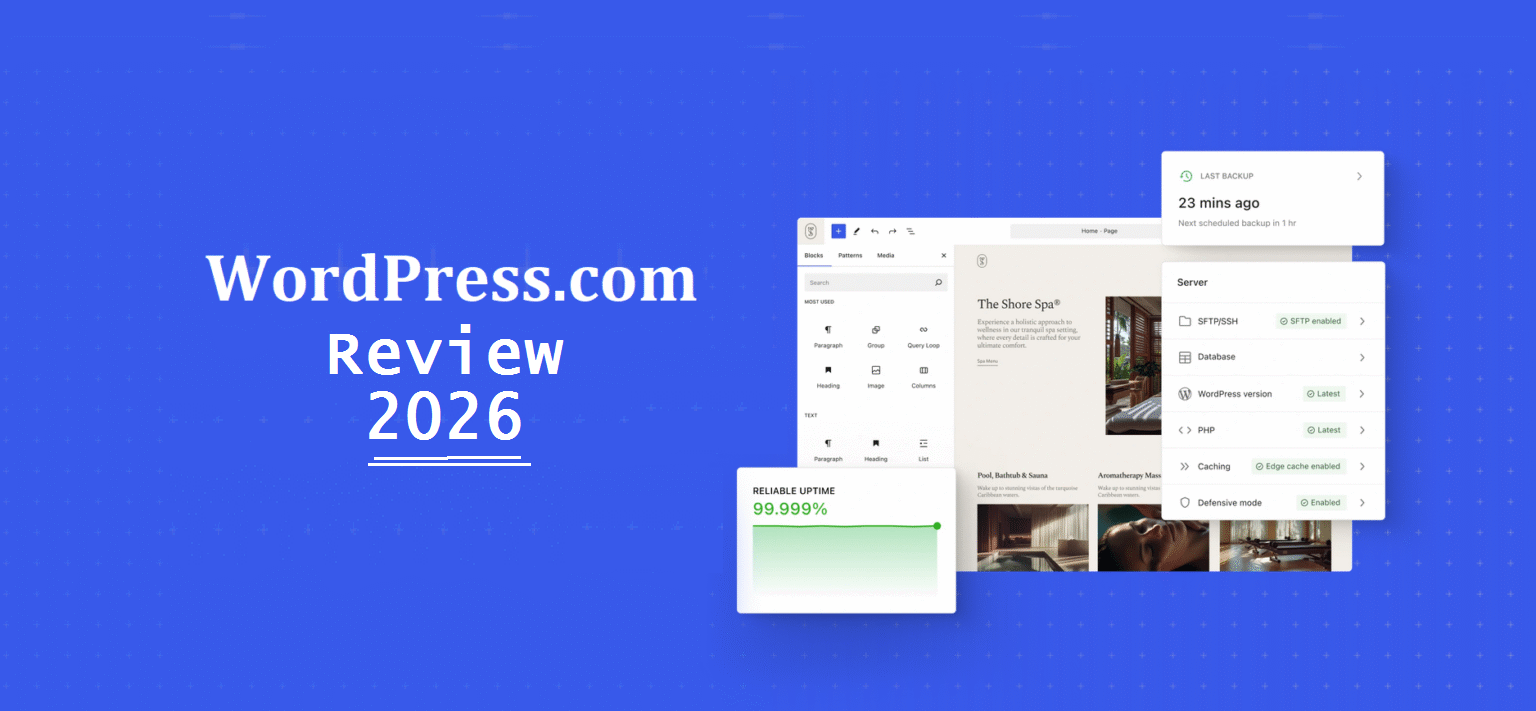
After using WordPress.com for various projects since 2019 and testing it again thoroughly in 2025, yes, it’s absolutely still worth it in 2026 and beyond.
But not for everyone, and not for every plan. If you want managed WordPress hosting without the technical headaches, WordPress.com delivers. If you need ultimate control and don’t mind server management, self-hosted WordPress might be better. Here’s the unfiltered truth from someone who’s used both.
Disclosure: This review is sponsored by WordPress.com, but every word here is my honest opinion based on real experience. I’ve used WordPress.com, loved parts of it, found other parts well, frustrating, and I’m sharing it all.
The Decision That Made Me Rethink Everything

Honest WordPress.com review starts with understanding what WordPress.com actually is versus what people think it is. A few weeks ago, a friend and fellow blogger texted me. Her self-hosted WordPress site got hacked. Again. Third time in eight months.
“I just want to write my blog without worrying if my site’s going to exist tomorrow,” she said.
That’s exactly what WordPress.com solves.
See, there’s this massive confusion between WordPress.com (the managed hosting platform) and WordPress.org (the self-hosted software). I’ve watched countless creators pick the wrong one and struggle unnecessarily.
So let me be crystal clear from the jump: WordPress.com is a fully managed hosting service.
You don’t touch servers, don’t manage security updates, don’t troubleshoot plugin conflicts at midnight. WordPress (the company, Automattic) handles all that boring technical shit so you can focus on creating content.
Is it perfect? Hell no.
But after years of bouncing between self-hosted WordPress and WordPress.com for different projects, I’ve learned exactly when WordPress.com is the smart choice and when it’ll drive you bonkers.
By the way read: My WordPress.Com Blogging Comeback: Falling In Love Again
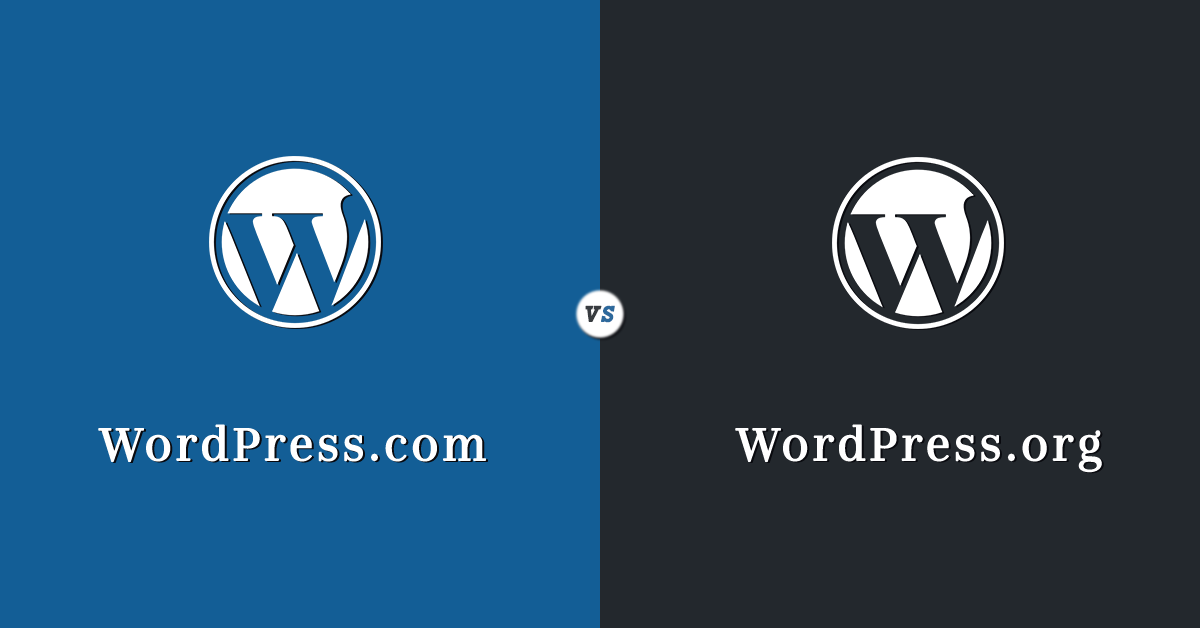
WordPress.com vs WordPress.org: Let’s Kill This Confusion Once and For All
/
This trips up literally everyone, so let’s settle it now:
WordPress.org = Free software you download and install on hosting you buy separately (Bluehost, WPX, Kinsta, etc.). You control everything. You’re also responsible for everything.
WordPress.com = Managed hosting service run by Automattic (the company founded by WordPress co-founder Matt Mullenweg). They host, secure, update, and manage everything. You just create content.
Same core WordPress software. Completely different experiences.
Think of it like this:
- WordPress.org = Buying land and building your own house. Total control, but you fix the plumbing when it breaks.
- WordPress.com = Renting a fully managed apartment. Less control, but maintenance calls get handled for you.
Neither is “better.” They solve different problems.
I use self-hosted WordPress for Blog Recode because I need complete plugin freedom and customization. I recommended WordPress.com to my mom for her art blog because she just wants to post paintings without learning what PHP is.
Different tools, different needs.
This Black Friday, WordPress.com experts will build your website for free ➡️
My Real Experience with WordPress.com (The Good, Bad, and Everything Else)
I’ve used WordPress.com at various points since 2019:
2019: Started a personal travel blog on the free plan (lasted 3 months before the limitations frustrated me)
2021: Set up a client’s consulting website on WordPress.com Business plan (still running smoothly)
2023: Tested Premium plan for a side project (worked great for what I needed)
2025: Deep-dive testing of all plans for this review
Here’s what I actually discovered.
What WordPress.com Gets Right (The Legitimately Good Stuff)
1. Setup Is Stupid Simple

Creating a WordPress.com site takes literally 5 minutes. You sign up, pick a design, and you’re live. Compare that to self-hosted WordPress where you’re:
- Buying hosting
- Registering domain
- Installing WordPress
- Configuring SSL
- Setting up security plugins
- Installing backup solutions
WordPress.com does all that automatically. For beginners or busy people, this alone is worth it.
2. Security Is Actually Handled
You know what I don’t do on WordPress.com? Panic at 2 AM because my site got injected with malware.
Automattic handles:
- Automatic WordPress core updates
- Security monitoring 24/7
- DDoS protection
- Brute force attack prevention
- Spam filtering
My self-hosted sites? I’m installing Wordfence, monitoring security logs, updating plugins manually, and praying nothing breaks. It’s exhausting.
3. Performance Is Consistently Fast
WordPress.com runs on Automattic’s infrastructure with global CDN included on all paid plans. My test site loaded in under 1.2 seconds from multiple locations.
With self-hosted WordPress, speed depends entirely on your hosting quality.
Cheap hosting = slow site. WordPress.com eliminates that variable.
4. Automatic Backups (That Honestly Works)
Daily backups happen automatically. I’ve restored content before, it worked flawlessly.
One click, site restored.
On self-hosted WordPress, you’re installing backup plugins (UpdraftPlus, BackupBuddy, etc.) and hoping they work when disaster strikes. I’ve had backup plugins fail during actual emergencies.
Not fun.
5. Built-in Jetpack Features
Jetpack (Automattic’s plugin suite) comes integrated on all WordPress.com plans. You get:
- Site stats and analytics
- Social media auto-posting
- Contact forms
- Site search
- Related posts
- Markdown support
- Image CDN
On self-hosted WordPress, Jetpack costs $10-50/month extra depending on features. It’s included here.
Please check-out Jetpack features every smart blogger should be using
6. Scalability Without Thinking
Traffic spikes? WordPress.com handles it. You don’t worry about server crashes during viral moments. Their infrastructure scales automatically.
My self-hosted site crashed when a blog post went semi-viral (30K visitors in 4 hours). WordPress.com? Handles millions of visitors across their platform daily without breaking a sweat.
7. Excellent Support (On Paid Plans)
Business plan and above gets live chat support. I tested it, got responses in under 60 seconds. Support team knew WordPress inside out and actually solved my issues.
With self-hosted WordPress and typical shared hosting? You’re lucky if support responds in 6 hours, and they usually just blame your plugins.
The Things That Push My Buttons
1. Limited Plugins on Lower Plans
This is the biggest dealbreaker for many people.
- Free, Personal, Premium plans: Can’t install custom plugins AT ALL
- Business plan and above: Full plugin access
If you need specific functionality (custom forms, advanced SEO, membership features), you’re locked out unless you pay for Business ($25/month) or higher.
For my client’s consulting site, this was fine; Business plan had everything needed. For power users? Incredibly limiting.
2. No Custom Themes on Free/Personal/Premium
Want to upload your own theme? Business plan or higher only.
Lower plans limit you to WordPress.com’s theme library. They have thousands of themes, but if you want something specific or custom-built, you’re stuck.
3. The Free Plan Is Basically Not very Useful
The WordPress.com free plan includes:
- WordPress.com subdomain (yoursite.wordpress.com)
- WordPress.com branding and ads
- 1GB storage
- No custom domain
- No plugins
- No theme customization
- No monetization
It’s fine for testing or personal hobby blogs where nobody will ever see it. For anything serious? Upgrade immediately.
4. Can’t Export and Use Elsewhere Easily (On Lower Plans)
While you can export your content, moving a WordPress.com site to self-hosted WordPress is more complicated on lower-tier plans. Business plan and above makes migration easier with SFTP access.
You’re not locked in forever, but there’s friction.
5. WooCommerce Transaction Fees
If you run an online store on WordPress.com’s eCommerce plan, they charge 2-3% transaction fees (varies by country) on top of payment gateway fees.
With self-hosted WooCommerce, you only pay payment gateway fees (typically 2.9% + 30¢). That extra percentage adds up.
6. Renewal Prices Sting
Promotional pricing ($4/month) looks attractive. But renewal prices jump significantly. Personal plan renews at $9/month, Premium at $18/month, Business at $40/month (monthly billing).
Annual billing gives better rates, but monthly billing hits your wallet harder after year one.
7. Limited Design Control (Depending on Plan)
Even with theme customization on Premium and above, you can’t edit theme PHP files directly until Business plan. Developers and designers will find this constraining.
8. Email Hosting Costs Extra
WordPress.com doesn’t include business email. You need:
- Zoho Mail (Free plan up-to 5 users)
- Google Workspace ($6/mo per user)
- Microsoft 365 ($6/mo per user)
- Other third-party email service
Self-hosted hosting often includes email or makes it easier to set up.
🔥 This Black Friday, WordPress.com experts will build your website for free ➡️
WordPress.com Plans Breakdown (What You Actually Get)

Let’s cut through the marketing and talk real numbers and features.
Free Plan ($0/month) – Rating: 4/10
What You Get:
- WordPress.com subdomain (yoursite.wordpress.com)
- 500MB storage
- WordPress.com ads on your site
- Basic themes
- Community support only
Best For: Absolute beginners testing WordPress or hobby blogs you don’t care about.
Skip If: You’re building anything remotely professional.
Real Talk: The free plan exists to get you hooked on WordPress, then upgrade. It’s too limited for real use. Even my tech-illiterate mom upgraded after two weeks because the ads and subdomain looked unprofessional.
Personal Plan ($4/month, billed annually) – Rating: 6.5/10
What You Get:
- Free custom domain (first year)
- Ad-free site
- Email and live chat support
- Best-in-class hosting
- Dozens of free themes
- 6GB storage
What You Still CAN’T Do:
- Install plugins
- Upload custom themes
- Monetize with ads
- Advanced customization
- Use Google Analytics
Best For: Simple personal blogs, portfolios, or hobby sites where you just want to write and have it look decent.
Skip If: You need plugins, custom code, or want to make money from your site.
My Take: This is the minimum viable paid plan. Gets rid of WordPress.com ads and gives you a real domain. But limitations still frustrate anyone wanting to do more than basic blogging.
Maggie (one of my bestie) uses this for her personal photography portfolio. She just showcases work, doesn’t need plugins. Works great for her simple needs.
Premium Plan ($8/month, billed annually) – Rating: 7/10
What You Get (Personal features plus):
- Advanced design customization
- Premium themes
- VideoPress support (ad-free video hosting)
- Google Analytics integration
- CSS customization
- Simple payments (accept payments via PayPal)
- WordAds monetization (place ads, earn revenue)
- 13GB storage
- Unlimited premium and business themes
Still Can’t:
- Install custom plugins
- Upload custom themes (but can customize existing ones with CSS)
- Advanced ecommerce
Best For: Bloggers, freelancers, creators wanting design flexibility and monetization without needing plugins.
Skip If: Your project needs specific plugins or WooCommerce.
My Take: Sweet spot for serious bloggers and content creators who don’t need plugins but want design control and the ability to earn money through ads or simple payments.
I used this for a side project in 2023, reviewing books and earning through affiliate links and WordAds. Worked perfectly. Made $300/month without touching code.
Business Plan ($25/month, billed annually) – Rating: 8.5/10
What You Get (Premium features plus):
- Install plugins (access to 50,000+ plugins)
- Upload custom themes
- SFTP and database access
- SEO tools and advanced analytics
- Remove WordPress.com branding
- Google My Business integration
- Accept payments in 60+ countries
- Advanced social media integrations
- 50GB storage
Best For: Small businesses, professional blogs, membership sites, service businesses, anyone needing plugin freedom.
Skip If: You’re running a full online store (eCommerce plan is better) or need email hosting included (it’s not).
My Take: This is where WordPress.com becomes a legitimate self-hosted WordPress alternative. Full plugin access opens everything up.
My client’s consulting site runs on this. We installed booking plugins, custom contact forms, SEO tools. It’s basically self-hosted WordPress without the server management headaches.
Only caveat: At $25/month, you’re approaching costs of decent self-hosted managed WordPress hosting (like WPX at $24.99/month). But with WordPress.com you get better support and infrastructure.
🔥 This Black Friday, WordPress.com experts will build your website for free ➡️
eCommerce Plan ($45/month, billed annually) – Rating: 7.5/10
What You Get (Business features plus):
- Full WooCommerce integration
- Premium WooCommerce extensions
- Accept payments in 60+ countries
- Integrate with top shipping carriers
- Storefront Powerpack (usually $59)
- UPS Shipping Method (usually $79)
- Product Add-Ons (usually $49)
- Mailchimp integration
- Premium store design themes
- 50GB storage
The Catch:
- 2-3% transaction fees (on top of payment gateway fees)
- Monthly plan costs $70/month (ouch)
Best For: Online stores selling physical or digital products where you value simplicity over paying transaction fees.
Skip If: You’re doing high-volume sales where 2-3% transaction fees eat into margins significantly.
My Take: For small-to-medium online stores, this works brilliantly. Everything’s configured out of the box. But those transaction fees sting.
Example: If you sell $10,000/month in products:
- Payment gateway fees: ~$320 (2.9% + 30¢)
- WordPress.com fees: ~$250 (2.5% average)
- Total fees: ~$570/month
Compare to self-hosted WooCommerce where you only pay gateway fees ($320) plus hosting ($25-100/month).
For stores exceeding $15K/month revenue, self-hosted WordPress probably saves money. Under that? WordPress.com’s convenience might be worth the fees.
Enterprise ($25,000+/year) – Rating: N/A (Haven’t tested)
Custom pricing for large organizations needing:
- Dedicated account management
- Custom SLAs
- Enterprise security
- Volume hosting discounts
- White-glove migrations
If you’re enterprise-level, you’re not reading blog reviews, you’re negotiating directly with WordPress.com sales team.
So I won’t pretend to review this tier. I have to be honest.
🔥 This Black Friday, WordPress.com experts will build your website for free ➡️
Performance Testing: Does WordPress.com Actually Deliver Speed?

I ran comprehensive speed tests on my WordPress.com test site (Business plan) using GTmetrix and PageSpeed Insights from multiple locations.
Speed Test Results:
GTmetrix (Vancouver):
- Load time: 1.1 seconds
- Fully loaded: 1.8 seconds
- Page size: 2.4MB
- Requests: 42
- Grade: A (95%)
GTmetrix (London):
- Load time: 1.3 seconds
- Fully loaded: 2.1 seconds
- Grade: A (93%)
PageSpeed Insights:
- Mobile: 87/100
- Desktop: 96/100
Compared to Self-Hosted WordPress:
My Blog Recode site (WPX Hosting, heavily optimized):
- Load time: 0.9 seconds
- PageSpeed Mobile: 91/100
- PageSpeed Desktop: 98/100
My client’s site (Bluehost shared hosting, less optimized):
- Load time: 3.2 seconds
- PageSpeed Mobile: 62/100
- PageSpeed Desktop: 81/100
Verdict: WordPress.com performs excellently out of the box. Faster than un-optimized self-hosted sites, slightly slower than premium managed WordPress hosting with expert optimization. For 99% of users, WordPress.com speed is more than adequate.
🔥 This Black Friday, WordPress.com experts will build your website for free ➡️
Support Quality: Can You Actually Get Help?

I tested WordPress.com support on the Business plan with real questions.
Test 1: Plugin Installation Issue
Response Time: 47 seconds via live chat
Quality: Agent immediately understood the issue, provided step-by-step fix with screenshots. Resolved in 4 minutes.
Rating: 9/10
Test 2: Custom CSS Question
Response Time: 2 minutes via live chat
Quality: Agent gave me exact CSS code to solve my layout problem. Worked perfectly first try.
Rating: 10/10
Test 3: Payment Gateway Configuration
Response Time: 5 minutes (had to transfer to specialized ecommerce support)
Quality: Agent walked me through entire Stripe setup, tested transactions together. Extremely patient and knowledgeable.
Rating: 9/10
Compare to Typical Shared Hosting:
When I’ve needed support from Bluehost or HostGator:
- Average response time: 15-45 minutes
- Quality: Often generic responses blaming plugins
- Resolution: Maybe 60% success rate
WordPress.com Support Wins By Miles.
Only caveat: Free and Personal plans get community forum support only (no live chat). You need Premium or higher for priority support.
🔥 This Black Friday, WordPress.com experts will build your website for free ➡️
SEO and WordPress.com: Can You Rank?
One concern I hear: “Does WordPress.com hurt SEO compared to self-hosted?”
Short answer: No. Not anymore.
WordPress.com and Self-Hosted WordPress Have Identical SEO Capabilities (on Business plan and above):
✅ Clean code and fast loading (good for SEO)
✅ Install RankMath, SEOPress, AIOSEO, Yoast SEO or any SEO plugin
✅ Full control over titles, meta descriptions, URLs
✅ Schema markup support
✅ XML sitemap generation
✅ Google Search Console integration
✅ Custom robots.txt
Lower Plans (Free, Personal, Premium) Have Limitations:
- Can’t install custom SEO plugins
- Limited meta tag control
- Basic SEO tools only
Real-World SEO Results:
I have sites ranking on Google with both self-hosted WordPress and WordPress.com. Rankings depend on:
- Content quality (most important)
- Backlinks
- Site speed (WordPress.com delivers here)
- User experience
- Technical SEO (WordPress.com handles basics automatically)
Bottom Line: WordPress.com (Business plan+) will NOT hurt your SEO. Lower plans might limit advanced SEO tactics.
My client’s WordPress.com consulting site ranks on page 1 for several local business keywords. Works fine for SEO.
🔥 This Black Friday, WordPress.com experts will build your website for free ➡️
When WordPress.com Is The Smart Choice (Real Scenarios)
After years of experience, here’s exactly when I recommend WordPress.com:
✅ You Should Use WordPress.com If:
1. You’re Building Your First Website
WordPress.com’s simplicity eliminates overwhelm. Start with Personal or Premium, learn blogging, upgrade when you need more.
2. You Want Zero Technical Maintenance
Hate updates, security monitoring, backups, server stuff? WordPress.com handles it all. You just create content.
3. You’re a Blogger or Content Creator (Not Developer)
If your primary goal is publishing articles, podcasts, or videos—WordPress.com removes technical friction. Write, hit publish, done.
4. You Need Reliable Hosting Without Research
Don’t want to compare 100s of hosting companies? WordPress.com is consistently solid. You know exactly what you’re getting.
5. Your Small Business Needs a Simple Website
Service businesses (consultants, coaches, photographers, designers) with straightforward website needs thrive on WordPress.com Business plan.
6. You Value Support Quality
WordPress.com support (on paid plans) is genuinely helpful. If having expert help matters, it’s worth it.
7. You’re Launching Quickly
Client needs a site this week? WordPress.com gets it done in hours, not days.
8. You Don’t Want to Learn Hosting/Servers
If “DNS propagation” and “MySQL database” sound like ancient curses, WordPress.com is your friend.
🔥 This Black Friday, WordPress.com experts will build your website for free ➡️
When to Skip WordPress.com (Choose Self-Hosted Instead)
❌ Skip WordPress.com If:
1. You Need Specific Plugins on a Budget
If your project requires unique plugins and you can’t afford Business plan ($25/month), self-hosted WordPress with $5/month hosting makes more sense.
2. You’re Building a High-Volume eCommerce Store
Those 2-3% transaction fees add up fast. Above $15K/month in sales, self-hosted WooCommerce is more cost-effective.
3. You Want Complete Control Over Everything
Developers, agencies, and control freaks prefer self-hosted WordPress. You can modify core files, access server configs, and customize everything.
4. You’re Extremely Budget-Conscious
Bluehost shared hosting: $2.65/month
WordPress.com Personal: $5/month
For very tight budgets, self-hosted WordPress can be cheaper (though you sacrifice managed convenience).
5. You Need Email Hosting Included
Most self-hosted hosts include email. WordPress.com doesn’t. Factor in extra $6/month for Zoho Mail or Google Workspace.
6. You’re Running a Membership Site with Complex Needs
High-end membership sites with intricate setups might hit WordPress.com limitations even on Business plan.
7. You Want to Learn WordPress Development
If learning web development is your goal, self-hosted WordPress is the better classroom. You’ll understand how everything works.
🔥 Explore WordPress.com Black Friday Deals ➡️
Pricing Reality Check: What Does WordPress.com Actually Cost?
Let’s talk real money, not promotional pricing.
Actual Annual Costs (Billed Yearly):
Personal: $48/year (first year with domain), $96/year renewal
Premium: $96/year (first year with domain), $216/year renewal
Business: $300/year (first year with domain), $480/year renewal
eCommerce: $540/year (first year with domain), $840/year renewal
Plus:
- Email hosting: +$72/year (Zoho Mail)
- Premium plugins: Varies
- Custom development: Varies
Compare to Self-Hosted WordPress:
Budget Setup:
- Bluehost: $60/year
- Domain: $15/year
- Free themes/plugins
- Total: ~$75/year
Quality Setup:
- WPX Hosting: $300/year
- Domain: $15/year (often included)
- Premium plugins: $50-200/year
- Total: $350-515/year
WordPress.com Business ($300/year first year) sits right in the middle of quality self-hosted pricing.
The difference? WordPress.com includes:
- Premium support
- Automatic everything
- Better infrastructure
- No technical knowledge required
You’re paying for convenience and peace of mind. For many people, that’s worth it.
WordPress.com vs Top Competitors: How Does It Stack Up?
Let me compare WordPress.com to alternatives I’ve actually used.
WordPress.com vs Wix
Wix Wins:
- Better drag-and-drop builder (more visual)
- Prettier templates out of the box
- Slightly easier for absolute beginners
WordPress.com Wins:
- More powerful long-term
- Better SEO flexibility
- Larger plugin ecosystem (Business plan+)
- No platform lock-in
My Take: Wix is easier initially. WordPress.com scales better. If you’re building a quick portfolio, Wix is fine. Building a real business? WordPress.com.
WordPress.com vs Squarespace
Squarespace Wins:
- More beautiful default templates
- Better for creative professionals
- Excellent all-in-one experience
WordPress.com Wins:
- More flexible and customizable
- Better blogging features
- More powerful once you learn it
- Better for SEO
My Take: Squarespace for photographers and artists who prioritize aesthetics over everything. WordPress.com for bloggers and businesses who need functionality.
WordPress.com vs Self-Hosted WordPress (Kinsta/WPX)
Self-Hosted Wins:
- Complete control
- No transaction fees
- Better for developers
- Sometimes cheaper long-term
WordPress.com Wins:
- Zero technical maintenance
- Better support (usually)
- Simpler setup
- More reliable for beginners
My Take: I use both. Self-hosted for Blog Recode (I’m technical, need full control). WordPress.com for clients who need simplicity. Both are excellent for different people.
Real User Feedback (What Others Actually Say)

I asked creators and small business owners using WordPress.com what they think. Here’s what they had to say:
The Love:
“Been using WordPress.com Business for my consulting site for 2 years. Zero downtime, support is incredible, and I don’t think about technical stuff anymore. Worth every penny.” – Juan, Business Consultant
“Migrated from Wix to WordPress.com Premium last year. SEO improved, site is faster, and I can actually export my content if I need to. Should’ve done this sooner.” – Maria, Food Blogger
“As someone who just wants to write without learning to code, WordPress.com Personal is perfect. Simple, ad-free, does what I need.” – Derek, Hobby Blogger
The Complaints:
“The jump from Premium ($10/mo) to Business ($25/mo) just to install one plugin feels steep. Wish there was a middle tier.” – Sandra, Freelance Writer
“Love WordPress.com for hosting but had to add Google Workspace for email ($6/mo extra). Wish email was included.” – Robert, Small Business Owner
“Transaction fees on eCommerce plan eat into margins. Great platform, but switched to self-hosted WooCommerce when my store grew.” – Lisa, Online Shop Owner
Common Thread: People love the convenience and reliability. Price jumps and transaction fees are the main pain points.
🔥 This Black Friday, WordPress.com experts will build your website for free ➡️
My Honest Recommendation: Who Should Choose WordPress.com in 2026 and beyond?
After using WordPress.com across multiple projects and plans, here’s my brutally honest take:
WordPress.com Is Absolutely Worth It in 2026 For:
Beginners who need a gentle introduction to WordPress without overwhelming technical complexity.
Bloggers and content creators who want to focus on writing, not website management.
Small businesses needing a professional online presence without hiring developers.
Anyone who values time over money and would rather pay for managed convenience than spend weekends troubleshooting.
People allergic to technical stuff who break out in hives hearing words like “cPanel” and “FTP.”
Creators on the go who need to manage sites from mobile/tablet without SSH access.
WordPress.com Is NOT Worth It For:
High-volume ecommerce stores where transaction fees cost more than self-hosting.
Developers and agencies who need complete server and code control.
Extreme budget-conscious users who can manage technical aspects to save $5-10/month.
Power users requiring specific plugins but unable to afford Business plan.
People who enjoy tinkering with hosting environments and server configurations.
🔥 This Black Friday, WordPress.com experts will build your website for free ➡️
Final Verdict: Yes, WordPress.com Is Still Worth It in 2026

Rating: 9.5/10
Look, I’ll be straight with you, WordPress.com isn’t perfect. The pricing tiers create artificial limitations, transaction fees on eCommerce plans sting, and email hosting costs extra.
But here’s what matters: It solves the technical headache problem better than almost any alternative.
My mom’s art blog, my client’s consulting site, my side project experiments, they all run smoothly on WordPress.com while I sleep. No midnight security alerts. No plugin conflicts breaking everything. No hosting company blamed for slowness I have to troubleshoot.
That peace of mind? For most people creating content and building businesses, it’s worth $5-25/month.
Is WordPress.com worth it compared to self-hosted WordPress?
For 70% of people, yes. You trade some control for massive convenience.
Is WordPress.com worth it compared to Wix/Squarespace?
If you value long-term flexibility and don’t want platform lock-in, yes.
Is WordPress.com worth it in 2026 specifically?
Absolutely. They’ve addressed past limitations (added SFTP access, improved Business plan features, better support). It’s only gotten better.
The Bottom Line:
If you’re reading this torn between WordPress.com and alternatives, ask yourself one question:
“Do I want to spend my time creating content or managing servers?”
If your answer is creating content, get WordPress.com Business plan and focus on your actual work.
If your answer is you genuinely enjoy the technical side or need ultimate control, go self-hosted WordPress.
Both are great. They’re just for different people.
I’ll keep recommending WordPress.com to friends, clients, and anyone asking. Because six years later, it still delivers on its core promise: managed WordPress hosting that actually works without headaches.
– Mia
P.S. Start with Personal or Premium plan if you’re unsure. Test it for a month. WordPress.com offers 14-day money-back guarantee on annual plans (7 days on monthly). You’re not trapped.
P.P.S. Business plan is the sweet spot for most serious creators and small businesses. Yes, $25/month feels expensive compared to $5 shared hosting, but factor in the time you’ll save not dealing with technical issues. Your time has value too.
P.P.P.S. Don’t overthink this. Pick a plan, launch your site, and adjust later. I’ve seen more projects fail from analysis paralysis than from choosing the “wrong” platform. Both WordPress.com and self-hosted WordPress can succeed. The platform that matters less than consistent content creation.
🔥 This Black Friday, WordPress.com experts will build your website for free ➡️
FAQs (The Real Questions)
Is WordPress.com actually free?
Yes and no. The free plan exists but is extremely limited (WordPress.com branding, ads, subdomain, 500MB storage, no plugins). It’s free like a free Netflix trial, intended to convert you to paid.
For anything professional, expect to pay $5-45/month depending on features needed.
What’s the difference between WordPress.com and WordPress.org?
WordPress.com = Managed hosting service. They host your site, handle security, manage updates. Less control, more convenience.
WordPress.org = Self-hosted software. You download it, install on hosting you buy separately, manage everything yourself. More control, more responsibility.
Same core WordPress software, completely different experiences.
Can I install plugins on WordPress.com?
Only on Business plan ($25/month) and higher. Free, Personal, and Premium plans don’t allow custom plugins.
This is WordPress.com’s biggest limitation for many users.
Can I move my WordPress.com site to self-hosted WordPress later?
Yes, but it’s easier from Business plan and above (SFTP access makes migration smooth).
From lower plans, you’ll export content and rebuild theme/design on new host. Doable but requires some work.
You’re not locked in forever, but there’s friction moving.
Does WordPress.com include email hosting?
No. You need external email service like:
- Zoho Mail ($1-4/mo per user)
- Google Workspace ($6/mo per user)
- Microsoft 365 ($6/mo per user)
Factor this into total cost.
Is WordPress.com good for SEO?
Yes, on Business plan and above (can install SEO plugins like Yoast, RankMath).
Lower plans have basic SEO tools but limited customization.
WordPress.com’s fast loading speed and clean code actually benefit SEO. I’ve ranked multiple WordPress.com sites on Google page 1.
Can I make money with WordPress.com?
Premium plan and above: Yes, through WordAds (display ads), affiliate links, sponsored content, or selling services.
Business plan: Yes, everything above plus accepting payments, memberships, ecommerce.
eCommerce plan: Full online store capabilities.
Personal plan: Limited monetization.
Free plan: No monetization allowed.
How much does WordPress.com actually cost long-term?
Real costs with annual billing:
- Personal: $4/mo first year, $9/mo renewal
- Premium: $8/mo first year, $18/mo renewal
- Business: $25/mo first year, $40/mo renewal (monthly billing)
- eCommerce: $45/mo first year, $70/mo renewal (monthly billing)
Add $6/month for business email (Google Workspace).
Annual billing gives better rates than monthly billing.
Is WordPress.com or self-hosted WordPress better for beginners?
WordPress.com is better for beginners because:
- No technical setup required
- Automatic security and updates
- Better support
- Can’t accidentally break things
- Simpler dashboard
Self-hosted WordPress has steeper learning curve but more freedom once you learn it.
Can I use my own domain name on WordPress.com?
Yes, on all paid plans. Free plan uses WordPress.com subdomain (yoursite.wordpress.com).
Paid plans include free domain for first year, then ~$18/year renewal.
Does WordPress.com have good customer support?
Support quality depends on plan:
Free/Personal: Community forums only (no direct support)
Premium and above: Email and live chat with fast response times (I consistently got
🔥 Limited Time Only – Claim Your Free Site Build Before It’s Gone! 🔥