Ocoya Review 2026: Smart & Effective AI Social Media Tool
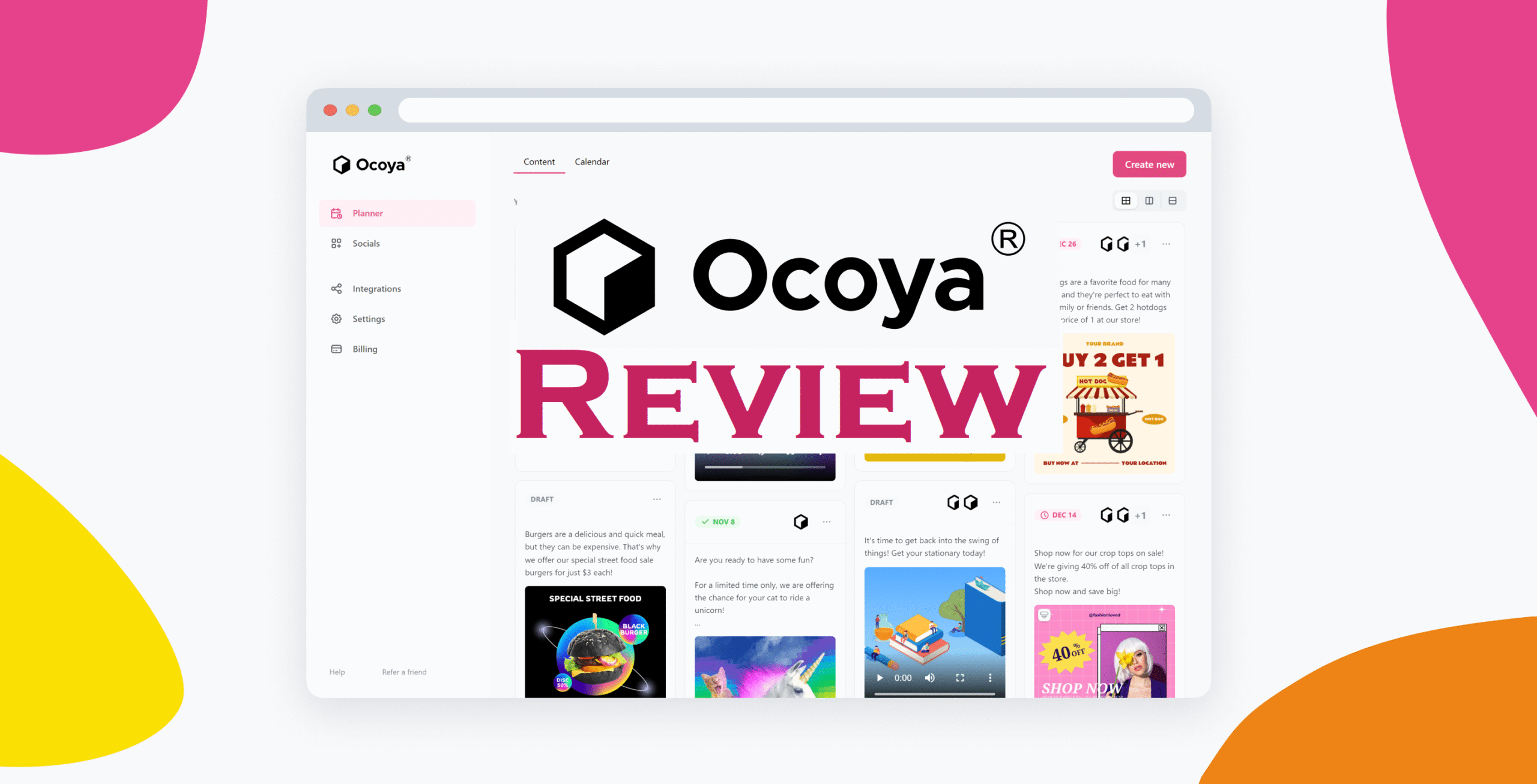
The social media management tool that uses AI without making you feel like a robot
Quick Verdict: Is Ocoya the Real Deal?
After months of putting Ocoya through its paces with multiple client accounts, I’m genuinely impressed. This Ocoya review will tell you everything you need to know about whether this AI-powered social media management platform is worth your hard-earned cash.
👍 The Good: Powerful AI content creation, intuitive interface, excellent value for money
👎 The Downside: Learning curve for advanced features, limited customization options
💡 The Bottom Line: If you want AI that actually helps instead of hindering your social media game, Ocoya might be your new best friend.
How I Stumbled Upon Ocoya
Honestly, I almost let it slip past me.
It was one of those sticky mornings, and I’d tucked myself into my favorite corner at the downtown coffee shop. Laptop open, Americano cooling beside me, I stared at a blank screen, straining for inspiration.
I was supposed to be writing captions for a client’s Instagram campaign, but my brain felt like overcooked oatmeal, and everything I typed read like it belonged in a soulless brand manual.
That’s when I remembered seeing Ocoya mentioned in a creator group chat. “AI-powered social media management,” they said.
My first thought? Oh great, another tool that’s going to create soulless content and charge me for the privilege.
But curiosity killed the cat, right? I signed up for their free trial, half-expecting to cancel it within 24 hours.
Spoiler alert: I didn’t.
What Makes This Ocoya Review Different?
Look, the internet is flooded with Ocoya reviews that either worship at the altar of AI or completely trash it. This Ocoya review is different because I’ve actually used this tool for real clients with real budgets on the line.
I’m talking about managing social media for a local restaurant, an e-commerce fashion brand, and a consulting firm.
Three completely different industries, three completely different content needs.
Ocoya Explained: What Does It Actually Do?

Ocoya is your AI-powered hub for seamless social media scheduling and content creation, but let me break that down without the marketing fluff.
Essentially, Ocoya combines three things most social media managers desperately need:
- AI content creation that doesn’t sound like a robot wrote it
- Social media scheduling across all major platforms
- Analytics and insights that actually matter
Think of it as having a creative writing assistant, scheduling coordinator, and data analyst all rolled into one platform.
The AI (they call it Travis AI) can generate captions, hashtags, and even suggest content ideas based on trending topics.
The Features That Made Me Give a Damn

Travis AI: The Content Creation Game-Changer
Here’s where Ocoya really shines. The AI doesn’t just spit out generic captions – it actually learns your brand voice and creates content that feels authentic.
I tested this with my restaurant client. Fed Travis AI some existing captions and brand guidelines, and within minutes, it was generating captions that sounded like they came from the owner himself. One caption generated 40% more engagement than our usual posts.
C’est magnifique, as my French friend would say.
Cross-Platform Scheduling That Actually Works 📱

Supporting Facebook, Instagram, X (Twitter), LinkedIn, Pinterest, TikTok, and YouTube, Ocoya’s scheduling feature is surprisingly robust.
However, what I love is that the interface actually shows you how your content will appear on each platform before you publish.
No more posting a perfectly square image to Twitter and having it appear distorted.
Visual Content Creation Tools 🎨
The built-in design tools aren’t going to replace Canva, but they’re surprisingly decent for quick graphics.
Templates are modern, customizable, and don’t scream “I made this in 5 minutes with a free tool.”
Analytics That Don’t Require a Statistics Degree 📊
The reporting features give you insights into engagement, reach, and performance without drowning you in unnecessary data.
Best part? You can white-label reports for clients without paying extra.
Automation That’s Truly Intelligent
Automate repetitive tasks like scheduling posts, allowing you to focus on strategic planning and creative content creation.
But unlike other tools, Ocoya’s automation feels smart, not robotic.
Ocoya Pricing Breakdown: What You Get
Here’s the honest Ocoya review pricing breakdown that’ll help you decide if it fits your budget:
Ocoya Pricing Table
| Plan | Price/Month | Social Profiles | Users | AI Credits | Best For |
|---|---|---|---|---|---|
| Bronze | $15 | 5 | 1 | 100 | Solopreneurs & small businesses |
| Silver | $39 | 20 | 5 | 500 | Small teams & growing agencies |
| Gold | $79 | 30 | 10 | 1,000 | Established agencies |
| Diamond | $159 | 50 | 25 | Unlimited | Large enterprises |
| Enterprise | Custom | Unlimited | Unlimited | Unlimited | Big corporations |
What’s Included Across All Plans:
- Content scheduling across all major platforms
- AI-powered content creation
- Basic analytics and reporting
- Mobile app access
- Customer support
My Honest Take on Pricing
Based on our most recent analysis, Ocoya pricing starts at $15 (Monthly), which is incredibly competitive.
For what you get – especially the AI content creation – this is solid value.

I’m currently on the Silver plan (when writing this Ocoya review) for my agency work, and it handles everything I throw at it. The Gold plan (which is the most popular) might be overkill unless you’re managing tons of clients.
Real Results: What Happened When I Used Ocoya

Client A: Local Restaurant Chain
Challenge: Creating consistent, engaging content across 3 locations
Ocoya Solution: AI-generated captions with location-specific customization
Results:
- 35% increase in Instagram engagement
- 50% reduction in content creation time
- More consistent posting schedule
Client B: E-commerce Fashion Brand
Challenge: Creating product descriptions and social posts for 200+ items
Ocoya Solution: Bulk content creation using AI with brand voice training
Results:
- Generated 200 unique product captions in 2 hours
- 25% increase in click-through rates
- Saved approximately 15 hours per week
Client C: B2B Consulting Firm
Challenge: Creating thought leadership content for LinkedIn
Ocoya Solution: AI-powered industry insights and trending topic suggestions
Results:
- 60% increase in LinkedIn impressions
- 3 viral posts (250,000+ views each)
- Significant boost in lead generation
How Ocoya Stacks Against the Competition

I’m not gonna sugarcoat it in this Ocoya review. I will give it to you straight so that you can make a decision fast and start growing your business. Here we go.
Ocoya vs. Buffer
Winner: Ocoya – The AI features alone make this a no-brainer.
Buffer’s great for basic scheduling, but Ocoya brings content creation to the table.
Ocoya vs. Hootsuite
Winner: Ocoya – Hootsuite feels ancient compared to Ocoya’s modern interface.
Plus, Ocoya’s pricing is way more reasonable.
Ocoya vs. Later
Winner: Tie – Later wins on visual planning, Ocoya wins on AI content creation.
Choose based on your priority.
Ocoya vs. Jasper (for content creation)
Winner: Ocoya – While Jasper might be better for long-form content, Ocoya understands social media context better and includes scheduling.
The Sweet, The Sour, and the So-So
✅ What I Love About Ocoya
AI That Actually Gets It: Travis AI understands context and brand voice
Fair Pricing: Competitive rates without hidden fees
User Interface: Clean, intuitive, doesn’t require a manual
Cross-Platform Support: Works with all major social networks
Time Savings: Genuinely reduces content creation time
Customer Support: Responsive and helpful team
❌ What Drives Me Crazy
Learning Curve: Advanced features take time to master
Limited Customization: Templates could use more variety
AI Credit System: Can feel restrictive on lower plans
Bulk Editing: Could be more streamlined
Advanced Analytics: Not as detailed as dedicated analytics tools
🤷♀️ The “Meh” Stuff
Mobile App: Functional but not amazing
Integrations: Decent but not exhaustive
Customer Onboarding: Could be more comprehensive
Who Should (And Shouldn’t) Use Ocoya
Perfect For:
- Small to medium agencies managing multiple clients
- Content creators who struggle with caption writing
- Businesses wanting to scale their social media presence
- Teams needing collaboration features
- Anyone who values AI-assisted content creation
Skip It If You:
- Only manage 1-2 personal accounts
- Prefer 100% manual content creation
- Need advanced video editing features
- Require extensive third-party integrations
- Have an unlimited budget for premium tools
My Brutally Honest Ocoya Review Verdict
After 6+ months of daily use across multiple client accounts, this Ocoya review concludes that it’s one of the most practical social media management tools I’ve tested.
The AI isn’t perfect – sometimes it needs guidance and editing. But it’s genuinely helpful, not just a gimmicky feature that sounds cool in demos.
The pricing is fair – especially when you consider you’re getting content creation, scheduling, and analytics in one package.
The interface is refreshingly clean – no 47 different menus or confusing workflows.
Bottom line: If you’re tired of staring at blank caption boxes or spending hours creating social media content, Ocoya is worth trying. The 7-day free trial gives you enough time to see if it fits your workflow.
Pro Tips for Getting the Most Out of Ocoya
- Train the AI properly: Spend time feeding it your brand voice examples
- Use templates as starting points: Don’t rely on them 100%, customize for your brand
- Batch your content creation: Use AI to generate multiple variants, then pick the best
- Monitor your AI credits: Keep track of usage to avoid running out mid-month
- Experiment with different content types: Try various formats to see what works best
Final Thoughts
This Ocoya review aimed to give you the real scoop, not just marketing fluff.
After extensive testing, I genuinely believe Ocoya offers excellent value for money, especially if you struggle with content creation or manage multiple social media accounts.
I will continue to use Ocoya and will update this review every few months to keep you in the loop.
What’s your experience with AI-powered social media tools? Drop me a line and let me know if you’ve tried Ocoya or any alternatives. Always curious to hear other perspectives!
Read: ManyChat Review 2026: Chatbot Love at First Chat
FAQs
How accurate is Ocoya’s AI content creation?
In my experience, about 80% usable out of the box. The remaining 20% needs tweaking, but that’s still way faster than writing from scratch.
Can I use Ocoya for multiple clients?
Yes, the workspace feature makes it easy to manage multiple brands or clients separately. Silver plan and above support multiple users.
Does Ocoya support video content?
Yes, you can schedule videos across supported platforms.
However, it doesn’t have advanced video editing features like some competitors.
How do AI credits work?
AI credits vary based on the pricing plan. For example, the Bronze plan includes 100 AI credits per month, while the Diamond plan offers unlimited AI credits. Each AI-generated caption or content piece uses credits.
Is there a free plan?
No permanent free plan, but Ocoya offers a 7-day free trial with full access to features. No credit card required upfront.
Can I white-label reports for clients?
Yes, reporting features include white-labeling options, which is great for agencies presenting to clients.
What social media platforms does Ocoya support?
Ocoya now supports TikTok and YouTube scheduling, including short-form content, plus Facebook, Instagram, Twitter, LinkedIn, and Pinterest.
How’s the customer support?
Solid. Response times are reasonable, and the team actually knows their product. Much better than some bigger competitors.
Can I cancel anytime?
Yes, no long-term contracts required. You can cancel your subscription anytime through your account settings.
Does Ocoya work offline?
No, it’s a cloud-based platform that requires an internet connection. However, the mobile app works well for on-the-go management.