Halomate AI Review 2026: Multi-Model AI Workspace
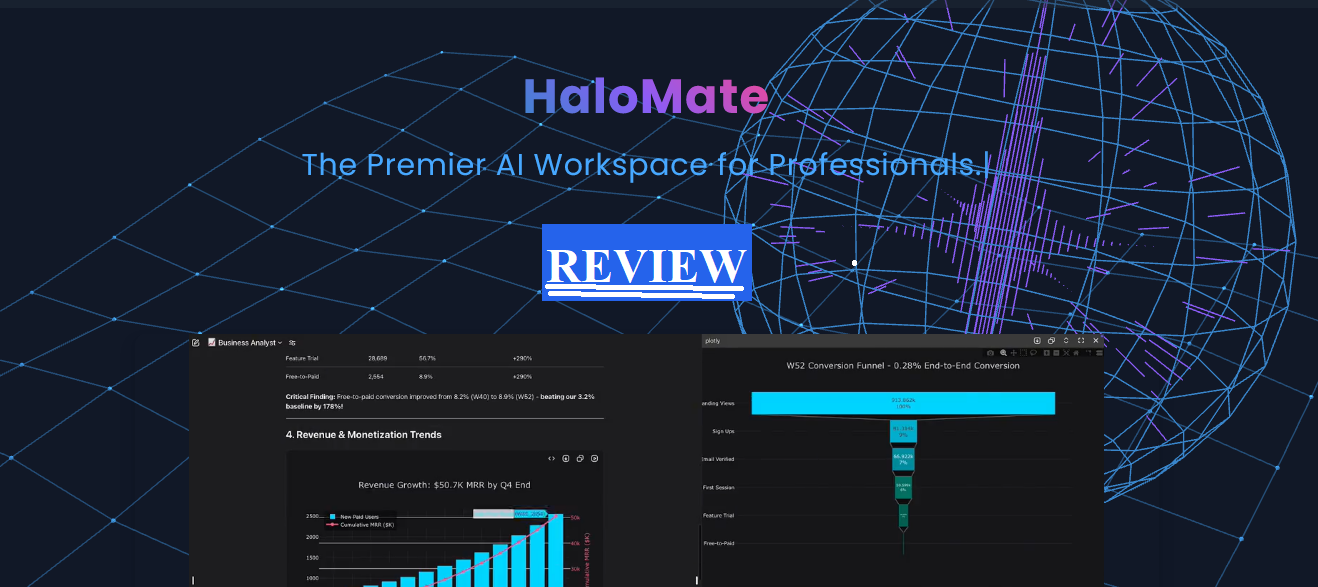
One workspace. Multiple AI brains. Zero tab-switching chaos.
My Verdict & Rating
Halomate AI is one of the most thoughtfully designed multi-model AI workspaces I’ve tested in 2026. It’s not 100% perfect (nothing is), but for creators, freelancers, and professionals tired of juggling five different AI tabs, this thing might just change your workflow.
What Is Halomate AI, and Why Should You Care?
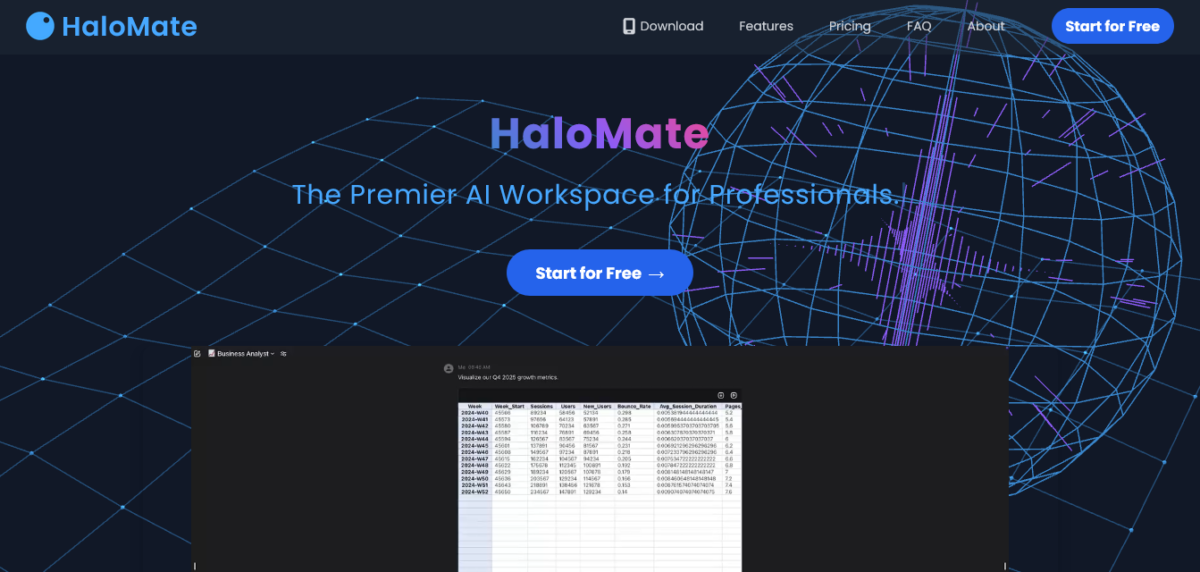
Halomate AI review incoming, and I’m not holding back.
Okay, so picture this. It’s a rainy Monday evening. I’m in my studio apartment, half a glass of Malbec in hand, seventeen browser tabs open; ChatGPT, Claude, Gemini, a Notion doc, a Google Doc, three random research pages, and one completely forgotten Perplexity thread from three days ago.
I’m trying to write a content strategy for a client. It’s a disaster.
That was my workflow before Angie introduced me to Halomate AI.
Halomate AI, built by Blue Tensor Pty Ltd out of Melbourne, Australia, is a multi-model AI workspace that lets you run GPT, Claude, Gemini, Grok, and DeepSeek all from one interface.
Not just side-by-side chat either, we’re talking specialised AI team members (they call them “Mates”), autonomous research agents, visual outputs, and actual deliverable exports.
Like, you can go from a question to a formatted PDF without ever leaving the app.
I know, I know. Every AI tool says it’s the one. I was sceptical too. Then I started using it.
👉 Try Halomate AI free — no credit card required
My Honest First Impression
The first time Angie, co-founder of Halomate, reached out, I rolled my eyes so hard I nearly saw my own brain. “Another AI app wrapper,” I thought. She sent me the link, asking if I could try it and find out whether it’s a good fit for my audience.
She was right.
I signed up via web (also on iOS, Android coming soon), poked around for about 20 minutes, and then accidentally spent two hours in there when I was supposed to be meal prepping.
Classic me.
What got me first was the Mate concept.
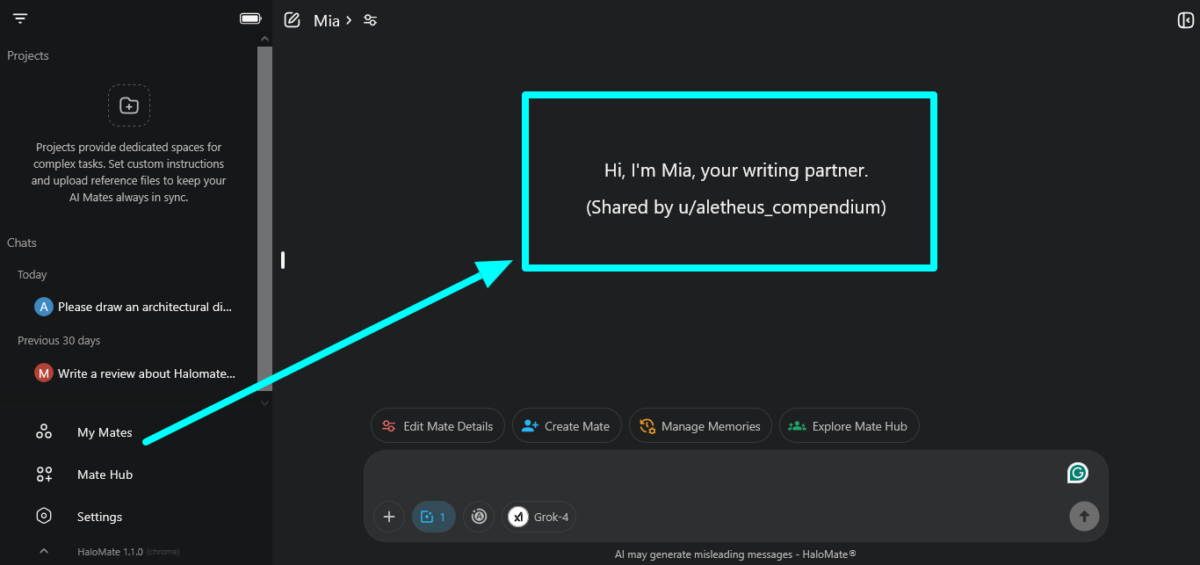
Instead of starting a fresh chat every time and re-explaining who you are, what you do, and what style you need, you build a Mate once, give it a persona and memory, and it remembers.
Not vaguely remembers. Actually remembers. We’ll dig into that.
The interface is clean. Not “startups trying to look like Linear” clean, but genuinely thoughtful. The model switcher is right there in the chat, not buried in settings. Small thing. Huge deal.
Halomate AI Features Breakdown {#features-breakdown}
Here’s a bird’s-eye look at what Halomate AI actually brings to the table in 2026:
| Feature | What It Does | Available On |
|---|---|---|
| Multi-Model Native | Switch between GPT, Claude, Gemini, Grok, DeepSeek mid-chat or compare side-by-side | All plans |
| Mates (AI Team) | Specialized AI agents with independent memory and custom personas | All plans (5 free, 50 Plus, unlimited Pro+) |
| AutoPilot | Autonomous research agent pulling from web, news, and academic journals | Free (Air/Pro models), paid plans unlock premium models |
| Visual Insights | Charts, diagrams, flowcharts, mind maps, UML — generated in-chat | All plans |
| Chat to Deliverable | In-place editing, split-screen review, export to PDF, DOCX, TXT, PNG | All plans |
| Creation Suite | Web apps, slides, SVG graphics, music notation with instant preview | All plans |
| Artifacts Support | HTML pages, Marp slides, ABC music, PDF and image rendering | All plans |
| Prompt Library / Reuse | Save prompts inside Mates, reuse without copy-pasting | All plans |
| Long Context Window | Up to 2M tokens on Pro, 50k on Free | Tiered by plan |
That context window on Pro is honestly wild.
2 million tokens. That’s an entire book’s worth of context. I fed it a 40-page client brief once just to see what would happen. It handled it without breaking a sweat.
Mate System: Your Specialised AI Dream Team
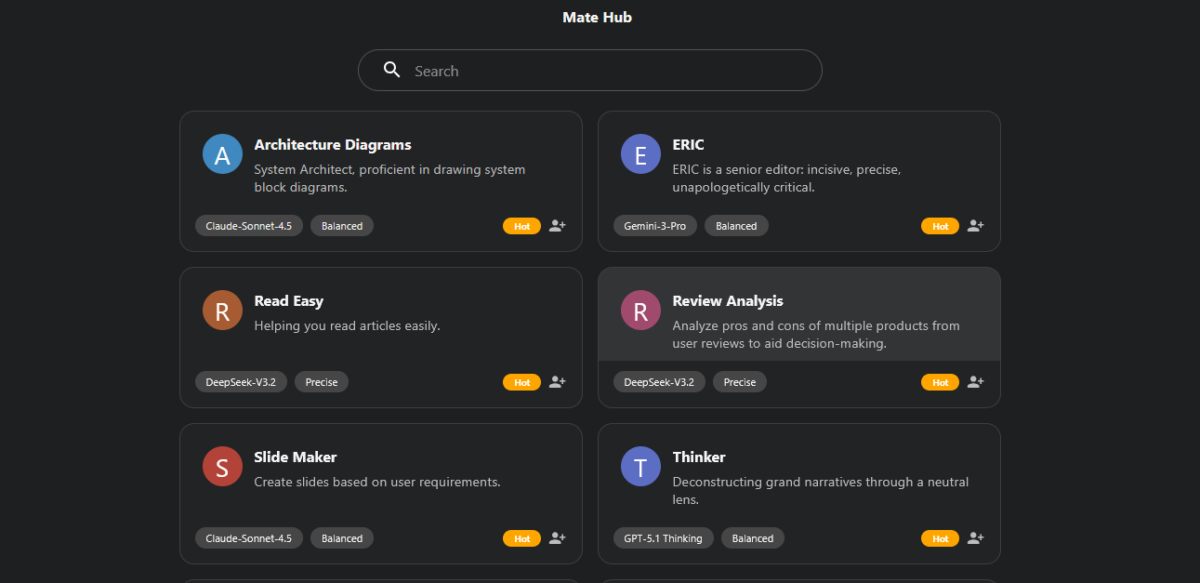
Okay, this is the thing I actually talk about when people ask me what makes Halomate different.
The Mate system is their answer to a real problem: generic AI chat is messy.
If you use one chat window for everything, your blog drafts, your client proposals, your personal research, and your code debugging stuff bleed into each other.
Style bleed.
Context confusion.
You end up getting a legal tone in your Instagram captions. (I know because this happened to me. I wrote a caption that started with “pursuant to.” I am not proud.)
With Halomate, you build specialised Mates for each domain. Your Marketing Copywriter Mate doesn’t know what your Legal Assistant Mate is doing.
They have isolated memories and independent personas. So your brand voice stays sharp, and your legal language stays precise.
What a Mate setup looks like:
| Mate Name | Persona/Role | Memory Stored |
|---|---|---|
| Blog Recode Writer | Mia’s voice, SEO style, Blog Recode guidelines | Brand tone, SEO rules, target audience |
| Client Strategy | Formal, research-heavy, structured | Client preferences, past feedback, goals |
| Research Assistant | Deep-dive, citation-focused | Research history, preferred sources, topic context |
| Code Debugger | Technical, concise | Language preferences, project context |
On the Free plan, you get 5 Mates. Plus gives you 50. Pro and above? Unlimited. For someone like me who has clients in completely different niches, unlimited Mates is basically a necessity, not a luxury.
You also save prompts inside the Mate itself. So next time you open your Blog Writer Mate, you don’t paste in a 200-word prompt. You just… chat. Like it already knows you. Because it does.
This alone made me 30% faster on client work. Not guessing. I timed it.
👉 Build your first Mate free — start here
AutoPilot: When Your AI Goes and Does the Research FOR You
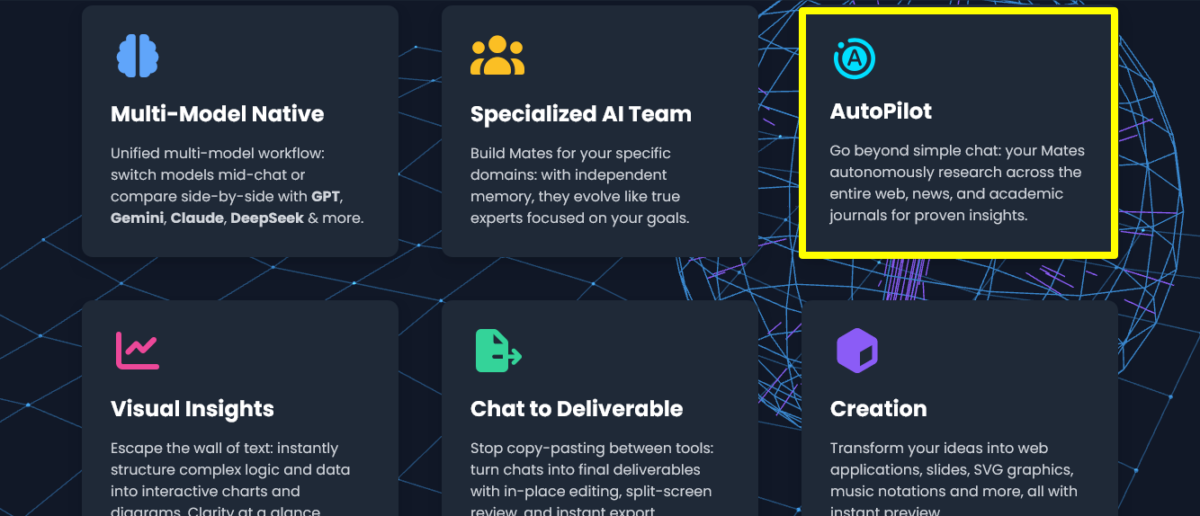
Right. So. AutoPilot.
I have to be honest, when I first saw “autonomous research agent” in the feature list, I assumed it was marketing hype. Every AI tool says it can “search the web.” Most of them return you a Wikipedia summary with three bullet points and call it research.
Merci beaucoup, very helpful.
Halomate’s AutoPilot is different. And here’s why.
It doesn’t just return search results. It plans, iterates, and cross-references across web sources, news, and academic journals to actually synthesise findings.
It then builds you a report with visualisations tailored to your specific goal.
I tested this. I asked a research Mate to investigate “the impact of AI-generated content on organic search rankings in 2025-2026.” Three minutes later, I had a structured report with data from multiple sources, a chart showing trend data, and a summary that actually made sense.
Would I bet my life on every data point? No.
Halomate themselves say to cross-check critical information. Which is honest, and I respect it. But as a first-pass research layer? Phenomenal.
AutoPilot availability by plan:
| Plan | AutoPilot Models Available |
|---|---|
| Free | Air / Pro models |
| Plus ($9.90/mo) | GPT / Grok / DeepSeek R1 |
| Pro ($19.90/mo) | Max models |
| Pro+ ($39.90/mo) | Ultra models |
For content creators and freelancers doing client research like me, the Plus plan’s AutoPilot alone is worth the $9.90/month.
That’s genuinely cheaper than a stock image subscription.
Multi-Model Workflow: GPT vs Claude vs Gemini vs DeepSeek — Pick Your Fighter
Here’s something most AI tool reviews skip over because it makes the comparison complicated: different models are good at different things.
GPT-4o is great at structured output.
Claude is outstanding at nuance and long-form writing.
Gemini handles multimodal tasks well.
DeepSeek is incredibly capable for its cost.
Grok adds a personality angle.
Using just one is like insisting on using a hammer for every job. Some jobs need a screwdriver.
Halomate’s Multi-Model Native design lets you:
- Switch models mid-chat — ask one thing with GPT, follow up with Claude, without starting a new conversation
- Run side-by-side comparisons — generate answers from two models at once to spot differences or catch hallucinations
That second one is huge. AI hallucinations are real. I’ve caught models confidently giving me wrong statistics before I verified them. Running two models in parallel and comparing answers is now part of my fact-checking workflow.
It’s like having two colleagues review the same brief.
Halomate also clarifies something I appreciate: they don’t offer 200+ models. They curate only the state-of-the-art (SOTA) picks and deeply optimise API parameters, context handling, and tool integrations for each. Smaller menu, better execution.
Which is honestly the right call.
Visual Insights and Creation Tools
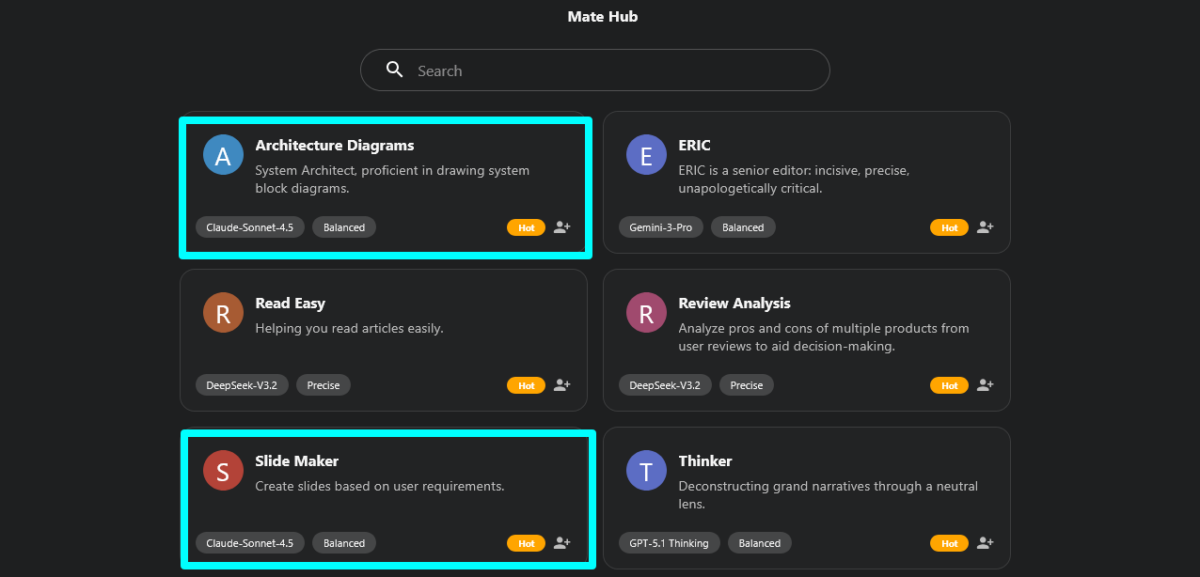
I’ll be real, I did not expect to use the visualisation features as much as I did.
Within a single conversation, Halomate can generate:
- Mind maps (Markmap, Freemind, OPML, JSON, XML formats)
- Data charts (Plotly, ECharts)
- Diagrams (Mermaid, DOT — flowcharts, UML)
- LaTeX math formulas
- Slides (Marp format)
- Web pages (full HTML preview)
- Music notation (ABC format)
- SVG graphics
I used the mind map feature to map out a full content strategy for a client.
Exported it as a PNG, dropped it in a Google Slides, and had a polished deliverable in under an hour. The client was impressed.
I didn’t tell them an AI helped build the map. That’s between Halomate and me.
The creation suite is genuinely impressive for content creators who also need to produce visual assets without jumping to Canva, Figma, or Lucidchart.
It’s not a replacement for dedicated tools, but for quick client-facing visuals or internal planning? More than adequate.
Export formats available:
| Output Type | Formats |
|---|---|
| Documents | PDF, DOCX, TXT |
| Visuals | PNG |
| Audio | WAV, MIDI |
| Code/Markup | Markdown, HTML, JSON |
Halomate AI Pricing: What You Actually Get for Your Money
Okay, let’s talk money, Baby.
| Plan | Price | Daily Credits | Context Length | Mates | Attachments |
|---|---|---|---|---|---|
| Free | $0/month | 1,000 credits/day | 50k tokens | 5 max | 1 per message (10MB max) |
| Plus | $9.90/month | 5,000 credits/day | 500k tokens | 50 max | 5 per message (30MB each) |
| Pro | $19.90/month | 10,000 credits/day | 2M tokens | Unlimited | 10 per message (50MB each) |
| Pro+ | $39.90/month | 20,000 credits/day | 2M tokens | Unlimited | 10 per message (50MB each) |
| Max | $99.90/month | 50,000 credits/day | 2M tokens | Unlimited | 10 per message (50MB each) |
Credit context to help you calibrate: 10,000 credits ≈ , 150 standard GPT-4o chats or about 3,000 standard DeepSeek-V3 chats. Actual consumption depends on conversation length.
Also worth noting: credits roll over on Plus and above (subject to system load). That’s a nice touch that many AI subscriptions skip.
My recommendation:
- Just exploring AI? The free plan is genuinely functional. Start there.
- Freelancers and content creators? Plus, at $9.90/month is the sweet spot. Unlocks better AutoPilot models, 50 Mates, and a 500k context window.
- Agency work or heavy research workflows? Pro at $19.90/month. The 2M token context and unlimited Mates are game-changers.
Pricing may vary by platform (note from their site).
Worth checking the current pricing directly at halomate.ai.
⚠️ Note: Halomate is currently available on iOS (App Store). Android/Google Play is listed as “coming soon” as of 2026.
Halomate AI vs The Competition
People always ask me how something stacks up. Fair. Here’s an honest comparison:
| Feature | Halomate AI | ChatGPT Plus | Claude Pro | Perplexity Pro |
|---|---|---|---|---|
| Multi-model in one workspace | ✅ Yes | ❌ No (GPT only) | ❌ No (Claude only) | Partial |
| Specialized AI agents with memory | ✅ Yes (Mates) | Partial (GPTs) | Partial (Projects) | ❌ No |
| Autonomous research (AutoPilot) | ✅ Yes | Partial | ❌ Limited | ✅ Yes |
| Visual outputs (charts, diagrams) | ✅ Comprehensive | Partial | Limited | Limited |
| Deliverable export (PDF, DOCX) | ✅ Yes | Partial | ❌ No | ❌ No |
| Starting price | $0 | $20/month | $20/month | $20/month |
| iOS app | ✅ Yes | ✅ Yes | ✅ Yes | ✅ Yes |
The honest truth?
No single tool wins everything. But Halomate’s angle, bringing the best models together in one purpose-built workspace, is a genuinely different value proposition from subscribing to Claude Pro and ChatGPT Plus separately, which would cost you $40/month, and you’d still be switching tabs.
What I Love and What Bugs Me
I believe in honesty. So here’s the full picture.
What I Love ❤️
The Mate system is genuinely brilliant. Context isolation between projects is something I didn’t know I desperately needed until I had it. Now I can’t imagine going back.
Multi-model without the tab chaos. The ability to switch models mid-conversation, or compare answers side-by-side, is legitimately useful, especially for catching hallucinations and getting different perspectives.
AutoPilot delivers real research value. Not perfect, but meaningfully better than “search the web” features in other tools. The cross-referencing across web, news, and academic sources is the key differentiator.
Visualization in-chat is slept on. Generating a Mermaid diagram or a mind map directly in the conversation, then exporting it? Saves multiple app switches per workflow.
The free plan isn’t insulting. 1,000 credits/day and 5 Mates are enough to genuinely evaluate if this tool works for you. They’re not locking you out until you pay.
Clean, purposeful UI. Not overwhelming. Not trying to show off. Just… organised.
What Bugs Me 🧐
Android is still “coming soon.” If you’re on Android, you’re waiting. That’s a real gap in 2026. Use a web browser instead.
The credit system can feel opaque. Different models consume credits at different rates, and without a clear real-time usage meter visible, it’s a little hard to track where your daily budget is going. Not a dealbreaker, but I’d love better visibility.
No web app/desktop app mentioned yet. As someone who mostly works from my studio or a coffee shop on a laptop, I’d love a browser-based version beyond just the mobile app and web browsers.
Newer platform. Halomate is newer, and while the core is solid, some features like AutoPilot are still being refined. They’re transparent about this, which I respect, but if you need battle-tested reliability, there’s a small element of being an early adopter here.
Who Is Halomate AI Actually For?

Let me be direct because I know some of you are scanning this, trying to figure out if it’s worth your time.
Halomate AI is a great fit if you are:
- A freelancer or content creator juggling multiple clients with different brand voices
- A researcher or analyst who needs to synthesise information from multiple sources quickly
- A professional tired of paying for 3+ separate AI subscriptions
- A blogger, copywriter, or strategist who builds deliverables (reports, briefs, decks) from AI conversations
- Someone who thinks in systems and wants specialised AI for specialised tasks
It’s probably not the right primary tool if you are:
- An Android user (for now)
- Someone who only needs one specific model (just get that model’s native app)
- A total AI beginner who might get overwhelmed by the multi-model concept — start simpler first
A few things worth exploring once you’re in there that I’d specifically highlight:
- Second Opinion feature — regenerate any response with a different model by switching mid-chat. Genuinely useful for quality-checking.
- Custom Mates with brand voice — take the time to build your Mates properly. Set your persona, your tone rules, your memory seeds. The upfront investment pays back 10x.
- The Project-like workspace using Mates — great for keeping research and drafts organised by client or campaign. Treat each Mate as a project workspace.
My Final Verdict
Halomate AI is the workspace I wish existed two years ago.
It’s not hype. It’s not a gimmick. It’s a genuinely thoughtful piece of software built around a real problem: professionals need multiple AI models, and switching between apps is killing productivity.
The Mate system is smart.
The AutoPilot research is impressive.
The visualisation and export features are practical.
And the pricing, especially the free plan and the Plus tier at $9.90/month, makes this accessible, not gatekept.
Is it perfect? Non.
Is it worth trying? Absolutely.
Especially since you can start for free with no credit card.
My advice: build three Mates in the first session. Make one for your main work style, one for research, and one for a specific client or project. Spend 20 minutes on it.
You’ll feel the difference immediately.
Final Rating: 8.5 / 10
| Category | Score |
|---|---|
| Multi-model functionality | 9/10 |
| Mate system and memory | 9/10 |
| AutoPilot research | 8/10 |
| Visual outputs | 8/10 |
| Pricing and value | 9/10 |
| UI/UX | 8/10 |
| Platform availability | 7/10 |
| Overall | 8.5/10 |
👉 Start free at Halomate.ai — no credit card, no BS
Mia’s note: I’ve tested a lot of tools over the years. I don’t recommend things I haven’t used. Halomate was used on real personal projects and client work before this review went up. The affiliate links, if any, are added later; they don’t change my opinion. This one genuinely earned its score.
FAQs
What is Halomate AI?
Halomate AI is a multi-model AI workspace that lets you use GPT, Claude, Gemini, Grok, and DeepSeek in one interface.
It features specialised AI agents called Mates with independent memory, an autonomous research agent (AutoPilot), visual output generation, and deliverable exports
Is Halomate AI free to use?
Yes. Halomate AI has a free plan that includes 1,000 credits per day, 5 Mates, a 50k context window, and AutoPilot with Air/Pro models. No credit card is required to start.
What AI models does Halomate support?
Halomate currently supports GPT, Gemini, Claude, Grok, and DeepSeek. They curate a focused set of state-of-the-art models rather than listing hundreds of mediocre options.
What is a “Mate” in Halomate AI?
A Mate is a specialised AI agent you build with a custom persona, role, and independent memory. It remembers your preferences, past interactions, and rules without you needing to re-explain context each time.
You can build Mates for different clients, projects, or domains.
How does AutoPilot work in Halomate?
AutoPilot is an autonomous research feature that goes beyond simple web search. It plans, iterates, and cross-references information from web sources, news outlets, and academic journals, then delivers structured reports with visualisations.
Higher-tier plans unlock AutoPilot with more powerful models.
Is Halomate AI available on Android?
Not yet as of 2026. Halomate is currently available on iOS via the App Store. Android/Google Play is listed as “coming soon” on their website.
How much does Halomate AI cost?
Plans start at free ($0), then Plus ($9.90/month), Pro ($19.90/month), Pro+ ($39.90/month), and Max ($99.90/month). Pricing may vary by platform.
What can Halomate AI export?
Halomate exports documents as PDF, DOCX, and TXT; visuals as PNG; audio as WAV and MIDI; and code/markup as Markdown, HTML, and JSON.
Can Halomate AI generate charts and diagrams?
Yes. Halomate generates data charts (Plotly, ECharts), diagrams (Mermaid, DOT), mind maps (Markmap, Freemind, OPML), LaTeX math formulas, and more, all directly within your conversation.
Who is Halomate AI built by?
Halomate AI is built by Blue Tensor Pty Ltd, based in Melbourne, Australia (105 Clarendon St, Southbank VIC 3006). You can contact them at support@halomate.ai.
How is Halomate different from just using ChatGPT Plus?
ChatGPT Plus only gives you access to OpenAI’s models. Halomate lets you run GPT alongside Claude, Gemini, Grok, and DeepSeek in the same workspace, with specialised agents that have independent memory and an autonomous research layer. It’s a unified workspace vs. a single-model subscription.
Can I save and reuse prompts in Halomate?
Yes. You can save prompts inside your Mates so they’re always available without copy-pasting. Each Mate becomes a prompt library for its domain.
What’s the context window limit on each plan?
Free: 50k tokens. Plus: 500k tokens. Pro: 2 million tokens. Pro+: 2 million tokens. Max: 2 million tokens.
Found this review helpful? Share it with a fellow creator who’s drowning in AI tabs. And if you want more honest breakdowns like this — zero fluff, all signal — you know where to find me. Blog Recode. We do this differently here.